The Square Appointments Insider’s Guide
Everything we know about Square Appointments in one document: what it costs, its grades, getting a refund, getting help and what else to look at. Read it here, or keep a copy.
Square Appointments
The Insider’s Guide
Booking, point of sale and payments for appointment businesses
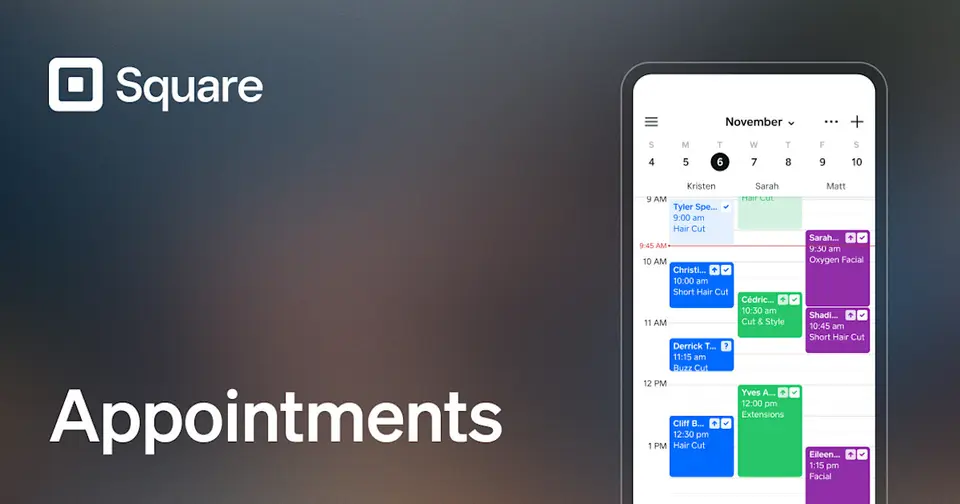
Every plan, grade, refund rule and rival among salon, spa and studio booking apps, read from Square Appointments’s own pages.
Made by Block, Inc. · checked Oct 5, 2026 · toolgpa.com
Contents
- 01WelcomeWhat it is, who it suits, its grades and the ten things to know first
- 02What it costsEvery plan, the free plan, ways to pay less and how prices have moved
- 03What it doesIts main features, where it runs, what it works with and who makes it
- 04Where it standsIts grades against its category, and whether to keep it or make your own
- 05After you payGetting your money back, getting out, and getting help
- 06The alternativesThe tools it is most often weighed against, side by side
- 07Quick answersThe questions people ask about it, each answered in a line or two
- 08About ToolGPAWho made this guide, what else is on the site, and how to cite it
ToolGPA put this guide together from Square Appointments’s own pages, its app-store listings and our grades. Every fact in it is on Square Appointments’s page too, where it is kept up to date. Checked Oct 5, 2026.
Part 01 · Overview
Welcome
What it is, who it suits, its grades and the ten things to know first
3.2
GPA, above 15 of the 15 other salon, spa and studio booking apps we grade
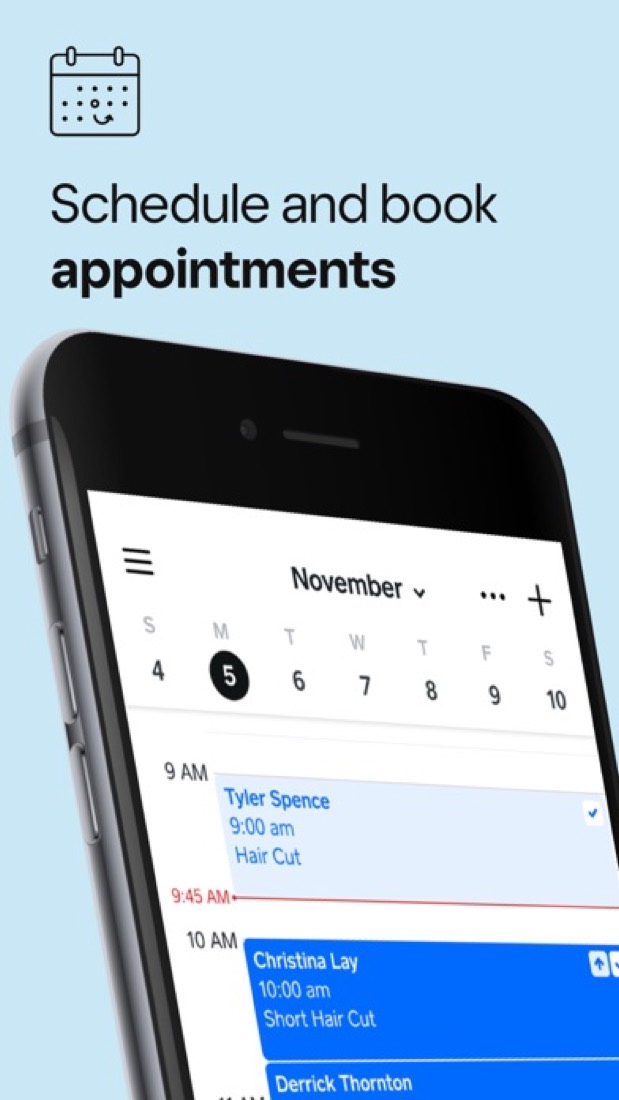
Square Appointments is the booking product in Square's commerce platform, aimed at salons, barbershops, spas and other businesses that work by appointment. It pairs a booking website, staff calendars and automatic reminders with Square's point of sale, so services, retail products and payments run through one account. It is sold through the Square Free, Plus and Premium plans, which are priced per location, with card processing fees on every plan.
To get you started, here are 10 things to know about Square Appointments, taken from its own pages and our grades.
- 1
Best for salons and solo pros who work by appointment
Square Appointments is booking plus Square's point of sale for salons, barbers and other appointment businesses, with a free plan that has no monthly fee.
- 2
Paid plans start at $49 a month
As its pricing page puts it: $49 per location / month (Square Plus).
- 3
There is a free plan
Square Free: no monthly fee, with a booking website, unlimited staff calendars, text and email reminders, deposits, prepayments and invoices. Processing fees apply to each payment.
- 4
It runs on 3 platforms
Web, iOS and Android.
- 5
Online booking site
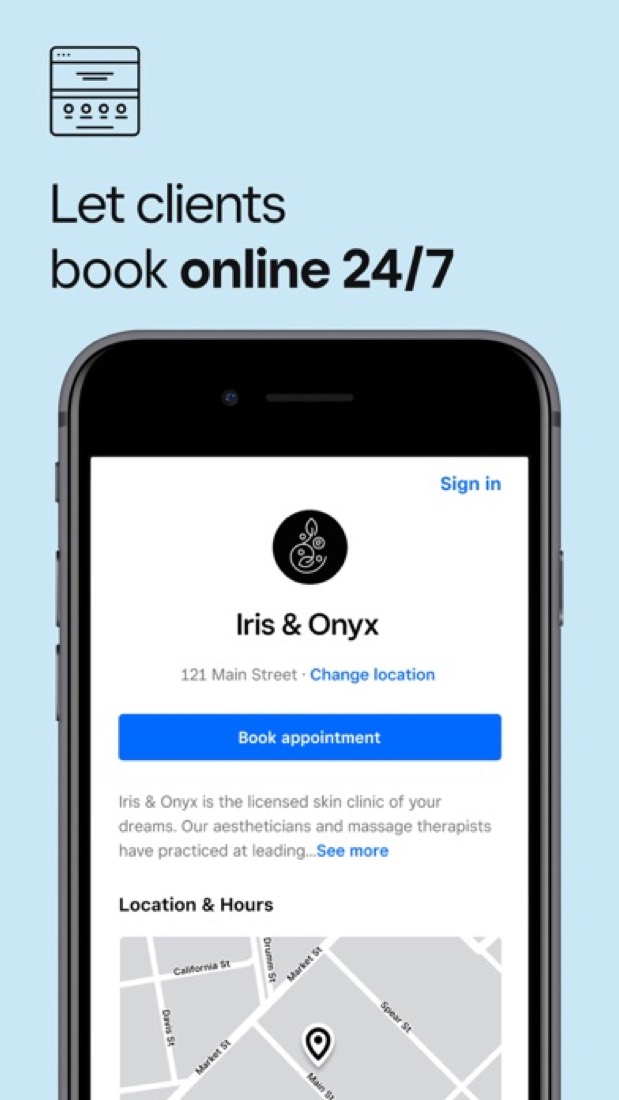
A customizable booking website on every plan, plus Book Now buttons for Instagram, Facebook and a Google Business Profile, a widget for an existing site and a QR code.
- 6
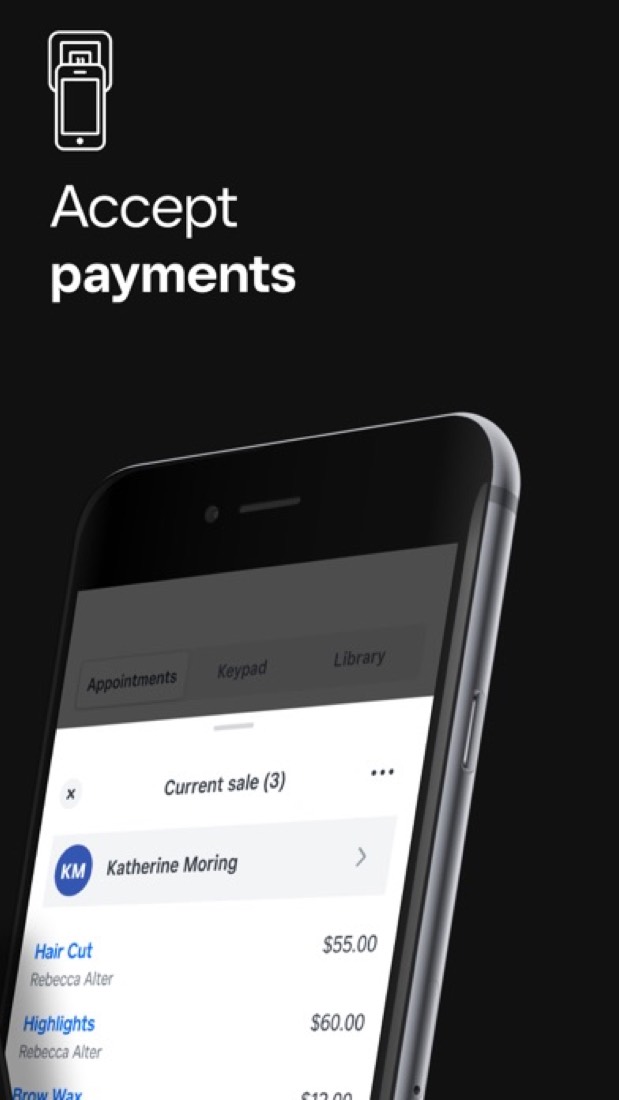
Payments and point of sale
Take cards in person, online or with Tap to Pay on a phone, keep cards on file, and ring up services and products together. Afterpay and Cash App Pay are supported.
- 7
No-show protection
Deposits and prepayments are on every plan. A cancellation policy that charges the card on file for late cancellations and no-shows needs Square Plus.
- 8
Refunds: no set window
Square's terms say what most subscription terms say: cancel whenever you like, keep the plan to the end of the month you have paid for, and no money comes back. You do it all yourself in the Dashboard, and you can even park a plan for up to three months instead of ending it.
- 9
A 3.2 GPA, above 15 of 15
That is against the other salon, spa and studio booking apps we grade, on value, the free plan, features, ease of use and platforms.
- 10
Keep it
The plain part of Square Appointments you could make: invoicing and reports. What surrounds it you could not. The 6 things listed below take a company, not a weekend.
Square Appointments at a glance
- Pricing
- Free plan, from $49 per location / month (Square Plus)
- Free plan
- Yes
- Free trial
- 30-day free trial of Square Plus or Square Premium
- Runs on
- Web, iOS, Android
- Made by
- Block, Inc.
- Category
- Salon, Spa & Studio Booking
- Our grade
- 3.2 GPA, very good
- Store rating
- 4.9 on the App Store, 195,285 ratings
The report card
Best for salons and solo pros who work by appointment
Square Appointments is booking plus Square's point of sale for salons, barbers and other appointment businesses, with a free plan that has no monthly fee. Square takes a cut of every card payment on every plan, and no-show fees, Google Calendar sync, the waitlist and classes need Plus at $49 a location a month. There's no Mac or Windows app either.
| Subject | Grade | Comment |
|---|---|---|
| Value for money | B | Free has no monthly fee, inside this category's cheaper quarter ($29.99 or less), and Plus is $49 a location a month with unlimited staff, level with the $49.90 middle. Premium is $149, in the dearest tenth, and card fees of 2.6% + 15¢ in person come on top of every plan. |
| Free plan and trial | B | No monthly fee, with a booking site, unlimited staff calendars, text reminders and deposits. But you pay 2.6% + 15¢ in person and 3.3% + 30¢ online, and Google Calendar sync, no-show fees, classes and the waitlist all need Plus. |
| Features | B | A booking site, reminders clients can reply to, deposits, a waitlist, classes, packages, and rooms and chairs on Premium, with Square's point of sale for services and products. That's the whole booking job, but Fresha, Vagaro, Mangomint and Booksy also take payment at the desk, so the till doesn't set it apart. |
| Ease of use | A | 4.88 from about 195,000 App Store ratings, the highest score in this category. Some reviewers got a bot when they wanted a person, and 24/7 phone support is Premium only. |
| Platforms and integrations | B | Web, iPhone and Android, with no Mac or Windows app. It hooks into Instagram, Facebook, Google, Wix, QuickBooks and JotForm, but Google Calendar sync and the Bookings API are held back for Plus. |
An A is worth 4 points, a B 3, a C 2, a D 1 and an F nothing. The GPA is the average of the five.
Who Square Appointments is for
- Fits if you work by appointment and want booking and checkout in one app
- Works for shops that already take cards with a Square reader
Who it is not for
- Pricey if you're solo and just want Google Calendar sync or no-show fees, at $49 a location a month
- Watch out: card fees apply on every plan, 2.6% + 15¢ in person and 3.3% + 30¢ online on Free
- Tight if you stay on Free: no waitlist, classes, packages, multi-staff booking or Bookings API
- Not for you if you want a Mac or Windows app, or 24/7 phone support without paying $149 a month
- Skip it if you'd rather Square didn't hold your money: one reviewer's account was frozen for over ten days
Good to know
Good for
- Salons, barbershops and spas that want booking and checkout in one system
- Solo professionals who can start on the free plan
- Businesses already taking payments with Square hardware
Worth knowing
- Square Free leaves out Google Calendar sync, no-show fees, multi-staff booking, classes and packages, the waitlist and the Bookings API.
- Plus and Premium are charged per location: $49 or $149 a month for each location you run.
- Processing fees apply on every plan, from 2.4% + 15¢ in person on Premium to 3.3% + 30¢ for online payments on Free.
- Resource management and the future bookings, service cost and team performance reports are Premium-only.
Part 02 · Pricing
What it costs
Every plan, the free plan, ways to pay less and how prices have moved
$49
A month to start. There is a free plan too
Square Appointments has a free plan. Paid plans start at $49 per location / month (Square Plus).
No monthly fee, with a booking site, unlimited staff calendars, text reminders and deposits.
Square Free
$0
Booking website, unlimited staff calendars, reminders, deposits and invoices. Processing is 2.6% + 15¢ in person and 3.3% + 30¢ online.
Square Plus
$49
per location / month
Adds no-show fees, multi-staff booking, waitlist, classes and packages, Google Calendar sync and the Bookings API. In-person processing is 2.5% + 15¢.
Square Premium
$149
per location / month
Adds resource management, future bookings and team performance reports, service cost tracking, 24/7 phone support and 2.4% + 15¢ in-person processing.
Square Pro
Custom
Custom pricing and processing fees for businesses that process over $250,000 per year, arranged through Square's sales team.
The free plan
Square Free: no monthly fee, with a booking website, unlimited staff calendars, text and email reminders, deposits, prepayments and invoices. Processing fees apply to each payment.
Trying it first
30-day free trial of Square Plus or Square Premium
Read from squareup.com on Oct 5, 2026.
How its prices have moved
- Jul 11, 2026Square Premium: $69 per location / month → $149 per location / monthThe archived copy of 11 July 2026 shows $149 a month per location; the copy of 27 July 2025 shows $69. The copies in between filled their prices in with JavaScript, so the rise can only be placed in that window.
- Jul 11, 2026Square Plus: $29 per location / month → $49 per location / monthThe archived copy of 11 July 2026 shows $49 a month per location; the copy of 27 July 2025 shows $29. The copies in between filled their prices in with JavaScript, so the rise can only be placed in that window.
Part 03 · Features
What it does
Its main features, where it runs, what it works with and who makes it
3
Places it runs: Web, iOS and Android
Booking, point of sale and payments for appointment businesses. Here is what it does, as its own site describes it, and what it covers: public API, AI features, booking links, invoicing, reports.
That's the whole booking job, but Fresha, Vagaro, Mangomint and Booksy also take payment at the desk, so the till doesn't set it apart.
- Online booking site
- A customizable booking website on every plan, plus Book Now buttons for Instagram, Facebook and a Google Business Profile, a widget for an existing site and a QR code.
- Payments and point of sale
- Take cards in person, online or with Tap to Pay on a phone, keep cards on file, and ring up services and products together. Afterpay and Cash App Pay are supported.
- No-show protection
- Deposits and prepayments are on every plan. A cancellation policy that charges the card on file for late cancellations and no-shows needs Square Plus.
- Reminders and Square Assistant
- Automatic text and email reminders go out on every plan, and Square Assistant lets clients reply to an SMS reminder to confirm, cancel or change a booking.
- Staff, locations and resources
- Staff calendars are unlimited on every plan. Multi-staff bookings and multi-location management start on Plus; assigning rooms, chairs or stations is Premium-only.
- Classes, packages and waitlist
- From Square Plus, schedule one-time or recurring group classes, sell prepaid packages of services, and let clients join a waitlist from the booking site.
Where it runs
- Web
- iOS
- Android
What it works with
- Google Calendar
- Wix
- QuickBooks
- JotForm
- Homebase
- Afterpay
Square Appointments is made by Block, Inc.
Part 04 · Standing
Where it stands
Its grades against its category, and whether to keep it or make your own
15/15
Other salon, spa and studio booking apps it is graded above
Square Appointments's GPA of 3.2 is higher than 15 of the 15 other salon, spa and studio booking apps we grade.
It stands best on ease of use (A, above 14 of 15) and worst on platforms and integrations (B, above 0).
Its paid plans start at $49 a month, against a middle price of $49.45 for the category: 5 of the 13 others that charge start lower.
On features, ease of use and platforms it scores 3.3 out of 4. Nothing scores higher for less, though at least one tool matches that score at a lower price.
Each grade against the category
Every bar is all 16 salon, spa and studio booking apps we grade, cut by the letter each got. Square Appointments’s own letter is outlined.
- BValue for moneyAbove 12 of 15
- BFree plan and trialAbove 14 of 15
- BFeaturesAbove 3 of 15
- AEase of useAbove 14 of 15
- BPlatforms and integrationsAbove 0 of 15
Price against what you get
Each dot is one of 14 salon, spa and studio booking apps. Further left costs less; higher up scores better on features, ease of use and platforms. Square Appointments is the marked dot.
What paid plans start at, a month (each step along is roughly double) →
Keep it, or make your own?
Whether this is something you could build for yourself with an AI app builder, and what you would give up.
Keep it
The plain part of Square Appointments you could make: invoicing and reports. What surrounds it you could not. The 6 things listed below take a company, not a weekend.
It is one of the better ones too: its GPA of 3.2 is higher than 15 of the 15 other salon, spa and studio booking apps we grade. It costs $588 a year.
What you could make
- Invoicing and reports: an app builder makes these well.
What you could not
- Booking pages that read and write other people's calendars and send the emails.
- A real app for iOS and Android. Something home-made would be a web page.
- It plugs into other products, Google Calendar, Instagram and Facebook among them, and has an API.
- AI features, unless you pay a model provider for each request yourself.
- Hooks into the device itself: widgets.
- The depth: we grade its features B, which means it covers the whole job.
What this rests on. Square Appointments’s listing: what it does, where it runs, what it plugs into and what it costs. It is a judgement about the kind of software this is. We have not built a replacement for it, and making your own means looking after it too. How we decide, and every tool’s verdict.
Part 05 · Refunds
After you pay
Getting your money back, getting out, and getting help
What happens once you have paid: whether you can get your money back, how to leave, and how to reach a person when something goes wrong. Each is graded from Square Appointments’s own terms and help pages.
Refunds and cancelling
Ordinary · checked Oct 18, 2026
Square's terms say what most subscription terms say: cancel whenever you like, keep the plan to the end of the month you have paid for, and no money comes back. You do it all yourself in the Dashboard, and you can even park a plan for up to three months instead of ending it. With a 30-day free trial on both paid tiers and a free tier to land on, there is not much to be caught by. An ordinary deal, so a C.
- Refund window
- No set window
- How you cancel
- Yourself, in settings
- Getting your money back
Square's General Terms of Service say that if you cancel a subscription service you keep access to it through the end of the then-current billing period, but you are not entitled to a refund or credit for any subscription fee already due or paid. No refund window is stated anywhere on the pages read.
Stated on squareup.com- How to cancel Square Appointments
You unsubscribe yourself in the Square Dashboard, under Settings, then Account & Settings, then Pricing and subscriptions: find the subscription, click Manage or Unsubscribe and confirm. It needs the account and settings permission, so an account owner or a team member who has it. The terms repeat that a subscription service can be cancelled at any time from your Square account settings.
- Sign in to Square Dashboard and go to Settings, then Account & Settings
- Open Pricing and subscriptions
- Scroll to the subscription you want to end
- Click Manage to see the tiers, or click Unsubscribe
- Select Unsubscribe to confirm
- What you keep afterwards
The terms say you keep the paid service to the end of the billing period you have paid for. Square's help article adds that a downgrade takes effect at the start of the next billing cycle, with the old tier's features and support available until then, and that an ended subscription can be reactivated later from the same page.
Stated on squareup.com- Renewals
The terms say subscription fees are charged on the first of every month until cancelled, unless a particular service says otherwise, and that signing up after a free trial means agreeing to pay the fee. Square reserves the right to change a subscription fee on reasonable advance notice. No reminder before a renewal is mentioned.
Stated on squareup.com
In your favour
- Square Plus and Square Premium each come with a free 30-day trial before you pay anything.
- You unsubscribe yourself in the Dashboard in a few clicks, with nobody to ring.
- Most subscriptions can be paused for up to three months instead of being cancelled outright.
- Cancel and you drop to Square Free, which has no monthly fee at all, rather than losing the booking site.
Watch out for
- No refund or credit for a fee already due or paid, whatever is left of the month.
- Fees are charged on the first of every month until you cancel, with no reminder promised.
- Square reserves the right to change the subscription fee on reasonable advance notice.
- Only the account owner or someone with the account and settings permission can unsubscribe.
Customer support
Excellent · checked Oct 18, 2026
This is what good looks like. Chat and email are on every plan, free one included, and phone too. Square states the hours: live chat agents Monday to Friday, 6am to 6pm Pacific, phone around the clock on Square Premium and the same weekday window on Square Plus. Behind that sit a large support centre, a seller community and in-app help. An A, with one caveat: the chat starts with a bot, and phone support on the free tier runs out after 90 days.
Ways to get help
Live chat
Chat runs through Support Assistant in the Dashboard, the Support Center or the point of sale app. Square says the assistant answers first and offers to hand you to a live agent when it cannot solve the problem, passing your conversation across so you need not repeat yourself.
Stated on squareup.comPhone
Square gives a support phone line with a callback option if the wait is long. It says phone support is not guaranteed for every seller and that hours and availability vary by subscription. Only account owners and authorised representatives may contact support.
Stated on squareup.comEmail
The Appointments plan comparison lists email support on Square Free, Square Plus and Square Premium alike, described as connecting with an expert over email.
Stated on squareup.comHelp inside the app
Help can be reached inside Square Point of Sale on iOS and Android and on Square Register by tapping More, then Support, which opens Support Assistant and the live options you are eligible for.
Stated on squareup.comHelp centre
The Square Support Center holds searchable articles and video tutorials by topic, open to anyone, with a prompt to sign in for expedited support.
Stated on squareup.comCommunity or forum
The Square Community is a forum where sellers answer each other's questions. Square says you sign in with your Square account and pick a public username the first time.
Stated on squareup.com
- When people answer
Square says live chat agents are available Monday to Friday, 6am to 6pm Pacific Time, and that outside those hours the assistant tells you when agents are next back. Phone hours it says vary by subscription: the Appointments plan table gives 24/7 on Square Premium, 6am to 6pm PT Monday to Friday on Square Plus, and the same window for the first 90 days on Square Free.
Stated on squareup.com- How fast it says it replies
Its pages do not say.
- What depends on your plan
The Appointments plan comparison ticks chat support and email support for all three plans. Phone support differs: 24/7 on Square Premium, 6am to 6pm PT Monday to Friday on Square Plus, and 6am to 6pm PT Monday to Friday for the first 90 days only on Square Free.
Stated on squareup.com
In your favour
- Chat and email are ticked on every plan, the free one included.
- Square Premium gets phone support 24 hours a day, every day, which few rivals offer at $149.
- The hours for live chat are stated plainly: Monday to Friday, 6am to 6pm Pacific.
- Help is reachable from inside the point of sale app, not only from a browser.
Watch out for
- The chat opens with Support Assistant, a bot, and only hands you to a person when it cannot help.
- On Square Free, phone support stops after the first 90 days.
- Square says phone support is not guaranteed for every seller and varies by subscription.
- Only the account owner or an authorised representative is allowed to contact support.
What these two grades rest on. Read on 18 October 2026: Square's General Terms of Service on subscription fees and cancellation, its help articles on managing Square subscriptions and on getting support at Square, the Square Support Center home, and the Square Appointments pricing page with its plan comparison and FAQ. Nobody here cancelled a plan, asked for a refund or contacted Square's support. They are graded apart from the five that make the GPA. How we grade refunds and support.
Part 06 · Alternatives
The alternatives
The tools it is most often weighed against, side by side



Fresha, Vagaro, Booksy, GlossGenius and Acuity Scheduling
The 5 tools Square Appointments is most often weighed against, with where each one differs from it.
- 3.0GPA
Fresha
Free trial · from $19.95/mo
Salon and spa booking with a consumer marketplace for new clients.
- Square Appointments has a free plan. Fresha does not, though it has a free trial.
- Square Appointments also covers booking links, invoicing and reports.
- Fresha also covers email campaigns, shift scheduling, inventory, appointment booking and review collection.
- 2.6GPA
Vagaro
Free trial · from $30/mo
Booking, payments and marketing for salons, spas and studios.
- Square Appointments has a free plan. Vagaro does not, though it has a free trial.
- Square Appointments also covers booking links, invoicing and reports.
- Vagaro also covers forms, email campaigns, payroll, inventory, appointment booking and class booking.
- 2.6GPA
Booksy
Free trial · from $29.99/mo
Booking app and marketplace for barbers, salons and beauty pros.
- Square Appointments has a free plan. Booksy does not, though it has a free trial.
- Square Appointments also covers booking links, invoicing and reports.
- Booksy also covers forms, email campaigns, appointment booking and sMS marketing.
- 2.4GPA
GlossGenius
Free trial · from $24/mo
Booking, payments and marketing for salons, spas and medspas.
- Square Appointments has a free plan. GlossGenius does not, though it has a free trial.
- Square Appointments also covers booking links, invoicing and reports.
- GlossGenius also covers forms, email campaigns, payroll, clinical notes, appointment booking, sMS marketing and review collection.
- 2.2GPA
Acuity Scheduling
Free trial · from $16/mo
Appointment booking, payments and reminders for service businesses.
- Square Appointments has a free plan. Acuity Scheduling does not, though it has a free trial.
- Square Appointments also covers reports.
Part 07 · Questions
Quick answers
The questions people ask about it, each answered in a line or two
19
Questions, each answered in a line or two
The short version of everything above, for when you only need the answer. Each one is told in full in its part of the guide.
Is Square Appointments free?
Square Appointments has a free plan. Square Free: no monthly fee, with a booking website, unlimited staff calendars, text and email reminders, deposits, prepayments and invoices.
How much does Square Appointments cost?
Square Appointments lists 4 plans. Square Free: $0.
What platforms does Square Appointments work on?
Square Appointments is available on Web, iOS and Android.
How is Square Appointments rated?
Square Appointments's iPhone and iPad app averages 4.9 out of 5 from 195,285 ratings on the App Store in the United States, as read on Oct 5, 2026.
Does Square Appointments have a Windows app?
No Windows app was listed when its pages were read on Oct 5, 2026. Square Appointments is listed for Web, iOS and Android.
Does Square Appointments have a macOS app?
No macOS app was listed when its pages were read on Oct 5, 2026. Square Appointments is listed for Web, iOS and Android.
Is Square Appointments open source?
Square Appointments is not described as open source on its own site, as read on Oct 5, 2026.
Does Square Appointments have an API?
Yes. Square Appointments offers a public API, according to its own site.
What does Square Appointments integrate with?
Square Appointments's listing names Google Calendar, Instagram, Facebook, Wix, QuickBooks, JotForm, Homebase and Afterpay.
Does Square Appointments have a free trial?
Yes. 30-day free trial of Square Plus or Square Premium.
Who makes Square Appointments?
Square Appointments is made by Block, Inc.
What are the alternatives to Square Appointments?
The closest alternatives to Square Appointments in our directory are Fresha, Vagaro, Booksy, GlossGenius and Acuity Scheduling.
Does Square Appointments give refunds?
Square's General Terms of Service say that if you cancel a subscription service you keep access to it through the end of the then-current billing period, but you are not entitled to a refund or credit for any subscription fee already due or paid.
How do I cancel Square Appointments?
You unsubscribe yourself in the Square Dashboard, under Settings, then Account & Settings, then Pricing and subscriptions: find the subscription, click Manage or Unsubscribe and confirm.
What happens to my data if I cancel Square Appointments?
The terms say you keep the paid service to the end of the billing period you have paid for.
How do I contact Square Appointments support?
Square Appointments's pages list these ways to get help: live chat, phone, email, help inside the app, help centre and community or forum.
How does Square Appointments compare with other salon, spa and studio booking apps?
Square Appointments's GPA of 3.2 is higher than 15 of the 15 other salon, spa and studio booking apps we grade.
Is Square Appointments good value for money?
ToolGPA grades Square Appointments B for value for money. Its paid plans start at $49 a month, against a middle price of $49.45 for the category: 5 of the 13 others that charge start lower.
Could I make my own version of Square Appointments?
The plain part of Square Appointments you could make: invoicing and reports.
Where this guide comes from
The prices, plans, platforms and features were read from Square Appointments’s own pages on Oct 5, 2026, and the grades were given on Oct 10, 2026. Based on Square's Appointments overview, pricing and features pages and its help centre as of 9 October 2026, its App Store reviews and the two Hacker News comments that mention it. Also tested with a demo account on 2026-10-05.
Every tool we list gets five grades, A to F, each with its reason, and a GPA that averages them. How each is decided is at toolgpa.com/grades. This guide is ToolGPA’s own work; it is not made, paid for or approved by Block, Inc. Prices change, so check squareup.com before you buy.
Part 08 · About
About ToolGPA
Who made this guide, what else is on the site, and how to cite it
3,189
Tools graded, in 94 categories
ToolGPA grades software the way a school report grades a pupil: five subjects, a letter for each with the reason written beside it, and a GPA that averages them. Prices, plans and platforms are read from each maker’s own pages and dated, so you always know how fresh a figure is.
Every grade, review and ranking on ToolGPA is our own judgement. No company can pay for a grade or change one. Every tool on the site has a guide like this one, free to download and pass on. It all lives at toolgpa.com.
3,189
tools graded
94
categories
426
price changes on record
579
apps priced in 12 countries
What else is on toolgpa.com
- Square Appointments, kept up to dateEverything in this guide, with prices and grades as they are todaytoolgpa.com/tools/square-appointments
- How grades are givenThe rules behind every letter and every GPAtoolgpa.com/grades
- Value chartsWhat each tool costs against what it scores, for every categorytoolgpa.com/charts
- CompareAny two tools side by side, plan by plantoolgpa.com/compare
- Price changesEvery price rise and cut on record, each with its sourcetoolgpa.com/price-changes
- Prices by countryWhat apps cost on the App Store in 12 countriestoolgpa.com/prices-by-country
- Pay lessEvery public discount: yearly billing, students, nonprofitstoolgpa.com/save
- Keep or makeWhich tools are worth paying for, and which you could build yourselftoolgpa.com/keep-or-make
Scan for the live page
Prices and grades as they are today
Quoting this guide?
Please name ToolGPA and link to the live page, so readers can check the figures for themselves:
ToolGPA, "Square Appointments: The Insider's Guide", checked Oct 5, 2026. https://toolgpa.com/tools/square-appointments
Know someone choosing between salon, spa and studio booking apps?
Send them this guide: toolgpa.com/tools/square-appointments/guide
ToolGPA elsewhere: youtube.com/@toolgpa
See our other guides
The best-graded salon, spa and studio booking apps after Square Appointments, each with an Insider's Guide of its own.
- Salon, Spa & Studio Booking Insider's GuideEvery one of the 16 salon, spa and studio booking apps we grade, compared
- Fresha Insider's GuideSalon and spa booking with a consumer marketplace for new clients3.0 GPA
- Booksy Insider's GuideBooking app and marketplace for barbers, salons and beauty pros2.6 GPA
- Vagaro Insider's GuideBooking, payments and marketing for salons, spas and studios2.6 GPA
Choosing software? Every tool graded, every price dated.
Compare tools at toolgpa.com ›Everything in this guide is ToolGPA’s own summary of what Square Appointments’s pages, its app-store listings and public reviews said on the dates shown. Grades are our judgement under the rules at toolgpa.com/grades. Every grade, review and ranking on ToolGPA is our own judgement. No company can pay for a grade or change one. Square Appointments is a trademark of its owner, and this guide is not made, paid for or approved by Block, Inc. Prices and plans change: check squareup.com before you buy.