
Things 3 review (2026): is it worth $9.99?
Personal task manager for Apple devices, sold as a one-time purchase
Black Friday: is there a Things 3 sale?
Things 3 report card
Fair · out of 4.0 · graded Nov 19, 2026
Best for one person's tasks on Apple devices, paid for once
Expect to pay for each device on its own, $9.99 on iPhone up to $109.96 for all four, with no trial outside the Mac. It is Apple only, has no shared lists, no attachments and no export button, and your tasks are not end-to-end encrypted on its sync service. Users say new features have been rare for years.
Who Things 3 is for
- Fits if you work only on Apple devices and plan your own tasks and projects
- Works for people who'd rather pay once per device than subscribe
Who Things 3 is not for
- Skip it if you use Windows, Android or Linux, as it won't run there or in a browser
- Not for you if you share lists with a partner or a team, because real-time sharing isn't supported
- Pricey if you want it on every device, as the Mac, iPhone, iPad and Vision apps come to $109.96 with no bundle
- Watch out: only the Mac app has a trial, so on iPhone, iPad or Vision you pay before you see it
- Pricey if you start on a Mac, since the Mac app alone is $49.99
Why Things 3 gets a 2.2
Five grades, each with its reason. The GPA is their average: an A is 4 points, an F is none.
- BValue for moneyNo subscription, and sync through Things Cloud costs nothing extra. The iPhone app is $9.99 once. But iPad is $19.99 and Mac $49.99 with no bundle, so a phone and laptop pairing is about $60, which still beats two years of this category's $3.99 middle plan. All four come to $109.96.
- CFree plan and trialNo free version. The Mac app has a 15-day trial with every feature, downloaded from Cultured Code's site and asking for no card. There's no trial on iPhone, iPad or Vision, so there you pay first and find out after.
- DFeaturesWas C. Down to D because of four problems people report: no file or photo attachments and no location reminders; your tasks are not end-to-end encrypted on Things Cloud; few new features for years, updates mostly follow Apple; you cannot share a list or a project with anyone.
- AEase of use4.8 from 27,988 App Store ratings, which is a lot of people agreeing. Dates go in as plain words like "Tomorrow" or "Saturday", and on a Mac Quick Entry adds a to-do while you're in another app.
- DPlatforms and integrationsWas C. Down to D because of two problems people report: no export button: your tasks sit in a database file; Apple only: no Windows, Android or web version.
What these grades rest on. Graded from this listing, whose facts were read from Cultured Code's own pages on 9 October 2026, and its App Store rating. Problems people report, and lawsuits, fines and breaches, were read from reviews, news, app-store reviews and court and regulator records on 19 November 2026. How we review and grade.
Make Things 3? Put this grade on your site

Paste this where you want the badge. It links here and follows the grade if it changes. About badges
<a href="https://toolgpa.com/tools/things#review"><img src="https://toolgpa.com/badge/things.svg" alt="Things 3: 2.2 GPA on ToolGPA" width="196" height="56"></a>The worst thing about Things 3
You pay again for every device, with no trial on the phone
Most people start with the $9.99 iPhone app, which has no trial. To use the same tasks on an iPad or Mac they must then pay $19.99 and $49.99 more, and refunds are up to Apple. Many reviewers say they learned this only after paying and felt stuck.
Took a letter off its grade for Value for money
Reported byitunes.apple.com (Feb 5, 2025)itunes.apple.com (Mar 16, 2026)itunes.apple.com (Feb 4, 2025)itunes.apple.com (Dec 26, 2025)igeeksblog.com (May 3, 2024)
What else goes wrong
- 2
No export button: your tasks sit in a database file
There is no export to CSV, JSON or any other list. Cultured Code's own advice is to copy the raw SQLite database, open it in a database viewer, or print each list to PDF on a Mac. On iPhone and iPad the database only comes out through a hidden diagnostics code. Users leaving for another app say they cannot get their tasks and notes out in a usable form.
Took a letter off its grade for Platforms and integrations
Reported byitunes.apple.com (Mar 14, 2023)talk.macpowerusers.com (Apr 1, 2022)github.com (Jan 8, 2021)
- 3
No file or photo attachments and no location reminders
A to-do cannot hold a photo, a screenshot or a document, and there are no reminders that fire when you arrive somewhere. Apple's free Reminders app does both, and reviewers in 2025 and 2026 say this is why they left after paying. The workaround Cultured Code gives is to keep files elsewhere and paste a link.
Took a letter off its grade for Features
Reported byitunes.apple.com (Oct 26, 2026)itunes.apple.com (Oct 19, 2025)itunes.apple.com (Oct 4, 2023)itunes.apple.com (Oct 25, 2024)igeeksblog.com (May 3, 2024)talk.macpowerusers.com (Nov 14, 2019)
- 4
Your tasks are not end-to-end encrypted on Things Cloud
Sync goes through Cultured Code's own Things Cloud, and the data there is encrypted on the server but not end to end, so the company can read it. The App Store privacy label lists user content linked to you, and there is no way to opt out except turning sync off. Some users say they stopped using it or keep sensitive tasks out of it for this reason.
Took a letter off its grade for Features
Reported byitunes.apple.com (Feb 26, 2026)itunes.apple.com (Dec 10, 2025)itunes.apple.com (May 30, 2022)honeypot.net (Jun 9, 2023)
- 5
Few new features for years, updates mostly follow Apple
Things 3 came out in 2017 and there is still no Things 4. Long-time users say most updates only adapt the app to new iOS versions or devices, and that requests made for years get a thank-you and nothing more. Several say Apple Reminders has caught up and moved there.
Took a letter off its grade for Features
Reported byitunes.apple.com (Aug 8, 2026)itunes.apple.com (May 13, 2025)itunes.apple.com (Nov 15, 2025)talk.macpowerusers.com (Jul 24, 2026)talk.macpowerusers.com (Sep 15, 2022)
- 6
You cannot share a list or a project with anyone
There is no shared list, no assigning a to-do and no family list. The only way to pass a list on is to send it as plain text. Couples, families and small teams who bought it find they need a second app for anything shared.
Took a letter off its grade for Features
Reported byitunes.apple.com (Nov 19, 2025)itunes.apple.com (Feb 4, 2026)itunes.apple.com (Jul 10, 2025)itunes.apple.com (Jul 24, 2026)igeeksblog.com (May 3, 2024)talk.macpowerusers.com (Jan 25, 2020)
- 7
Apple only: no Windows, Android or web version
Things runs only on Mac, iPhone, iPad, Apple Watch and Vision Pro. People with a Windows work laptop, an Android phone or a work Mac on another Apple ID cannot reach their tasks there, and there is no browser version to fall back on.
Took a letter off its grade for Platforms and integrations
Reported byitunes.apple.com (Jan 16, 2026)itunes.apple.com (May 10, 2026)itunes.apple.com (Nov 18, 2025)hulry.com (Jul 8, 2024)igeeksblog.com (May 3, 2024)
- 8
No trial on iPhone or iPad, and refunds are up to Apple
Only the Mac app has a 15-day trial. On iPhone, iPad and Vision you pay first, and Cultured Code says it cannot refund you: you must ask Apple, and the choice is Apple's. Buyers who found it did not suit them say they could not get their money back.
Took a letter off its grade for Free plan and trial
Reported byitunes.apple.com (Jul 6, 2025)itunes.apple.com (Jul 29, 2026)itunes.apple.com (Feb 6, 2025)igeeksblog.com (May 3, 2024)
Found on Nov 19, 2026 by searching reviews, news, app-store reviews, and court and regulator records. A problem is listed only when at least three places report it and it is still true, and each one took a letter off the grade it belongs to. Cases are described as they stand today: an ongoing case is a claim, not a finding.
Where Things 3 stands among to-do list apps
Things 3's GPA of 2.2 is higher than 18 of the 133 other to-do list apps we grade, and level with 32.
It stands best on ease of use (A, above 125 of 133) and worst on platforms and integrations (D, above 0).
Each grade against the category
Every bar is all 134 to-do list apps we grade, cut by the letter each got. Things 3’s own letter is outlined.
- BValue for moneyAbove 56 of 133, level with 19
- CFree plan and trialAbove 9 of 133, level with 64
- DFeaturesAbove 2 of 133, level with 24
- AEase of useAbove 125 of 133, level with 8
- DPlatforms and integrationsAbove 0 of 133, level with 23
Keep Things 3, or make your own?
You could make this
A to-do list at its plainest is tasks with dates, repeats and a box to tick.
What Things 3 does at its core is tasks, natural-language input, calendar and Markdown, and that is the kind of thing an AI app builder makes well. You would give up 2 things, listed below, and little else. It costs $9.99, paid once. An AI app builder starts at about $20 a month on our listings, and you only need it while you build.
What you could make
- Tasks, natural-language input, calendar and Markdown: an app builder makes these well.
What you could not
- Apps for macOS and iOS that stay in step with each other.
- Hooks into the device itself: an Apple Watch app.
What this rests on. Things 3’s listing: what it does, where it runs, what it plugs into and what it costs. It is a judgement about the kind of software this is. We have not built a replacement for it, and making your own means looking after it too. How we decide, and every tool’s verdict.
What is Things 3?
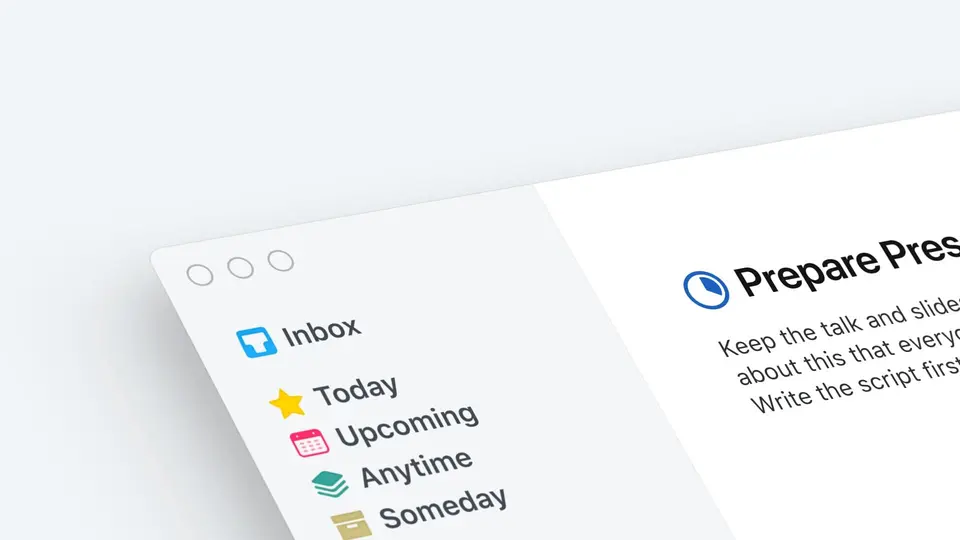
Things is a personal task manager for Mac, iPhone, iPad, Apple Watch and Apple Vision Pro. To-dos are grouped into projects with headings and checklists, and planned through Today, This Evening and Upcoming lists that also show calendar events. Each app is bought once with no subscription, and syncing between devices through the vendor's Things Cloud service costs nothing extra.
Worth knowing
- Apple devices only: the vendor states it will not work on Windows, Android, Linux or in a web browser.
- Mac, iPhone, iPad and Vision apps are separate purchases with no bundle; all four come to $109.96.
- Real-time sharing of to-dos or lists with other people is not supported.
- Only the Mac app has a free trial.
Key features
- Today and This Evening
- The Today list puts the day's calendar events at the top and to-dos underneath, with a separate This Evening section for tasks meant for later in the day.
- Upcoming
- A view of the days ahead with scheduled to-dos, repeating items, deadlines and calendar events. A to-do can be dragged to another day to reschedule it.
- Projects, headings and checklists
- Headings split a project into categories or milestones, and a single to-do can carry a checklist of smaller steps along with notes written in Markdown.
- Dates in plain words
- The Jump Start popover accepts dates typed as "Tomorrow", "Saturday" or "in four days", and a time-based reminder can be added to any to-do.
- Quick Entry and Quick Find
- Quick Entry on Mac creates a to-do while you are working in another app. Quick Find searches projects, to-dos and tags as you type.
- Things Cloud sync
- To-dos sync between your devices through the vendor's own Things Cloud service at no extra charge.
Things 3 pricing
As of Oct 9, 2026, Things 3 is a paid product with a free trial, starting at $9.99 one-time for iPhone; iPad $19.99 and Mac $49.99 are sold separately.
- Starts at
- $9.99 one-time for iPhone; iPad $19.99 and Mac $49.99 are sold separately
- Free plan
- None
- Free trial
- 15-day free trial of the Mac app with every feature. There is no trial on iPhone, iPad or Vision.
| Plan | Price | What you get |
|---|---|---|
| Things for iPhone & Watch | $9.99one-time purchase | The iPhone app, with the Apple Watch app included. Sold on the App Store. |
| Things for iPad | $19.99one-time purchase | The iPad app, bought separately from the iPhone and Mac apps. |
| Things for Vision | $29.99one-time purchase | The Apple Vision Pro app, bought separately from the other apps. |
| Things for Mac | $49.99one-time purchase | The Mac app, sold on the Mac App Store. A 15-day trial can be downloaded from the vendor's site. |
Read from apps.apple.com on Oct 9, 2026. Prices change, so confirm with Things 3 before you buy.
Ways to pay less
- Other savingsShareable through Apple Family Sharing
Cultured Code supports Apple's Family Sharing, so one purchase of an app can be shared with family members at no extra cost.
Stated on culturedcode.com
Things 3 refunds and cancellation
Ordinary · checked Oct 12, 2026
Things is a one-time purchase from Apple's App Store, so there's no plan to cancel and nothing that renews. That's the nice part. The catch is refunds: Cultured Code says plainly that it can't give one, you ask Apple, and the answer is entirely Apple's. That's how every app sold this way works, and it's a C on our scale.
- Refund window
- No set window
- How you cancel
- See below
- Getting your money back
Cultured Code says it cannot give refunds itself. Things is bought through Apple's App Store, only Apple has the purchase information, and you have to ask Apple for the refund. The page says whether one is given is entirely Apple's decision, and that if Apple refuses there is nothing Cultured Code can do.
Stated on culturedcode.com- How to cancel Things 3
There is no plan to cancel. The Getting Things page says Things 3 is a one-time purchase for each platform, with no subscriptions, sold only through Apple's App Store. Syncing through Things Cloud comes at no extra charge.
Stated on culturedcode.com- What you keep afterwards
Deleting the free Things Cloud account, done in the app's settings, removes your data from the sync servers and cannot be undone, but the to-dos stay in the app on each device until you delete the app. A separate support page explains how to export everything as a database file or, on a Mac, by printing lists to PDF.
Stated on culturedcode.com- Renewals
Nothing renews. The trial page says each app is a one-time, up-front purchase, and that the 15-day Mac trial ends with no auto-renewals or hidden fees: if you do not buy, you delete the app. It also says there is no trial on iPhone, iPad or Vision.
Stated on culturedcode.com
In your favour
- It's a one-time purchase. No subscription, so nothing renews behind your back.
- The Mac app has a 15-day free trial with no auto-renewal. Don't buy and it just stops.
- Your to-dos stay on your own devices, and there's a documented way to export them.
- Cultured Code tells you straight where to ask for a refund: Apple.
Watch out for
- Refunds are Apple's call, not Cultured Code's. If Apple says no, that's the end of it.
- There's no trial on iPhone, iPad or Vision, so there you pay first and find out after.
- Each platform is a separate purchase, so you may be asking Apple about more than one.
- Deleting your Things Cloud account can't be undone.
Things 3 customer support
Ordinary · checked Oct 12, 2026
There's a contact form, a direct email option and a tidy set of help articles, and that's all Cultured Code promises. No hours, no reply time, no chat and no phone. For a one-time purchase that's what we'd expect, and it's where most tools sit: a C.
Ways to get help
Email
The form page says you can also email the team directly if the form's robot check gives you trouble.
Stated on culturedcode.comContact form or ticket
The Write Email button on the contact page opens a form, open to anyone, that asks for your message and which Things app and version you use.
Stated on culturedcode.comHelp centre
The Things Support site has searchable articles on getting the apps, Things Cloud, features, exporting data and troubleshooting, open to everyone.
Stated on culturedcode.com
Not listed on Things 3’s pages: live chat, phone.
- When people answer
Its pages do not say.
- How fast it says it replies
Its pages do not say.
- What depends on your plan
Its pages do not say.
In your favour
- Anyone can write in, through a form or by email.
- The help articles are clear and cover refunds, exporting and deleting your account.
Watch out for
- No hours and no reply time are stated anywhere.
- No live chat and no phone number, just the form and email.
- Anything to do with the App Store itself, Cultured Code says, only Apple can fix.
What these two grades rest on. Read on 12 October 2026: Cultured Code's support articles on getting Things, the trial, requesting a refund, App Store issues, deleting a Things Cloud account and exporting data, its contact page and form, and the Things Cloud terms. Nobody here asked for a refund or contacted its support. They are graded apart from the five that make the GPA. How we grade refunds and support.
How people rate the Things 3 app
4.8
out of 5 for the iPhone and iPad app
27,988 ratings on the App Store in the United States, read Oct 5, 2026. It rates the app, not everything the product does. See the listing
Works with
Jobs at Cultured Code GmbH & Co. KG
Any open roles at Cultured Code GmbH & Co. KG are on its own careers page. We can’t read a count from there, so have a look.
Applications go to Cultured Code GmbH & Co. KG, not to us.
Things 3 alternatives
- Things 3 vs OmniFocus
Free trial · from $74.99 one-time
- Things 3 vs Todoist
Free plan · from $5/mo
- Things 3 vs TickTick
Free plan · from $49.99/yr
- Things 3 vs Superlist
Free plan · from $5/mo





Featured in
- The best Todoist alternatives in 2026Alternatives
- The best to-do list apps in 2026Best of
Common questions
Does Things 3 have an Android app?
No Android app was listed when its pages were read on Oct 9, 2026. Things 3 is listed for macOS and iOS.
Does Things 3 have a Windows app?
No Windows app was listed when its pages were read on Oct 9, 2026. Things 3 is listed for macOS and iOS.
Is Things 3 open source?
Things 3 is not described as open source on its own site, as read on Oct 9, 2026.
Sources for this page
The prices, plans, platforms and features above were read from these pages on Oct 9, 2026. What people say is linked where it appears.
- apps.apple.com/us/app/things-3/id904237743
- apps.apple.com/us/app/things-3-for-ipad/id904244226
- apps.apple.com/us/app/things-3-for-vision/id6475688586
- apps.apple.com/us/app/things-3/id904280696?mt=12
- culturedcode.com/things/
- culturedcode.com/things/pricing/
- culturedcode.com/things/features/
- culturedcode.com/things/support/articles/2803551/
- culturedcode.com/things/support/articles/2803552/
- culturedcode.com/things/support/articles/2803566/
- culturedcode.com/about/