The Toggl Insider’s Guide
Everything we know about Toggl in one document: what it costs, its grades, getting a refund, getting help and what else to look at. Read it here, or keep a copy.
Toggl
The Insider’s Guide
Team time tracker with billing reports and capacity planning
Every plan, grade, refund rule and rival among time tracking apps, read from Toggl’s own pages.
Made by Toggl · checked Oct 4, 2026 · toolgpa.com
Contents
- 01WelcomeWhat it is, who it suits, its grades and the ten things to know first
- 02What it costsEvery plan, the free plan, ways to pay less and how prices have moved
- 03What it doesIts main features, where it runs, what it works with and who makes it
- 04Where it standsIts grades against its category, and whether to keep it or make your own
- 05After you payGetting your money back, getting out, and getting help
- 06The alternativesThe tools it is most often weighed against, side by side
- 07Quick answersThe questions people ask about it, each answered in a line or two
- 08About ToolGPAWho made this guide, what else is on the site, and how to cite it
ToolGPA put this guide together from Toggl’s own pages, its app-store listings and our grades. Every fact in it is on Toggl’s page too, where it is kept up to date. Checked Oct 4, 2026.
Part 01 · Overview
Welcome
What it is, who it suits, its grades and the ten things to know first
3.0
GPA, above 34 of the 42 other time tracking apps we grade
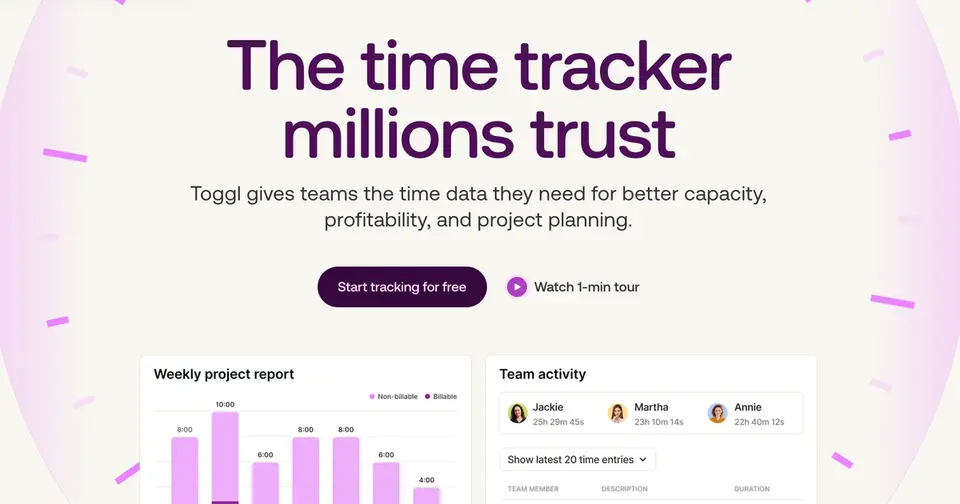
Toggl is the time tracker formerly sold as Toggl Track, now combined with the capacity and project planning tools of Toggl Plan in a single product. Time is logged with a timer, manual entries or a private record of the apps and sites you used, then reported by project, client and team member for billing. The vendor states that it takes no screenshots and does no keystroke logging.
To get you started, here are 10 things to know about Toggl, taken from its own pages and our grades.
No store rating on record, but you can be tracking in seconds with nothing set up: press start, or type the hours in afterwards.
- 1
Best for team time tracking with planning built in
Toggl is the tracker once sold as Toggl Track, now with Toggl Plan's capacity and project planning folded in: a timer, a private record of the apps and sites you used, and reports by project, client and person.
- 2
Paid plans start at $9 a month for each person
As its pricing page puts it: $9 per user / month, billed annually.
- 3
There is a free plan
Free for up to 3 users: manual and real-time timers, focus mode, Google and Outlook Calendar integrations, simple planning with tasks and boards, and personal-level insights.
- 4
It runs on 5 platforms
Web, macOS, Windows, iOS and Android, with a browser extension too.
- 5
Timers and manual entries
Start a timer, log hours afterwards or fill in a week at a time. Idle detection prompts you when the timer is running but the device has gone quiet.
- 6
Automated tracking
Toggl can record which apps and sites you used and lay them out on a private timeline. You decide which of them become time entries.
- 7
Focus mode and Pomodoro
Timed work sprints with a Pomodoro timer, plus reminders when logged time is under or over a threshold you set.
- 8
Refunds: no set window
Toggl says it outright: no refunds, not for a cancelled plan, not for a switched one, not for a renewal already charged. The exit is at least tidy, with a Cancel Subscription button on the Subscription page and the paid plan running to the end of the cycle you already paid for.
- 9
A 3.0 GPA, above 34 of 42
That is against the other time tracking apps we grade, on value, the free plan, features, ease of use and platforms.
- 10
Keep it
The plain part of Toggl you could make: time tracking, Pomodoro timer, tasks, kanban boards and Gantt & timelines. What surrounds it you could not. The 5 things listed below take a company, not a weekend.
Toggl at a glance
- Pricing
- Free plan, from $9 per user / month, billed annually
- Free plan
- Yes
- Free trial
- 30-day free trial of all features, no credit card required
- Runs on
- Web, macOS, Windows, iOS, Android, Browser extension
- Made by
- Toggl, since 2006
- Category
- Time Tracking
- Our grade
- 3.0 GPA, very good
The report card
Best for team time tracking with planning built in
Toggl is the tracker once sold as Toggl Track, now with Toggl Plan's capacity and project planning folded in: a timer, a private record of the apps and sites you used, and reports by project, client and person. It's free for 3 users, but billable rates need Starter at $9, and approvals, profitability, Jira, Asana and SSO all need Premium at $16, or $24 billed monthly. No Linux app is listed.
| Subject | Grade | Comment |
|---|---|---|
| Value for money | C | Starter is $9 a user a month billed annually, the dear end of this category, and $12 if you pay monthly. It does bring billable rates and team reports. Timesheet approvals, profitability, Jira and Asana need Premium at $16, or $24 monthly. |
| Free plan and trial | B | Free for up to 3 users, with manual and real-time timers, focus mode, Google and Outlook Calendar, and tasks on boards. A freelancer could live there. A fourth person, billable rates or any team-level report means Starter. |
| Features | B | Start a timer, log hours later or fill in a week, or let it record the apps and sites you used on a private timeline. Then billable rates, revenue and margin reports, tasks on boards and timelines with estimates, workload reports, and an AI you can ask about your hours. |
| Ease of use | B | No store rating on record, but you can be tracking in seconds with nothing set up: press start, or type the hours in afterwards. Idle detection nudges you when the timer's running but your device has gone quiet. |
| Platforms and integrations | A | Web, Mac, Windows, iOS, Android and a browser extension, with an API, an MCP server and links to Slack, Salesforce, QuickBooks Online, GitHub and both big calendars. No Linux desktop app is listed, and Jira and Asana wait for Premium. |
An A is worth 4 points, a B 3, a C 2, a D 1 and an F nothing. The GPA is the average of the five.
Who Toggl is for
- Fits if you're an agency or consultancy billing clients by the hour
- Works for teams of 3 or fewer on the free plan, or teams that want tracking and planning in one tool
Who it is not for
- Pricey if you pay monthly, at $12 a user on Starter against $9 billed annually, and $24 against $16 on Premium
- Skip it if you need timesheet approvals, profitability reports, Jira or Asana sync or SSO, since those need Premium at $16
- Tight if a fourth person joins, as the free plan stops at 3 users and has no billable rates or team reports
- Not for you if you want screenshots of your team's screens, as Toggl says it takes none
- Not for you if you work on Linux, as desktop apps are listed for Windows and macOS only
Good to know
Good for
- Agencies and consultancies that bill clients by the hour
- Teams that want time tracking and capacity planning in one tool
- Freelancers and teams of up to 3 who can stay on the free plan
- Employers who want time data without screenshots or keystroke logging
Worth knowing
- The free plan stops at 3 users, and billable rates and team-level reports start on Starter.
- Timesheet approvals, profitability reports, the Jira and Asana integrations and SSO need Premium.
- Monthly billing costs more: $12 instead of $9 per user on Starter and $24 instead of $16 on Premium.
- Desktop apps are listed for Windows and macOS; none is listed for Linux.
Part 02 · Pricing
What it costs
Every plan, the free plan, ways to pay less and how prices have moved
$9
A month to start, for each person. There is a free plan too
Toggl has a free plan. Paid plans start at $9 per user / month, billed annually.
It does bring billable rates and team reports.
Free
$0
Up to 3 users. Timers, focus mode, calendar integrations, tasks and boards with estimates, and personal-level insights.
Starter
$9
per user / month, billed annually ($12 billed monthly)
Billable rates, team-level productivity and revenue reports, timeline views, milestones, and capacity basics such as PTO and public holidays.
Premium
$16
per user / month, billed annually ($24 billed monthly)
Labor cost and profitability reports, fixed fee projects, project dashboards, timesheet approvals, Jira and Asana integrations, and SSO.
Enterprise
Custom
Everything in Premium plus personalized onboarding, a dedicated customer success manager, custom roles and custom solutions.
The free plan
Free for up to 3 users: manual and real-time timers, focus mode, Google and Outlook Calendar integrations, simple planning with tasks and boards, and personal-level insights.
Trying it first
30-day free trial of all features, no credit card required
Read from toggl.com on Oct 4, 2026.
Ways to pay less
Annual discount
Up to 33.3% off with annual billing
The pricing page labels annual billing "Save 33.3%" and "4 months free". Premium is $16 per user a month annually against $24 monthly; Starter is $9 against $12, a 25% saving.
Stated on toggl.com
Part 03 · Features
What it does
Its main features, where it runs, what it works with and who makes it
6
Places it runs: Web, macOS, Windows, iOS, Android and Browser extension
Team time tracker with billing reports and capacity planning. Here is what it does, as its own site describes it, and what it covers: public API, AI features, tasks, kanban boards, Gantt & timelines, Pomodoro timer, time tracking.
Start a timer, log hours later or fill in a week, or let it record the apps and sites you used on a private timeline.
- Timers and manual entries
- Start a timer, log hours afterwards or fill in a week at a time. Idle detection prompts you when the timer is running but the device has gone quiet.
- Automated tracking
- Toggl can record which apps and sites you used and lay them out on a private timeline. You decide which of them become time entries.
- Focus mode and Pomodoro
- Timed work sprints with a Pomodoro timer, plus reminders when logged time is under or over a threshold you set.
- Billing and profitability
- Billable rates by workspace, member or project start on Starter. Premium adds labor costs, fixed fee projects and reports on revenue, cost and margin.
- Capacity and project planning
- Tasks sit on boards, lists, timelines and calendars with estimates against tracked time. Utilization and workload reports account for time off and working hours.
- Toggl AI
- Ask in plain language about hours logged or projects over estimate, or have it log time and create tasks. An MCP server and CLI connect Toggl to Claude, Cursor or Codex.
Where it runs
- Web
- macOS
- Windows
- iOS
- Android
- Browser extension
What it works with
- Jira
- Asana
- Slack
- Google Calendar
- Outlook Calendar
- Salesforce
- QuickBooks Online
- GitHub
Toggl is made by Toggl, and has been around since 2006.
Part 04 · Standing
Where it stands
Its grades against its category, and whether to keep it or make your own
34/42
Other time tracking apps it is graded above
Toggl's GPA of 3.0 is higher than 34 of the 42 other time tracking apps we grade, and level with 4.
It stands best on platforms and integrations (A, above 24 of 42) and worst on value for money (C, above 8).
Its paid plans start at $9 a month for each person, against a middle price of $6.55 for the category: 27 of the 35 others that charge start lower.
On features, ease of use and platforms it scores 3.3 out of 4. Nothing scores higher for less, though at least one tool matches that score at a lower price.
Each grade against the category
Every bar is all 43 time tracking apps we grade, cut by the letter each got. Toggl’s own letter is outlined.
- CValue for moneyAbove 8 of 42
- BFree plan and trialAbove 29 of 42
- BFeaturesAbove 22 of 42
- BEase of useAbove 23 of 42
- APlatforms and integrationsAbove 24 of 42
Price against what you get
Each dot is one of 39 time tracking apps. Further left costs less; higher up scores better on features, ease of use and platforms. Toggl is the marked dot.
What paid plans start at, a month (each step along is roughly double) →
Keep it, or make your own?
Whether this is something you could build for yourself with an AI app builder, and what you would give up.
Keep it
The plain part of Toggl you could make: time tracking, Pomodoro timer, tasks, kanban boards and Gantt & timelines. What surrounds it you could not. The 5 things listed below take a company, not a weekend.
It is one of the better ones too: its GPA of 3.0 is higher than 34 of the 42 other time tracking apps we grade. It costs $108 a year.
What you could make
- Time tracking, Pomodoro timer, tasks, kanban boards and Gantt & timelines: an app builder makes these well.
What you could not
- Apps for macOS, Windows, iOS and Android that stay in step with each other.
- It is priced for each person, which means accounts and billing for a team.
- It plugs into other products, Jira, Asana and Slack among them, and has an API.
- AI features, unless you pay a model provider for each request yourself.
- The depth: we grade its features B, which means it covers the whole job.
What this rests on. Toggl’s listing: what it does, where it runs, what it plugs into and what it costs. It is a judgement about the kind of software this is. We have not built a replacement for it, and making your own means looking after it too. How we decide, and every tool’s verdict.
Part 05 · Refunds
After you pay
Getting your money back, getting out, and getting help
What happens once you have paid: whether you can get your money back, how to leave, and how to reach a person when something goes wrong. Each is graded from Toggl’s own terms and help pages.
Refunds and cancelling
Ordinary · checked Oct 18, 2026
Toggl says it outright: no refunds, not for a cancelled plan, not for a switched one, not for a renewal already charged. The exit is at least tidy, with a Cancel Subscription button on the Subscription page and the paid plan running to the end of the cycle you already paid for. No refunds plus a clean self-serve cancellation is the ordinary deal, and that is a C.
- Refund window
- No set window
- How you cancel
- Yourself, in settings
- Getting your money back
The billing article says Toggl Track has a no-refund policy and that, unless a charge was caused by a system error, no refund can be issued. It applies that to cancelled plans, changed plans and renewals alike, and says the current billing period is honoured instead. An approved refund goes back to the original payment method and can take up to 10 business days. The terms say fees are non-refundable.
Stated on support.toggl.com- How to cancel Toggl
A subscription is ended on the Subscription page in the web app, reached from the left-hand menu, by selecting Cancel Subscription in the My Plan section and confirming through the screens that follow. The cancellation takes effect at the end of the current billing cycle, and that date is shown in the My Plan section. A pending change can block the switch, in which case Toggl asks you to contact support.
- Open the Subscription page from the left-hand menu in the web app
- Click Cancel Subscription in the My Plan section
- Continue through the confirmation screens
- Confirm when you have read and understood them
- Check the end date shown in the My Plan section
- What you keep afterwards
Because Toggl bills in advance, the organization stays on the paid plan until the end of the cycle. After that an organization within the free user limit drops to the Free plan, while one above it is suspended until active users are cut back. Paid-plan features stop appearing in reports after the downgrade, and data on a free plan is deleted after 6 months of inactivity.
Stated on support.toggl.com- Renewals
The terms say payment for a service plan is due in advance by the first day of each billing period, monthly or annual as chosen, and that Toggl may vary the fees, rates or billing cycle on a month's notice, with cancelling as your only remedy if you disagree. No reminder before a renewal is mentioned, and the help pages say a renewal already charged is not refunded.
Stated on toggl.com
In your favour
- Cancelling is a button on the Subscription page, and the end date is shown there afterwards.
- You keep the paid plan to the end of the cycle you have already paid for.
- A small team that cancels lands back on the free plan rather than losing the account.
- A fee change needs a month's notice, which gives you time to leave before it bites.
Watch out for
- No refunds, full stop: cancelled plans, switched plans and renewals already charged are all out.
- Cancelling does not clear vacant seats, which stay on the bill until the cycle ends.
- Over the free user limit, the organization is suspended rather than downgraded until you cut users.
- On a free plan, Toggl says data is deleted after six months of inactivity.
Customer support
Excellent · checked Oct 18, 2026
Toggl is open about its support in a way few are. Chat reaches the support team from inside the app or any help page, anyone can use it whatever they pay, and Toggl puts numbers on it: a promise of a reply within 24 hours and a median that it says is currently one hour. The team is spread across time zones rather than kept to office hours. No phone line and no SLA, and weekends are slower, but live help on every plan with a stated reply time is an A.
Ways to get help
Live chat
Chat with the support team, started from the question mark in the app's sidebar and then Chat with Support, or from the Chat with Us button at the foot of every knowledge base article. Toggl says any user may use it whatever plan they are on.
Stated on support.toggl.comEmail
Writing to the support team by email, which the knowledge base offers next to the chat button. Toggl says support can only help by email or the chat widget, and that follow-ups should stay in the same thread.
Stated on support.toggl.comHelp centre
The Toggl Track knowledge base, open without logging in, with sections on getting started, features, account and billing, the apps, the API and troubleshooting.
Stated on support.toggl.com
Not listed on Toggl’s pages: phone.
- When people answer
Toggl says it keeps no regular office hours during the working week because the support team is spread evenly around the globe, which it says lets it answer whatever time zone you are in. Weekends are the exception: fewer people are answering and it says response times are longer then.
Stated on support.toggl.com- How fast it says it replies
The support page says the promise made in the terms of service is a reply within 24 hours, and that in practice the median response time is currently one hour. It also says the support team has no service-level agreement.
Stated on support.toggl.com- What depends on your plan
Toggl says any user may contact support for help regardless of the payment plan. The pricing page does list a row for priority support with faster response times, described in its tooltip as expedited support and faster SLAs, but the ticks in that row could not be read, so the plans it covers are not recorded here.
Stated on support.toggl.com
In your favour
- Support is open to every user, free plans included, and Toggl says so plainly.
- A stated promise of a reply within 24 hours, with a median of one hour published next to it.
- The team is spread across time zones, so there is no office-hours window to wait for.
- Chat is two clicks away from inside the app or from the bottom of any help article.
Watch out for
- There is no phone support at all: email and the chat widget are the only ways in.
- Toggl says the support team has no SLA, so the reply times are aims rather than commitments.
- Weekends are thinner, and Toggl says replies take longer then.
- The pricing page advertises faster response times on some plans without saying which.
What these two grades rest on. Read on 18 October 2026: Toggl's terms of service, its help articles on editing and cancelling a subscription, on how to cancel one and on what to expect from support, the knowledge base home page and the Toggl pricing page. The ticks in the pricing page's priority support row could not be read. Nobody here cancelled a plan or contacted its support. They are graded apart from the five that make the GPA. How we grade refunds and support.
Part 06 · Alternatives
The alternatives
The tools it is most often weighed against, side by side



Rize, Session and ClickUp
The 3 tools Toggl is most often weighed against, with where each one differs from it.
- 2.2GPA
Rize
Free trial · from $9.99/mo
Automatic time tracker with focus tools and AI reports.
- Toggl has a free plan. Rize does not, though it has a free trial.
- Only Toggl lists a web app.
- Only Toggl lists iOS and Android apps.
- 2.2GPA
Session
Free plan · from $3.33/mo
Pomodoro focus timer with analytics for Mac, iPhone and iPad.
- Only Toggl lists a web app.
- Only Toggl lists Windows and Android apps.
- Only Toggl lists a browser extension.
- 3.0GPA
ClickUp
Free plan · from $7/mo
Work platform combining tasks, docs, chat and dashboards.
- Only ClickUp lists a Linux app.
- Toggl also covers Pomodoro timer.
- ClickUp also covers workflow automation.
Part 07 · Questions
Quick answers
The questions people ask about it, each answered in a line or two
18
Questions, each answered in a line or two
The short version of everything above, for when you only need the answer. Each one is told in full in its part of the guide.
Is Toggl free?
Toggl has a free plan. Free for up to 3 users: manual and real-time timers, focus mode, Google and Outlook Calendar integrations, simple planning with tasks and boards, and personal-level insights.
How much does Toggl cost?
Toggl lists 4 plans. Free: $0.
What platforms does Toggl work on?
Toggl is available on Web, macOS, Windows, iOS and Android. It also has a browser extension.
Does Toggl offer any discounts?
Toggl publicly lists the following: Up to 33.3% off with annual billing.
Does Toggl have a Linux app?
No Linux app was listed when its pages were read on Oct 4, 2026. Toggl is listed for Web, macOS, Windows, iOS and Android.
Is Toggl open source?
Toggl is not described as open source on its own site, as read on Oct 4, 2026.
Does Toggl have an API?
Yes. Toggl offers a public API, according to its own site.
What does Toggl integrate with?
Toggl's listing names Jira, Asana, Slack, Google Calendar, Outlook Calendar, Salesforce, QuickBooks Online and GitHub.
Does Toggl have a free trial?
Yes. 30-day free trial of all features, no credit card required.
Who makes Toggl?
Toggl is made by a company of the same name. It dates from 2006.
What are the alternatives to Toggl?
The closest alternatives to Toggl in our directory are Rize, Session and ClickUp.
Does Toggl give refunds?
The billing article says Toggl Track has a no-refund policy and that, unless a charge was caused by a system error, no refund can be issued.
How do I cancel Toggl?
A subscription is ended on the Subscription page in the web app, reached from the left-hand menu, by selecting Cancel Subscription in the My Plan section and confirming through the screens that follow.
What happens to my data if I cancel Toggl?
Because Toggl bills in advance, the organization stays on the paid plan until the end of the cycle.
How do I contact Toggl support?
Toggl's pages list these ways to get help: live chat, email and help centre.
How does Toggl compare with other time tracking apps?
Toggl's GPA of 3.0 is higher than 34 of the 42 other time tracking apps we grade, and level with 4.
Is Toggl good value for money?
ToolGPA grades Toggl C for value for money. Its paid plans start at $9 a month for each person, against a middle price of $6.55 for the category: 27 of the 35 others that charge start lower.
Could I make my own version of Toggl?
The plain part of Toggl you could make: time tracking, Pomodoro timer, tasks, kanban boards and Gantt & timelines.
Where this guide comes from
The prices, plans, platforms and features were read from Toggl’s own pages on Oct 4, 2026, and the grades were given on Oct 10, 2026. Graded from this listing, whose facts were read from Toggl's own pages on 4 October 2026. Also tested with a demo account on 2026-08-04.
Every tool we list gets five grades, A to F, each with its reason, and a GPA that averages them. How each is decided is at toolgpa.com/grades. This guide is ToolGPA’s own work; it is not made, paid for or approved by Toggl. Prices change, so check toggl.com before you buy.
Part 08 · About
About ToolGPA
Who made this guide, what else is on the site, and how to cite it
3,189
Tools graded, in 94 categories
ToolGPA grades software the way a school report grades a pupil: five subjects, a letter for each with the reason written beside it, and a GPA that averages them. Prices, plans and platforms are read from each maker’s own pages and dated, so you always know how fresh a figure is.
Every grade, review and ranking on ToolGPA is our own judgement. No company can pay for a grade or change one. Every tool on the site has a guide like this one, free to download and pass on. It all lives at toolgpa.com.
3,189
tools graded
94
categories
426
price changes on record
579
apps priced in 12 countries
What else is on toolgpa.com
- Toggl, kept up to dateEverything in this guide, with prices and grades as they are todaytoolgpa.com/tools/toggl-track
- How grades are givenThe rules behind every letter and every GPAtoolgpa.com/grades
- Value chartsWhat each tool costs against what it scores, for every categorytoolgpa.com/charts
- CompareAny two tools side by side, plan by plantoolgpa.com/compare
- Price changesEvery price rise and cut on record, each with its sourcetoolgpa.com/price-changes
- Prices by countryWhat apps cost on the App Store in 12 countriestoolgpa.com/prices-by-country
- Pay lessEvery public discount: yearly billing, students, nonprofitstoolgpa.com/save
- Keep or makeWhich tools are worth paying for, and which you could build yourselftoolgpa.com/keep-or-make
Scan for the live page
Prices and grades as they are today
Quoting this guide?
Please name ToolGPA and link to the live page, so readers can check the figures for themselves:
ToolGPA, "Toggl: The Insider's Guide", checked Oct 4, 2026. https://toolgpa.com/tools/toggl-track
Know someone choosing between time tracking apps?
Send them this guide: toolgpa.com/tools/toggl-track/guide
ToolGPA elsewhere: youtube.com/@toolgpa
See our other guides
The best-graded time tracking apps after Toggl, each with an Insider's Guide of its own.
- Time Tracking Insider's GuideEvery one of the 43 time tracking apps we grade, compared
- Jibble Insider's GuideFree time clock and attendance tracker with GPS and face recognition3.4 GPA
- Clockify Insider's GuideTeam time tracker and timesheets with a free plan for 5 users3.2 GPA
- TimeCamp Insider's GuideTime tracking with attendance, billing and a free plan for any team3.2 GPA



Choosing software? Every tool graded, every price dated.
Compare tools at toolgpa.com ›Everything in this guide is ToolGPA’s own summary of what Toggl’s pages, its app-store listings and public reviews said on the dates shown. Grades are our judgement under the rules at toolgpa.com/grades. Every grade, review and ranking on ToolGPA is our own judgement. No company can pay for a grade or change one. Toggl is a trademark of its owner, and this guide is not made, paid for or approved by Toggl. Prices and plans change: check toggl.com before you buy.