The Wispr Flow Insider’s Guide
Everything we know about Wispr Flow in one document: what it costs, its grades, getting a refund, getting help and what else to look at. Read it here, or keep a copy.
Wispr Flow
The Insider’s Guide
Voice dictation that cleans up your speech in any app
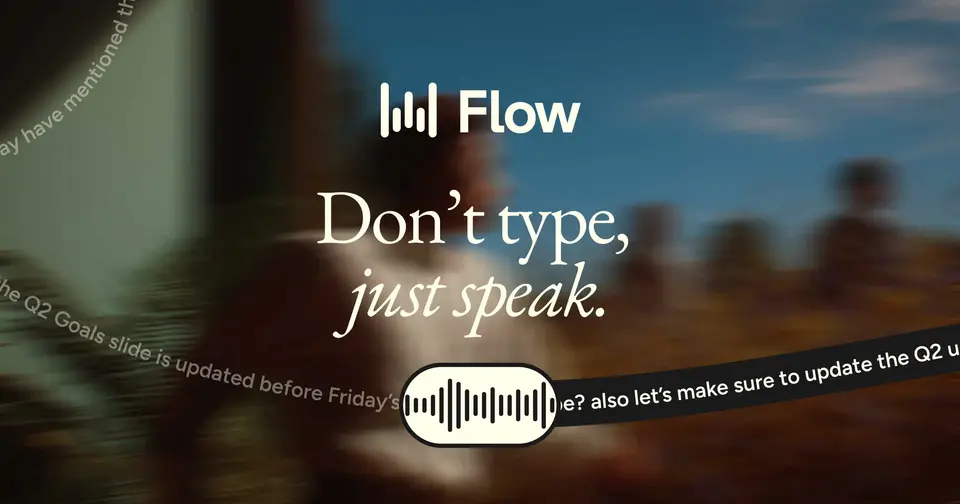
Every plan, grade, refund rule and rival among voice dictation apps, read from Wispr Flow’s own pages.
Made by Wispr AI, Inc. · checked Oct 9, 2026 · toolgpa.com
Contents
- 01WelcomeWhat it is, who it suits, its grades and the ten things to know first
- 02Insider tipsWhat most people miss: ways to pay less, settings worth changing and the catches
- 03What it costsEvery plan, the free plan, ways to pay less and how prices have moved
- 04What it doesIts main features, where it runs, what it works with and who makes it
- 05Where it standsIts grades against its category, and whether to keep it or make your own
- 06After you payGetting your money back, getting out, and getting help
- 07The alternativesThe tools it is most often weighed against, side by side
- 08Quick answersThe questions people ask about it, each answered in a line or two
- 09About ToolGPAWho made this guide, what else is on the site, and how to cite it
ToolGPA put this guide together from Wispr Flow’s own pages, its app-store listings and our grades. Every fact in it is on Wispr Flow’s page too, where it is kept up to date. Checked Oct 9, 2026.
Part 01 · Overview
Welcome
What it is, who it suits, its grades and the ten things to know first
2.8
GPA, above 14 of the 27 other voice dictation apps we grade
Wispr Flow turns speech into text in whatever app you are typing in, on Mac, Windows, iPhone and Android. It removes filler words and self-corrections, adds punctuation and learns the names and jargon you use. A Notetaker for meetings and voice memos is included on desktop. The free plan has weekly word limits, and Pro removes them.
To get you started, here are 10 things to know about Wispr Flow, taken from its own pages and our grades.
But your voice always goes to Wispr's servers, so no connection means no dictation.
- 1
Best for talking instead of typing, in any app
Wispr Flow lets you talk into any app and get punctuated text back, with the ums and second thoughts taken out.
- 2
Paid plans start at $12 a month for each person
As its pricing page puts it: $12 per user / month, billed annually.
- 3
There is a free plan
Dictation up to 2,000 words a week on desktop and 1,000 a week on mobile, with dictionary, snippets and limited Notetaker access. No credit card required.
- 4
It runs on 4 platforms
macOS, Windows, iOS and Android.
- 5
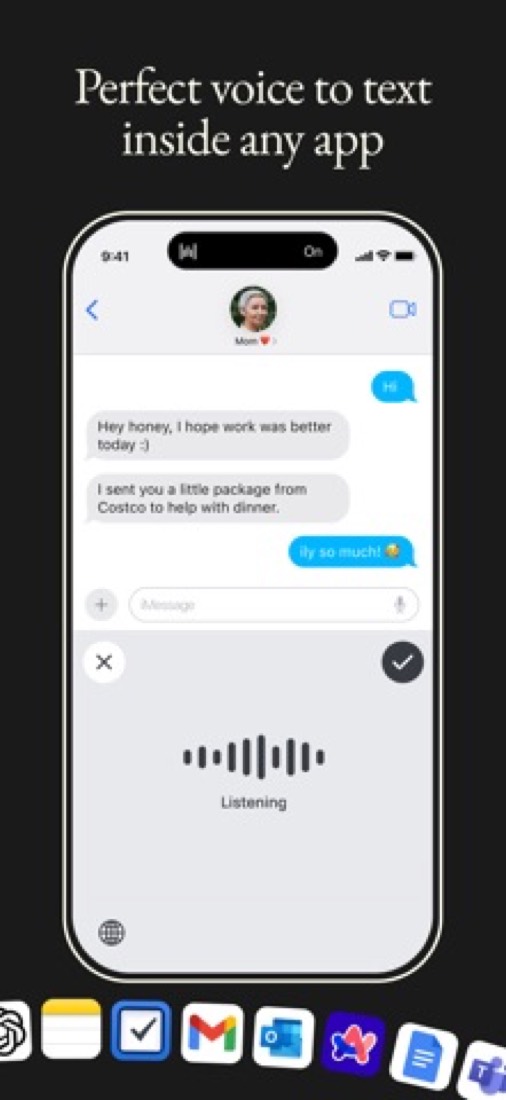
Dictation in any app
Speech-to-text works wherever you can type, including Gmail, Slack, Notion, a terminal or a code editor, in 100+ languages with automatic language detection.
- 6
Automatic cleanup
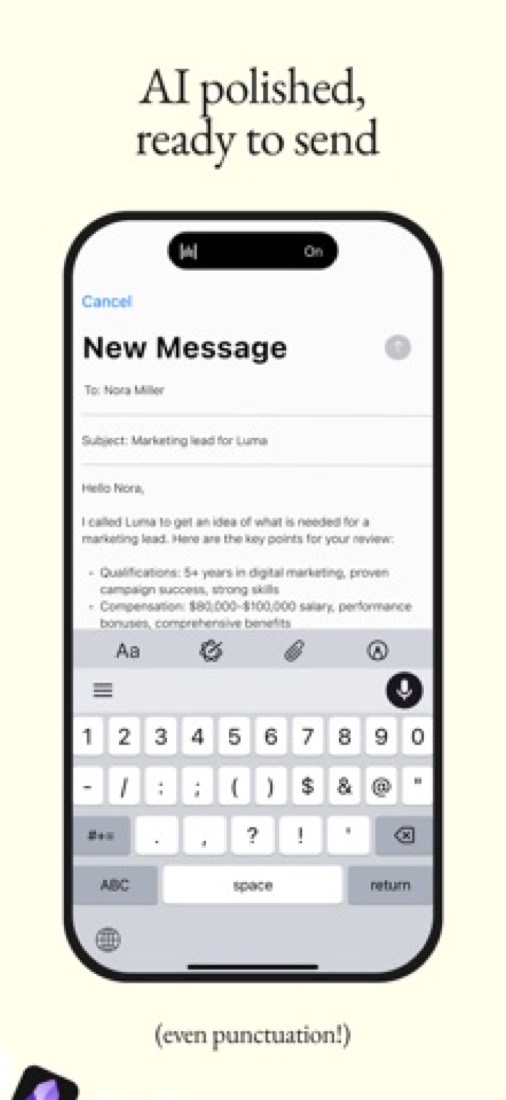
Removes filler words, repetitions and mid-sentence corrections, then adds punctuation and formatting so the output reads like written text.
- 7
Personal dictionary
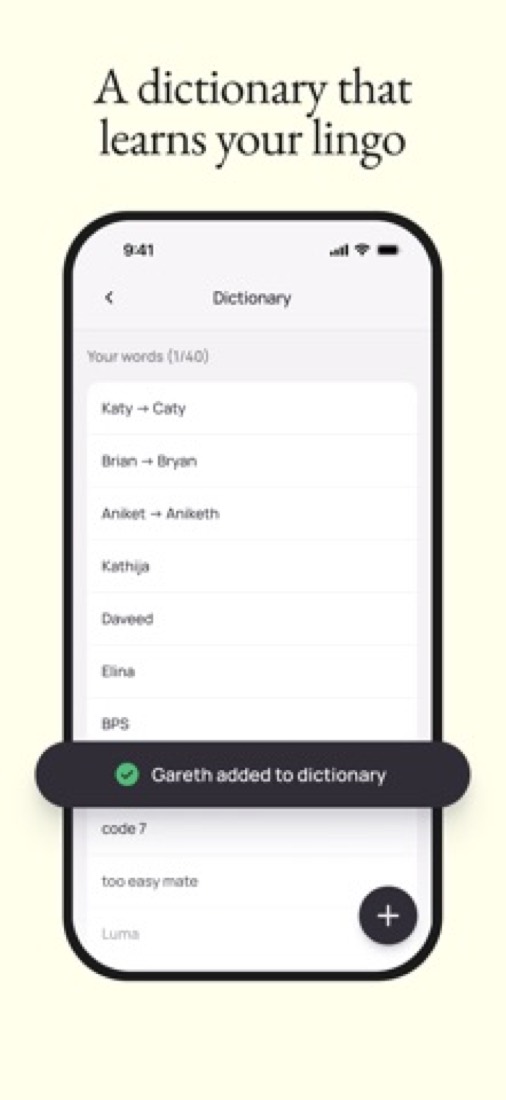
Learns unusual words and names automatically, and you can add your own. Paid plans add a dictionary shared across the team.
- 8
Refunds: no set window
The terms are blunt: refunds are only issued if the law requires it, and the billing article adds that nothing is prorated automatically when you leave. Against that, you end it yourself from the app in a couple of clicks, you keep Pro to the end of the period you paid for, and Wispr promises an email before a yearly plan renews, which plenty of its rivals do not.
- 9
A 2.8 GPA, above 14 of 27
That is against the other voice dictation apps we grade, on value, the free plan, features, ease of use and platforms.
- 10
Keep it
To replace Wispr Flow you would be making dictation that types into any app on your computer. That is not a weekend's work, with an AI app builder or without one.
Wispr Flow at a glance
- Pricing
- Free plan, from $12 per user / month, billed annually
- Free plan
- Yes
- Free trial
- 14-day Flow Pro trial, no credit card, when you create or join a team
- Runs on
- macOS, Windows, iOS, Android
- Made by
- Wispr AI, Inc.
- Category
- Voice Dictation
- Our grade
- 2.8 GPA, good
- Store rating
- 4.8 on the App Store, 16,704 ratings
The report card
Best for talking instead of typing, in any app
Wispr Flow lets you talk into any app and get punctuated text back, with the ums and second thoughts taken out. But your voice always goes to Wispr's servers, so no connection means no dictation. The free plan stops at 2,000 words a week on a computer, Pro is $12 a month on the year, in this category's dearest tenth, the iPhone keyboard draws complaints, and there's no Linux app. If you want dictation that stays on your device, look elsewhere.
| Subject | Grade | Comment |
|---|---|---|
| Value for money | D | Pro is $12 a month on yearly billing, or $15 month to month, which puts it in the dearest tenth of this category when plenty of dictation apps start nearer $8. Unlimited Notetaker meetings cost more again: $26 a person on Growth instead of $18. |
| Free plan and trial | C | No card and no countdown, but the cap is real: 2,000 words a week on a computer and 1,000 on a phone, which is about eight longish emails. Dictate properly and it's gone by Tuesday. The dictionary and snippets are included, and Notetaker has a weekly limit of its own. |
| Features | A | Filler and self-corrections dropped, punctuation and formatting added, 100+ languages, a dictionary that learns your names, snippets, and a Notetaker that writes up meetings with no bot joining and feeds them to Claude or ChatGPT over MCP. The Notetaker is desktop only. |
| Ease of use | A | 4.84 from 16,704 App Store ratings, the highest in this category. Press your shortcut, talk, and the text lands wherever your cursor is. No voice commands to learn, because it punctuates for you. iPhone reviewers grumble about switching keyboards to fix a word. |
| Platforms and integrations | B | Mac, Windows, iPhone and Android, typing into any app with no plugins, plus Zoom, Google Meet, Teams, Slack, Claude and ChatGPT. What keeps it off top marks: no web app, no Linux, and the Notetaker is desktop only for now. |
An A is worth 4 points, a B 3, a C 2, a D 1 and an F nothing. The GPA is the average of the five.
Who Wispr Flow is for
- Fits if you write a lot of emails and messages and talk faster than you type
- Works for people who write prompts for ChatGPT, Claude or a code editor all day, or find typing hard on their hands
Who it is not for
- Skip it if you want your voice kept on your own device, because transcription is always in the cloud and needs a connection
- Tight if you're never paying and dictate more than 2,000 words a week on your computer, or 1,000 on your phone
- Not for you if you're on Linux or want meeting notes on your phone, as there's no Linux app and the Notetaker is desktop only
- Pricey if you pay month to month at $15, or want unlimited Notetaker meetings, which cost $26 a person on Growth
- Watch out: iPhone reviewers report lost long dictations, and SSO and HIPAA rules need Growth at $18 a person
Good to know
Good for
- People who write a lot of email, chat and documents and prefer to speak
- Developers dictating into a terminal, code editor or AI tool
- Students and educators, who get 50% off Pro with an education email
Worth knowing
- Free dictation is capped at 2,000 words a week on desktop and 1,000 a week on mobile.
- The Notetaker runs on Mac and Windows only; the vendor says mobile is on the roadmap.
- SAML SSO and org-wide HIPAA enforcement need Growth, and SCIM and audit logs need Enterprise.
- Unlimited Notetaker meetings are a paid extra on Growth: $26 per user / month instead of $18, billed annually. Pro has higher meeting limits, not unlimited.
Part 02 · Tips
Insider tips
What most people miss: ways to pay less, settings worth changing and the catches
7
Things most people miss, each from its own help pages
The things about Wispr Flow that are easy to miss until they cost you: ways to pay less, settings worth changing and the catches at renewal or when you leave. Each one is from Wispr Flow’s own pages, linked beside it.
Read on Oct 17, 2026. Read from Wispr Flow's help centre (shortcuts, Command Mode, Styles, data and privacy settings, billing and cancellation, data requests and team membership) on 17 October 2026. Not tried out: these tips are what its own pages say.
- 1
Shortcut
Lost a dictation? Cmd+Ctrl+V pastes the last one again
If your words landed in the wrong box, or nowhere, Cmd+Ctrl+V on a Mac (Shift+Alt+Z on Windows) pastes your last transcript. Hold Fn to talk, or press Fn+Space for hands-free. Change any of them in Settings, General, Shortcuts, where a spare mouse button works too.
docs.wisprflow.ai - 2
Easy to miss
Command Mode edits text by voice, once you switch it on
It's off by default: turn it on in Settings, Experimental. Then select some text, hold Fn+Ctrl on a Mac or Ctrl+Win+Alt on Windows, and say what you want done to it. It works on paid plans and trials; free accounts get no response.
docs.wisprflow.ai - 3
Setting
Pick a style per kind of app so texts don't read like emails
Under Style in the sidebar, choose how Personal, Work, Email and Other apps get written: Formal, Casual, and "very casual" with no capitals for personal messages. Email adds greetings and sign-offs. Styles only work in English and apply to new dictations.
docs.wisprflow.ai - 4
Privacy
Model training is on by default, and meeting notes always sit in the cloud
"Improve the model for everyone" is on until you turn it off in Settings, Data and Privacy. Off keeps your audio and text out of training, though usage details like word counts still go. Notetaker transcripts and summaries are always stored in the cloud, with no opt-out.
docs.wisprflow.ai - 5
Renewal
Paid on your phone? Cancel in the App Store or Google Play
Subscriptions bought through Apple or Google can only be cancelled there. On Mac or Windows it's Settings, Plans and Billing, Manage subscription. You keep Pro to the end of the period. Wispr says there's no automatic prorated refund, so ask support if you want money back.
docs.wisprflow.ai - 6
Leaving
Export your data before you delete the account
You can request an export in the Mac or Windows app, and the download stays up for 30 days. Deleting the account cancels a Wispr-billed plan straight away with no refund at all, and it doesn't touch App Store or Google Play subscriptions.
docs.wisprflow.ai - 7
Pay less
Joining your company's team cancels your own Pro plan
A team can add you automatically by your work email. Your personal Pro is then cancelled, not paused, and the unused part refunded. Leaving later doesn't bring it back, and only an admin can remove you. So don't buy a second plan while you're on theirs.
docs.wisprflow.ai
Part 03 · Pricing
What it costs
Every plan, the free plan, ways to pay less and how prices have moved
$12
A month to start, for each person. There is a free plan too
Wispr Flow has a free plan. Paid plans start at $12 per user / month, billed annually.
Dictate properly and it's gone by Tuesday.
Free
$0
Dictation in 100+ languages with weekly word limits, dictionary and snippets, and a weekly limit on Notetaker meetings.
Pro
$12
per user / month, billed annually ($15 billed monthly)
Unlimited dictation, higher Notetaker limits with longer history, shared team dictionary and snippets, and priority support.
Growth
$18
per user / month, billed annually ($23 billed monthly)
$26 with unlimited Notetaker access ($33 billed monthly). Adds SAML SSO, org-wide HIPAA enforcement with a signed BAA, admin controls and usage reporting.
Enterprise
Custom
Annual contracts only. Adds SCIM provisioning, audit logs, MDM deployment and dedicated support with SLAs.
The free plan
Dictation up to 2,000 words a week on desktop and 1,000 a week on mobile, with dictionary, snippets and limited Notetaker access. No credit card required.
Trying it first
14-day Flow Pro trial, no credit card, when you create or join a team
Read from wisprflow.ai on Oct 9, 2026.
Ways to pay less
Annual discount
Save 20% with annual billing
The pricing page shows a 20% discount for annual billing: Pro is $12 per user per month instead of $15, and Growth is $18 instead of $23.
Stated on wisprflow.aiEducation
50% off Flow Pro for students and educators
Students and educators with an education email get 50% off Flow Pro. The student page lists $6 a month billed annually, with 3 months free for new subscribers.
Stated on wisprflow.aiNonprofit
Discounted Flow Pro for nonprofits
Wispr says it offers discounted Flow Pro to nonprofit organizations. The amount is not published; applicants use a verification form linked from the student page.
Stated on wisprflow.aiOther savings
Full Notetaker access free through October 31
Teams picking a plan can turn on full Notetaker access at no extra cost through October 31. The page says the price does not rise automatically afterwards; members move to a limited plan.
Stated on wisprflow.ai
How its prices have moved
- Sep 8, 2026Growth: new, From $18 per user / month, billed annually ($23 billed monthly)The archived copy of 8 September 2026 shows a Growth tier between Pro and Enterprise, from $23 a user monthly or $18 billed annually; the copy before it, of 3 August 2026, lists only Basic, Pro and Enterprise.
- Dec 10, 2025Flow Teams: withdrawn (was $10 per user / month, billed annually ($12 billed monthly), 3 seats minimum)The archived copy of 10 December 2025 lists Basic, Pro and Enterprise; the copy before it, of 3 November 2025, also has Flow Teams between Pro and Enterprise. The plan was withdrawn between the two.
What the app costs elsewhere
Each country’s App Store price for “Pro Monthly Plan”, against $15.00 in the United States, in dollars at the day’s rate. The four cheapest and the four dearest of 11.
| Country | Price there | In dollars | Against the US |
|---|---|---|---|
| India | ₹ 400 | $4.14 | 72% less |
| Turkey | ₺250,00 | $5.08 | 66% less |
| Brazil | R$ 30,00 | $5.99 | 60% less |
| Mexico | $150.00 | $8.24 | 45% less |
| Australia | $20.00 | $13.96 | 7% less |
| Philippines | ₱ 999.00 | $15.90 | 6% more |
| Germany | 15,00 € | $16.81 | 12% more |
| United Kingdom | £15.00 | $19.83 | 32% more |
Part 04 · Features
What it does
Its main features, where it runs, what it works with and who makes it
4
Places it runs: macOS, Windows, iOS and Android
Voice dictation that cleans up your speech in any app. Here is what it does, as its own site describes it, and what it covers: AI features, meeting notes, transcription, dictation, text expansion.
Mac, Windows, iPhone and Android, typing into any app with no plugins, plus Zoom, Google Meet, Teams, Slack, Claude and ChatGPT.
- Dictation in any app
- Speech-to-text works wherever you can type, including Gmail, Slack, Notion, a terminal or a code editor, in 100+ languages with automatic language detection.
- Automatic cleanup
- Removes filler words, repetitions and mid-sentence corrections, then adds punctuation and formatting so the output reads like written text.
- Personal dictionary
- Learns unusual words and names automatically, and you can add your own. Paid plans add a dictionary shared across the team.
- Snippets
- Store text you type all the time, such as email replies, links, addresses and bios, and reuse it instead of dictating or typing it again.
- Notetaker for meetings
- On Mac and Windows, the Notetaker captures meetings and voice memos, identifies speakers and answers questions across meetings. Notes can be used in Claude and ChatGPT through MCP.
- Security and admin controls
- Wispr states SOC 2 Type II, HIPAA and ISO 27001 certification. Growth adds SAML SSO and usage reporting; SCIM and audit logs are on Enterprise.
Where it runs
- macOS
- Windows
- iOS
- Android
What it works with
- Claude
- ChatGPT
- Zoom
- Google Meet
- Microsoft Teams
- Slack
Who makes Wispr Flow
Wispr Flow is made by Wispr AI, a venture-backed company in San Francisco that also makes the Wispr Flow Notetaker. It earns money from paid subscriptions for individuals, teams and businesses alongside a free tier, and has raised money from venture firms.
- Based
- San Francisco, Californiawisprflow.ai
- Ownership
- Privately held. Privately held and venture-backed. Its media kit says Wispr is based in San Francisco and has raised money from investors including Menlo Ventures, NEA and 8VC, and its blog names the investors in each round.wisprflow.ai
- Funding
- Announced $280 million in Series B funding at a $2 billion valuation on 17 August 2026, led by Menlo Ventures with returning investor Notable Capital and new investor PLUS Capital, according to its own blog. Its Series A post of June 2025 put total funding at $56 million at that time; no page gives a total since.wisprflow.aiwisprflow.aitechcrunch.com
- Founders and leaders
- Tanay Kothari, Founder & CEOwisprflow.ai
- Sahaj Garg, Founder & CTOwisprflow.ai
- Ariya Rastrow, Chief scientist, leading the Wispr Advanced Interfaces Labwisprflow.ai
- Hiring
- 31 open roles, most of them in San Francisco: 10 in platform engineering, 8 in product engineering, 4 in marketing and growth, 3 in revenue, 2 in the AI Lab, 2 in customer support and 2 elsewherewisprflow.ai
- Affiliate program
- Affiliate program run through Dub, paying 25% per sale for one year. Applicants need a public profile or site reaching productivity, tech or creator audiences, and get a tracked link in the Dub dashboard.partners.dub.co
- Lately
- Wispr Flow Notetaker is now on Windows · Sep 15, 2026
- Our Series B, and what it means for you · Aug 17, 2026
- Wispr Flow Notetaker is here · Aug 5, 2026
- Introducing Wispr Advanced Interfaces Lab · Jul 24, 2026
Read on Oct 18, 2026 from the company’s own pages and from news reports. What is not stated there is left out.
Part 05 · Standing
Where it stands
Its grades against its category, and whether to keep it or make your own
14/27
Other voice dictation apps it is graded above
Wispr Flow's GPA of 2.8 is higher than 14 of the 27 other voice dictation apps we grade, and level with 5.
It stands best on ease of use (A, above 26 of 27) and worst on value for money (D, above 0).
Its paid plans start at $12 a month for each person, against a middle price of $8 for the category: 13 of the 16 others that charge start lower.
On features, ease of use and platforms it scores 3.7 out of 4. 1 tool scores higher and costs less.
Each grade against the category
Every bar is all 28 voice dictation apps we grade, cut by the letter each got. Wispr Flow’s own letter is outlined.
- DValue for moneyAbove 0 of 27
- CFree plan and trialAbove 2 of 27
- AFeaturesAbove 25 of 27
- AEase of useAbove 26 of 27
- BPlatforms and integrationsAbove 18 of 27
Price against what you get
Each dot is one of 22 voice dictation apps. Further left costs less; higher up scores better on features, ease of use and platforms. Wispr Flow is the marked dot.
What paid plans start at, a month (each step along is roughly double) →
Keep it, or make your own?
Whether this is something you could build for yourself with an AI app builder, and what you would give up.
Keep it
To replace Wispr Flow you would be making dictation that types into any app on your computer. That is not a weekend's work, with an AI app builder or without one.
It costs $144 a year.
What you could not
- Dictation that types into any app on your computer.
- A bot that joins your calls and turns the talk into notes.
- Speech turned into text you can trust.
- Text expansion that works in every app.
- Apps for macOS, Windows, iOS and Android that stay in step with each other.
- It is priced for each person, which means accounts and billing for a team.
- It plugs into other products, Claude, ChatGPT and Zoom among them.
- AI features, unless you pay a model provider for each request yourself.
- What a company asks for before it lets staff use something: single sign-on, SCIM, SOC 2 and HIPAA.
- The depth: we grade its features A, which means it covers the whole job.
What this rests on. Wispr Flow’s listing: what it does, where it runs, what it plugs into and what it costs. It is a judgement about the kind of software this is. We have not built a replacement for it, and making your own means looking after it too. How we decide, and every tool’s verdict.
Part 06 · Refunds
After you pay
Getting your money back, getting out, and getting help
What happens once you have paid: whether you can get your money back, how to leave, and how to reach a person when something goes wrong. Each is graded from Wispr Flow’s own terms and help pages.
Refunds and cancelling
Ordinary · checked Oct 18, 2026
The terms are blunt: refunds are only issued if the law requires it, and the billing article adds that nothing is prorated automatically when you leave. Against that, you end it yourself from the app in a couple of clicks, you keep Pro to the end of the period you paid for, and Wispr promises an email before a yearly plan renews, which plenty of its rivals do not. No refunds but a clean exit is the ordinary deal, and that is a C.
- Refund window
- No set window
- How you cancel
- Yourself, in settings
- Getting your money back
The terms say you may cancel paid services at any time and that refunds are only issued if required by law. The billing help article repeats that there is no automatic prorated refund when you cancel and tells you to contact support about a refund request, and that Apple handles refunds on App Store purchases. If Wispr discontinues the service during a term you have pre-paid, the terms say it refunds the unused part.
Stated on wisprflow.ai- How to cancel Wispr Flow
An individual Pro plan bought on desktop or the web is ended from Settings, then Plans and Billing, where Manage subscription opens Stripe's billing portal and the cancellation is completed there. A team, Growth or Enterprise subscription is cancelled by an admin on the admin portal's Billing page. App Store and Google Play subscriptions are cancelled in those stores, and deleting the Flow account does not stop them.
- On Mac or Windows, open Settings, then Plans and Billing
- Select Manage subscription, which opens Stripe's billing portal
- Complete the cancellation in the portal
- Check that the portal shows the cancellation and an end date
- Back in Flow, confirm the plan card reads Cancels with that date
- What you keep afterwards
Paid access, including a store purchase, runs to the end of the billing period shown, and the account then returns to Free if no other paid access remains. The article says cancelling does not delete your account or your data, and that switching or upgrading a Stripe plan clears a scheduled cancellation so the renewal goes ahead.
Stated on docs.wisprflow.ai- Renewals
The terms say Wispr bills automatically from the day you sign up and on each periodic renewal until you cancel, and that on an annual plan it sends a notice email a reasonable time before the renewal date reminding you that the plan is about to renew. It also says it will give reasonable notice of a price change so you can cancel before the new fee takes effect.
Stated on wisprflow.ai
In your favour
- The terms promise an email before a yearly plan renews, which most subscriptions do not.
- You cancel it yourself from Settings in the desktop app, with nobody to write to.
- Pro runs to the end of the period you have paid for, then the account drops to Free.
- Cancelling does not delete your account or your data.
Watch out for
- The terms say refunds are only issued where the law requires one.
- There is no automatic refund of unused days: a refund request goes to support.
- Bought it in the App Store or on Google Play? Cancel there, because deleting the account will not.
- Switching or upgrading a Stripe plan wipes a cancellation you had already scheduled.
Customer support
Good · checked Oct 18, 2026
The support page says real humans answer and offers a chat once you sign in, free accounts included, with a ticket form beside it and a large help centre behind that. Pro and Growth are marked for priority and Enterprise for premium. What is missing is the part that would make it an A: no page says when the chat is staffed or how quickly anyone aims to reply.
Ways to get help
Live chat
The support page offers a chat after you sign in with a Wispr Flow account, and describes it as help from the customer support team, saying real humans answer and more than 100,000 tickets have been resolved. No hours are given.
Stated on wisprflow.aiContact form or ticket
The same page has a ticket for things that are not working, a separate form for feature requests and feedback, and a third for vendor security questionnaires.
Stated on wisprflow.aiHelp inside the app
On Mac and Windows the billing article says to open Help, then Talk to support, and choose Billing for a portal or invoice problem, a charge after cancelling, or an unreachable team admin.
Stated on docs.wisprflow.aiHelp centre
The help centre groups articles into getting started, using Flow, transcription accuracy, billing and plans, privacy and security, troubleshooting and known issues, and is open without an account.
Stated on docs.wisprflow.ai
Not listed on Wispr Flow’s pages: phone.
- When people answer
Its pages do not say.
- How fast it says it replies
Its pages do not say.
- What depends on your plan
The pricing page's comparison table lists customer support as Standard on Free, Priority on both Pro and Growth, and Premium on Enterprise. The plan cards repeat priority support for Pro and Growth, and the Enterprise card lists dedicated support with SLAs. The page does not say what any of those words mean in hours or in reply times.
Stated on wisprflow.ai
In your favour
- The support page says people, not a bot, answer the chat, and it is open to free accounts too.
- There is a ticket form as well as the chat, and a separate one for feature requests.
- The help centre is detailed, with a whole section on billing and plans.
- A public status page shows whether the service is running before you write in.
Watch out for
- No page states hours or a reply time, so priority support is a word with no number behind it.
- You have to sign in before the chat will open.
- There is no phone number anywhere on the site.
- The Contact us link in Plans and Billing goes to sales, not to support.
What these two grades rest on. Read on 18 October 2026: Wispr Flow's terms of service, its help articles on managing billing and cancellation and the FAQs for the Pro, team and Enterprise plans, the billing and plans section of the help centre, the pricing page's plan comparison and the support page. Nobody here cancelled a plan, asked for a refund or contacted its support. They are graded apart from the five that make the GPA. How we grade refunds and support.
Part 07 · Alternatives
The alternatives
The tools it is most often weighed against, side by side



Superwhisper, Willow, Typeless and MacWhisper
The 4 tools Wispr Flow is most often weighed against, with where each one differs from it.
- 2.8GPA
Superwhisper
Free plan · from $8.49/mo
Voice-to-text app with offline models and custom AI modes.
- Superwhisper can be bought with a one-time purchase.
- Wispr Flow also covers text expansion.
- 2.6GPA
Willow
Free plan · from $12/mo
AI voice dictation that formats text and matches your style.
- Only Wispr Flow lists an Android app.
- Wispr Flow also covers meeting notes, transcription and text expansion.
- 2.4GPA
Typeless
Free plan · from $12/mo
AI voice dictation that edits and formats as you speak.
- Only Typeless lists a Linux app.
- Wispr Flow also covers meeting notes and text expansion.
- 3.0GPA
MacWhisper
Free plan · from €65 one-time
Mac transcription and dictation app that runs models locally.
- Only Wispr Flow lists Windows, iOS and Android apps.
- MacWhisper can be bought with a one-time purchase.
- Wispr Flow also covers meeting notes and text expansion.
Part 08 · Questions
Quick answers
The questions people ask about it, each answered in a line or two
19
Questions, each answered in a line or two
The short version of everything above, for when you only need the answer. Each one is told in full in its part of the guide.
Is Wispr Flow free?
Wispr Flow has a free plan. Dictation up to 2,000 words a week on desktop and 1,000 a week on mobile, with dictionary, snippets and limited Notetaker access.
How much does Wispr Flow cost?
Wispr Flow lists 4 plans. Free: $0.
What platforms does Wispr Flow work on?
Wispr Flow is available on macOS, Windows, iOS and Android.
Does Wispr Flow offer any discounts?
Wispr Flow publicly lists the following: Save 20% with annual billing; 50% off Flow Pro for students and educators; Discounted Flow Pro for nonprofits; Full Notetaker access free through October 31.
How is Wispr Flow rated?
Wispr Flow's iPhone and iPad app averages 4.8 out of 5 from 16,704 ratings on the App Store in the United States, as read on Oct 5, 2026.
Does Wispr Flow have a Linux app?
No Linux app was listed when its pages were read on Oct 9, 2026. Wispr Flow is listed for macOS, Windows, iOS and Android.
Is Wispr Flow open source?
Wispr Flow is not described as open source on its own site, as read on Oct 9, 2026.
What does Wispr Flow integrate with?
Wispr Flow's listing names Claude, ChatGPT, Zoom, Google Meet, Microsoft Teams and Slack.
Does Wispr Flow have a student discount?
50% off Flow Pro for students and educators. Students and educators with an education email get 50% off Flow Pro.
Does Wispr Flow have a free trial?
Yes. 14-day Flow Pro trial, no credit card, when you create or join a team.
Who makes Wispr Flow?
Wispr Flow is made by Wispr AI, Inc. Privately held and venture-backed.
What are the alternatives to Wispr Flow?
The closest alternatives to Wispr Flow in our directory are Superwhisper, Willow, Typeless and MacWhisper.
Does Wispr Flow give refunds?
The terms say you may cancel paid services at any time and that refunds are only issued if required by law.
How do I cancel Wispr Flow?
An individual Pro plan bought on desktop or the web is ended from Settings, then Plans and Billing, where Manage subscription opens Stripe's billing portal and the cancellation is completed there.
What happens to my data if I cancel Wispr Flow?
Paid access, including a store purchase, runs to the end of the billing period shown, and the account then returns to Free if no other paid access remains.
How do I contact Wispr Flow support?
Wispr Flow's pages list these ways to get help: live chat, contact form or ticket, help inside the app and help centre.
How does Wispr Flow compare with other voice dictation apps?
Wispr Flow's GPA of 2.8 is higher than 14 of the 27 other voice dictation apps we grade, and level with 5.
Is Wispr Flow good value for money?
ToolGPA grades Wispr Flow D for value for money. Its paid plans start at $12 a month for each person, against a middle price of $8 for the category: 13 of the 16 others that charge start lower.
Could I make my own version of Wispr Flow?
To replace Wispr Flow you would be making dictation that types into any app on your computer.
Where this guide comes from
The prices, plans, platforms and features were read from Wispr Flow’s own pages on Oct 9, 2026, and the grades were given on Oct 10, 2026. Based on Wispr Flow's home, pricing, student, privacy and data controls pages and its help centre as of 9 October 2026, its App Store listing and reviews, and Hacker News threads about it. Also tested with a demo account on 2026-02-09.
Every tool we list gets five grades, A to F, each with its reason, and a GPA that averages them. How each is decided is at toolgpa.com/grades. This guide is ToolGPA’s own work; it is not made, paid for or approved by Wispr AI, Inc. Prices change, so check wisprflow.ai before you buy.
Part 09 · About
About ToolGPA
Who made this guide, what else is on the site, and how to cite it
3,189
Tools graded, in 94 categories
ToolGPA grades software the way a school report grades a pupil: five subjects, a letter for each with the reason written beside it, and a GPA that averages them. Prices, plans and platforms are read from each maker’s own pages and dated, so you always know how fresh a figure is.
Every grade, review and ranking on ToolGPA is our own judgement. No company can pay for a grade or change one. Every tool on the site has a guide like this one, free to download and pass on. It all lives at toolgpa.com.
3,189
tools graded
94
categories
426
price changes on record
579
apps priced in 12 countries
What else is on toolgpa.com
- Wispr Flow, kept up to dateEverything in this guide, with prices and grades as they are todaytoolgpa.com/tools/wispr-flow
- How grades are givenThe rules behind every letter and every GPAtoolgpa.com/grades
- Value chartsWhat each tool costs against what it scores, for every categorytoolgpa.com/charts
- CompareAny two tools side by side, plan by plantoolgpa.com/compare
- Price changesEvery price rise and cut on record, each with its sourcetoolgpa.com/price-changes
- Prices by countryWhat apps cost on the App Store in 12 countriestoolgpa.com/prices-by-country
- Pay lessEvery public discount: yearly billing, students, nonprofitstoolgpa.com/save
- Keep or makeWhich tools are worth paying for, and which you could build yourselftoolgpa.com/keep-or-make
Scan for the live page
Prices and grades as they are today
Quoting this guide?
Please name ToolGPA and link to the live page, so readers can check the figures for themselves:
ToolGPA, "Wispr Flow: The Insider's Guide", checked Oct 9, 2026. https://toolgpa.com/tools/wispr-flow
Know someone choosing between voice dictation apps?
Send them this guide: toolgpa.com/tools/wispr-flow/guide
ToolGPA elsewhere: youtube.com/@toolgpa
See our other guides
The best-graded voice dictation apps after Wispr Flow, each with an Insider's Guide of its own.
- Voice Dictation Insider's GuideEvery one of the 28 voice dictation apps we grade, compared
- OpenWhispr Insider's GuideOpen-source dictation with free local models and meeting notes3.2 GPA
- TypeWhisper Insider's GuideOpen-source dictation with local engines for Mac, Windows and iOS3.2 GPA
- FluidVoice Insider's GuideFree, open-source on-device dictation for macOS3.0 GPA



Choosing software? Every tool graded, every price dated.
Compare tools at toolgpa.com ›Everything in this guide is ToolGPA’s own summary of what Wispr Flow’s pages, its app-store listings and public reviews said on the dates shown. Grades are our judgement under the rules at toolgpa.com/grades. Every grade, review and ranking on ToolGPA is our own judgement. No company can pay for a grade or change one. Wispr Flow is a trademark of its owner, and this guide is not made, paid for or approved by Wispr AI, Inc. Prices and plans change: check wisprflow.ai before you buy.