
Wispr Flow
Voice dictation that cleans up your speech in any app
Our verdict
First of our top three voice dictation apps
For: Most people
Wispr Flow turns speech into text in whatever app you are typing in, on Mac, Windows, iPhone and Android, in 100+ languages. It removes filler words and self-corrections, adds punctuation and learns the names and jargon you use. The free plan covers 2,000 words a week on desktop and 1,000 on mobile, with no credit card, and Pro is $12 per user a month, billed annually, or $15 billed monthly. Its iPhone and iPad app averages 4.8 from about 16,700 ratings. Know the limits: the weekly word caps stay until you pay, the Notetaker for meetings runs on Mac and Windows only, and no Linux app is listed.
See all three and how we rankWispr Flow review
Very good · out of 4.0 · graded Oct 9, 2026
Best for talking instead of typing, in any app
Think faster than you type? Wispr Flow lets you talk into any app and get tidy, punctuated text back, with the ums and the second thoughts taken out. For most people it's the dictation app we'd pick first. Just know your voice goes to Wispr's servers to be turned into text, so it needs a connection, and the free plan stops at 2,000 words a week on a computer.
Who Wispr Flow is for
- Great if you write a lot of emails and messages and talk faster than you type
- Handy when you spend the day writing prompts for ChatGPT, Claude or a code editor
- Good for students and teachers, who get 50% off Pro with an education email
- A treat if typing is hard on your hands, which is why one reviewer with a tremor swears by it
Who Wispr Flow is not for
- Skip it if you want your voice kept on your own device, because transcription is always in the cloud
- Tight if you're never paying and dictate more than 2,000 words a week on your computer
- Not for you if you're on Linux, since there's no app for it
- Not for you if you mostly want meeting notes on your phone, as the Notetaker is desktop only
- Pricey if you only dictate now and then and pay month to month, at $15
Why Wispr Flow gets a 3.4
Five grades, each with its reason. The GPA is their average: an A is 4 points, an F is none.
- BValue for moneyPro is $12 a month on yearly billing or $15 month to month, and one plan covers your computer, your phone and the Notetaker. Fair. But Superwhisper's Pro is $8.49 a month, and its free plan has no word limit.
- BFree plan and trialNo card and no countdown: 2,000 words a week on desktop and 1,000 on mobile, with the dictionary and snippets included. Plenty for emails and messages. Not enough if you dictate all day.
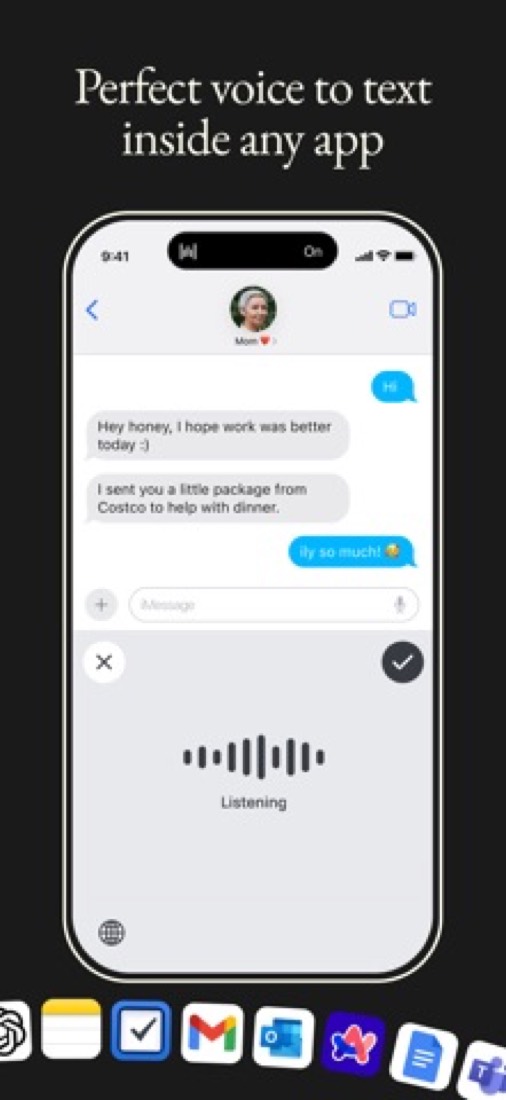
- AFeaturesIt tidies as you talk: drops the filler, keeps the correction when you change your mind, adds punctuation and formatting. 100+ languages, a dictionary that learns your names, snippets, and a Notetaker for meetings on Mac and Windows.
- AEase of use4.84 from about 16,900 App Store ratings. Press your shortcut, talk, and the text lands wherever your cursor is. There are no voice commands to learn, because it adds the punctuation itself.
- BPlatforms and integrationsMac, Windows, iPhone and Android, and it types into any app with no plugins. No Linux app, and the Notetaker is Mac and Windows only for now. Meeting notes can be used in Claude and ChatGPT through MCP.
The good
So what's different about Wispr Flow? Your phone already does dictation, after all. But it types exactly what you say, every "um" and every restart, and then you fix it by hand.
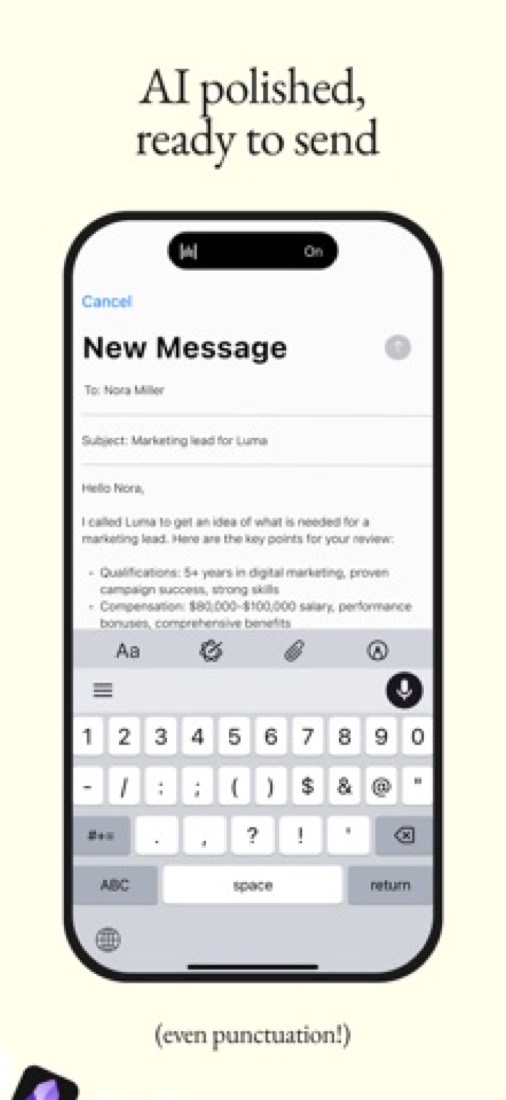
Flow tidies up as it goes. Say "send it tuesday, no wait, wednesday" and you get "Send it Wednesday." It puts in the commas and full stops, and sets out lists and paragraphs for you.
It works wherever your cursor is. Email, Slack, Notion, a terminal, a chat with an AI. There's no plugin to install for each one.
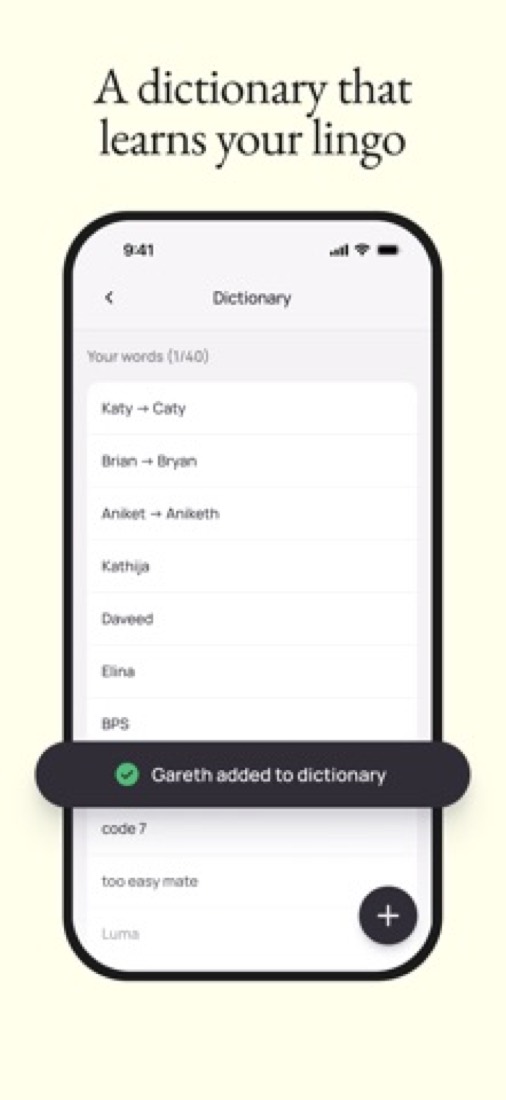
It learns your words as well. Your colleague Siobhan, your company's odd product names, that acronym nobody else uses. Add them yourself, or let it pick them up when you correct a spelling.
Then there are snippets. Say a short phrase like "my calendar link" and it drops in the whole thing.
And on Mac and Windows there's a Notetaker that writes up your meetings with no bot joining the call. It's part of the free plan too, with a weekly limit.
The stuff that'll bug you
Everything you say goes to Wispr's servers. Its own data page says transcription always happens in the cloud. So no signal, no dictation.
And if you'd rather your voice never left your laptop, this isn't your app. Superwhisper does that part for free.
To be fair, Wispr gives you switches. You can stop your audio being used to train its models, and it says audio is deleted once it's transcribed unless you turn cloud storage on. There's also a setting that reads a little text from the app you're in to get names right, and you can turn that off too.
The iPhone app is the fiddly part. It's a keyboard you switch to, and App Store reviewers grumble about hopping between keyboards to fix a word or add an emoji. A few say long dictations got lost, or sat on "processing" and then failed.
AirPods don't help. Wispr itself says to avoid Bluetooth earbuds for dictation, because they squash the audio.
And there's no Linux app, and no Notetaker on phones yet.
Money
Start free. You get 2,000 words a week on your computer and 1,000 on your phone, with no card. The help centre says the phone slows down at 1,000 and stops at 1,500, and it all resets on Sunday.
Is 2,000 words a lot? It's around eight longish emails. Fine for a few messages a day. Gone by Tuesday if you dictate everything.
Pro takes the limits off. It's $12 a month on yearly billing, or $15 month to month. Yearly saves 20%.
Growth is for companies that want single sign-on and HIPAA rules switched on for everyone. That's $18 a person on yearly billing, or $23 monthly. Enterprise is a custom price.
Students and teachers get 50% off Pro with an education email. The student page puts that at $6 a month billed yearly. Wispr's own pages don't quite agree on the student deal, though, so check what the app offers you before you pay.
Nonprofits can ask for a discount as well.
What actual users say
Wispr Flow has 4.84 on the App Store from about 16,900 ratings, and more than nine in ten of them are five stars.
What do people say? That it's the first dictation they didn't have to clean up afterwards. Several compare it with Apple's built-in dictation and say it isn't close. One reviewer with a tremor in their hands says it's been well worth paying for.
On Hacker News it's the app other dictation tools get measured against. Developers talk to it all day to write prompts for coding tools. One said they stayed on the free plan for ages before the limit ever got in their way.
The pushback there is different. It's about the cloud, and about paying monthly. Plenty of commenters have built or switched to something that runs on their own machine, and a few say it's nearly as good.
And one App Store reviewer had a fair moan about marketing. It's a keyboard, they said, so stop sending emails and notifications about your other features.
What this review rests on. Based on Wispr Flow's home, pricing, student, privacy and data controls pages and its help centre as of 9 October 2026, its App Store listing and reviews, and Hacker News threads about it. Not based on using the product: this is a read of everything that's public, not a test. How we review and grade.
What is Wispr Flow?
Wispr Flow turns speech into text in whatever app you are typing in, on Mac, Windows, iPhone and Android. It removes filler words and self-corrections, adds punctuation and learns the names and jargon you use. A Notetaker for meetings and voice memos is included on desktop. The free plan has weekly word limits, and Pro removes them.
Wispr Flow has a free plan. Paid plans start at $12 per user / month, billed annually. See every plan
Good for
- People who write a lot of email, chat and documents and prefer to speak
- Developers dictating into a terminal, code editor or AI tool
- Students and educators, who get 50% off Pro with an education email
Worth knowing
- Free dictation is capped at 2,000 words a week on desktop and 1,000 a week on mobile.
- The Notetaker runs on Mac and Windows only; the vendor says mobile is on the roadmap.
- SAML SSO and org-wide HIPAA enforcement need Growth, and SCIM and audit logs need Enterprise.
- Growth is listed at a discounted price next to a crossed-out $26 a month (annual); no end date is given.
Key features
- Dictation in any app
- Speech-to-text works wherever you can type, including Gmail, Slack, Notion, a terminal or a code editor, in 100+ languages with automatic language detection.
- Automatic cleanup
- Removes filler words, repetitions and mid-sentence corrections, then adds punctuation and formatting so the output reads like written text.
- Personal dictionary
- Learns unusual words and names automatically, and you can add your own. Paid plans add a dictionary shared across the team.
- Snippets
- Store text you type all the time, such as email replies, links, addresses and bios, and reuse it instead of dictating or typing it again.
- Notetaker for meetings
- On Mac and Windows, the Notetaker captures meetings and voice memos, identifies speakers and answers questions across meetings. Notes can be used in Claude and ChatGPT through MCP.
- Security and admin controls
- Wispr states SOC 2 Type II, HIPAA and ISO 27001 certification. Growth adds SAML SSO and usage reporting; SCIM and audit logs are on Enterprise.
Wispr Flow pricing
- Starts at
- $12 per user / month, billed annually
- Free plan
- Dictation up to 2,000 words a week on desktop and 1,000 a week on mobile, with dictionary, snippets and limited Notetaker access. No credit card required.
- Free trial
- None listed
| Plan | Price | What you get |
|---|---|---|
| Free | $0 | Dictation in 100+ languages with weekly word limits, dictionary and snippets, and a weekly limit on Notetaker meetings. |
| Pro | $12per user / month, billed annually ($15 billed monthly) | Unlimited dictation, higher Notetaker limits with longer history, shared team dictionary and snippets, and priority support. |
| Growth | $18per user / month, billed annually ($23 billed monthly) | Shown against a crossed-out $26. Adds SAML SSO, org-wide HIPAA enforcement with a signed BAA, admin controls and usage reporting. |
| Enterprise | Custom | Annual contracts only. Adds SCIM provisioning, audit logs, MDM deployment and dedicated support with SLAs. |
Read from wisprflow.ai on Oct 4, 2026. Prices change, so confirm with Wispr Flow before you buy.
Ways to pay less
- Annual discountSave 20% with annual billing
The pricing page shows a 20% discount for annual billing: Pro is $12 per user per month instead of $15, and Growth is $18 instead of $23.
Stated on wisprflow.ai - Education50% off Flow Pro for students and educators
Students and educators with an education email get 50% off Flow Pro. The student page lists $6 a month billed annually, with 3 months free for new subscribers.
Stated on wisprflow.ai - NonprofitDiscounted Flow Pro for nonprofits
Wispr says it offers discounted Flow Pro to nonprofit organizations. The amount is not published; applicants use a verification form linked from the student page.
Stated on wisprflow.ai
How people rate the Wispr Flow app
4.8
out of 5 for the iPhone and iPad app
- 5 stars93%
- 4 stars3%
- 3 stars1%
- 2 stars<1%
- 1 star2%
16,704 ratings on the App Store in the United States, read Oct 5, 2026. It rates the app, not everything the product does. See the listing
Works with
Wispr Flow alternatives
- Wispr Flow vs Superwhisper
Free plan · from $8.49/mo
- Wispr Flow vs Willow
Free plan · from $12/mo
- Wispr Flow vs Typeless
Free plan · from $12/mo
- Wispr Flow vs MacWhisper
Free plan · from €65 one-time


Featured in
Common questions
Is Wispr Flow free?
Wispr Flow has a free plan. Dictation up to 2,000 words a week on desktop and 1,000 a week on mobile, with dictionary, snippets and limited Notetaker access. No credit card required. Paid plans start at $12 per user / month, billed annually.
How much does Wispr Flow cost?
Wispr Flow lists 4 plans. Free: $0. Pro: $12 per user / month, billed annually ($15 billed monthly). Growth: $18 per user / month, billed annually ($23 billed monthly). Enterprise: custom pricing. Prices were read from wisprflow.ai on Oct 4, 2026.
What platforms does Wispr Flow work on?
Wispr Flow is available on macOS, Windows, iOS and Android.
Does Wispr Flow offer any discounts?
Wispr Flow publicly lists the following: Save 20% with annual billing; 50% off Flow Pro for students and educators; Discounted Flow Pro for nonprofits.
How is Wispr Flow rated?
Wispr Flow's iPhone and iPad app averages 4.8 out of 5 from 16,704 ratings on the App Store in the United States, as read on Oct 5, 2026. That is the store's rating of the app, not a score from us.
Does Wispr Flow have a Linux app?
No Linux app was listed when its pages were read on Oct 4, 2026. Wispr Flow is listed for macOS, Windows, iOS and Android.
Is Wispr Flow open source?
Wispr Flow is not described as open source on its own site, as read on Oct 4, 2026.
What does Wispr Flow integrate with?
Wispr Flow's listing names Claude, ChatGPT, Zoom, Google Meet, Microsoft Teams and Slack. A listing names up to eight integrations, so it may connect to more.
Does Wispr Flow have a student discount?
50% off Flow Pro for students and educators. Students and educators with an education email get 50% off Flow Pro. The student page lists $6 a month billed annually, with 3 months free for new subscribers.
Who makes Wispr Flow?
Wispr Flow is made by Wispr AI, Inc.
What are the alternatives to Wispr Flow?
The closest alternatives to Wispr Flow in our directory are Superwhisper, Willow, Typeless and MacWhisper. Each one has a side-by-side comparison with Wispr Flow.
Sources for this page
The prices, plans, platforms and features above were read from these pages on Oct 4, 2026. What people say is linked where it appears.