
Voxtype review (2026): is it any good?
Open-source push-to-talk dictation for Linux and macOS
Voxtype report card
Good · out of 4.0 · graded Oct 10, 2026
Best for push-to-talk dictation on a Linux desktop
Voxtype is free, open-source push-to-talk dictation for Linux and macOS, worked out on your own machine. But it's set up from the terminal and runs as a daemon, the Linux hotkey needs compositor config or input-group access, packages want a recent distribution, there's no Windows or phone version, and clean-up and meeting summaries need a separate tool like Ollama.
Who Voxtype is for
- Fits if you're on a Wayland desktop like Hyprland, Sway or GNOME and comfortable in a terminal
- Works for talking prompts into terminals, editors and coding agents all day
Who Voxtype is not for
- Skip it if you've never opened a terminal, because that's where all the setup happens
- Not for you if you're on Windows or want it on your phone, as neither is covered
- Too light for finished text out of the box, since clean-up needs a separate tool you install
- Watch out: prebuilt Linux packages need a recent release, such as Ubuntu 24.04, Debian Trixie or Fedora 40
Why Voxtype gets a 2.6
Five grades, each with its reason. The GPA is their average: an A is 4 points, an F is none.
- AValue for moneyFree and open source under the MIT License, with no subscription, no cloud service and no telemetry. The maintainer says he doesn't even accept donations. Nothing in this category undercuts that.
- AFree plan and trialThe full tool is free, every engine and meeting mode included. There's no paid tier at all, so nothing is held back and there's no cap to run into.
- CFeaturesNine local speech engines, spoken punctuation, replacement tables and a meeting mode with speaker attribution that exports to Markdown, SRT or VTT. But grammar clean-up and meeting summaries aren't built in: you pipe the text through Ollama or a shell script yourself, which rivals do for you.
- DEase of useNo rating on record, and the setup is a terminal job. It runs as a daemon, on Linux you bind the hotkey in your compositor or add yourself to the input group, and engines are switched with a line of config.
- CPlatforms and integrationsLinux and macOS and nothing else: no Windows, no phone app, no web. Computers only, however you count them. Prebuilt packages also want a recent distribution, such as Ubuntu 24.04 or Fedora 40.
What these grades rest on. Graded from this listing, whose facts were read from Voxtype's own site and README on 6 October 2026. Also tested with a demo account on 2026-08-08. How we review and grade.
Make Voxtype? Put this grade on your site

Paste this where you want the badge. It links here and follows the grade if it changes. About badges
<a href="https://toolgpa.com/tools/voxtype#review"><img src="https://toolgpa.com/badge/voxtype.svg" alt="Voxtype: 2.6 GPA on ToolGPA" width="196" height="56"></a>Where Voxtype stands among voice dictation apps
Voxtype's GPA of 2.6 is higher than 14 of the 46 other voice dictation apps we grade, and level with 8.
It stands best on free plan and trial (A, above 28 of 46) and worst on ease of use (D, above 0).
Voxtype has no paid plan.
On features, ease of use and platforms it scores 1.7 out of 4. Nothing scores higher for less, though at least one tool matches that score at a lower price.
Each grade against the category
Every bar is all 47 voice dictation apps we grade, cut by the letter each got. Voxtype’s own letter is outlined.
- AValue for moneyAbove 22 of 46, level with 24
- AFree plan and trialAbove 28 of 46, level with 18
- CFeaturesAbove 1 of 46, level with 22
- DEase of useAbove 0 of 46, level with 1
- CPlatforms and integrationsAbove 9 of 46, level with 19
Price against what you get
Each dot is one of 35 voice dictation apps. Further left costs less, and higher up scores better on features, ease of use and platforms. Point at a dot to see which tool it is.
Features, ease of use and platforms, averaged
What paid plans start at, a month (each step along is roughly double) →
- The best score at each price
- Has a free plan
- No free plan
Keep Voxtype, or make your own?
Keep it
To replace Voxtype you would be making dictation that types into any app on your computer. That is not a weekend's work, with an AI app builder or without one.
That makes this kind of software worth paying for, not this one in particular: 24 of the 46 other voice dictation apps grade higher.
What you could not
- Dictation that types into any app on your computer.
- A bot that joins your calls and turns the talk into notes.
- Speech turned into text you can trust.
- A real app for macOS and Linux. Something home-made would be a web page.
What this rests on. Voxtype’s listing: what it does, where it runs, what it plugs into and what it costs. It is a judgement about the kind of software this is. We have not built a replacement for it, and making your own means looking after it too. How we decide, and every tool’s verdict.
What is Voxtype?
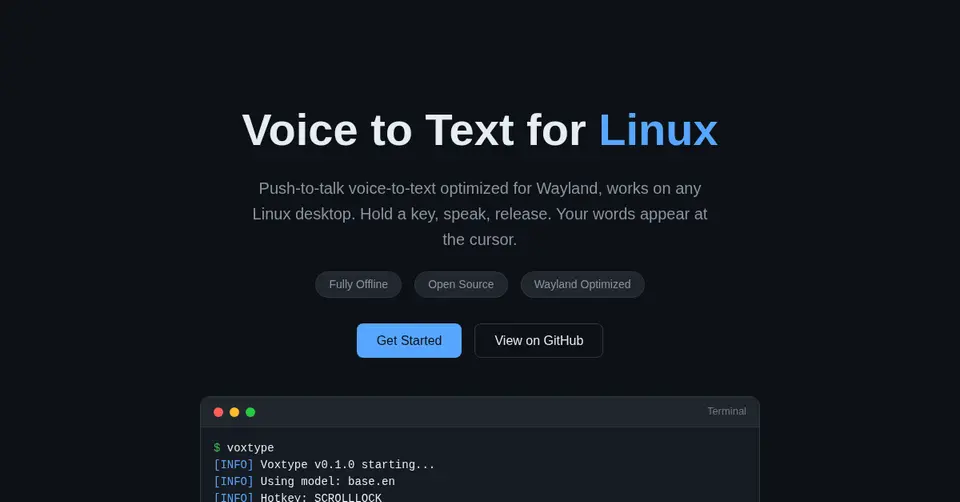
Voxtype is a free, open-source push-to-talk dictation tool for Linux and macOS. Hold a hotkey, speak, and release, and the transcript is typed at the cursor or placed on the clipboard. It runs as a background daemon that is set up from the terminal, with a choice of speech engines that run on the machine, including Whisper, Parakeet and Cohere Transcribe. A meeting mode transcribes longer recordings with speaker attribution and export.
Worth knowing
- There is no Windows or mobile version; packages cover Linux and macOS only.
- Setup happens in the terminal: it runs as a daemon, and on Linux the hotkey is bound in the compositor or needs the user added to the input group.
- Prebuilt Linux packages need a recent distribution, such as Ubuntu 24.04, Debian Trixie or Fedora 40 or later.
- Grammar cleanup and meeting summaries are not built in; they rely on a separate tool such as Ollama that you install yourself.
Key features
- Push-to-talk at the cursor
- Hold a hotkey, ScrollLock by default, speak and release, and the text is typed at the cursor, with the clipboard as a fallback. A toggle mode starts and stops with one press each.
- Nine local speech engines
- Whisper, Parakeet, Moonshine, SenseVoice, Paraformer, Dolphin, Omnilingual, Cohere Transcribe and OpenVINO Whisper are switched with one config line. Models load on first use and unload when idle.
- GPU and NPU acceleration
- Whisper runs on Vulkan across GPU vendors, the ONNX engines use CUDA 12 or 13 on NVIDIA and MIGraphX on AMD cards, and OpenVINO runs Whisper on Intel NPUs.
- Meeting mode
- Continuous transcription with automatic chunking and speaker attribution for meetings and interviews, stored locally and exported to Markdown, plain text, JSON, SRT or VTT.
- Text processing
- Spoken punctuation turns words such as "comma" into symbols, replacement tables fix common mistranscriptions, and an optional command pipes the transcript through a local LLM or a shell script.
- Linux desktop integration
- Compositor keybindings cover Hyprland, Niri, Sway, River, GNOME and KDE, with an evdev fallback for X11. It pauses MPRIS media players while recording and shows a floating waveform.
Voxtype pricing
As of Oct 6, 2026, Voxtype is free to use.
- Starts at
- Free
- Free plan
- Entirely free and open source under the MIT License, with no subscription, cloud service or telemetry. The maintainer says he does not accept donations.
- Free trial
- None listed
| Plan | Price | What you get |
|---|---|---|
| Voxtype | $0 | The full tool for Linux and macOS with every engine and meeting mode, installed from the AUR, a .deb or .rpm package, Nix, an AppImage or Homebrew. |
Read from voxtype.io on Oct 6, 2026. Prices change, so confirm with Voxtype before you buy.
Works with
Voxtype alternatives
- Voxtype vs Handy
Free
- Voxtype vs OpenWhispr
Free plan · from $6.67/mo
- Voxtype vs Talon
Free plan · from $5/mo
- Voxtype vs Spokenly
Free plan · from $29 one-time





Common questions
Does Voxtype have an Android app?
No Android app was listed when its pages were read on Oct 6, 2026. Voxtype is listed for macOS and Linux.
Does Voxtype have an iPhone app?
No iPhone app was listed when its pages were read on Oct 6, 2026. Voxtype is listed for macOS and Linux.
Is Voxtype open source?
Yes. Voxtype is open source, according to its own site.
Does Voxtype work offline?
Yes, according to its own site. What works without a connection differs by plan and platform, so check the vendor's page for the detail.
Sources for this page
The prices, plans, platforms and features above were read from these pages on Oct 6, 2026.