Xodo
PDF tools on web, desktop and mobile, sold separately or as a suite
Xodo report card
Fair · out of 4.0 · graded Oct 18, 2026
Best for a desktop PDF editor that also runs on Linux
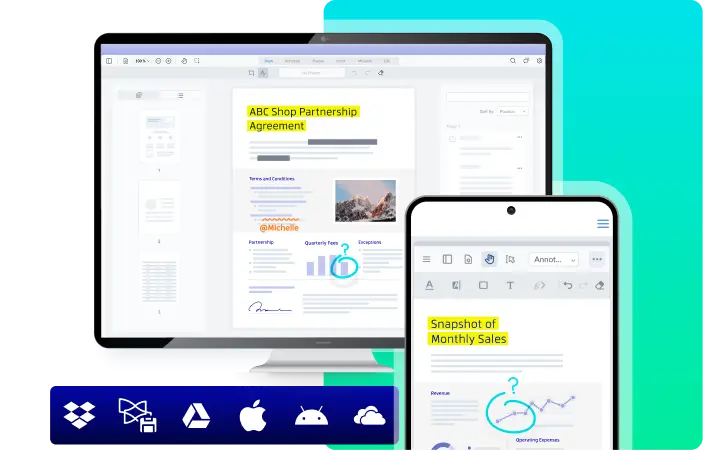
Xodo is a web tool, a desktop app for Windows, Mac and Linux, and phone apps, but each is sold on its own unless you buy the Document Suite. It edits, redacts, OCRs and compares, and the desktop editor can be bought outright. The free plan is 1 action a day, and the trial wants a card.
Who Xodo is for
- Great if you're on Linux and need a full desktop PDF editor
- Handy when you'd rather buy a desktop license outright
- Good for people who only need browser tools on a yearly plan
Who Xodo is not for
- Skip it if you want web, desktop and phone without paying for the full Suite
- Not for you if you want a refund safety net, as Xodo doesn't give them
- Tight if you're on the free plan, at 1 action a day
Why Xodo gets a 2.2
Five grades, each with its reason. The GPA is their average: an A is 4 points, an F is none.
- CValue for moneyXodo Web is $7.99 a month on a yearly plan and the desktop editor $9.99, both normal for PDF editors. The full Suite is $14.99, or $8.99 for new yearly subscribers until Dec 31, 2026. The $240 perpetual license, spread over three years, is middling too.
- CFree plan and trialThere's a free plan, but it's 1 action a day on the web tools, barely a taste. The 3-day trial needs a payment method, and Xodo doesn't give refunds.
- CFeaturesEdits, compresses, redacts, OCRs, converts, compares two PDFs, checks PDF/A and even edits Word files, with AskPDF AI. A good spread. But no form builder is on record, and the web plan has no desktop app.
- CEase of use4.35 from 1,703 App Store ratings, below most PDF apps here. And working out which of the separate products you need takes some reading first.
- BPlatforms and integrationsWeb, Windows, Mac, Linux, iPhone and Android, as wide as it gets. But the only integration on record is Xodo Sign, so it stops at B.
What these grades rest on. Graded from this listing, whose facts were read from Xodo's own pages on 18 October 2026, and its App Store rating. Not based on using the product, and shorter than our full reviews. How we review and grade.
Make Xodo? Put this grade on your site

Paste this where you want the badge. It links here and follows the grade if it changes. About badges
<a href="https://toolgpa.com/tools/xodo#review"><img src="https://toolgpa.com/badge/xodo.svg" alt="Xodo: 2.2 GPA on ToolGPA" width="196" height="56"></a>Where Xodo stands among PDF editors
Xodo's GPA of 2.2 is higher than 0 of the 15 other PDF editors we grade, and level with 4.
It stands best on platforms and integrations (B, above 4 of 15) and worst on free plan and trial (C, above 0).
Its paid plans start at $7.99 a month, against a middle price of $6.67 for the category: 6 of the 10 others that charge start lower.
On features, ease of use and platforms it scores 2.3 out of 4. 5 tools score higher and cost less.
Each grade against the category
Every bar is all 16 PDF editors we grade, cut by the letter each got. Xodo’s own letter is outlined.
- CValue for moneyAbove 2 of 15, level with 7
- CFree plan and trialAbove 0 of 15, level with 13
- CFeaturesAbove 0 of 15, level with 9
- CEase of useAbove 0 of 15, level with 1
- BPlatforms and integrationsAbove 4 of 15, level with 8
Price against what you get
Each dot is one of 13 PDF editors. Further left costs less, and higher up scores better on features, ease of use and platforms. Point at a dot to see which tool it is.
Features, ease of use and platforms, averaged
What paid plans start at, a month (each step along is roughly double) →
- The best score at each price
- Has a free plan
- No free plan
Keep Xodo, or make your own?
Keep it
Nothing Xodo does is plain enough to make in a weekend. The 3 things listed below take a company.
That makes this kind of software worth paying for, not this one in particular: 11 of the 15 other PDF editors grade higher. It costs $95.88 a year.
What you could not
- Editing the text inside a PDF without breaking its layout.
- Apps for macOS, Windows, Linux, iOS and Android that stay in step with each other.
- AI features, unless you pay a model provider for each request yourself.
What this rests on. Xodo’s listing: what it does, where it runs, what it plugs into and what it costs. It is a judgement about the kind of software this is. We have not built a replacement for it, and making your own means looking after it too. How we decide, and every tool’s verdict.
What is Xodo?
Xodo is a set of PDF products from Apryse: Xodo Web, online tools in the browser; Xodo PDF Studio, an offline desktop editor for Windows, Mac and Linux; and mobile apps for iOS and Android. Together they edit, convert, compress, redact, run OCR, compare and sign PDFs, with an AI tool for summaries. Each is sold on its own or together as Xodo Document Suite, and PDF Studio can also be bought outright.
Xodo has a free plan. Paid plans start at $7.99 per month, billed annually ($10.99 billed monthly). See every plan
Good for
- Linux users who need a full desktop PDF editor
- Buyers who want a perpetual desktop license instead of a subscription
- People who only need browser-based PDF tools at a low yearly price
Worth knowing
- Each product is sold separately: the Web plan has no desktop app, and only the Document Suite covers web, desktop and mobile.
- The free plan allows only 1 action a day, and the free trial needs a payment method.
- Xodo does not give refunds; a cancelled plan runs to the end of the paid period.
- The perpetual license includes only 12 months of version upgrades and covers two devices.
Key features
- Edit, redact and organize
- Edit, compress, annotate and redact PDFs, merge, split and reorder pages, and add passwords or strip hidden data.
- Convert and OCR
- Converts to and from PDF and between image formats, runs OCR on scans, and validates PDF/A on the web.
- Compare and edit DOCX
- Shows two PDFs side by side to compare them, and edits Word files without Microsoft Word.
- AskPDF AI
- Summarizes PDFs and answers questions about them, as one of the web tools on paid plans.
- Offline desktop editor
- PDF Studio runs on Windows, macOS and Linux without an internet connection and automates repetitive PDF tasks.
- Mobile apps
- iOS and Android apps for editing, annotating, signing and sharing documents, included in the Document Suite.
Xodo pricing
- Starts at
- $7.99 per month, billed annually ($10.99 billed monthly)
- Free plan
- 1 action a day with limited Xodo Web tools and 1GB of Xodo Drive; the Xodo PDF Reader and mobile apps can be installed free.
- Free trial
- 3-day free trial of Xodo Web or PDF Studio, payment method required
| Plan | Price | What you get |
|---|---|---|
| Free | $0 | One action a day on the web tools, no premium tools and 1GB of Xodo Drive. |
| Xodo Web | $7.99per month, billed annually ($10.99 billed monthly) | 40+ online tools with unlimited use and downloads, including AskPDF AI, strong compression and PDF/A; no desktop app. |
| Xodo PDF Studio Desktop | $9.99per month, billed annually ($19.99 billed monthly) | Offline desktop editor for Windows, macOS and Linux with 60+ tools. |
| Xodo Document Suite | $14.99per month, billed annually ($24.99 billed monthly) | Web, desktop and mobile in one subscription with priority support; $8.99 a month for new annual subscriptions through Dec 31, 2026. |
| PDF Studio Perpetual License | $240one-time purchase per user | PDF Studio Desktop without a subscription, on up to two devices, with 12 months of free version upgrades. |
Read from xodo.com on Oct 18, 2026. Prices change, so confirm with Xodo before you buy.
Ways to pay less
- Other savings40% off Document Suite for life, until Dec 31, 2026
New annual Document Suite subscriptions started by Dec 31, 2026 cost $8.99 a month ($107.93 a year), a discount that stays on every renewal while the plan is active.
Stated on xodo.com - Annual discountLower price with yearly billing
Xodo lists Web at $7.99 a month billed yearly against $10.99 monthly, PDF Studio at $9.99 against $19.99, and the Suite at $14.99 against $24.99.
Stated on xodo.com - Other savingsVolume discounts for teams
Xodo discounts team licenses by seat count, starting at 2 seats for the Web and Document Suite plans and growing with volume for PDF Studio.
Stated on xodo.com
How people rate the Xodo app
4.4
out of 5 for the iPhone and iPad app
- 5 stars74%
- 4 stars10%
- 3 stars5%
- 2 stars3%
- 1 star9%
1,703 ratings on the App Store in the United States, read Oct 18, 2026. It rates the app, not everything the product does. See the listing
Works with
- Xodo Sign
Xodo alternatives
- Xodo vs Adobe Acrobat
Free plan · from $14.99/mo
- Xodo vs Foxit PDF Editor
Free trial · from $129.99/yr
- Xodo vs Smallpdf
Free plan
- Xodo vs Sejda
Free plan · from $5 one-time
- Xodo vs PDFelement
Free trial · from $11.99





Common questions
Is Xodo free?
Xodo has a free plan. 1 action a day with limited Xodo Web tools and 1GB of Xodo Drive; the Xodo PDF Reader and mobile apps can be installed free. Paid plans start at $7.99 per month, billed annually ($10.99 billed monthly).
How much does Xodo cost?
Xodo lists 5 plans. Free: $0. Xodo Web: $7.99 per month, billed annually ($10.99 billed monthly). Xodo PDF Studio Desktop: $9.99 per month, billed annually ($19.99 billed monthly). Xodo Document Suite: $14.99 per month, billed annually ($24.99 billed monthly). PDF Studio Perpetual License: $240 one-time purchase per user. Prices were read from xodo.com on Oct 18, 2026.
What platforms does Xodo work on?
Xodo is available on Web, Windows, macOS, Linux, iOS and Android.
Does Xodo offer any discounts?
Xodo publicly lists the following: 40% off Document Suite for life, until Dec 31, 2026; Lower price with yearly billing; Volume discounts for teams.
How is Xodo rated?
Xodo's iPhone and iPad app averages 4.4 out of 5 from 1,703 ratings on the App Store in the United States, as read on Oct 18, 2026. That is the store's rating of the app, not a score from us.
Is Xodo open source?
Xodo is not described as open source on its own site, as read on Oct 18, 2026.
Does Xodo work offline?
Yes, according to its own site. What works without a connection differs by plan and platform, so check the vendor's page for the detail.
What does Xodo integrate with?
Xodo's listing names Xodo Sign. A listing names up to eight integrations, so it may connect to more.
Does Xodo have a free trial?
Yes. 3-day free trial of Xodo Web or PDF Studio, payment method required.
Who makes Xodo?
Xodo is made by Apryse Software Inc.
What are the alternatives to Xodo?
The closest alternatives to Xodo in our directory are Adobe Acrobat, Foxit PDF Editor, Smallpdf, Sejda and PDFelement. Each one has a side-by-side comparison with Xodo.
How does Xodo compare with other PDF editors?
Xodo's GPA of 2.2 is higher than 0 of the 15 other PDF editors we grade, and level with 4. It stands best on platforms and integrations (B, above 4 of 15) and worst on free plan and trial (C, above 0).
Is Xodo good value for money?
ToolGPA grades Xodo C for value for money. Its paid plans start at $7.99 a month, against a middle price of $6.67 for the category: 6 of the 10 others that charge start lower. On features, ease of use and platforms it scores 2.3 out of 4. 5 tools score higher and cost less.
Could I make my own version of Xodo?
Nothing Xodo does is plain enough to make in a weekend. The 3 things listed below take a company. That makes this kind of software worth paying for, not this one in particular: 11 of the 15 other PDF editors grade higher. It costs $95.88 a year. What you could not make: Editing the text inside a PDF without breaking its layout. Apps for macOS, Windows, Linux, iOS and Android that stay in step with each other. AI features, unless you pay a model provider for each request yourself. This is a judgement from its listing. We have not built one.
Sources for this page
The prices, plans, platforms and features above were read from these pages on Oct 18, 2026. What people say is linked where it appears.