
aCalendar
Android calendar with widgets, tasks and one-time upgrades
aCalendar report card
Very good · out of 4.0 · graded Oct 9, 2026
Best for a full Android calendar with no subscription
aCalendar is a proper Android calendar you never have to subscribe to. The free version has every view and eight widgets, and it shows the Google, Exchange and CalDAV calendars already on your phone. Want tasks or no ads? Those are one-time upgrades, or $11.99 once for the lot. It's Android only though, and the maker says no other version is planned.
Who aCalendar is for
- Great if you're on Android and want a full calendar without paying every month
- Handy when you keep to-dos in Google Tasks or Microsoft To Do and want them on the calendar
- Good for people who'd rather buy only the one or two upgrades they need
Who aCalendar is not for
- Skip it if you also use an iPhone or a computer, because it's Android only and staying that way
- Tight if you're staying free and want tasks or public holidays, which are paid upgrades
- Not for you if you share purchases with family, as only the separate aCalendar+ app works with Family Library
Why aCalendar gets a 3.2
Five grades, each with its reason. The GPA is their average: an A is 4 points, an F is none.
- AValue for moneyUpgrades are one-time payments from $2.49 to $11.99, and aCalendar+ bundles every one of them with no ads for $11.99 once. That's about two months of a typical calendar subscription, paid a single time.
- AFree plan and trialFree gets day, week, month, agenda and year views, 8 widgets, printing and ICS or CSV export. It shows ads, at most one a day according to the maker. Tasks, public holidays and extra colours cost extra, but the calendar itself is all there.
- AFeaturesFive views, eight widgets, multi-select, and printing to PDF or PNG. Upgrades add tasks with subtasks from Google Tasks or Microsoft To Do, plus attendees, free or busy status and separate work and personal profiles.
- BEase of useThere's no App Store rating to go on, since it isn't on iPhone. It picks up the calendars Android already syncs, so there's no new account to make. Swipe up and down through time, sideways to switch views.
- DPlatforms and integrationsAndroid only. The maker states there's no iOS, web or PC version and that none is planned. It does read Google Calendar, Exchange and CalDAV accounts through Android's own sync.
What these grades rest on. Graded from this listing, whose facts were read from Tapir Apps' own pages on 9 October 2026. Not based on using the product, and shorter than our full reviews. How we review and grade.
Make aCalendar? Put this grade on your site
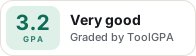
Paste this where you want the badge. It links here and follows the grade if it changes. About badges
<a href="https://toolgpa.com/tools/acalendar#review"><img src="https://toolgpa.com/badge/acalendar.svg" alt="aCalendar: 3.2 GPA on ToolGPA" width="196" height="56"></a>What is aCalendar?
aCalendar is a calendar app for Android from Tapir Apps, an independent studio in Munich. It uses Android's own calendar storage and sync, so it shows Google, Exchange and CalDAV calendars already set up on the phone, with day, week, month, agenda and year views and eight widgets. The free version carries ads, and tasks, business features, public holidays and extra colors are sold as one-time upgrades or all together in the separate aCalendar+ app.
aCalendar has a free plan. Paid plans start at $2.49 to $11.99 per one-time in-app upgrade; aCalendar+ is $11.99. See every plan
Good for
- Android users who want a full calendar without a subscription
- People who want Google Tasks or Microsoft To Do lists inside their calendar
- Anyone who prefers to buy only the upgrades they need
Worth knowing
- Android only. The vendor states there is no iOS, web or PC version and that none is planned.
- The free version shows ads, and tasks, attendees, profiles, public holidays and the wider color choices all need a paid upgrade.
- In-app upgrades cannot be shared through Google Play Family Library; only the separate aCalendar+ app can.
- Licenses are tied to the store account and cannot be moved between Google Play and Huawei AppGallery.
Key features
- Day, week, month, agenda and year views
- Swipe vertically to move through time and horizontally to switch views. Day and week views can show a mini month or a graphical week overview alongside.
- Eight home screen widgets
- Widgets include agenda, date, day and week layouts and a birthday widget added in version 2.9. Accent colors can be set per widget with the Colors upgrade.
- Tasks next to events
- The Tasks upgrade shows to-dos on their due dates in day, week and month views, with subtasks and a tasks widget. It works with Google Tasks, Microsoft To Do, CalDAV through Tasks.org, and local lists.
- Business features
- An upgrade adds attendee management, linking contacts to events, free or busy status, private events, and profiles that separate work and personal calendars.
- Print and export
- Calendar views can be printed or exported as PDF or PNG, and events exported as ICS or CSV files. Multi-select applies an action to several events at once.
- Uses Android's calendar sync
- The app runs no servers of its own. It reads and writes the calendars Android syncs, including Google Calendar, Microsoft Exchange accounts and CalDAV servers, plus local calendars.
aCalendar pricing
- Starts at
- $2.49 to $11.99 per one-time in-app upgrade; aCalendar+ is $11.99
- Free plan
- Free version with ads: day, week, month, agenda and year views, 8 widgets, multi-select, printing and ICS or CSV export. Tasks, business features, public holidays and extra colors are paid upgrades.
- Free trial
- None listed
| Plan | Price | What you get |
|---|---|---|
| aCalendar | $0 | All calendar views, 8 widgets, flexible recurrences, birthdays, moon phases, printing and export. Shows ads, at most one a day according to the vendor. |
| In-app upgrades | $2.49 - $11.99one-time payment per item on Google Play | Ad-free, Tasks, Business Features, Colors and Holidays bought individually inside the free app. Not shareable through Family Library. |
| aCalendar+ | $11.99one-time purchase on Google Play | A separate paid app with every upgrade included and no ads. It can be shared through Google Play Family Library. |
Read from play.google.com on Oct 9, 2026. Prices change, so confirm with aCalendar before you buy.
Ways to pay less
- Other savingsFamily Library sharing for aCalendar+
Bought as a paid app after July 2, 2016, aCalendar+ can be shared with up to 5 family members through Google Play Family Library. In-app upgrades are not eligible.
Stated on acalendar.tapirapps.de
Works with
- Google Calendar
- Google Tasks
- Microsoft To Do
- Microsoft Exchange
- Tasks.org
- DAVx5
- Nextcloud
- Synology
aCalendar alternatives
- aCalendar vs Business Calendar 2
Free plan · from $1.49
- aCalendar vs DigiCal
Free plan · from $5.49 one-time
- aCalendar vs CalenGoo
Free trial · from $5.99 one-time
- aCalendar vs One Calendar
Free plan · from $5.99 one-time
- aCalendar vs Google Calendar
Free plan · from $7/mo





Common questions
Is aCalendar free?
aCalendar has a free plan. Free version with ads: day, week, month, agenda and year views, 8 widgets, multi-select, printing and ICS or CSV export. Tasks, business features, public holidays and extra colors are paid upgrades. Paid plans start at $2.49 to $11.99 per one-time in-app upgrade; aCalendar+ is $11.99.
How much does aCalendar cost?
aCalendar lists 3 plans. aCalendar: $0. In-app upgrades: $2.49 - $11.99 one-time payment per item on Google Play. aCalendar+: $11.99 one-time purchase on Google Play. Prices were read from play.google.com on Oct 9, 2026.
What platforms does aCalendar work on?
aCalendar is available on Android.
Does aCalendar offer any discounts?
aCalendar publicly lists the following: Family Library sharing for aCalendar+.
Does aCalendar have an iPhone app?
No iPhone app was listed when its pages were read on Oct 9, 2026. aCalendar is listed for Android.
Does aCalendar have a Windows app?
No Windows app was listed when its pages were read on Oct 9, 2026. aCalendar is listed for Android.
Is aCalendar open source?
aCalendar is not described as open source on its own site, as read on Oct 9, 2026.
What does aCalendar integrate with?
aCalendar's listing names Google Calendar, Google Tasks, Microsoft To Do, Microsoft Exchange, Tasks.org, DAVx5, Nextcloud and Synology. A listing names up to eight integrations, so it may connect to more.
Who makes aCalendar?
aCalendar is made by Tapir Apps GmbH. It dates from 2011.
What are the alternatives to aCalendar?
The closest alternatives to aCalendar in our directory are Business Calendar 2, DigiCal, CalenGoo, One Calendar and Google Calendar. Each one has a side-by-side comparison with aCalendar.
Sources for this page
The prices, plans, platforms and features above were read from these pages on Oct 9, 2026.
- tapirapps.de/en/
- acalendar.tapirapps.de/en/support/home
- acalendar.tapirapps.de/en/support/solutions/articles/36000126848-about-upgrades
- acalendar.tapirapps.de/en/support/solutions/articles/36000058825-ad-free
- acalendar.tapirapps.de/en/support/solutions/articles/36000058826-tasks-feature
- acalendar.tapirapps.de/en/support/solutions/articles/36000009809-business-features
- acalendar.tapirapps.de/en/support/solutions/articles/36000058828-colors
- acalendar.tapirapps.de/en/support/solutions/articles/36000058846-google-play
- acalendar.tapirapps.de/en/support/solutions/articles/36000171906-system-requirements
- acalendar.tapirapps.de/en/support/solutions/articles/36000113436-web-pc-windows-version
- acalendar.tapirapps.de/en/support/solutions/articles/36000061885-company-info
- play.google.com/store/apps/details?id=org.withouthat.acalendar&hl=en_US&gl=US
- play.google.com/store/apps/details?id=org.withouthat.acalendarplus&hl=en_US&gl=US