The Bitwarden Insider’s Guide
Everything we know about Bitwarden in one document: what it costs, its grades, getting a refund, getting help and what else to look at. Read it here, or keep a copy.
Bitwarden
The Insider’s Guide
Open-source password manager with a free plan and self-hosting
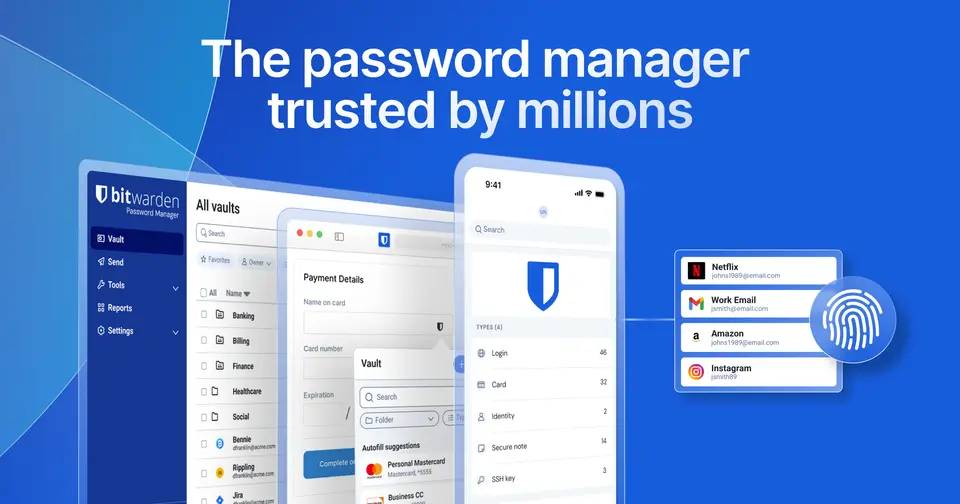
Every plan, grade, refund rule and rival among password managers, read from Bitwarden’s own pages.
Made by Bitwarden, Inc. · checked Oct 9, 2026 · toolgpa.com
Contents
- 01WelcomeWhat it is, who it suits, its grades and the ten things to know first
- 02Insider tipsWhat most people miss: ways to pay less, settings worth changing and the catches
- 03What it costsEvery plan, the free plan, ways to pay less and how prices have moved
- 04What it doesIts main features, where it runs, what it works with and who makes it
- 05Where it standsIts grades against its category, and whether to keep it or make your own
- 06The alternativesThe tools it is most often weighed against, side by side
- 07Quick answersThe questions people ask about it, each answered in a line or two
- 08About ToolGPAWho made this guide, what else is on the site, and how to cite it
ToolGPA put this guide together from Bitwarden’s own pages, its app-store listings and our grades. Every fact in it is on Bitwarden’s page too, where it is kept up to date. Checked Oct 9, 2026.
Part 01 · Overview
Welcome
What it is, who it suits, its grades and the ten things to know first
3.8
GPA, above 17 of the 17 other password managers we grade
Bitwarden is an open-source, end-to-end encrypted password manager for individuals, families and organizations. Its free plan stores unlimited logins and passkeys on unlimited devices, and paid plans add an integrated authenticator, encrypted attachments, emergency access and organization sharing. Businesses get event logs, directory sync and SSO, and the service can be run on your own server instead of Bitwarden's cloud.
To get you started, here are 9 things to know about Bitwarden, taken from its own pages and our grades.
Sign up free and your logins fill in across your devices.
- 1
Best for a free password manager on every device
Free has no attachments, authenticator, health reports or emergency access, and single sign-on needs Enterprise.
- 2
Paid plans start at $1.65 a month
As its pricing page puts it: $1.65 per month, billed annually at $19.80 (Premium).
- 3
There is a free plan
Free for 1 user: unlimited logins, passkeys, notes, cards and identities on unlimited devices, a password generator and text-only Send. No file attachments or integrated authenticator.
- 4
It runs on 6 platforms
Web, macOS, Windows, Linux, iOS and Android, with a browser extension too.
- 5
Unlimited free vault
The free plan stores unlimited logins, passkeys, notes, cards and identities and works on unlimited devices through browser, mobile and desktop apps.
- 6
Open source
Bitwarden's code is open source, and the company describes its security as independently verified.
- 7
Passkeys, autofill and generator
Stores and manages passkeys alongside passwords, autofills logins across devices and generates strong passwords and usernames.
- 8
A 3.8 GPA, above 17 of 17
That is against the other password managers we grade, on value, the free plan, features, ease of use and platforms.
- 9
Keep it
To replace Bitwarden you would be making a password vault, the last thing anyone should make for themselves. That is not a weekend's work, with an AI app builder or without one.
Bitwarden at a glance
- Pricing
- Free plan, from $1.65 per month, billed annually at $19.80 (Premium)
- Free plan
- Yes
- Free trial
- 14-day free trial of the Families, Teams and Enterprise plans, started from the sign-up pages the pricing page links to
- Runs on
- Web, macOS, Windows, Linux, iOS, Android, Browser extension
- Made by
- Bitwarden, Inc., since 2016
- Category
- Password Managers
- Our grade
- 3.8 GPA, excellent
- Store rating
- 4.8 on the App Store, 33,529 ratings
The report card
Best for a free password manager on every device
Bitwarden is an open-source password manager whose free plan keeps unlimited logins and passkeys on unlimited devices, with Premium at $1.65 a month billed yearly for two-factor codes and attachments. On your own you can share with just one other person, and more means Families at $3.99 a month. Free has no attachments, authenticator, health reports or emergency access, and single sign-on needs Enterprise.
| Subject | Grade | Comment |
|---|---|---|
| Value for money | A | The useful version costs nothing, and Premium is $1.65 a month, billed as $19.80 a year, against $2.99 for the middle of this category and $2.49 where its lowest-priced quarter starts. Families covers 6 people for $3.99 a month. |
| Free plan and trial | A | The one free plan in this category with no cap on logins or devices: unlimited logins, passkeys, notes and cards on unlimited devices, with no time limit. File attachments, the built-in authenticator and emergency access are the paid extras. |
| Features | A | It covers the whole job, plus two things none of the paid rivals here offer: the code is open source, and you can run the whole service on your own server. Passwords, passkeys, autofill, a generator, Send for links that disappear, then two-factor codes and 5 GB of encrypted attachments on Premium. |
| Ease of use | A | 4.76 from about 33,500 App Store ratings, the highest in this category. Sign up free and your logins fill in across your devices. The self-hosting is optional and most people will never go near it. |
| Platforms and integrations | B | No common device is left out: web, Mac, Windows, Linux, iPhone, Android and a browser extension. There's no list of integrations and no public API on the listing, though. The only connecting out to other software is directory sync, SCIM and single sign-on, and those are business plans. |
An A is worth 4 points, a B 3, a C 2, a D 1 and an F nothing. The GPA is the average of the five.
Who Bitwarden is for
- Fits if you want a free password manager on all your devices with no limit on logins
- Works for a household of up to 6 at $3.99 a month, or anyone who wants to host it themselves
Who it is not for
- Tight if you're staying free and want two-factor codes, attachments, health reports or emergency access, as all are paid
- Skip it if you share logins with several people but don't want Families, since solo plans share with one other user
- Not for you if you want a VPN or scam warnings bundled in, because Bitwarden sticks to passwords
- Watch out: listed prices assume yearly billing and leave out tax
- Pricey if your company wants single sign-on and policies, which need Enterprise at $6 a user a month
Good to know
Good for
- People who want a free password manager on unlimited devices
- Users who prefer open-source software or want to self-host
- Organizations that want per-user pricing with SSO and SCIM available
Worth knowing
- The free plan leaves out file attachments, the integrated authenticator, vault health reports and emergency access.
- Individual plans share items with only one other Bitwarden user; unlimited sharing starts with Families.
- Listed prices are based on annual subscriptions, and taxes are not included.
- SSO integration and enterprise policies require the Enterprise plan.
Part 02 · Tips
Insider tips
What most people miss: ways to pay less, settings worth changing and the catches
7
Things most people miss, each from its own help pages
The things about Bitwarden that are easy to miss until they cost you: ways to pay less, settings worth changing and the catches at renewal or when you leave. Each one is from Bitwarden’s own pages, linked beside it.
Read on Oct 17, 2026. Read from Bitwarden's help centre (two-step login recovery, server regions, vault timeout, keyboard shortcuts, exporting, cancelling and Premium renewal) on 17 October 2026. Not tried out: these tips are what its own pages say.
- 1
Setting
Save your two-step login recovery code the day you turn it on
Lose your second factor without it and you may not get back into your vault. In the web app it's under Settings, Security, Two-step login, View recovery code. Each time you use it Bitwarden makes a new one, so save that one too.
bitwarden.com - 2
Privacy
Pick the EU server at sign-up if that's where you want your data
Bitwarden runs separate US and EU clouds, picked from the Server dropdown on the sign-up screen. An account only exists in the region it was made in, and Bitwarden can't move it for you. Switching later means exporting and starting a new account.
bitwarden.com - 3
Setting
Don't set the vault timeout to Never
Set it in each app's settings (Account security in the extension and on mobile). Lock, the default action, keeps your data on the device so you can unlock offline with a PIN or biometrics, while Log out wipes it. Bitwarden warns that Never stores your encryption key unencrypted.
bitwarden.com - 4
Shortcut
Ctrl+Shift+L fills your login, and pressing it again cycles
In the browser extension, Ctrl+Shift+L (Cmd on a Mac) autofills the last used login for the site; press it again to step through the others. Ctrl+Shift+9 makes and copies a password and Ctrl+Shift+N locks the vault. Change them on your browser's extension shortcuts page.
bitwarden.com - 5
Leaving
Only a JSON export keeps your passkeys and cards
CSV leaves out cards, identities, passkeys and SSH keys. The .zip option adds attachments, and no export includes Trash or Sends. An account-restricted encrypted export only goes back into the same account, so pick password-protected if you're moving.
bitwarden.com - 6
Renewal
Refunds are only for subscriptions under 30 days old
Bitwarden's cancellation page offers a refund within 30 days of a subscription starting; older ones aren't eligible. Cancel under Settings, Subscription before the Next charge date and Premium runs to the end of the cycle. Reinstate subscription turns renewal back on.
bitwarden.com - 7
Leaving
Let Premium lapse and your 2FA codes and YubiKey stop working
You go back to free. Saved authenticator keys stay, but no codes are made, attachments can't be downloaded, and YubiKey or Duo stop working for sign-in. Keep an authenticator app or email method switched on too, or you'll sign in with no second step at all.
bitwarden.com
Part 03 · Pricing
What it costs
Every plan, the free plan, ways to pay less and how prices have moved
$1.65
A month to start. There is a free plan too
Bitwarden has a free plan. Paid plans start at $1.65 per month, billed annually at $19.80 (Premium).
File attachments, the built-in authenticator and emergency access are the paid extras.
Free
$0
1 user. Unlimited passwords and passkeys on unlimited devices, a password and username generator, and two-step login.
Premium
$1.65
per month, billed annually at $19.80
Adds the integrated authenticator, 5 GB of encrypted file attachments, emergency access, security reports and priority support.
Families
$3.99
per month for up to 6 users, billed annually at $47.88
6 premium accounts with unlimited sharing and collections, plus shared organization storage.
Teams
$4
per user / month, billed annually
Secure credential sharing for a team, event logs, directory synchronization and SCIM provisioning.
Enterprise
$6
per user / month, billed annually
Everything in Teams, plus enterprise policies, passwordless SSO integration, granular access control and self-hosting.
The free plan
Free for 1 user: unlimited logins, passkeys, notes, cards and identities on unlimited devices, a password generator and text-only Send. No file attachments or integrated authenticator.
Trying it first
14-day free trial of the Families, Teams and Enterprise plans, started from the sign-up pages the pricing page links to
Read from bitwarden.com on Oct 9, 2026.
Ways to pay less
Other savings
Free Families plan for Enterprise users
Bitwarden's pricing page states that the Enterprise plan includes a free Families plan for all of its users.
Stated on bitwarden.com
How its prices have moved
- Feb 20, 2026Premium: $10 per year (less than $1 per month) → $1.65 per month, billed annually at $19.80The archived copy of 20 February 2026 shows Premium at $1.65 a month, billed annually at $19.80; the copy before it, of 8 January 2026, shows $10 billed annually. The price changed between the two.
- Feb 20, 2026Families: $3.33 per month for up to 6 users, billed annually at $40 → $3.99 per month for up to 6 users, billed annually at $47.88The archived copy of 20 February 2026 shows Families at $3.99 a month, billed annually at $47.88; the copy before it, of 8 January 2026, shows $3.33 and $40. The price changed between the two.
- Feb 25, 2024Teams: $3 per user / month, billed annually → $4 per user / month, billed annuallyThe archived copy of 25 February 2024 lists Teams at $4 per user on an annual subscription; the last copy before it that lists Teams, of 1 October 2023, shows $3. The copies in between show Teams Starter in its place.
- Feb 25, 2024Teams Starter: withdrawn (was $20 per month for 10 users)The archived copy of 25 February 2024 no longer lists Teams Starter, and shows Teams at $4 per user where it stood; the copy before it, of 10 January 2024, still shows Teams Starter at $20 a month for 10 users.
- Nov 19, 2023Enterprise: $5 per user / month, billed annually → $6 per user / month, billed annuallyThe archived copy of 19 November 2023 shows Enterprise at $6 per user on an annual subscription; the copy before it, of 1 October 2023, shows $5. The price changed between the two.
- Nov 19, 2023Teams Starter: new, $20 per month for 10 usersThe archived copy of 19 November 2023 lists Teams Starter at $20 a month for 10 users where Teams had been; the copy before it, of 1 October 2023, lists Teams at $3 per user and no Starter plan.
Part 04 · Features
What it does
Its main features, where it runs, what it works with and who makes it
7
Places it runs: Web, macOS, Windows, Linux, iOS, Android and Browser extension
Open-source password manager with a free plan and self-hosting. Here is what it does, as its own site describes it, and what it covers: open source, self-hostable, end-to-end encrypted, password manager, passkeys.
No common device is left out: web, Mac, Windows, Linux, iPhone, Android and a browser extension.
- Unlimited free vault
- The free plan stores unlimited logins, passkeys, notes, cards and identities and works on unlimited devices through browser, mobile and desktop apps.
- Open source
- Bitwarden's code is open source, and the company describes its security as independently verified.
- Passkeys, autofill and generator
- Stores and manages passkeys alongside passwords, autofills logins across devices and generates strong passwords and usernames.
- Bitwarden Send
- Shares sensitive information through a link that disappears. Free accounts can send text only; file sharing comes with paid plans.
- Self-hosting
- Bitwarden can be deployed on premises or in a private cloud. Families and Enterprise organizations can be moved to a self-hosted server.
- Business controls
- Teams adds event logs, directory synchronization and SCIM provisioning. Enterprise adds policies, SSO integration and granular access control.
Where it runs
- Web
- macOS
- Windows
- Linux
- iOS
- Android
- Browser extension
What it works with
Its own pages name no integrations.
Who makes Bitwarden
Bitwarden is made by Bitwarden, Inc., a privately held company in Santa Barbara, California, that publishes its code as open source. It earns money from paid business and personal plans next to a free plan, and says it serves over 80,000 businesses and more than 15 million users.
- Founded
- 2016bitwarden.com
- Based
- Santa Barbara, California, with employees in the U.S. and around the worldbitwarden.com
- Ownership
- Privately held. Privately held. In September 2022 PSG took a minority position and a seat on the board, with existing investor Battery Ventures also taking part, according to its own blog. Bitwarden, Inc. is the parent company of 8bit Solutions LLC.bitwarden.com
- Funding
- Announced a $100 million growth investment led by PSG on 6 September 2022, with existing investor Battery Ventures taking part, according to its own blog. TechCrunch called it the first fully disclosed outside funding and reported an undisclosed Series A in 2019.bitwarden.comtechcrunch.com
- Founders and leaders
- Michael Sullivan, Chief Executive Officerbitwarden.com
- Kyle Spearrin, Founder & Chief Innovation Officerbitwarden.com
- Andrew Hartnett, Chief Technology Officerbitwarden.com
- Gary Orenstein, Chief Customer Officerbitwarden.com
- Hiring
- 39 openings listed: 21 in engineering, 9 in sales, 5 in product, 2 in customer support, 1 in marketing and 1 in information security, many of them in Noida, Indiabitwarden.com
- Reseller program
- Reseller program for companies that resell Bitwarden to other organizations. The page does not publish margins or other terms; partners apply through the site.bitwarden.com
- Partner program
- Managed Service Provider program with a customer portal for managing client licenses and organizations, and tiered discounts as the provider grows. The discount rates are not published.bitwarden.com
- Lately
- September 2026 product update for Bitwarden Business plans · Sep 30, 2026
- Bitwarden Privileged Controls: Secure your most sensitive accounts in minutes · Sep 29, 2026
- Enterprise fill assist delivers custom rules for enhanced autofill · Sep 29, 2026
- Bitwarden is committed to achieving FedRAMP Class D (High) Certification · Sep 15, 2026
Read on Oct 18, 2026 from the company’s own pages and from news reports. What is not stated there is left out.
Part 05 · Standing
Where it stands
Its grades against its category, and whether to keep it or make your own
17/17
Other password managers it is graded above
Bitwarden's GPA of 3.8 is higher than 17 of the 17 other password managers we grade.
It stands best on features (A, above 15 of 17) and worst on platforms and integrations (B, above 3).
Its paid plans start at $1.65 a month, against a middle price of $2.59 for the category: 1 of the 13 others that charge start lower.
On features, ease of use and platforms it scores 3.7 out of 4, and no tool on the category's chart scores higher without costing more.
Each grade against the category
Every bar is all 18 password managers we grade, cut by the letter each got. Bitwarden’s own letter is outlined.
- AValue for moneyAbove 12 of 17
- AFree plan and trialAbove 12 of 17
- AFeaturesAbove 15 of 17
- AEase of useAbove 10 of 17
- BPlatforms and integrationsAbove 3 of 17
Price against what you get
Each dot is one of 18 password managers. Further left costs less; higher up scores better on features, ease of use and platforms. Bitwarden is the marked dot.
What paid plans start at, a month (each step along is roughly double) →
Keep it, or make your own?
Whether this is something you could build for yourself with an AI app builder, and what you would give up.
Keep it
To replace Bitwarden you would be making a password vault, the last thing anyone should make for themselves. That is not a weekend's work, with an AI app builder or without one.
It is one of the better ones too: its GPA of 3.8 is higher than 17 of the 17 other password managers we grade. It costs $19.80 a year. Bitwarden is open source, so there is a third way: take its code and run it yourself.
What you could not
- A password vault, the last thing anyone should make for themselves.
- Passkeys, which rest on security you cannot improvise.
- Apps for macOS, Windows, Linux, iOS and Android that stay in step with each other.
- End-to-end encryption done properly.
- What a company asks for before it lets staff use something: single sign-on and SCIM.
- The depth: we grade its features A, which means it covers the whole job.
What this rests on. Bitwarden’s listing: what it does, where it runs, what it plugs into and what it costs. It is a judgement about the kind of software this is. We have not built a replacement for it, and making your own means looking after it too. How we decide, and every tool’s verdict.
Part 06 · Alternatives
The alternatives
The tools it is most often weighed against, side by side




1Password, Proton Pass, Dashlane and NordPass
The 4 tools Bitwarden is most often weighed against, with where each one differs from it.
- 2.8GPA
1Password
Free trial · from $3.99/mo
Password manager for individuals, families and businesses.
- Bitwarden has a free plan. 1Password does not, though it has a free trial.
- Only Bitwarden lists a web app.
- Bitwarden is open source and self-hostable, according to its own site.
- 3.2GPA
Proton Pass
Free plan · from $2.99/mo
End-to-end encrypted password manager with email aliases.
- Bitwarden is self-hostable, according to its own site.
- 2.6GPA
Dashlane
Free trial · from $5.42/mo
Password manager with scam protection, dark web alerts and a VPN.
- Bitwarden has a free plan. Dashlane does not, though it has a free trial.
- Only Bitwarden lists macOS, Windows and Linux apps.
- Bitwarden is open source, self-hostable and end-to-end encrypted, according to its own site.
- 3.0GPA
NordPass
Free plan · from $4.99/mo
Password manager with breach scanning and email masking.
- Only Bitwarden lists a web app.
- Bitwarden is open source and self-hostable, according to its own site.
Part 07 · Questions
Quick answers
The questions people ask about it, each answered in a line or two
13
Questions, each answered in a line or two
The short version of everything above, for when you only need the answer. Each one is told in full in its part of the guide.
Is Bitwarden free?
Bitwarden has a free plan. Free for 1 user: unlimited logins, passkeys, notes, cards and identities on unlimited devices, a password generator and text-only Send.
How much does Bitwarden cost?
Bitwarden lists 5 plans. Free: $0.
What platforms does Bitwarden work on?
Bitwarden is available on Web, macOS, Windows, Linux, iOS and Android.
Does Bitwarden offer any discounts?
Bitwarden publicly lists the following: Free Families plan for Enterprise users.
How is Bitwarden rated?
Bitwarden's iPhone and iPad app averages 4.8 out of 5 from 33,529 ratings on the App Store in the United States, as read on Oct 5, 2026.
Is Bitwarden open source?
Yes. Bitwarden is open source, according to its own site.
Is Bitwarden end-to-end encrypted?
Bitwarden describes itself as end-to-end encrypted on its own site. Nobody here has audited that.
Does Bitwarden have a free trial?
Yes. 14-day free trial of the Families, Teams and Enterprise plans, started from the sign-up pages the pricing page links to.
Who makes Bitwarden?
Bitwarden is made by a company of the same name. Privately held.
What are the alternatives to Bitwarden?
The closest alternatives to Bitwarden in our directory are 1Password, Proton Pass, Dashlane and NordPass.
How does Bitwarden compare with other password managers?
Bitwarden's GPA of 3.8 is higher than 17 of the 17 other password managers we grade.
Is Bitwarden good value for money?
ToolGPA grades Bitwarden A for value for money. Its paid plans start at $1.65 a month, against a middle price of $2.59 for the category: 1 of the 13 others that charge start lower.
Could I make my own version of Bitwarden?
To replace Bitwarden you would be making a password vault, the last thing anyone should make for themselves.
Where this guide comes from
The prices, plans, platforms and features were read from Bitwarden’s own pages on Oct 9, 2026, and the grades were given on Oct 10, 2026. Graded from this listing, whose facts were read from Bitwarden's own pages on 9 October 2026, and its App Store rating. Also tested with a demo account on 2026-02-20.
Every tool we list gets five grades, A to F, each with its reason, and a GPA that averages them. How each is decided is at toolgpa.com/grades. This guide is ToolGPA’s own work; it is not made, paid for or approved by Bitwarden, Inc. Prices change, so check bitwarden.com before you buy.
Part 08 · About
About ToolGPA
Who made this guide, what else is on the site, and how to cite it
3,189
Tools graded, in 94 categories
ToolGPA grades software the way a school report grades a pupil: five subjects, a letter for each with the reason written beside it, and a GPA that averages them. Prices, plans and platforms are read from each maker’s own pages and dated, so you always know how fresh a figure is.
Every grade, review and ranking on ToolGPA is our own judgement. No company can pay for a grade or change one. Every tool on the site has a guide like this one, free to download and pass on. It all lives at toolgpa.com.
3,189
tools graded
94
categories
426
price changes on record
579
apps priced in 12 countries
What else is on toolgpa.com
- Bitwarden, kept up to dateEverything in this guide, with prices and grades as they are todaytoolgpa.com/tools/bitwarden
- How grades are givenThe rules behind every letter and every GPAtoolgpa.com/grades
- Value chartsWhat each tool costs against what it scores, for every categorytoolgpa.com/charts
- CompareAny two tools side by side, plan by plantoolgpa.com/compare
- Price changesEvery price rise and cut on record, each with its sourcetoolgpa.com/price-changes
- Prices by countryWhat apps cost on the App Store in 12 countriestoolgpa.com/prices-by-country
- Pay lessEvery public discount: yearly billing, students, nonprofitstoolgpa.com/save
- Keep or makeWhich tools are worth paying for, and which you could build yourselftoolgpa.com/keep-or-make
Scan for the live page
Prices and grades as they are today
Quoting this guide?
Please name ToolGPA and link to the live page, so readers can check the figures for themselves:
ToolGPA, "Bitwarden: The Insider's Guide", checked Oct 9, 2026. https://toolgpa.com/tools/bitwarden
Know someone choosing between password managers?
Send them this guide: toolgpa.com/tools/bitwarden/guide
ToolGPA elsewhere: youtube.com/@toolgpa
See our other guides
The best-graded password managers after Bitwarden, each with an Insider's Guide of its own.
- Password Managers Insider's GuideEvery one of the 18 password managers we grade, compared
- Apple Passwords Insider's GuideApple's free password and passkey app for iPhone, iPad and Mac3.4 GPA
- RoboForm Insider's GuidePassword manager and form filler with a single-device free plan3.4 GPA
- Google Password Manager Insider's GuidePassword and passkey manager built into Chrome and Android3.2 GPA


Choosing software? Every tool graded, every price dated.
Compare tools at toolgpa.com ›Everything in this guide is ToolGPA’s own summary of what Bitwarden’s pages, its app-store listings and public reviews said on the dates shown. Grades are our judgement under the rules at toolgpa.com/grades. Every grade, review and ranking on ToolGPA is our own judgement. No company can pay for a grade or change one. Bitwarden is a trademark of its owner, and this guide is not made, paid for or approved by Bitwarden, Inc. Prices and plans change: check bitwarden.com before you buy.