The Motion Insider’s Guide
Everything we know about Motion in one document: what it costs, its grades, getting a refund, getting help and what else to look at. Read it here, or keep a copy.
Motion
The Insider’s Guide
AI work planner that auto-schedules tasks on your calendar
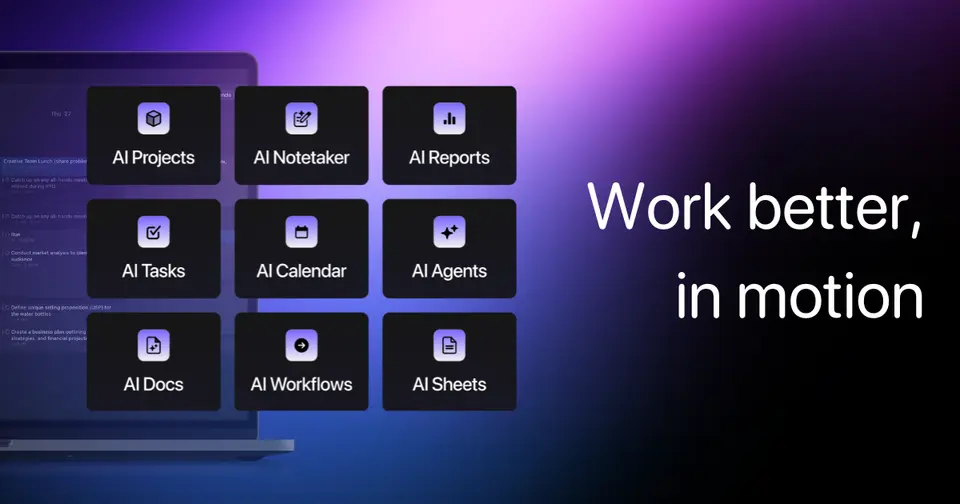
Every plan, grade, refund rule and rival among daily planner apps, read from Motion’s own pages.
Made by Nexusbird, Inc. · checked Oct 4, 2026 · toolgpa.com
Contents
- 01WelcomeWhat it is, who it suits, its grades and the ten things to know first
- 02What it costsEvery plan, the free plan, ways to pay less and how prices have moved
- 03What it doesIts main features, where it runs, what it works with and who makes it
- 04Where it standsIts grades against its category, and whether to keep it or make your own
- 05After you payGetting your money back, getting out, and getting help
- 06The alternativesThe tools it is most often weighed against, side by side
- 07Quick answersThe questions people ask about it, each answered in a line or two
- 08About ToolGPAWho made this guide, what else is on the site, and how to cite it
ToolGPA put this guide together from Motion’s own pages, its app-store listings and our grades. Every fact in it is on Motion’s page too, where it is kept up to date. Checked Oct 4, 2026.
Part 01 · Overview
Welcome
What it is, who it suits, its grades and the ten things to know first
2.4
GPA, above 17 of the 69 other daily planner apps we grade
Motion is a work management app built around automatic scheduling. Its scheduling engine places tasks into open time on your calendar according to duration, priority and deadline, then re-plans as things change. Current plans also bundle projects, docs, AI chat and a meeting notetaker, with AI usage metered in monthly credits per seat.
To get you started, here are 10 things to know about Motion, taken from its own pages and our grades.
The scheduling is automatic, but there's a lot of product around it now: projects, docs, credits and two tiers of plan.
- 1
Best for letting AI fit your tasks into your calendar
Projects, docs, AI chat and a notetaker come along too.
- 2
Paid plans start at $19 a month for each person
As its pricing page puts it: $19 per seat / month on team plans, billed annually (individuals from $29).
- 3
You can try it first
7-day free trial, per Motion's App Store listing. A card is required and is charged when the trial ends unless cancelled.
- 4
It runs on 5 platforms
Web, macOS, Windows, iOS and Android.
- 5
Automatic scheduling
A scheduling engine places tasks into openings on your calendar based on duration, priority and deadlines, and rebuilds the plan as the day changes.
- 6
Tasks and projects
Tasks sit inside projects and workspaces, and AI can draft a project and its tasks from a description. Timelines and Gantt charts need Business AI.
- 7
Calendar sync
Connects Google Calendar, Microsoft Outlook (Office 365 and Exchange Online) and iCloud Calendar. The iCloud connection has a more limited feature set.
- 8
Refunds: no set window
Motion's terms are blunt: purchases are not refundable, and cancelling gets you nothing back for unused time, prepayments or anything else. A refund is possible only if Motion feels like it.
- 9
A 2.4 GPA, above 17 of 69
That is against the other daily planner apps we grade, on value, the free plan, features, ease of use and platforms.
- 10
Keep it
To replace Motion you would be making a bot that joins your calls and turns the talk into notes. That is not a weekend's work, with an AI app builder or without one.
Motion at a glance
- Pricing
- Free trial, from $19 per seat / month on team plans, billed annually (individuals from $29)
- Free plan
- No
- Free trial
- 7-day free trial, per Motion's App Store listing. A card is required and is charged when the trial ends unless cancelled.
- Runs on
- Web, macOS, Windows, iOS, Android
- Made by
- Nexusbird, Inc.
- Category
- Daily Planner Apps
- Our grade
- 2.4 GPA, fair
- Store rating
- 4.1 on the App Store, 1,856 ratings
The report card
Best for letting AI fit your tasks into your calendar
Motion takes your tasks and deadlines and finds the time, slotting each task into a gap in your calendar and shuffling the lot when a meeting lands on top. Projects, docs, AI chat and a notetaker come along too. But one person pays $29 a month on annual billing, more than a team seat, AI use is metered, there's no free plan, the trial wants your card first, and purchases are non-refundable.
| Subject | Grade | Comment |
|---|---|---|
| Value for money | D | One person pays $29 a month billed annually, or $49 month to month, when the dearest tenth of this category starts at $17.29. A team seat is $19. AI use is metered at 7,500 credits a seat a month, and Gantt charts and time tracking need the dearer tier. |
| Free plan and trial | D | No free plan. There's a 7-day trial, per Motion's App Store listing, but a card is required and it's charged when the trial ends unless you cancel. Motion's terms also say purchases are non-refundable, so set a reminder. |
| Features | A | It's the only planner here carrying a whole work suite behind the scheduler: projects and workspaces, docs, Gantt charts, time tracking, booking links and a notetaker that drafts action items from your calls. The scheduler itself places tasks by duration, priority and deadline and rebuilds the day as it changes. |
| Ease of use | C | 4.09 from about 1,900 App Store ratings, with roughly one rating in six a single star. The scheduling is automatic, but there's a lot of product around it now: projects, docs, credits and two tiers of plan. |
| Platforms and integrations | A | Web, Mac, Windows, iPhone and Android, with Google Calendar, Outlook, iCloud, Gmail, Zoom, Google Meet, Slack and Zapier behind it, plus an API. The iCloud connection has a more limited feature set. |
An A is worth 4 points, a B 3, a C 2, a D 1 and an F nothing. The GPA is the average of the five.
Who Motion is for
- Fits if you want your tasks put on the calendar for you, not dragged there by hand
- Works for teams that want tasks, projects, docs and meeting notes in one app
Who it is not for
- Pricey if you're one person, at $29 a month billed annually against $19 for a team seat
- Skip it if you want to try it without handing over a card, as the 7-day trial needs one and charges when it ends
- Not for you if you just want a simple day planner, since this is a whole work suite with metered AI
- Watch out: Motion's terms say purchases are non-refundable, and extra AI credits are charged per 100
- Tight if you need Gantt charts, time tracking or permissions, which are Business AI only, $39 a month for one person
Good to know
Good for
- People who want tasks placed on the calendar automatically
- Teams that want tasks, projects, docs and meeting notes in one app
- Deadline-driven work that needs frequent re-planning
Worth knowing
- There is no free plan. A card is required for the trial, and Motion's terms say purchases are non-refundable.
- One person pays more than a team seat: Pro AI is $29 a month billed annually for an individual, against $19 per seat for teams.
- AI use is metered: 7,500 credits per seat a month on Pro AI and 15,000 on Business AI, with extra credits charged per 100.
- Gantt charts, time tracking, capacity planning and permissions are limited to Business AI.
Part 02 · Pricing
What it costs
Every plan, the free plan, ways to pay less and how prices have moved
$19
A month to start, for each person
Motion is a paid product with a free trial, starting at $19 per seat / month on team plans, billed annually (individuals from $29).
Motion's terms also say purchases are non-refundable, so set a reminder.
Pro AI (teams)
$19
per seat / month, billed annually ($29 billed monthly)
AI chat, projects and tasks, calendar and meetings, docs and notes, mobile and desktop apps, and 7,500 AI credits per seat each month.
Business AI (teams)
$29
per seat / month, billed annually ($49 billed monthly)
Everything in Pro AI plus capacity planning, dashboards and reports, Gantt charts, time tracking, permissions and 15,000 AI credits per seat.
Pro AI (individuals)
$29
per month, billed annually ($49 billed monthly)
The same Pro AI plan bought by one person rather than per seat for a team.
Business AI (individuals)
$39
per month, billed annually ($69 billed monthly)
The same Business AI plan bought by one person rather than per seat for a team.
Enterprise
Custom
Everything in Business AI plus custom integrations, API with engineering support, white-glove onboarding and a dedicated solutions engineer.
Trying it first
7-day free trial, per Motion's App Store listing. A card is required and is charged when the trial ends unless cancelled.
Read from usemotion.com on Oct 4, 2026.
Ways to pay less
Annual discount
Save 33% by paying annually
Motion's pricing page labels annual payment as saving 33%: a Pro AI team seat is $19 a month billed annually against $29 billed monthly.
Stated on usemotion.com
How its prices have moved
- Jul 10, 2025Pro AI and Business AI: Individual at $19 per month and Business Standard at $12 per user / month, billed annually → Pro AI at $19 and Business AI at $29 per seat / month, billed annually, at the 5-seat team size shownThe archived copy of 10 July 2025 lists Pro AI and Business AI, priced per seat for a chosen team size; the copy before it, of 1 April 2025, lists Individual and Business Standard. The plans were replaced between the two.
- Jan 18, 2025Business Standard: Team at $12 per user / month, billed annually ($20 billed monthly) → Business Standard at $12 per user / month, billed annually ($20 billed monthly)The archived copy of 18 January 2025 names the per-user plan Business Standard; the copy before it, of 25 July 2024, names it Team at the same $12 and $20. The name changed between the two.
- Jul 6, 2022Team: new, $12 per user / month, billed yearly ($20 billed monthly)The archived copy of 6 July 2022 lists a Team plan beside Individual; the copy before it, of 25 January 2022, has a single Pro plan at $19 a month billed annually. The plan was added between the two.
What the app costs elsewhere
Each country’s App Store price for “Monthly”, against $44.99 in the United States, in dollars at the day’s rate. The four cheapest and the four dearest of 11.
| Country | Price there | In dollars | Against the US |
|---|---|---|---|
| Turkey | ₺1.799,99 | $36.61 | 19% less |
| Philippines | ₱ 2,490.00 | $39.64 | 12% less |
| Canada | $59.99 | $42.17 | 6% less |
| Indonesia | Rp 799ribu | $44.69 | about the same |
| Mexico | $999.00 | $54.89 | 22% more |
| Germany | 49,99 € | $56.02 | 25% more |
| United Kingdom | £44.99 | $59.48 | 32% more |
| South Africa | R999.99 | $60.48 | 34% more |
Part 03 · Features
What it does
Its main features, where it runs, what it works with and who makes it
5
Places it runs: Web, macOS, Windows, iOS and Android
AI work planner that auto-schedules tasks on your calendar. Here is what it does, as its own site describes it, and what it covers: public API, AI features, meeting notes, tasks, auto-scheduling, calendar, booking links.
The scheduler itself places tasks by duration, priority and deadline and rebuilds the day as it changes.
- Automatic scheduling
- A scheduling engine places tasks into openings on your calendar based on duration, priority and deadlines, and rebuilds the plan as the day changes.
- Tasks and projects
- Tasks sit inside projects and workspaces, and AI can draft a project and its tasks from a description. Timelines and Gantt charts need Business AI.
- Calendar sync
- Connects Google Calendar, Microsoft Outlook (Office 365 and Exchange Online) and iCloud Calendar. The iCloud connection has a more limited feature set.
- Booking links
- A shareable link lets other people book meetings based on your real-time availability. You set rules for availability, duration, buffers and limits.
- AI Notetaker
- Captures transcripts from video calls and drafts summaries and action items, which you approve before they become tasks.
- AI Chat and Docs
- A chat interface creates items and searches workspace data, and collaborative docs include AI drafting. AI use draws on the plan's monthly credits.
Where it runs
- Web
- macOS
- Windows
- iOS
- Android
What it works with
- Google Calendar
- Microsoft Outlook
- iCloud Calendar
- Gmail
- Zoom
- Google Meet
- Slack
- Zapier
Motion is made by Nexusbird, Inc.
Part 04 · Standing
Where it stands
Its grades against its category, and whether to keep it or make your own
17/69
Other daily planner apps it is graded above
Motion's GPA of 2.4 is higher than 17 of the 69 other daily planner apps we grade, and level with 17.
It stands best on features (A, above 65 of 69) and worst on value for money (D, above 0).
Its paid plans start at $19 a month for each person, against a middle price of $4.17 for the category: 49 of the 52 others that charge start lower.
On features, ease of use and platforms it scores 3.3 out of 4. 1 tool scores higher and costs less.
Each grade against the category
Every bar is all 70 daily planner apps we grade, cut by the letter each got. Motion’s own letter is outlined.
- DValue for moneyAbove 0 of 69
- DFree plan and trialAbove 1 of 69
- AFeaturesAbove 65 of 69
- CEase of useAbove 0 of 69
- APlatforms and integrationsAbove 55 of 69
Price against what you get
Each dot is one of 57 daily planner apps. Further left costs less; higher up scores better on features, ease of use and platforms. Motion is the marked dot.
What paid plans start at, a month (each step along is roughly double) →
Keep it, or make your own?
Whether this is something you could build for yourself with an AI app builder, and what you would give up.
Keep it
To replace Motion you would be making a bot that joins your calls and turns the talk into notes. That is not a weekend's work, with an AI app builder or without one.
That makes this kind of software worth paying for, not this one in particular: 35 of the 69 other daily planner apps grade higher. It costs $228 a year.
What you could make
- Tasks and calendar: an app builder makes these well.
What you could not
- A bot that joins your calls and turns the talk into notes.
- A scheduler that rearranges your day as things move.
- Booking pages that read and write other people's calendars and send the emails.
- Apps for macOS, Windows, iOS and Android that stay in step with each other.
- It is priced for each person, which means accounts and billing for a team.
- It plugs into other products, Google Calendar, Microsoft Outlook and iCloud Calendar among them, and has an API.
- AI features, unless you pay a model provider for each request yourself.
- The depth: we grade its features A, which means it covers the whole job.
What this rests on. Motion’s listing: what it does, where it runs, what it plugs into and what it costs. It is a judgement about the kind of software this is. We have not built a replacement for it, and making your own means looking after it too. How we decide, and every tool’s verdict.
Part 05 · Refunds
After you pay
Getting your money back, getting out, and getting help
What happens once you have paid: whether you can get your money back, how to leave, and how to reach a person when something goes wrong. Each is graded from Motion’s own terms and help pages.
Refunds and cancelling
Ordinary · checked Oct 18, 2026
Motion's terms are blunt: purchases are not refundable, and cancelling gets you nothing back for unused time, prepayments or anything else. A refund is possible only if Motion feels like it. Against that, leaving is genuinely easy, the help centre walks you through it, and you keep the plan until the term you paid for ends. No refunds with a clean exit is the ordinary deal, and a C.
- Refund window
- No set window
- How you cancel
- Yourself, in settings
- Getting your money back
The terms say purchases are non-refundable and that Motion is not obliged to refund any payment, though it may at its sole discretion. They add in capitals that cancelling or being suspended earns no refund for unused time, prepayments or fees of any kind. The help article on cancelling repeats that cancelling does not trigger a refund. Anyone charged in error is told to write to support.
Stated on usemotion.com- How to cancel Motion
An individual plan is cancelled in the app: open Settings from the gear icon, then Manage Plan, then Cancel Plan, with a reason. A team plan can only be cancelled by a team admin, under Settings, then Billing, then Manage Plan. There is also a cancel option on the account billing page on the website. A subscription bought through Apple's in-app purchase is cancelled in the iPhone's Subscriptions settings.
- Log in to your Motion account at app.usemotion.com on a desktop or laptop
- Click the gear icon in the top left corner to open Settings
- Click Manage Plan, then choose Cancel Plan
- Select Continue
- Enter a reason for cancelling and click Continue
- Click Cancel Subscription to finish
- What you keep afterwards
The terms say access continues to the end of the subscription term you have paid for. The cancellation article says you can come back by logging in with the same email address and resubscribing, and warns that signing up with a different email makes a new account with none of the old data. Neither page says how long a cancelled account's data is kept, or whether it can be exported.
Stated on usemotion.com- Renewals
The terms state in capitals that a subscription renews automatically at the end of each term for another term the same length until you cancel, and that you must cancel before the next term starts. A free trial rolls straight into a paid term unless cancelled first, and the terms time a trial to the hour. No reminder before a renewal is mentioned.
Stated on usemotion.com
In your favour
- Cancelling an individual plan is six steps in the app, and the help centre spells them out.
- You keep the plan until the end of the term you have already paid for.
- There is more than one route out: the app, the website's account billing page, or the App Store.
Watch out for
- Purchases are non-refundable. Unused time and prepayments are named as things you will not get back.
- Any refund at all is at Motion's discretion, and nothing on its pages obliges it to give one.
- The trial becomes a paid term by itself, timed to the hour, unless you cancel before it ends.
- Only a team admin can cancel a team plan. Ordinary members have to ask support.
Customer support
Good · checked Oct 18, 2026
Motion offers a support chat that reaches its own agents after a chatbot takes down the details, plus email and a decent help centre, and it puts a figure on the wait: it tries to resolve a question within 24 to 48 hours. That figure is also why this is not an A. Nothing on its pages says the chat is staffed live or when anybody is at the other end, and a day or two is not live help.
Ways to get help
Live chat
A chat opened from the button at the bottom right of the help centre. A chatbot gathers context on the issue first, and the page says you then talk to Motion's support agents. It asks you to say yes to account access so the team can look at what you are seeing.
Stated on usemotion.comEmail
Motion names email as one of its three ways to get help, alongside the help centre and the chat. Its terms also point anyone who wants to cancel or who thinks they were charged wrongly to the support address they give.
Stated on usemotion.comHelp inside the app
A Help button in the top left corner of the Motion app opens the same support chat without going to the website first.
Stated on usemotion.comHelp centre
A help centre with articles on getting started, calendars, tasks, projects, billing and cancelling, with a search box and an AI assistant over the docs. It is open to anyone without signing in.
Stated on usemotion.com
Not listed on Motion’s pages: phone.
- When people answer
Its pages do not say.
- How fast it says it replies
Motion says handling times vary with volume and that its team does its best to resolve a question within 24 to 48 hours. That is the only figure published, and no page names a different target for any plan.
Stated on usemotion.com- What depends on your plan
The pricing page's plan comparison has a Priority Support row, but the marks showing which plans include it are icons our reader could not read, so the page does not tell us. The support article describes one chat for everybody and names no difference by plan.
Stated on usemotion.com
In your favour
- The support chat reaches Motion's own agents, not just a bot with a list of articles.
- A target is published: 24 to 48 hours to resolve a question, not merely to reply.
- The same chat opens from inside the app, so you do not have to leave what you are doing.
- The help centre covers billing and cancelling step by step, not just the features.
Watch out for
- No hours are published. Nothing says the chat is staffed, or when.
- A chatbot takes the first pass before any agent sees your issue.
- There is no phone number anywhere on the pages read.
- Priority Support is listed on the pricing table, but which plans get it cannot be read from the page.
What these two grades rest on. Read on 18 October 2026: Motion's terms of service, its help articles on cancelling a plan, contacting support and billing and plans, and its pricing page. Motion publishes its help centre in plain markdown as well as HTML, so the articles were read in full. The pricing table marks support with icons that could not be read. Nobody here cancelled a plan or contacted its support. They are graded apart from the five that make the GPA. How we grade refunds and support.
Part 06 · Alternatives
The alternatives
The tools it is most often weighed against, side by side





Reclaim.ai, Akiflow, Sunsama, Morgen and Routine
The 5 tools Motion is most often weighed against, with where each one differs from it.
- 2.0GPA
Reclaim.ai
Free plan · from $10/mo
AI scheduling layer for Google Calendar and Outlook.
- Reclaim.ai has a free plan. Motion does not, though it has a free trial.
- Only Motion lists macOS, Windows, iOS and Android apps.
- Motion also covers meeting notes.
- 2.2GPA
Akiflow
Free trial · from $19/mo
Time-blocking planner that pulls tasks from other apps into one inbox.
- Motion also covers meeting notes and auto-scheduling.
- Akiflow also covers time blocking.
- 2.6GPA
Sunsama
Free trial · from $17/mo
Daily planner with guided planning routines and calendar timeboxing.
- Only Sunsama lists a Linux app.
- Motion also covers meeting notes and booking links.
- Sunsama also covers time blocking, Pomodoro timer and goals.
- 2.4GPA
Morgen
Free trial · from $15/mo
Calendar and daily planner with AI-suggested time blocking.
- Only Morgen lists a Linux app.
- Motion also covers meeting notes.
- Morgen also covers time blocking.
- 2.8GPA
Routine
Free plan · from $5/mo
Planner combining tasks, calendar and notes, with an AI assistant.
- Routine has a free plan. Motion does not, though it has a free trial.
- Only Routine lists a Linux app.
- Motion also covers auto-scheduling and booking links.
Part 07 · Questions
Quick answers
The questions people ask about it, each answered in a line or two
18
Questions, each answered in a line or two
The short version of everything above, for when you only need the answer. Each one is told in full in its part of the guide.
Is Motion free?
No, Motion is a paid product, but you can try it first. 7-day free trial, per Motion's App Store listing.
How much does Motion cost?
Motion lists 5 plans. Pro AI (teams): $19 per seat / month, billed annually ($29 billed monthly).
What platforms does Motion work on?
Motion is available on Web, macOS, Windows, iOS and Android.
Does Motion offer any discounts?
Motion publicly lists the following: Save 33% by paying annually.
How is Motion rated?
Motion's iPhone and iPad app averages 4.1 out of 5 from 1,856 ratings on the App Store in the United States, as read on Oct 5, 2026.
Does Motion have a Linux app?
No Linux app was listed when its pages were read on Oct 4, 2026. Motion is listed for Web, macOS, Windows, iOS and Android.
Is Motion open source?
Motion is not described as open source on its own site, as read on Oct 4, 2026.
Does Motion have an API?
Yes. Motion offers a public API, according to its own site.
What does Motion integrate with?
Motion's listing names Google Calendar, Microsoft Outlook, iCloud Calendar, Gmail, Zoom, Google Meet, Slack and Zapier.
Who makes Motion?
Motion is made by Nexusbird, Inc.
What are the alternatives to Motion?
The closest alternatives to Motion in our directory are Reclaim.ai, Akiflow, Sunsama, Morgen and Routine.
Does Motion give refunds?
The terms say purchases are non-refundable and that Motion is not obliged to refund any payment, though it may at its sole discretion.
How do I cancel Motion?
An individual plan is cancelled in the app: open Settings from the gear icon, then Manage Plan, then Cancel Plan, with a reason.
What happens to my data if I cancel Motion?
The terms say access continues to the end of the subscription term you have paid for.
How do I contact Motion support?
Motion's pages list these ways to get help: live chat, email, help inside the app and help centre.
How does Motion compare with other daily planner apps?
Motion's GPA of 2.4 is higher than 17 of the 69 other daily planner apps we grade, and level with 17.
Is Motion good value for money?
ToolGPA grades Motion D for value for money. Its paid plans start at $19 a month for each person, against a middle price of $4.17 for the category: 49 of the 52 others that charge start lower.
Could I make my own version of Motion?
To replace Motion you would be making a bot that joins your calls and turns the talk into notes.
Where this guide comes from
The prices, plans, platforms and features were read from Motion’s own pages on Oct 4, 2026, and the grades were given on Oct 10, 2026. Graded from this listing, whose facts were read from Motion's own pages on 4 October 2026, and its App Store rating. Also tested with a demo account on 2026-09-19.
Every tool we list gets five grades, A to F, each with its reason, and a GPA that averages them. How each is decided is at toolgpa.com/grades. This guide is ToolGPA’s own work; it is not made, paid for or approved by Nexusbird, Inc. Prices change, so check usemotion.com before you buy.
- usemotion.com
- usemotion.com/pricing
- usemotion.com/llms.txt
- usemotion.com/download
- usemotion.com/terms
- usemotion.com/help/getting-started/what-is-motion.md
- usemotion.com/help/getting-started/faq/account-and-login-faq.md
- usemotion.com/help/time-management/all-things-calendars/reference-all-things-calendars/supported-providers.md
- usemotion.com/help/time-management/booking-links/concept-booking-links.md
- apps.apple.com/us/app/motion-tasks-ai-scheduling/id1580440623
Part 08 · About
About ToolGPA
Who made this guide, what else is on the site, and how to cite it
3,189
Tools graded, in 94 categories
ToolGPA grades software the way a school report grades a pupil: five subjects, a letter for each with the reason written beside it, and a GPA that averages them. Prices, plans and platforms are read from each maker’s own pages and dated, so you always know how fresh a figure is.
Every grade, review and ranking on ToolGPA is our own judgement. No company can pay for a grade or change one. Every tool on the site has a guide like this one, free to download and pass on. It all lives at toolgpa.com.
3,189
tools graded
94
categories
426
price changes on record
579
apps priced in 12 countries
What else is on toolgpa.com
- Motion, kept up to dateEverything in this guide, with prices and grades as they are todaytoolgpa.com/tools/motion
- How grades are givenThe rules behind every letter and every GPAtoolgpa.com/grades
- Value chartsWhat each tool costs against what it scores, for every categorytoolgpa.com/charts
- CompareAny two tools side by side, plan by plantoolgpa.com/compare
- Price changesEvery price rise and cut on record, each with its sourcetoolgpa.com/price-changes
- Prices by countryWhat apps cost on the App Store in 12 countriestoolgpa.com/prices-by-country
- Pay lessEvery public discount: yearly billing, students, nonprofitstoolgpa.com/save
- Keep or makeWhich tools are worth paying for, and which you could build yourselftoolgpa.com/keep-or-make
Scan for the live page
Prices and grades as they are today
Quoting this guide?
Please name ToolGPA and link to the live page, so readers can check the figures for themselves:
ToolGPA, "Motion: The Insider's Guide", checked Oct 4, 2026. https://toolgpa.com/tools/motion
Know someone choosing between daily planner apps?
Send them this guide: toolgpa.com/tools/motion/guide
ToolGPA elsewhere: youtube.com/@toolgpa
See our other guides
The best-graded daily planner apps after Motion, each with an Insider's Guide of its own.
- Daily Planner Apps Insider's GuideEvery one of the 70 daily planner apps we grade, compared
- Hero Assistant Insider's GuideDaily assistant app combining calendar, to-dos, habits and notes3.4 GPA
- LiveIt Insider's GuidePersonal organizer joining planner, journal, notes and habits3.4 GPA
- Open Sunsama Insider's GuideSelf-hostable daily planner with time blocking and an MCP server3.2 GPA



Choosing software? Every tool graded, every price dated.
Compare tools at toolgpa.com ›Everything in this guide is ToolGPA’s own summary of what Motion’s pages, its app-store listings and public reviews said on the dates shown. Grades are our judgement under the rules at toolgpa.com/grades. Every grade, review and ranking on ToolGPA is our own judgement. No company can pay for a grade or change one. Motion is a trademark of its owner, and this guide is not made, paid for or approved by Nexusbird, Inc. Prices and plans change: check usemotion.com before you buy.