
Motion review (2026): is it worth $19 a month per seat, billed yearly?
AI work planner that auto-schedules tasks on your calendar
Black Friday: is there a Motion sale?
Motion report card
Fair · out of 4.0 · graded Oct 10, 2026
Best for letting AI fit your tasks into your calendar
Motion takes your tasks and deadlines and finds the time, slotting each task into a gap in your calendar and shuffling the lot when a meeting lands on top. Projects, docs, AI chat and a notetaker come along too. But one person pays $29 a month on annual billing, more than a team seat, AI use is metered, there's no free plan, the trial wants your card first, and purchases are non-refundable.
Who Motion is for
- Fits if you want your tasks put on the calendar for you, not dragged there by hand
- Works for teams that want tasks, projects, docs and meeting notes in one app
Who Motion is not for
- Pricey if you're one person, at $29 a month billed annually against $19 for a team seat
- Skip it if you want to try it without handing over a card, as the 7-day trial needs one and charges when it ends
- Not for you if you just want a simple day planner, since this is a whole work suite with metered AI
- Watch out: Motion's terms say purchases are non-refundable, and extra AI credits are charged per 100
- Tight if you need Gantt charts, time tracking or permissions, which are Business AI only, $39 a month for one person
Why Motion gets a 2.4
Five grades, each with its reason. The GPA is their average: an A is 4 points, an F is none.
- DValue for moneyOne person pays $29 a month billed annually, or $49 month to month, when the dearest tenth of this category starts at $17.29. A team seat is $19. AI use is metered at 7,500 credits a seat a month, and Gantt charts and time tracking need the dearer tier.
- DFree plan and trialNo free plan. There's a 7-day trial, per Motion's App Store listing, but a card is required and it's charged when the trial ends unless you cancel. Motion's terms also say purchases are non-refundable, so set a reminder.
- AFeaturesIt's the only planner here carrying a whole work suite behind the scheduler: projects and workspaces, docs, Gantt charts, time tracking, booking links and a notetaker that drafts action items from your calls. The scheduler itself places tasks by duration, priority and deadline and rebuilds the day as it changes.
- CEase of use4.09 from about 1,900 App Store ratings, with roughly one rating in six a single star. The scheduling is automatic, but there's a lot of product around it now: projects, docs, credits and two tiers of plan.
- APlatforms and integrationsWeb, Mac, Windows, iPhone and Android, with Google Calendar, Outlook, iCloud, Gmail, Zoom, Google Meet, Slack and Zapier behind it, plus an API. The iCloud connection has a more limited feature set.
What these grades rest on. Graded from this listing, whose facts were read from Motion's own pages on 4 October 2026, and its App Store rating. Also tested with a demo account on 2026-09-19. How we review and grade.
Make Motion? Put this grade on your site

Paste this where you want the badge. It links here and follows the grade if it changes. About badges
<a href="https://toolgpa.com/tools/motion#review"><img src="https://toolgpa.com/badge/motion.svg" alt="Motion: 2.4 GPA on ToolGPA" width="196" height="56"></a>Where Motion stands among daily planner apps
Motion's GPA of 2.4 is higher than 18 of the 75 other daily planner apps we grade, and level with 18.
It stands best on features (A, above 71 of 75) and worst on value for money (D, above 0).
Its paid plans start at $19 a month for each person, against a middle price of $4.23 for the category: 48 of the 52 others that charge start lower.
On features, ease of use and platforms it scores 3.3 out of 4. 1 tool scores higher and costs less.
Each grade against the category
Every bar is all 76 daily planner apps we grade, cut by the letter each got. Motion’s own letter is outlined.
- DValue for moneyAbove 0 of 75, level with 9
- DFree plan and trialAbove 1 of 75, level with 4
- AFeaturesAbove 71 of 75, level with 4
- CEase of useAbove 0 of 75, level with 41
- APlatforms and integrationsAbove 61 of 75, level with 14
Price against what you get
Each dot is one of 60 daily planner apps. Further left costs less, and higher up scores better on features, ease of use and platforms. Point at a dot to see which tool it is.
Features, ease of use and platforms, averaged
What paid plans start at, a month (each step along is roughly double) →
- The best score at each price
- Has a free plan
- No free plan
Keep Motion, or make your own?
Keep it
To replace Motion you would be making a bot that joins your calls and turns the talk into notes. That is not a weekend's work, with an AI app builder or without one.
That makes this kind of software worth paying for, not this one in particular: 39 of the 75 other daily planner apps grade higher. It costs $228 a year.
What you could make
- Tasks and calendar: an app builder makes these well.
What you could not
- A bot that joins your calls and turns the talk into notes.
- A scheduler that rearranges your day as things move.
- Booking pages that read and write other people's calendars and send the emails.
- Apps for macOS, Windows, iOS and Android that stay in step with each other.
- It is priced for each person, which means accounts and billing for a team.
- It plugs into other products, Google Calendar, Microsoft Outlook and iCloud Calendar among them, and has an API.
- AI features, unless you pay a model provider for each request yourself.
- The depth: we grade its features A, which means it covers the whole job.
What this rests on. Motion’s listing: what it does, where it runs, what it plugs into and what it costs. It is a judgement about the kind of software this is. We have not built a replacement for it, and making your own means looking after it too. How we decide, and every tool’s verdict.
What is Motion?
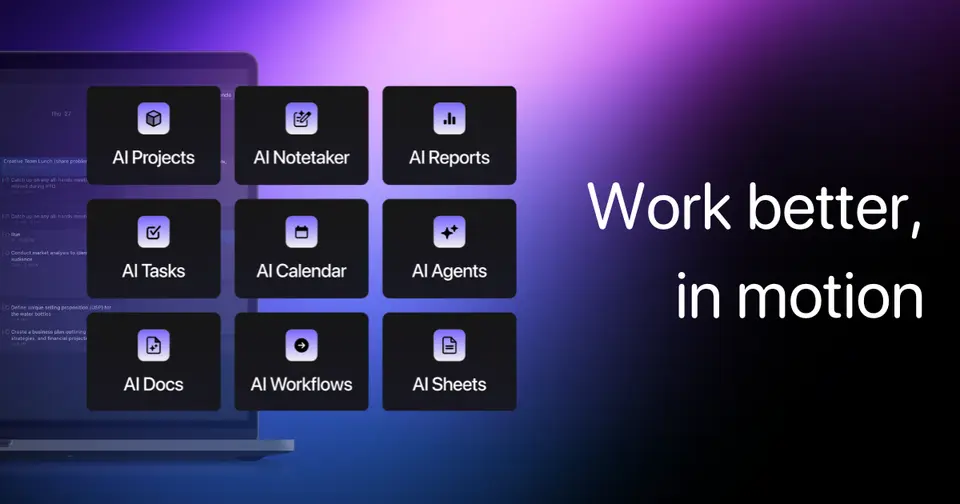
Motion is a work management app built around automatic scheduling. Its scheduling engine places tasks into open time on your calendar according to duration, priority and deadline, then re-plans as things change. Current plans also bundle projects, docs, AI chat and a meeting notetaker, with AI usage metered in monthly credits per seat.
Worth knowing
- There is no free plan. A card is required for the trial, and Motion's terms say purchases are non-refundable.
- One person pays more than a team seat: Pro AI is $29 a month billed annually for an individual, against $19 per seat for teams.
- AI use is metered: 7,500 credits per seat a month on Pro AI and 15,000 on Business AI, with extra credits charged per 100.
- Gantt charts, time tracking, capacity planning and permissions are limited to Business AI.
Key features
- Automatic scheduling
- A scheduling engine places tasks into openings on your calendar based on duration, priority and deadlines, and rebuilds the plan as the day changes.
- Tasks and projects
- Tasks sit inside projects and workspaces, and AI can draft a project and its tasks from a description. Timelines and Gantt charts need Business AI.
- Calendar sync
- Connects Google Calendar, Microsoft Outlook (Office 365 and Exchange Online) and iCloud Calendar. The iCloud connection has a more limited feature set.
- Booking links
- A shareable link lets other people book meetings based on your real-time availability. You set rules for availability, duration, buffers and limits.
- AI Notetaker
- Captures transcripts from video calls and drafts summaries and action items, which you approve before they become tasks.
- AI Chat and Docs
- A chat interface creates items and searches workspace data, and collaborative docs include AI drafting. AI use draws on the plan's monthly credits.
Motion pricing
As of Oct 4, 2026, Motion is a paid product with a free trial, starting at $19 per seat / month on team plans, billed annually (individuals from $29).
- Starts at
- $19 per seat / month on team plans, billed annually (individuals from $29)
- Free plan
- None
- Free trial
- 7-day free trial, per Motion's App Store listing. A card is required and is charged when the trial ends unless cancelled.
| Plan | Price | What you get |
|---|---|---|
| Pro AI (teams) | $19per seat / month, billed annually ($29 billed monthly) | AI chat, projects and tasks, calendar and meetings, docs and notes, mobile and desktop apps, and 7,500 AI credits per seat each month. |
| Business AI (teams) | $29per seat / month, billed annually ($49 billed monthly) | Everything in Pro AI plus capacity planning, dashboards and reports, Gantt charts, time tracking, permissions and 15,000 AI credits per seat. |
| Pro AI (individuals) | $29per month, billed annually ($49 billed monthly) | The same Pro AI plan bought by one person rather than per seat for a team. |
| Business AI (individuals) | $39per month, billed annually ($69 billed monthly) | The same Business AI plan bought by one person rather than per seat for a team. |
| Enterprise | Custom | Everything in Business AI plus custom integrations, API with engineering support, white-glove onboarding and a dedicated solutions engineer. |
Read from usemotion.com on Oct 4, 2026. Prices change, so confirm with Motion before you buy.
3 price changes on recordWhat the app costs in other countries
Ways to pay less
- Annual discountSave 33% by paying annually
Motion's pricing page labels annual payment as saving 33%: a Pro AI team seat is $19 a month billed annually against $29 billed monthly.
Stated on usemotion.com
Motion refunds and cancellation
Ordinary · checked Oct 18, 2026
Motion's terms are blunt: purchases are not refundable, and cancelling gets you nothing back for unused time, prepayments or anything else. A refund is possible only if Motion feels like it. Against that, leaving is genuinely easy, the help centre walks you through it, and you keep the plan until the term you paid for ends. No refunds with a clean exit is the ordinary deal, and a C.
- Refund window
- No set window
- How you cancel
- Yourself, in settings
- Getting your money back
The terms say purchases are non-refundable and that Motion is not obliged to refund any payment, though it may at its sole discretion. They add in capitals that cancelling or being suspended earns no refund for unused time, prepayments or fees of any kind. The help article on cancelling repeats that cancelling does not trigger a refund. Anyone charged in error is told to write to support.
Stated on usemotion.com- How to cancel Motion
An individual plan is cancelled in the app: open Settings from the gear icon, then Manage Plan, then Cancel Plan, with a reason. A team plan can only be cancelled by a team admin, under Settings, then Billing, then Manage Plan. There is also a cancel option on the account billing page on the website. A subscription bought through Apple's in-app purchase is cancelled in the iPhone's Subscriptions settings.
- Log in to your Motion account at app.usemotion.com on a desktop or laptop
- Click the gear icon in the top left corner to open Settings
- Click Manage Plan, then choose Cancel Plan
- Select Continue
- Enter a reason for cancelling and click Continue
- Click Cancel Subscription to finish
- What you keep afterwards
The terms say access continues to the end of the subscription term you have paid for. The cancellation article says you can come back by logging in with the same email address and resubscribing, and warns that signing up with a different email makes a new account with none of the old data. Neither page says how long a cancelled account's data is kept, or whether it can be exported.
Stated on usemotion.com- Renewals
The terms state in capitals that a subscription renews automatically at the end of each term for another term the same length until you cancel, and that you must cancel before the next term starts. A free trial rolls straight into a paid term unless cancelled first, and the terms time a trial to the hour. No reminder before a renewal is mentioned.
Stated on usemotion.com
In your favour
- Cancelling an individual plan is six steps in the app, and the help centre spells them out.
- You keep the plan until the end of the term you have already paid for.
- There is more than one route out: the app, the website's account billing page, or the App Store.
Watch out for
- Purchases are non-refundable. Unused time and prepayments are named as things you will not get back.
- Any refund at all is at Motion's discretion, and nothing on its pages obliges it to give one.
- The trial becomes a paid term by itself, timed to the hour, unless you cancel before it ends.
- Only a team admin can cancel a team plan. Ordinary members have to ask support.
Motion customer support
Good · checked Oct 18, 2026
Motion offers a support chat that reaches its own agents after a chatbot takes down the details, plus email and a decent help centre, and it puts a figure on the wait: it tries to resolve a question within 24 to 48 hours. That figure is also why this is not an A. Nothing on its pages says the chat is staffed live or when anybody is at the other end, and a day or two is not live help.
Ways to get help
Live chat
A chat opened from the button at the bottom right of the help centre. A chatbot gathers context on the issue first, and the page says you then talk to Motion's support agents. It asks you to say yes to account access so the team can look at what you are seeing.
Stated on usemotion.comEmail
Motion names email as one of its three ways to get help, alongside the help centre and the chat. Its terms also point anyone who wants to cancel or who thinks they were charged wrongly to the support address they give.
Stated on usemotion.comHelp inside the app
A Help button in the top left corner of the Motion app opens the same support chat without going to the website first.
Stated on usemotion.comHelp centre
A help centre with articles on getting started, calendars, tasks, projects, billing and cancelling, with a search box and an AI assistant over the docs. It is open to anyone without signing in.
Stated on usemotion.com
Not listed on Motion’s pages: phone.
- When people answer
Its pages do not say.
- How fast it says it replies
Motion says handling times vary with volume and that its team does its best to resolve a question within 24 to 48 hours. That is the only figure published, and no page names a different target for any plan.
Stated on usemotion.com- What depends on your plan
The pricing page's plan comparison has a Priority Support row, but the marks showing which plans include it are icons our reader could not read, so the page does not tell us. The support article describes one chat for everybody and names no difference by plan.
Stated on usemotion.com
In your favour
- The support chat reaches Motion's own agents, not just a bot with a list of articles.
- A target is published: 24 to 48 hours to resolve a question, not merely to reply.
- The same chat opens from inside the app, so you do not have to leave what you are doing.
- The help centre covers billing and cancelling step by step, not just the features.
Watch out for
- No hours are published. Nothing says the chat is staffed, or when.
- A chatbot takes the first pass before any agent sees your issue.
- There is no phone number anywhere on the pages read.
- Priority Support is listed on the pricing table, but which plans get it cannot be read from the page.
What these two grades rest on. Read on 18 October 2026: Motion's terms of service, its help articles on cancelling a plan, contacting support and billing and plans, and its pricing page. Motion publishes its help centre in plain markdown as well as HTML, so the articles were read in full. The pricing table marks support with icons that could not be read. Nobody here cancelled a plan or contacted its support. They are graded apart from the five that make the GPA. How we grade refunds and support.
How people rate the Motion app
4.1
out of 5 for the iPhone and iPad app
- 5 stars70%
- 4 stars7%
- 3 stars4%
- 2 stars3%
- 1 star17%
1,856 ratings on the App Store in the United States, read Oct 5, 2026. It rates the app, not everything the product does. See the listing
Works with
Jobs at Nexusbird
Any open roles at Nexusbird are on its own careers page. We can’t read a count from there, so have a look.
Applications go to Nexusbird, not to us.
Motion alternatives
- Motion vs Reclaim.ai
Free plan · from $10/mo
- Motion vs Akiflow
Free trial · from $19/mo
- Motion vs Sunsama
Free trial · from $17/mo
- Motion vs Morgen
Free trial · from $15/mo
- Motion vs Routine
Free plan · from $5/mo





Featured in
Common questions
Does Motion have a Linux app?
No Linux app was listed when its pages were read on Oct 4, 2026. Motion is listed for Web, macOS, Windows, iOS and Android.
Is Motion open source?
Motion is not described as open source on its own site, as read on Oct 4, 2026.
Does Motion have an API?
Yes. Motion offers a public API, according to its own site.
Sources for this page
The prices, plans, platforms and features above were read from these pages on Oct 4, 2026. What people say is linked where it appears.
- usemotion.com
- usemotion.com/pricing
- usemotion.com/llms.txt
- usemotion.com/download
- usemotion.com/terms
- usemotion.com/help/getting-started/what-is-motion.md
- usemotion.com/help/getting-started/faq/account-and-login-faq.md
- usemotion.com/help/time-management/all-things-calendars/reference-all-things-calendars/supported-providers.md
- usemotion.com/help/time-management/booking-links/concept-booking-links.md
- apps.apple.com/us/app/motion-tasks-ai-scheduling/id1580440623