
Akiflow
Time-blocking planner that pulls tasks from other apps into one inbox
Akiflow review
Good · out of 4.0 · graded Oct 9, 2026
Best for time blocking tasks from lots of apps
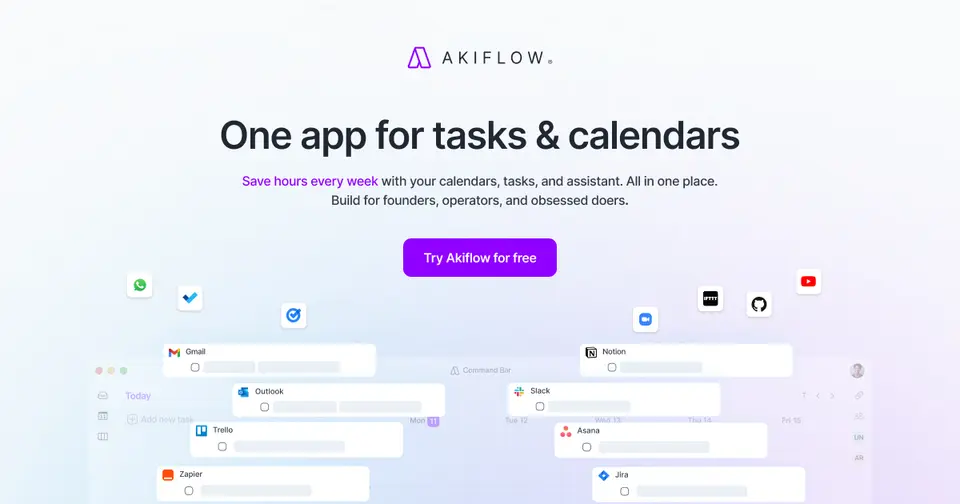
Akiflow is a daily planner for people whose to-dos are scattered across email, Slack and a few other tools. It pulls them into one inbox and lets you drag each one onto your calendar, and reviewers rave about the support. But there's no free plan, the trial is 7 days with a card, and it starts at $19 a month paid as $228 up front.
Who Akiflow is for
- Great if your tasks hide in Gmail, Slack, Notion and Asana and you want one list
- Handy when your day is wall-to-wall meetings and real work has to fit the gaps
- Good for keyboard people, with a command bar and shortcuts for most things
- A treat if you like a human to show you round, as an onboarding call is included
Who Akiflow is not for
- Skip it if you want a free planner, because there's no free plan here
- Pricey if you pay monthly, at $34 a month against $19 on the yearly plan
- Tight if you want a proper try first, as the trial is 7 days and needs a card
- Not for you if you want meetings recorded and summed up without paying $19 more
- Not for you if you're on Linux, since the desktop apps are for Mac and Windows
Why Akiflow gets a 2.6
Five grades, each with its reason. The GPA is their average: an A is 4 points, an F is none.
- CValue for money$19 a month if you pay $228 up front, or $34 month to month. That's the pricey end for a planner: Sunsama is $17 and Morgen $15. Meeting recording is another $19 on top.
- DFree plan and trialNo free plan. You get 7 days with everything unlocked, but a card goes in first and the plan starts by itself unless you cancel. Sunsama and Morgen both give 14 days with no card.
- AFeaturesOne inbox for tasks from Gmail, Slack, Notion, Asana, Jira and more, time blocking on your real calendar, booking links, a command bar and an AI assistant. Few planners pack in this much.
- BEase of useReviewers call it quick to set up, and the plan comes with a free 1:1 onboarding call. Still, one fan's advice was to watch the tutorials first, and a couple of reviews mention bugs.
- BPlatforms and integrationsWeb, Mac, Windows, iPhone and Android, in sync with Google and Outlook calendars. Plenty of integrations, plus Zapier, IFTTT and a connector for Claude and ChatGPT. No Linux app.
The good
Where do your tasks actually live? If the answer is "an email here, a Slack message there, a few in Notion", Akiflow was built for you.
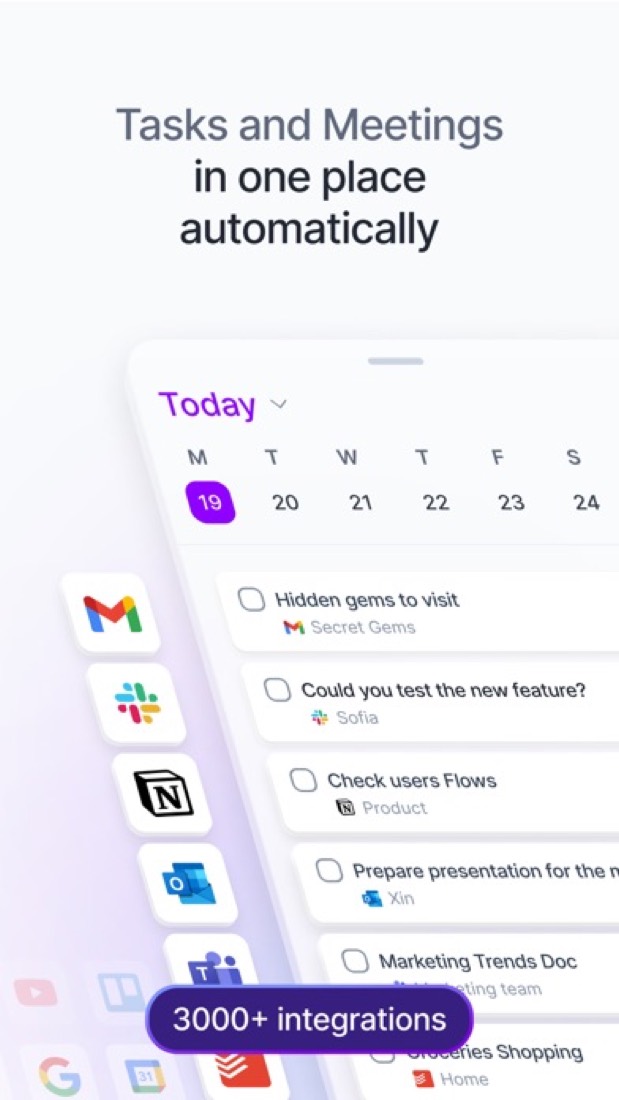
It pulls them into one inbox. Turn an email into a task, save a Slack message for later, and your Asana or Jira tasks land in the same list.
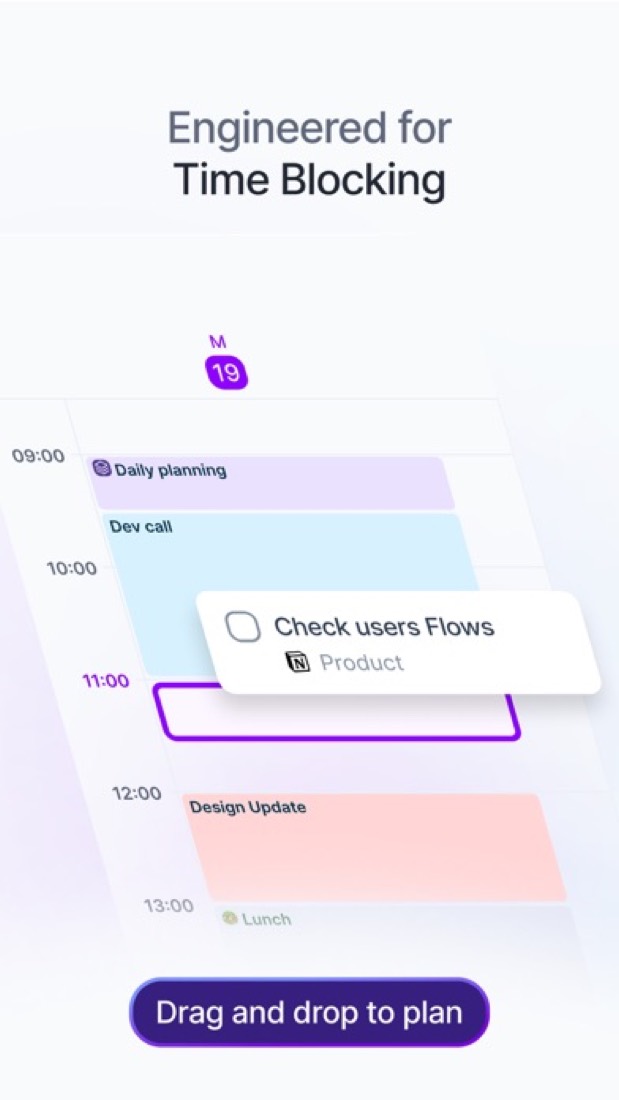
Then you plan the day. Drag a task onto your calendar and it becomes a block of time, right next to your real meetings from Google or Outlook. That's time blocking, and it's what Akiflow is best at.
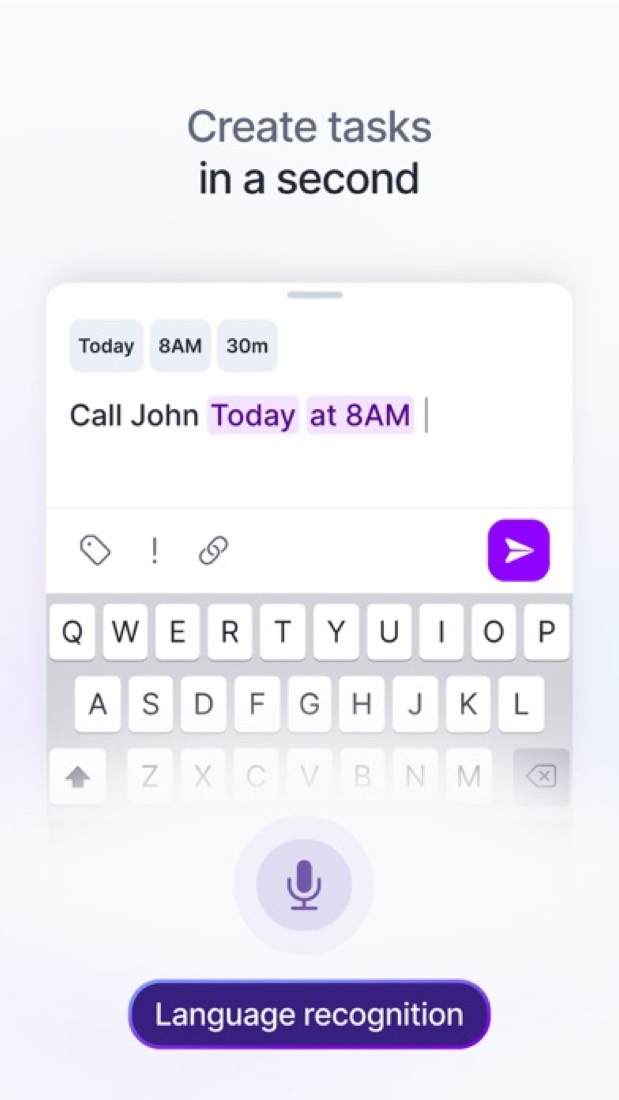
Adding things is quick. Type "call the plumber thursday 4pm" and it picks out the day and the time.
There's an AI assistant called Aki, too, still marked beta on their site. Type or say something like "move my overdue stuff to tomorrow morning" and it shifts things for you. And you can send people a link to book a slot with you.
The stuff that'll bug you
The price, first. There's no free plan at all, and paying monthly is $34. For a planner, that's a lot.
The trial doesn't give you long either. It's 7 days, a card goes in before you start, and the plan kicks in by itself if you don't cancel. Set a reminder!
Recording and summing up meetings isn't part of it. That's the AI Meeting Assistant, a separate add-on at $19 a month.
A few reviewers hit bugs. One left after calendar changes stopped showing up and they couldn't edit events on their phone. That was early 2025, and the September 2026 release notes list sync fixes, so it may well be better now.
Apple calendar users have had a wait. iCloud Calendar only arrived in the 8 October 2026 release, and it's still rolling out.
Smaller wishes come up too, like archiving old projects or splitting a big task over several days. And Linux users get no desktop app.
Money
There's one plan, Pro. What you pay depends on how long you sign up for.
Month to month it's $34. Pay for the year and it works out at $19 a month, billed as $228 in one go. Akiflow calls that a 44% saving.
Really sure? The Believer deals go lower: $357.60 for two years, which is $14.90 a month, or $699 for five. We'd only think about those after a full year on it.
Everything's in the one plan, Aki included. The only extra is the AI Meeting Assistant at $19 a month. Teams have to talk to sales.
Students and researchers can get 40% off the yearly plan with a university email.
So what would we do? Take the 7-day trial in a properly busy week, and put a reminder in for day 6. If it hasn't changed how you plan by then, cancel.
What actual users say
We don't have a star rating to give you, because the iPhone app has too few ratings to lean on. And nobody's talking about Akiflow on Hacker News, so this is all from App Store reviews.
What stands out? The support. Reviewer after reviewer mentions a real person walking them through setup on a video call. One who'd cancelled and come back says a rep got them going again fast.
People with ADHD turn up a lot. One says it's the first app with everything they need in one place, and another switched from Motion after its price went up.
The price comes up even among fans. One says it scared them off for ages before they gave in.
The unhappy reviews are about bugs and sync. And even a happy one came with a wish list, like better syncing with Todoist.
What this review rests on. Based on Akiflow's pricing, features, download, integrations, MCP and changelog pages as of 9 October 2026 and its App Store listing and reviews. Not based on using the product: this is a read of everything that's public, not a test. How we review and grade.
What is Akiflow?
Akiflow is a daily planner that puts a task inbox next to your Google and Outlook calendars. Tasks arrive from connected tools such as Gmail, Slack, Notion and Asana, and are placed on the calendar as time blocks. A built-in AI assistant called Aki plans and reschedules work from typed or spoken requests, and an MCP connector opens tasks and calendar to Claude and ChatGPT.
Akiflow is a paid product with a free trial, starting at $19 per month, billed yearly ($228). See every plan
Good for
- People whose tasks are spread across email, chat and project tools
- Planning each day by time blocking tasks around meetings
- Keyboard-driven users who want a command bar and shortcuts
Worth knowing
- There is no free plan, and the 7-day trial requires a card.
- Monthly billing costs $34 per month, against $19 per month on the yearly plan.
- The AI Meeting Assistant (recording, transcripts, summaries) is a separate $19-per-month add-on.
- Desktop downloads are listed for macOS and Windows only, and team pricing is arranged with sales.
Key features
- Universal inbox
- Tasks from connected tools such as Gmail, Slack, Notion, Asana, Jira and Todoist land in one inbox. Zapier and IFTTT cover tools without a native integration.
- Time blocking on the calendar
- Place tasks on a calendar that syncs with Google Calendar and Outlook Calendar, so planned work sits next to meetings.
- Aki AI assistant
- Ask Aki by chat or voice to plan, prioritize or move work, for example clearing an afternoon and pushing tasks to the next day. Included in Pro.
- Availability sharing and booking
- Share open slots or a meeting link so other people can book one-off or recurring meetings with you.
- Command bar and shortcuts
- Create, edit and navigate tasks from the keyboard. The command bar also turns copied text from a web page into a task.
- MCP connector
- Connects Claude, ChatGPT or another MCP client to your Akiflow tasks, calendar and meetings.
Akiflow pricing
- Starts at
- $19 per month, billed yearly ($228)
- Free plan
- None
- Free trial
- 7-day full-access trial. A card is required and the chosen plan starts afterwards unless cancelled.
| Plan | Price | What you get |
|---|---|---|
| Pro | $19per month, billed yearly ($228) | The single plan: tasks, calendar planning, integrations, the Aki AI assistant and the MCP connector. $34 per month when billed monthly. |
Read from akiflow.com on Oct 4, 2026. Prices change, so confirm with Akiflow before you buy.
Ways to pay less
- Annual discountSave 44% with yearly billing
Pro costs $19 per month when billed yearly ($228) instead of $34 per month on monthly billing. Akiflow lists this as a 44% saving.
Stated on akiflow.com - Education40% off Pro Yearly for students and researchers
Eligible university students and researchers get 40% off Pro Yearly for life after verifying an academic email with Akiflow support.
Stated on akiflow.com - Other savingsBeliever multi-year plans
Longer Pro commitments cost less per month: $357.60 for two years (equal to $14.90 per month) or $699 for five years.
Stated on akiflow.com
Works with
Akiflow alternatives
- Akiflow vs Sunsama
Free trial · from $17/mo
- Akiflow vs Motion
Free trial · from $19/mo
- Akiflow vs Morgen
Free trial · from $15/mo
- Akiflow vs Routine
Free plan · from $5/mo
- Akiflow vs Ellie
Free plan · from $9.99/mo





Featured in
Common questions
Is Akiflow free?
No, Akiflow is a paid product, but you can try it first. 7-day full-access trial. A card is required and the chosen plan starts afterwards unless cancelled.
How much does Akiflow cost?
Akiflow lists one plan. Pro: $19 per month, billed yearly ($228). Prices were read from akiflow.com on Oct 4, 2026.
What platforms does Akiflow work on?
Akiflow is available on Web, macOS, Windows, iOS and Android.
Does Akiflow offer any discounts?
Akiflow publicly lists the following: Save 44% with yearly billing; 40% off Pro Yearly for students and researchers; Believer multi-year plans.
Does Akiflow have a Linux app?
No Linux app was listed when its pages were read on Oct 4, 2026. Akiflow is listed for Web, macOS, Windows, iOS and Android.
Is Akiflow open source?
Akiflow is not described as open source on its own site, as read on Oct 4, 2026.
Does Akiflow work offline?
Yes, according to its own site. What works without a connection differs by plan and platform, so check the vendor's page for the detail.
What does Akiflow integrate with?
Akiflow's listing names Google Calendar, Outlook Calendar, Gmail, Slack, Notion, Asana, Todoist and Zapier. A listing names up to eight integrations, so it may connect to more.
Does Akiflow have a student discount?
40% off Pro Yearly for students and researchers. Eligible university students and researchers get 40% off Pro Yearly for life after verifying an academic email with Akiflow support.
Who makes Akiflow?
Akiflow is made by Akiflow Inc.
What are the alternatives to Akiflow?
The closest alternatives to Akiflow in our directory are Sunsama, Motion, Morgen, Routine and Ellie. Each one has a side-by-side comparison with Akiflow.
Sources for this page
The prices, plans, platforms and features above were read from these pages on Oct 4, 2026.