
Shovel
Study planner that checks if you have time for every task
What is Shovel?
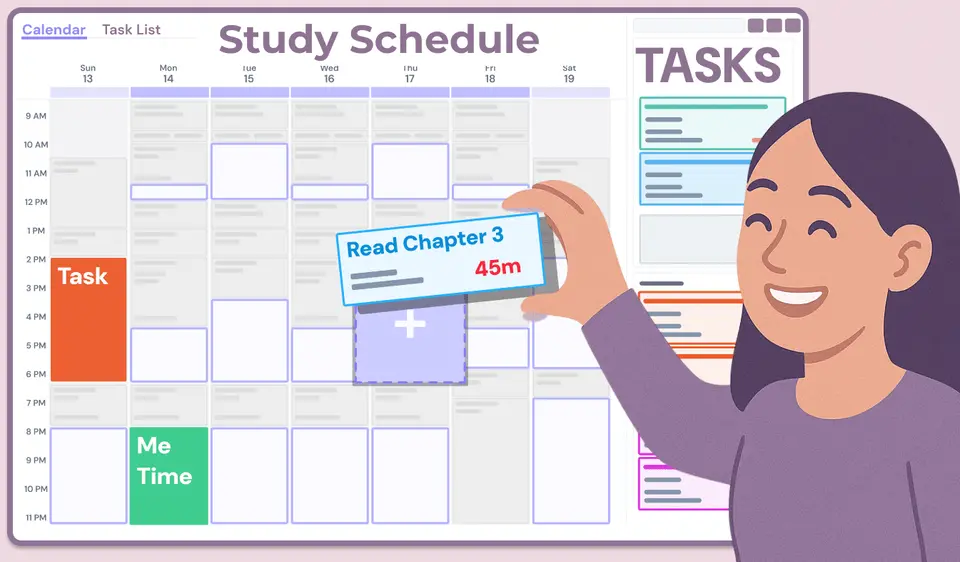
Shovel is a study planner for students that works out how much study time a schedule really leaves and compares it with the time each task needs. Tasks come from a PDF syllabus or a synced school platform, and students then block out when they will work on each one. A measure the vendor calls the Cushion shows, task by task, whether there is enough time before the deadline. Shovel runs as a web app with companion phone apps and is sold by subscription after a 7-day free trial.
Shovel is a paid product with a free trial, starting at $39 per year ($3.25 per month), or $9.79 billed monthly. See every plan
Good for
- College students planning a full semester of readings, assignments and exams
- Students whose school uses Canvas, Brightspace, Moodle or Google Classroom
- Students who want a warning before they run short of study time
Worth knowing
- There is no free plan. Access needs a paid subscription once the 7-day trial ends.
- The phone apps are companions: an account has to be set up in the web app first, and the vendor says not to use the mobile app on tablets.
- On computers and tablets Shovel is installed from the browser as a progressive web app, not as a native desktop program.
- The US App Store lists two "Lifetime plan" in-app purchases, at $13.99 and $46.99, that the website's pricing page does not mention.
Key features
- Syllabus upload and school sync
- AI Syllabus Upload turns a PDF syllabus into tasks and events, and courses can sync live with Canvas, Brightspace, Moodle or Google Classroom.
- Planning tasks into study time
- Each task is assigned to specific study blocks, so a due date becomes a plan for what to work on, when and for how long.
- The Cushion
- Compares the study time available before each deadline with the time the task is estimated to need, and plots every task above or below a zero line.
- Schedule of available time
- Classes, activities, meals and personal time are blocked out to reveal the hours left for studying. Events can repeat every set number of weeks.
- Time estimates and timer
- Reading time is calculated per task, exam and assignment estimates can be adjusted as work progresses, and a built-in timer records time spent on each task.
- External calendars
- Google, Apple and Outlook calendar events can be shown inside Shovel, and the Shovel calendar can be shared out to those calendars.
Shovel pricing
- Starts at
- $39 per year ($3.25 per month), or $9.79 billed monthly
- Free plan
- None
- Free trial
- 7-day free trial on both the monthly and yearly plans. Billing starts after the trial unless it is cancelled.
| Plan | Price | What you get |
|---|---|---|
| Yearly | $39per year, shown as $3.25 per month paid yearly | Full access for a year after a 7-day free trial. The page labels it a limited-time back-to-school offer and gives no end date. |
| Monthly | $9.79per month | Full access billed monthly after a 7-day free trial, cancellable at any time. The page shows $9.79 beside a crossed-out $19.99. |
Read from shovelapp.io on Oct 9, 2026. Prices change, so confirm with Shovel before you buy.
Ways to pay less
- Annual discountAbout 67% less on the yearly plan
The pricing page lists $9.79 per month or $39 per year. Twelve monthly payments would come to $117.48. The yearly price is labelled a limited-time back-to-school offer.
Stated on shovelapp.io
Works with
- Canvas
- Brightspace
- Moodle
- Google Classroom
- Google Calendar
- Apple Calendar
- Outlook
Shovel alternatives
- Shovel vs MyStudyLife
Free plan · from $6.99/mo
- Shovel vs Power Planner
Free plan · from $4.99 one-time
- Shovel vs FlowSavvy
Free plan · from $10/mo
- Shovel vs Motion
Free trial · from $19/mo





Common questions
Is Shovel free?
No, Shovel is a paid product, but you can try it first. 7-day free trial on both the monthly and yearly plans. Billing starts after the trial unless it is cancelled.
How much does Shovel cost?
Shovel lists 2 plans. Yearly: $39 per year, shown as $3.25 per month paid yearly. Monthly: $9.79 per month. Prices were read from shovelapp.io on Oct 9, 2026.
What platforms does Shovel work on?
Shovel is available on Web, iOS and Android.
Does Shovel offer any discounts?
Shovel publicly lists the following: About 67% less on the yearly plan.
Does Shovel have a Windows app?
No Windows app was listed when its pages were read on Oct 9, 2026. Shovel is listed for Web, iOS and Android.
Does Shovel have a macOS app?
No macOS app was listed when its pages were read on Oct 9, 2026. Shovel is listed for Web, iOS and Android.
Is Shovel open source?
Shovel is not described as open source on its own site, as read on Oct 9, 2026.
What does Shovel integrate with?
Shovel's listing names Canvas, Brightspace, Moodle, Google Classroom, Google Calendar, Apple Calendar and Outlook. A listing names up to eight integrations, so it may connect to more.
Who makes Shovel?
Shovel is made by How To Study Smart, LLC.
What are the alternatives to Shovel?
The closest alternatives to Shovel in our directory are MyStudyLife, Power Planner, School Assistant, FlowSavvy and Motion. Each one has a side-by-side comparison with Shovel.
Sources for this page
The prices, plans, platforms and features above were read from these pages on Oct 9, 2026.
- shovelapp.io/
- shovelapp.io/pricing/
- shovelapp.io/about/
- shovelapp.io/full-demo/
- courses.shovelapp.io/courses/how-to-use-shovel-knowledge-base/
- courses.shovelapp.io/lessons/how-to-sync-school-platforms-with-shovel/
- courses.shovelapp.io/lessons/pdf-syllabus-upload/
- courses.shovelapp.io/lessons/the-cushion-procrastination-curve/
- courses.shovelapp.io/lessons/phones-how-to-install-shovel-on-your-phone/
- courses.shovelapp.io/lessons/computers-how-to-install-shovel-on-your-computer/
- courses.shovelapp.io/lessons/tablets-how-to-install-shovel-on-tablets/
- courses.shovelapp.io/lessons/cancel-pause-subscription/
- apps.apple.com/us/app/shovel-study-planner/id1467742357
- play.google.com/store/apps/details?id=com.howtostudyincollege.shovel&hl=en_US&gl=US