The Notion Insider’s Guide
Everything we know about Notion in one document: what it costs, its grades, getting a refund, getting help and what else to look at. Read it here, or keep a copy.
Notion
The Insider’s Guide
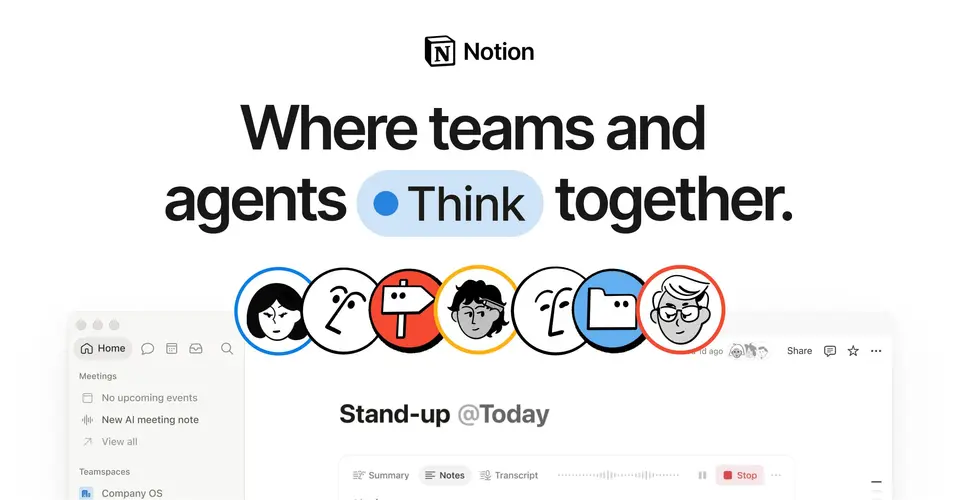
Workspace for docs, wikis, databases and projects with built-in AI
Every plan, grade, refund rule and rival among note-taking apps, read from Notion’s own pages.
Made by Notion Labs, Inc. · checked Oct 4, 2026 · toolgpa.com
Contents
- 01WelcomeWhat it is, who it suits, its grades and the ten things to know first
- 02Insider tipsWhat most people miss: ways to pay less, settings worth changing and the catches
- 03What it costsEvery plan, the free plan, ways to pay less and how prices have moved
- 04What it doesIts main features, where it runs, what it works with and who makes it
- 05Where it standsIts grades against its category, and whether to keep it or make your own
- 06After you payGetting your money back, getting out, and getting help
- 07The alternativesThe tools it is most often weighed against, side by side
- 08Quick answersThe questions people ask about it, each answered in a line or two
- 09About ToolGPAWho made this guide, what else is on the site, and how to cite it
ToolGPA put this guide together from Notion’s own pages, its app-store listings and our grades. Every fact in it is on Notion’s page too, where it is kept up to date. Checked Oct 4, 2026.
Part 01 · Overview
Welcome
What it is, who it suits, its grades and the ten things to know first
3.2
GPA, above 129 of the 147 other note-taking apps we grade
Notion is a workspace where documents, wikis and databases sit side by side, so a team can keep notes, project trackers and reference material in one tool. Pages are built from blocks and can be shared, commented on and co-edited. From the Business plan up it adds an AI agent, meeting transcription and search across connected apps.
To get you started, here are 10 things to know about Notion, taken from its own pages and our grades.
But it hands you an empty page and you build the structure yourself, which takes a while to learn.
- 1
Best for planning and all-in-one workspaces
Notion is one workspace for notes, wikis, databases and team docs, and one person can use it free with unlimited pages.
- 2
Paid plans start at $10 a month for each person
As its pricing page puts it: $10 per member / month, billed yearly.
- 3
There is a free plan
Unlimited pages and blocks for one person (a limited block allowance once a second member joins), 5 MB file uploads, 7 days of page history, 10 guests and 1 chart.
- 4
It runs on 5 platforms
Web, macOS, Windows, iOS and Android, with a browser extension too.
- 5
Docs and pages
Pages hold text, media and embeds. Several people can edit the same page, leave comments and @-mention each other.
- 6
Databases
Databases organize hundreds or thousands of items such as projects or tasks. Charts are limited to 1 on Free, and database automations start on Plus.
- 7
Wikis
A knowledge base keeps team documentation in one place. Private teamspaces for restricting access need the Business plan.
- 8
Refunds: 30 days
Pay yearly and Notion says it can usually refund you if you ask within 30 days of the invoice. Pay monthly and you get three days, so don't sit on it.
- 9
A 3.2 GPA, above 129 of 147
That is against the other note-taking apps we grade, on value, the free plan, features, ease of use and platforms.
- 10
Keep it
The plain part of Notion you could make: notes, wiki and templates. What surrounds it you could not. The 6 things listed below take a company, not a weekend.
Notion at a glance
- Pricing
- Free plan, from $10 per member / month, billed yearly
- Free plan
- Yes
- Free trial
- Some teams and organizations are eligible to try the Business plan for 30 days.
- Runs on
- Web, macOS, Windows, iOS, Android, Browser extension
- Made by
- Notion Labs, Inc.
- Category
- Note-Taking Apps
- Our grade
- 3.2 GPA, very good
- Store rating
- 4.8 on the App Store, 90,319 ratings
The report card
Best for planning and all-in-one workspaces
Notion is one workspace for notes, wikis, databases and team docs, and one person can use it free with unlimited pages. But it hands you an empty page and you build the structure yourself, which takes a while to learn. Free uploads stop at 5 MB, there's no Linux app, and the AI agent and meeting notes on their homepage need Business at $20 a person a month, not Plus at $10.
| Subject | Grade | Comment |
|---|---|---|
| Value for money | D | Plus is $10 a person a month on yearly billing, and the dearest tenth of this category starts at $9.99, so Notion sits in it. Then the AI agent and meeting notes need Business at $20, which is over three times the $6 middle. It only adds up if it replaces tools you already pay for. |
| Free plan and trial | B | One person gets unlimited pages and blocks for nothing, plus 10 guests. Not an A though: file uploads stop at 5 MB, which any phone photo clears, page history is 7 days, you get 1 chart, and blocks are capped once a second member joins. |
| Features | A | Docs, wikis and databases you can show as a table, board, calendar or timeline, forms that fill a database, pages published as a website, automations, a separate calendar app and an AI agent. No other notes app here does that many jobs, though automations need Plus and the AI needs Business. |
| Ease of use | A | 4.78 from about 90,000 App Store ratings, which is the top band. But you start on an empty workspace and decide the structure yourself, and "it took me ages to figure out" is the complaint we saw most. |
| Platforms and integrations | A | Web, Mac, Windows, iPhone, Android, a web clipper and a public API, and it talks to Slack, Google Drive, GitHub, Figma, Jira and Linear. The one hole is Linux, which gets the browser and no desktop app. |
An A is worth 4 points, a B 3, a C 2, a D 1 and an F nothing. The GPA is the average of the five.
Who Notion is for
- Fits if your team's docs, wiki and light project tracking sit in three tools and you want them in one
- Works for students and teachers at a college, since Plus is free with a school email
Who it is not for
- Skip it if you want to open an app and start typing, as you build the whole structure yourself
- Pricey if you want the AI agent or meeting notes, which need Business at $20 a person a month
- Tight if a second person joins the free plan: blocks get capped, uploads stop at 5 MB and history is 7 days
- Not for you if you're on Linux and want a desktop app, as Notion points you to the browser
- Watch out: custom agents cost $10 per 1,000 credits on top, and free users pick offline pages one by one
Good to know
Good for
- Teams that want docs, a wiki and project tracking in one workspace
- Individuals who want a free personal workspace with unlimited pages
- Building custom trackers and dashboards from databases
Worth knowing
- Notion Agent, AI Meeting Notes and Enterprise Search are only a limited trial on Free and Plus; full access starts at Business.
- The Free plan limits blocks once a second member joins, caps file uploads at 5 MB and keeps 7 days of page history.
- There is no Linux desktop app; Notion points Linux users to the browser version.
- Custom Agents run on Notion credits, an add-on for Business and Enterprise priced at $10 per 1,000 monthly credits.
Part 02 · Tips
Insider tips
What most people miss: ways to pay less, settings worth changing and the catches
7
Things most people miss, each from its own help pages
The things about Notion that are easy to miss until they cost you: ways to pay less, settings worth changing and the catches at renewal or when you leave. Each one is from Notion’s own pages, linked beside it.
Read on Oct 17, 2026. Read from Notion's help centre (billing, search, keyboard shortcuts, page analytics, deleting and restoring, exporting) on 17 October 2026. Not tried out: these tips are what its own pages say.
- 1
Pay less
Add freelancers as guests, not members
Every member takes a paid seat. Guests get access page by page and don't, as long as you're inside your plan's guest limit. If Notion asks to upgrade a guest to a member, Skip for now keeps them on that page at no cost.
notion.com - 2
Setting
The desktop app opens at login with a search key: set it how you like
Command Search is on by default and lets you search or ask Notion AI from outside the app. Pick your own shortcut, or switch it and the menu bar icon off, in Settings, Preferences. The help page also shows how to stop Notion opening at login.
notion.com - 3
Shortcut
Type [] or > and a space to make to-dos and toggles
Markdown-style shortcuts work at the start of a line: [] for a checkbox, > for a toggle, # for a heading, --- for a divider. Cmd or Ctrl+/ changes a block's type, and @remind tomorrow sets a reminder that sends a notification.
notion.com - 4
Easy to miss
Search skips comments and tags, so search the database instead
Notion's workspace search doesn't look in comments, discussions or property values like select tags. Database search does match property values, though not page text. Put a phrase in quotes for exact matches, or use the Title only filter.
notion.com - 5
Privacy
Editors can see when you opened a page unless you opt out
Page owners and editors get an Analytics tab showing who viewed a page and when. To keep yourself out of it, go to Settings, Preferences and set Show my view history to Don't record. You can do it for a single page too, from its Updates & analytics menu.
notion.com - 6
Leaving
Deleted pages leave Trash for good after 30 days
Pages sit in Trash for 30 days and then they're permanently deleted. Missed that? Notion's help says it keeps database backups and can restore a snapshot from the past 30 days, so ask support through the ? icon in the sidebar.
notion.com - 7
Leaving
A workspace export leaves out other people's private pages
Export all workspace content is in Settings, General, on desktop or web only, and arrives by email. Pages you can't open, like other people's private pages, are left out, and a database exports only its current view.
notion.com
Part 03 · Pricing
What it costs
Every plan, the free plan, ways to pay less and how prices have moved
$10
A month to start, for each person. There is a free plan too
Notion has a free plan. Paid plans start at $10 per member / month, billed yearly.
It only adds up if it replaces tools you already pay for.
Free
$0
For individuals: unlimited pages and blocks for one person, 5 MB file uploads, 7-day page history, 10 guests and basic forms.
Plus
$10
per member / month, billed yearly
Unlimited file uploads, 30-day page history, unlimited guests, custom forms, unlimited charts and database automations.
Business
$20
per member / month, billed yearly
Everything in Plus, plus Notion Agent, AI Meeting Notes, Enterprise Search (beta), SAML SSO, private teamspaces and 90-day page history.
Enterprise
Custom
Everything in Business, plus SCIM user provisioning, audit logs, advanced security controls and unlimited page history.
The free plan
Unlimited pages and blocks for one person (a limited block allowance once a second member joins), 5 MB file uploads, 7 days of page history, 10 guests and 1 chart.
Trying it first
Some teams and organizations are eligible to try the Business plan for 30 days.
Read from notion.com on Oct 4, 2026.
Ways to pay less
Annual discount
Save up to 20% with yearly billing
Notion's pricing page says paying yearly instead of monthly saves up to 20% on the Plus and Business plans.
Stated on notion.comEducation
Free Education plan for students and educators
Students and educators at accredited colleges and universities get a free one-member workspace with Plus features by signing up with a school email. K-12 is not eligible.
Stated on notion.comNonprofit
50% off the Business plan for nonprofits
Verified nonprofit organizations can apply for 50% off the Business plan on up to three workspaces. Verification takes 3 to 7 business days.
Stated on notion.comStartups
Up to 6 months of Business free for startups
Startups under 100 employees that are not yet paying customers can apply for 1, 3 or 6 months of the Business plan free, depending on partner affiliation and company details.
Stated on notion.com
How its prices have moved
- Jun 3, 2025Business: $15 per member / month, billed yearly → $20 per member / month, billed yearlyThe archived copy of 3 June 2025 shows $20 with yearly billing selected; the copy before it, of 4 May 2025, shows $15. The price changed between the two.
- Jul 1, 2024Plus: $8 per member / month, billed yearly → $10 per member / month, billed yearlyThe archived copy of 1 July 2024 shows $10 with yearly billing selected; the copy before it, of 1 June 2024, shows $8 on the same basis. The price changed between the two.
- Jan 7, 2023Business: new, $15 per member / month, billed yearly, or $18 billed monthlyThe archived copy of 7 January 2023 lists Business and marks it as new; the copy of 5 November 2022 has no such plan. It was added between the two.
- Jan 7, 2023Plus: Called Team: $8 per member / month, billed yearly → Called Plus: $8 per member / month, billed yearlyThe archived copy of 7 January 2023 lists Plus with the words "Formerly Team" at the same price; the copy of 5 November 2022 still calls it Team. The name changed between the two.
- Jan 7, 2023Personal Pro: withdrawn (was $4 per month, billed yearly, or $5 billed monthly)The archived copy of 5 November 2022 lists Personal Pro between the free plan and Team; the copy of 7 January 2023 no longer has it. It was withdrawn between the two.
What the app costs elsewhere
Each country’s App Store price for “Notion – Plus Monthly”, against $11.99 in the United States, in dollars at the day’s rate. The four cheapest and the four dearest of 11.
| Country | Price there | In dollars | Against the US |
|---|---|---|---|
| Turkey | ₺499,99 | $10.17 | 15% less |
| Canada | $14.99 | $10.54 | 12% less |
| Philippines | ₱ 699.00 | $11.13 | 7% less |
| Indonesia | Rp 199ribu | $11.13 | 7% less |
| Australia | $19.99 | $13.96 | 16% more |
| Germany | 12,99 € | $14.56 | 21% more |
| South Africa | R249.99 | $15.12 | 26% more |
| United Kingdom | £11.99 | $15.85 | 32% more |
Part 04 · Features
What it does
Its main features, where it runs, what it works with and who makes it
6
Places it runs: Web, macOS, Windows, iOS, Android and Browser extension
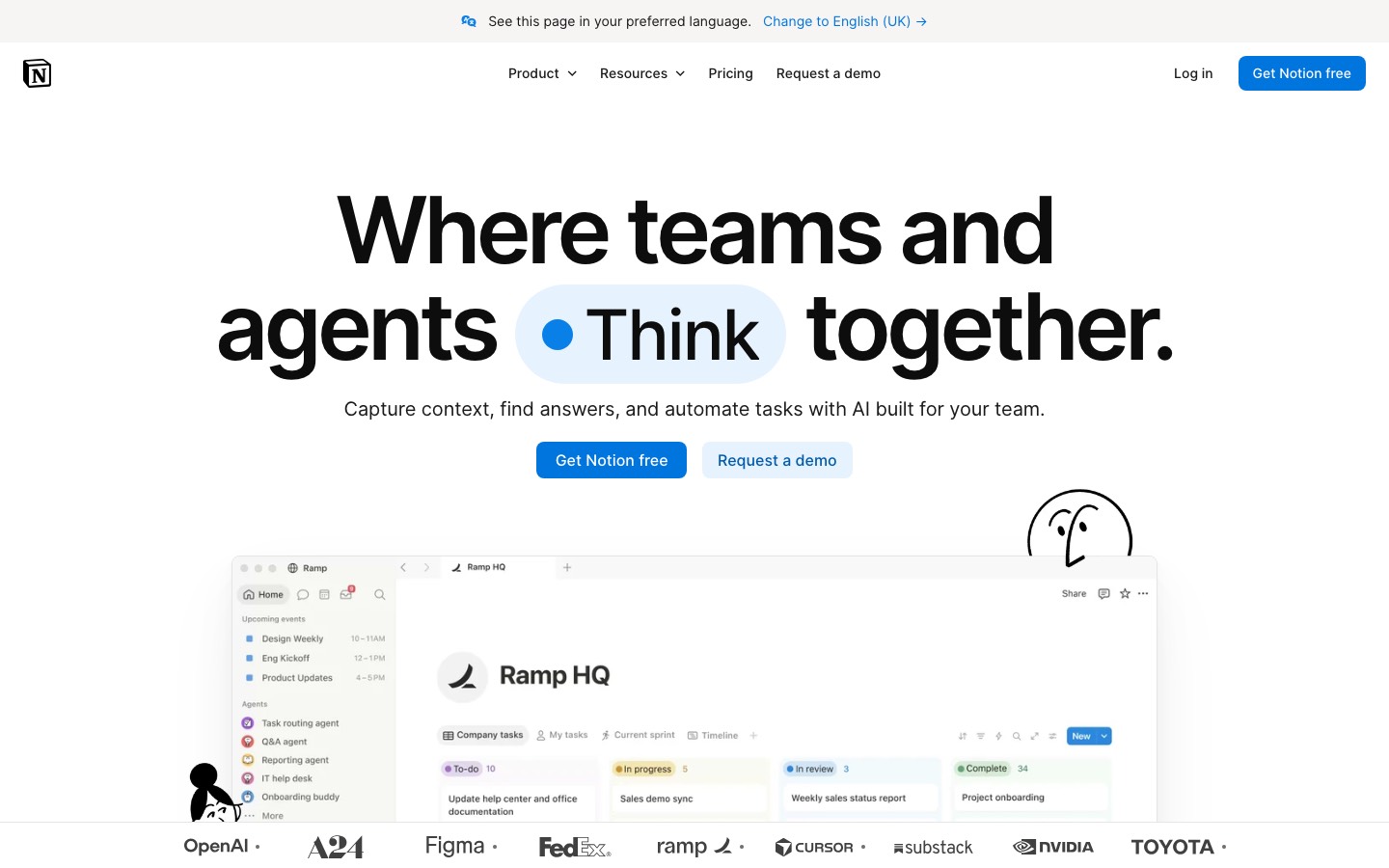
Workspace for docs, wikis, databases and projects with built-in AI. Here is what it does, as its own site describes it, and what it covers: public API, AI features, real-time collaboration, notes, databases, wiki, templates.
No other notes app here does that many jobs, though automations need Plus and the AI needs Business.
- Docs and pages
- Pages hold text, media and embeds. Several people can edit the same page, leave comments and @-mention each other.
- Databases
- Databases organize hundreds or thousands of items such as projects or tasks. Charts are limited to 1 on Free, and database automations start on Plus.
- Wikis
- A knowledge base keeps team documentation in one place. Private teamspaces for restricting access need the Business plan.
- Notion Agent, Meeting Notes and Search
- The AI agent, meeting transcription with summaries and search across connected apps are included from Business. Free and Plus get a limited trial.
- Forms and Sites
- Collect responses into a database and publish pages to the web. Custom forms start on Plus, conditional logic on Business, and custom domains are billed per domain.
- Offline pages
- The desktop and mobile apps can view, edit and create pages offline. Free users pick pages to download; paid plans also download recent and favorite pages automatically.
Where it runs
- Web
- macOS
- Windows
- iOS
- Android
- Browser extension
What it works with
- Slack
- Google Drive
- GitHub
- Figma
- Microsoft Teams
- Jira
- Linear
- Loom
Notion is made by Notion Labs, Inc.
Part 05 · Standing
Where it stands
Its grades against its category, and whether to keep it or make your own
129/147
Other note-taking apps it is graded above
Notion's GPA of 3.2 is higher than 129 of the 147 other note-taking apps we grade, and level with 8.
It stands best on features (A, above 135 of 147) and worst on value for money (D, above 0).
Its paid plans start at $10 a month for each person, against a middle price of $5.83 for the category: 61 of the 66 others that charge start lower.
On features, ease of use and platforms it scores 4.0 out of 4. Nothing scores higher for less, though at least one tool matches that score at a lower price.
Each grade against the category
Every bar is all 148 note-taking apps we grade, cut by the letter each got. Notion’s own letter is outlined.
- DValue for moneyAbove 0 of 147
- BFree plan and trialAbove 71 of 147
- AFeaturesAbove 135 of 147
- AEase of useAbove 133 of 147
- APlatforms and integrationsAbove 128 of 147
Price against what you get
Each dot is one of 103 note-taking apps. Further left costs less; higher up scores better on features, ease of use and platforms. Notion is the marked dot.
What paid plans start at, a month (each step along is roughly double) →
Keep it, or make your own?
Whether this is something you could build for yourself with an AI app builder, and what you would give up.
Keep it
The plain part of Notion you could make: notes, wiki and templates. What surrounds it you could not. The 6 things listed below take a company, not a weekend.
It is one of the better ones too: its GPA of 3.2 is higher than 129 of the 147 other note-taking apps we grade. It costs $120 a year.
What you could make
- Notes, wiki and templates: an app builder makes these well.
What you could not
- Databases with views, filters and links between them.
- Apps for macOS, Windows, iOS and Android that stay in step with each other.
- Several people working in it at the same moment.
- It plugs into other products, Slack, Google Drive and GitHub among them, and has an API.
- AI features, unless you pay a model provider for each request yourself.
- The depth: we grade its features A, which means it covers the whole job.
What this rests on. Notion’s listing: what it does, where it runs, what it plugs into and what it costs. It is a judgement about the kind of software this is. We have not built a replacement for it, and making your own means looking after it too. How we decide, and every tool’s verdict.
Part 06 · Refunds
After you pay
Getting your money back, getting out, and getting help
What happens once you have paid: whether you can get your money back, how to leave, and how to reach a person when something goes wrong. Each is graded from Notion’s own terms and help pages.
Refunds and cancelling
Good · checked Oct 12, 2026
Pay yearly and Notion says it can usually refund you if you ask within 30 days of the invoice. Pay monthly and you get three days, so don't sit on it. You have to write in from the workspace owner's email, and the policy only promises a refund in most cases, which is why this is a B. Leaving is easy: it's a setting, and you can export everything.
- Refund window
- 30 days
- How you cancel
- Yourself, in settings
- Getting your money back
The refund help article says that in most cases a refund can be processed if you write in within three days of the invoice date on monthly billing, or within 30 days on annual billing, from the workspace owner's or billing email. The pricing page's FAQ adds that the refund is of the full amount and that EU customers get 14 days on a monthly plan. Apple handles refunds for App Store purchases.
Stated on notion.com- How to cancel Notion
A paid plan is ended by downgrading under Settings, then Billing, then Change plan, on desktop or web. The downgrade takes effect at the end of the billing cycle. A subscription bought through the Apple App Store has to be cancelled with Apple.
- In the sidebar, click Settings, then Billing, then Change plan
- Select the plan you want to change to, then click Continue
- Give some feedback, then click Downgrade
- A confirmation shows the downgrade and the date the current plan ends
- What you keep afterwards
The downgrade article lists what changes on the Free Plan: a workspace with two or more people is held to 1,000 blocks, each uploaded file to 5MB, version history to seven days and guests to 10, and existing automations become view-only. The pricing page says paid features last to the end of the billing cycle. A separate article says a page, a database or a whole workspace can be exported as PDF, HTML or CSV.
Stated on notion.com- Renewals
Plans renew automatically, once a year or once a month, on the calendar day of the first purchase. The billing article mentions no reminder before a renewal. Removing members lowers the bill only from the next renewal, with no proration. The refund article counts its window from the date an invoice is issued and does not mention renewals separately.
Stated on notion.com
In your favour
- Yearly billing gets a 30-day refund window, counted from the invoice date.
- You end a paid plan yourself in Settings, and the paid features run to the end of the billing cycle.
- You can export a page, a database or the whole workspace as PDF, HTML or CSV at any time.
- In the EU a monthly plan can be refunded within 14 days, not three.
Watch out for
- Monthly billing gets three days from the invoice to ask for a refund. That's short.
- Refunds aren't self-serve: the request has to come from the workspace owner's or billing email.
- Removing a member mid-cycle gets you nothing back. The bill only drops at the next renewal.
- A shared workspace that drops to Free is held to 1,000 blocks, so check before you downgrade a team.
Customer support
Ordinary · checked Oct 12, 2026
There's a help button inside the app, an email address and a full help centre, so you can always write in. But no page says when anyone answers or how fast. Paid plans are ticked for priority support with no number attached, and the round-the-clock team is an Enterprise extra. That's ordinary, so it's a C.
Ways to get help
Live chat
The help centre has a Chat with us button under Support. The page does not say whether a person or an automated assistant answers, or at what hours.
Stated on notion.comEmail
The refund article gives a support address as the other way to write in, and asks that refund requests come from the workspace owner's or billing email.
Stated on notion.comHelp inside the app
The pricing page says help is reached with the ? button at the bottom left on desktop, or by tapping Help & support on mobile.
Stated on notion.comAccount manager
The pricing table lists a customer success manager under the Enterprise plan only, marked Custom.
Stated on notion.comHelp centre
Written help docs and guides on every part of the product, including plans and billing, open to anyone.
Stated on notion.com
Not listed on Notion’s pages: phone.
- When people answer
Its pages do not say.
- How fast it says it replies
Its pages do not say.
- What depends on your plan
The pricing table ticks Priority support for Plus, Business and Enterprise but not Free. Premium support, described as proactive, around-the-clock support for teams with more specialised needs, and a customer success manager are listed for Enterprise only, both marked Custom.
Stated on notion.com
In your favour
- You can ask for help from inside the app, on desktop and on mobile.
- Plus, Business and Enterprise are all ticked for priority support on the pricing page.
- The help centre covers billing in detail, with separate articles on refunds, downgrades and invoices.
Watch out for
- No page says what priority support means in hours or days.
- Free workspaces aren't ticked for priority support.
- Around-the-clock Premium support and a success manager are Enterprise extras, marked Custom.
- The help centre's chat button doesn't say whether a person answers.
What these two grades rest on. Read on 12 October 2026: Notion's pricing page and its FAQ, and its help articles on refunds, billing, changing and downgrading a plan, plan trials, exporting content and deleting an account. Its terms are kept on a Notion page that our reader could not open, so nothing here rests on them. Nobody here cancelled a plan or contacted its support. They are graded apart from the five that make the GPA. How we grade refunds and support.
Part 07 · Alternatives
The alternatives
The tools it is most often weighed against, side by side





Anytype, Capacities, Obsidian, Craft and Evernote
The 5 tools Notion is most often weighed against, with where each one differs from it.
- 2.6GPA
Anytype
Free plan · from $4/mo
Local-first, end-to-end encrypted workspace for notes and data.
- Only Notion lists a web app.
- Only Notion lists a browser extension.
- Only Anytype lists a Linux app.
- 2.6GPA
Capacities
Free plan · from $9.99/mo
Object-based note-taking app with daily notes and backlinks.
- Only Capacities lists a Linux app.
- Notion also covers databases, wiki and templates.
- Capacities also covers linked notes, web clipper and daily notes.
- 3.6GPA
Obsidian
Free plan · from $4/mo
Markdown note-taking app that keeps your files on your device.
- Only Notion lists a web app.
- Only Obsidian lists a Linux app.
- Obsidian is end-to-end encrypted, according to its own site.
- 3.0GPA
Craft
Free plan · from $96/yr
Notes and documents app with tasks, daily notes and whiteboards.
- Notion also covers databases, wiki and templates.
- Craft also covers whiteboard, daily notes and tasks.
- 2.6GPA
Evernote
Free plan · from $99/yr
Note-taking app with web clipping, tasks, calendar and AI search.
- Notion also covers databases and wiki.
- Evernote also covers web clipper, tasks and calendar.
Part 08 · Questions
Quick answers
The questions people ask about it, each answered in a line or two
20
Questions, each answered in a line or two
The short version of everything above, for when you only need the answer. Each one is told in full in its part of the guide.
Is Notion free?
Notion has a free plan. Unlimited pages and blocks for one person (a limited block allowance once a second member joins), 5 MB file uploads, 7 days of page history, 10 guests and 1 chart.
How much does Notion cost?
Notion lists 4 plans. Free: $0.
What platforms does Notion work on?
Notion is available on Web, macOS, Windows, iOS and Android. It also has a browser extension.
Does Notion offer any discounts?
Notion publicly lists the following: Save up to 20% with yearly billing; Free Education plan for students and educators; 50% off the Business plan for nonprofits; Up to 6 months of Business free for startups.
How is Notion rated?
Notion's iPhone and iPad app averages 4.8 out of 5 from 90,319 ratings on the App Store in the United States, as read on Oct 5, 2026.
Does Notion have a Linux app?
No Linux app was listed when its pages were read on Oct 4, 2026. Notion is listed for Web, macOS, Windows, iOS and Android.
Is Notion open source?
Notion is not described as open source on its own site, as read on Oct 4, 2026.
Does Notion have an API?
Yes. Notion offers a public API, according to its own site.
What does Notion integrate with?
Notion's listing names Slack, Google Drive, GitHub, Figma, Microsoft Teams, Jira, Linear and Loom.
Does Notion have a student discount?
Free Education plan for students and educators. Students and educators at accredited colleges and universities get a free one-member workspace with Plus features by signing up with a school email.
Does Notion have a free trial?
Yes. Some teams and organizations are eligible to try the Business plan for 30 days.
Who makes Notion?
Notion is made by Notion Labs, Inc.
What are the alternatives to Notion?
The closest alternatives to Notion in our directory are Anytype, Capacities, Obsidian, Craft and Evernote.
Does Notion give refunds?
The refund help article says that in most cases a refund can be processed if you write in within three days of the invoice date on monthly billing, or within 30 days on annual billing, from the workspace owner's or billing email.
How do I cancel Notion?
A paid plan is ended by downgrading under Settings, then Billing, then Change plan, on desktop or web.
What happens to my data if I cancel Notion?
The downgrade article lists what changes on the Free Plan: a workspace with two or more people is held to 1,000 blocks, each uploaded file to 5MB, version history to seven days and guests to 10, and existing automations become view-only.
How do I contact Notion support?
Notion's pages list these ways to get help: live chat, email, help inside the app, account manager and help centre.
How does Notion compare with other note-taking apps?
Notion's GPA of 3.2 is higher than 129 of the 147 other note-taking apps we grade, and level with 8.
Is Notion good value for money?
ToolGPA grades Notion D for value for money. Its paid plans start at $10 a month for each person, against a middle price of $5.83 for the category: 61 of the 66 others that charge start lower.
Could I make my own version of Notion?
The plain part of Notion you could make: notes, wiki and templates. What surrounds it you could not.
Where this guide comes from
The prices, plans, platforms and features were read from Notion’s own pages on Oct 4, 2026, and the grades were given on Oct 10, 2026. Based on Notion's product, pricing, release and help pages as of 8 October 2026, its App Store reviews and Hacker News threads about it. Also tested with a demo account on 2026-09-24.
Every tool we list gets five grades, A to F, each with its reason, and a GPA that averages them. How each is decided is at toolgpa.com/grades. This guide is ToolGPA’s own work; it is not made, paid for or approved by Notion Labs, Inc. Prices change, so check notion.com before you buy.
- notion.com
- notion.com/pricing
- notion.com/download
- notion.com/mobile
- notion.com/web-clipper
- notion.com/help/notion-for-desktop
- notion.com/product/notion
- notion.com/product/docs
- notion.com/integrations
- developers.notion.com
- notion.com/help/guides/working-offline-in-notion-everything-you-need-to-know
- notion.com/help/upgrade-or-downgrade-your-plan
- notion.com/help/what-are-notion-credits
- notion.com/help/notion-for-education
- notion.com/nonprofits
- notion.com/startups
Part 09 · About
About ToolGPA
Who made this guide, what else is on the site, and how to cite it
3,189
Tools graded, in 94 categories
ToolGPA grades software the way a school report grades a pupil: five subjects, a letter for each with the reason written beside it, and a GPA that averages them. Prices, plans and platforms are read from each maker’s own pages and dated, so you always know how fresh a figure is.
Every grade, review and ranking on ToolGPA is our own judgement. No company can pay for a grade or change one. Every tool on the site has a guide like this one, free to download and pass on. It all lives at toolgpa.com.
3,189
tools graded
94
categories
426
price changes on record
579
apps priced in 12 countries
What else is on toolgpa.com
- Notion, kept up to dateEverything in this guide, with prices and grades as they are todaytoolgpa.com/tools/notion
- How grades are givenThe rules behind every letter and every GPAtoolgpa.com/grades
- Value chartsWhat each tool costs against what it scores, for every categorytoolgpa.com/charts
- CompareAny two tools side by side, plan by plantoolgpa.com/compare
- Price changesEvery price rise and cut on record, each with its sourcetoolgpa.com/price-changes
- Prices by countryWhat apps cost on the App Store in 12 countriestoolgpa.com/prices-by-country
- Pay lessEvery public discount: yearly billing, students, nonprofitstoolgpa.com/save
- Keep or makeWhich tools are worth paying for, and which you could build yourselftoolgpa.com/keep-or-make
Scan for the live page
Prices and grades as they are today
Quoting this guide?
Please name ToolGPA and link to the live page, so readers can check the figures for themselves:
ToolGPA, "Notion: The Insider's Guide", checked Oct 4, 2026. https://toolgpa.com/tools/notion
Know someone choosing between note-taking apps?
Send them this guide: toolgpa.com/tools/notion/guide
ToolGPA elsewhere: youtube.com/@toolgpa
See our other guides
The best-graded note-taking apps after Notion, each with an Insider's Guide of its own.
- Note-Taking Apps Insider's GuideEvery one of the 148 note-taking apps we grade, compared
- Microsoft OneNote Insider's GuideMicrosoft's free digital notebook for typed, inked and audio notes3.8 GPA
- Goodnotes Insider's GuideHandwritten notes, PDF markup and whiteboards with an AI assistant3.6 GPA
- Joplin Insider's GuideOpen source Markdown notes with sync through a service you choose3.6 GPA



Choosing software? Every tool graded, every price dated.
Compare tools at toolgpa.com ›Everything in this guide is ToolGPA’s own summary of what Notion’s pages, its app-store listings and public reviews said on the dates shown. Grades are our judgement under the rules at toolgpa.com/grades. Every grade, review and ranking on ToolGPA is our own judgement. No company can pay for a grade or change one. Notion is a trademark of its owner, and this guide is not made, paid for or approved by Notion Labs, Inc. Prices and plans change: check notion.com before you buy.