The OpenProject Insider’s Guide
Everything we know about OpenProject in one document: what it costs, its grades, getting a refund, getting help and what else to look at. Read it here, or keep a copy.
OpenProject
The Insider’s Guide
Open-source project management for classic and agile teams
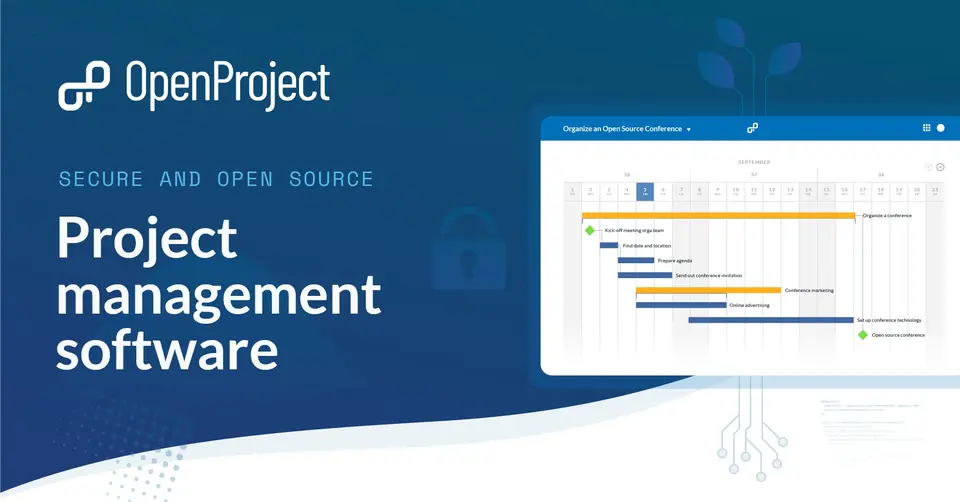
Every plan, grade, refund rule and rival among project management tools, read from OpenProject’s own pages.
Made by OpenProject GmbH · checked Oct 5, 2026 · toolgpa.com
Contents
- 01WelcomeWhat it is, who it suits, its grades and the ten things to know first
- 02Insider tipsWhat most people miss: ways to pay less, settings worth changing and the catches
- 03What it costsEvery plan, the free plan, ways to pay less and how prices have moved
- 04What it doesIts main features, where it runs, what it works with and who makes it
- 05Where it standsIts grades against its category, and whether to keep it or make your own
- 06The alternativesThe tools it is most often weighed against, side by side
- 07Quick answersThe questions people ask about it, each answered in a line or two
- 08About ToolGPAWho made this guide, what else is on the site, and how to cite it
ToolGPA put this guide together from OpenProject’s own pages, its app-store listings and our grades. Every fact in it is on OpenProject’s page too, where it is kept up to date. Checked Oct 5, 2026.
Part 01 · Overview
Welcome
What it is, who it suits, its grades and the ten things to know first
2.6
GPA, above 42 of the 79 other project management tools we grade
OpenProject is open-source project management software licensed under the GNU GPL v3. It combines classic planning tools such as Gantt charts, work breakdown structures and budgets with agile boards and Scrum backlogs, and adds time tracking, meetings and a wiki. The free Community edition is installed on your own servers, while paid Enterprise plans add support and extra features, either on-premises or hosted by the vendor in the EU.
To get you started, here are 9 things to know about OpenProject, taken from its own pages and our grades.
The Community edition is free with no user minimum, but only if you run it on your own servers.
- 1
Best for self-hosting classic and agile planning
OpenProject is open-source project management with Gantt charts, budgets, boards and Scrum backlogs.
- 2
Paid plans start at $7.25 a month for each person
As its pricing page puts it: $7.25 per user / month, billed yearly (5-user minimum).
- 3
There is a free plan
Community edition: free and open source, installed on your own servers, with no user minimum and community support only. It is not offered as a hosted cloud plan.
- 4
It runs on 3 platforms
Web, iOS and Android.
- 5
Work packages and Gantt charts
Work is broken into work packages such as tasks, features, phases and milestones, then scheduled on Gantt charts with relations and automatic or manual scheduling.
- 6
Agile boards and Scrum
Kanban, team, version and subproject boards, a product backlog, sprint boards, story points and burndown charts are all part of the free Community edition.
- 7
Time tracking, costs and budgets
Time is logged on work packages, unit and labor costs are tracked against budgets, and reports break down spent time and costs.
- 8
A 2.6 GPA, above 42 of 79
That is against the other project management tools we grade, on value, the free plan, features, ease of use and platforms.
- 9
Keep it
The plain part of OpenProject you could make: Gantt & timelines, kanban boards, issue tracking, time tracking and wiki. What surrounds it you could not. The 5 things listed below take a company, not a weekend.
OpenProject at a glance
- Pricing
- Free plan, from $7.25 per user / month, billed yearly (5-user minimum)
- Free plan
- Yes
- Free trial
- 14-day free trial of the Enterprise cloud, or a 14-day trial license for a self-hosted installation
- Runs on
- Web, iOS, Android
- Made by
- OpenProject GmbH
- Category
- Project Management
- Our grade
- 2.6 GPA, good
The report card
Best for self-hosting classic and agile planning
OpenProject is open-source project management with Gantt charts, budgets, boards and Scrum backlogs. The Community edition is free with no user minimum, but only if you run it on your own servers. Hosted, it starts at $7.25 a user a month with a 5-user minimum, single sign-on needs a 25-user plan, portfolios need 100 users, and the phone apps are beta companions.
| Subject | Grade | Comment |
|---|---|---|
| Value for money | C | Cloud Basic is $7.25 a user a month billed yearly, $8.50 monthly, which is mid-pack for this category, and it holds you to 5 users. The steps up carry big minimums: Professional $13.50 from 25 users, Premium $19.50 from 100. Self-hosting the Community edition costs nothing but your servers. |
| Free plan and trial | B | Free means hosting it: the Community edition has no user minimum and keeps Gantt charts, agile boards, Scrum backlogs, time tracking, wiki and meetings. Support is community only, and there's no free cloud, just a 14-day trial. |
| Features | B | Work packages on Gantt charts with relations and automatic or manual scheduling, Kanban and sprint boards with a backlog and burndown charts, time and costs against budgets, meeting minutes linked to the work, and a wiki. Both planning styles covered; portfolios and resource management wait for Premium. |
| Ease of use | C | No store rating on record. The paid cloud is hosted for you in the EU, but this is a big tool with work package types, roles and statuses to arrange, and the free edition is a Linux server job: DEB or RPM packages, Docker, Kubernetes or Helm. |
| Platforms and integrations | B | Web with iPhone and Android apps, and no desktop app. The phone apps are in beta and the vendor calls them companions to the web version. It connects to Nextcloud, GitHub, GitLab and Excel, with OneDrive, SharePoint and an MCP server from Professional. |
An A is worth 4 points, a B 3, a C 2, a D 1 and an F nothing. The GPA is the average of the five.
Who OpenProject is for
- Fits if your organization wants to self-host an open-source project tool and has someone to run the server
- Works for teams mixing Gantt-based planning with Scrum or Kanban, with cloud data hosted in the EU
Who it is not for
- Skip it if you want a free hosted plan, as the cloud starts at paid Basic with a 5-user minimum
- Pricey if you're a small team needing single sign-on, since Professional requires at least 25 users at $13.50 each
- Not for you if you'd run projects from your phone, because the mobile apps are beta companions to the web app
- Tight if you want portfolios or resource management, which need Premium with at least 100 users
- Watch out: on-premises Enterprise plans start at 25 users and a one-year term, and SCIM is Corporate only
Good to know
Good for
- Organizations that want to self-host an open-source project tool
- Teams combining Gantt-based planning with Scrum or Kanban
- Organizations that need their project data hosted in the EU
- Construction teams working with BIM models, through the paid BIM add-on
Worth knowing
- The free Community edition is self-hosted only. The hosted cloud starts at the paid Basic plan with a 5-user minimum.
- Professional requires at least 25 users and Premium at least 100. On-premises Enterprise plans start at 25 users and a one-year term.
- Single sign-on needs Professional or higher, and SCIM provisioning is limited to the Corporate plan.
- The iOS and Android apps are in beta and described by the vendor as companions to the web application.
Part 02 · Tips
Insider tips
What most people miss: ways to pay less, settings worth changing and the catches
7
Things most people miss, each from its own help pages
The things about OpenProject that are easy to miss until they cost you: ways to pay less, settings worth changing and the catches at renewal or when you leave. Each one is from OpenProject’s own pages, linked beside it.
Read on Oct 17, 2026. Read from OpenProject's FAQ, its pricing page FAQ and its user guide (keyboard shortcuts, notification and email settings) on 17 October 2026. Not tried out: these tips are what its own pages say.
- 1
Pay less
Lock people who've left, so you stop paying for them
OpenProject's FAQ says only active users are counted for payment, and locked users and pending invites don't count. So when someone no longer needs access, lock their account rather than leaving it open, and the seat is free for someone else.
openproject.org - 2
Renewal
You can add seats any time, but only cut them at renewal
The pricing FAQ says users are added in steps of 5 and charged prorated for the rest of the term. Going down in users, plan or term length only takes effect when the current subscription period ends. So don't buy for the headcount you hope to reach.
openproject.org - 3
Renewal
A cloud trial you don't buy gets deleted
There's nothing to cancel after the 14-day trial: the pricing FAQ says an unpaid cloud trial is blocked and deleted automatically. A self-hosted trial just falls back to the free Community edition. If you've put real work into the cloud trial, decide before it ends.
openproject.org - 4
Leaving
Stop paying for on-premises and you keep everything but the add-ons
Cancel an on-premises Enterprise plan and the FAQ says it drops to the Community edition by itself when the period ends. All your data stays. What goes is the Enterprise add-ons, such as the team planner, and the support.
openproject.org - 5
Easy to miss
You can move between their cloud and your own server
Going from the cloud to Enterprise on your own server is done by restoring a backup of your cloud data, with about 60 minutes of downtime in normal cases. Moving the other way, from Community or on-premises into the cloud, works the same way but is a paid service.
openproject.org - 6
Setting
Daily reminder emails go out at 2am unless you change it
The default is a daily email at 2am, Monday to Friday. In Account settings → Notification and email → Email reminders, pick your own days and times, get an email straight away when someone mentions you, or pause them for a holiday.
openproject.org - 7
Shortcut
Type n w p for a new work package, s to search
Away from a text box, press s for global search, p for project search and n w p for a new work package. g w p jumps to work packages and g m to My page. Press ? on any page for the list, and Ctrl+Enter (Cmd+Enter on a Mac) saves rich text.
openproject.org
Part 03 · Pricing
What it costs
Every plan, the free plan, ways to pay less and how prices have moved
$7.25
A month to start, for each person. There is a free plan too
OpenProject has a free plan. Paid plans start at $7.25 per user / month, billed yearly (5-user minimum).
Self-hosting the Community edition costs nothing but your servers.
Community
Free
Self-hosted open-source edition with no user minimum: Gantt charts, agile boards, Scrum backlogs, time tracking, wiki and meetings, with community support.
Basic
$7.25
per user / month, billed yearly ($8.50 monthly, cloud only)
From 5 users in the cloud or 25 on-premises. Adds the Basic Enterprise add-ons, such as the team planner, baseline comparisons and a custom theme, plus email support.
Professional
$13.50
per user / month, billed yearly
Minimum 25 users. Adds single sign-on, OneDrive and SharePoint integration, sharing work packages with external users, the MCP server and phone support.
Premium
$19.50
per user / month, billed yearly
Minimum 100 users. Adds portfolio management, resource management, LDAP user and group sync, and remote-hands support.
Corporate
Custom
Priced on request and recommended from 250 users. Adds SCIM provisioning, XWiki and openDesk integrations, and a dedicated support engineer.
The free plan
Community edition: free and open source, installed on your own servers, with no user minimum and community support only. It is not offered as a hosted cloud plan.
Trying it first
14-day free trial of the Enterprise cloud, or a 14-day trial license for a self-hosted installation
Read from openproject.org on Oct 5, 2026.
Ways to pay less
Annual discount
Yearly billing is $1.25 per user cheaper
Cloud Basic can be billed monthly for an extra $1.25 per user / month, so a one-year subscription costs $7.25 instead of $8.50 per user / month.
Stated on openproject.orgOther savings
Free months on multi-year subscriptions
The pricing calculator lists 5 months free on a 2-year subscription, 8 on 3 years, 11 on 4 years and 15 on 5 years.
Stated on openproject.orgEducation
Special rates for educational institutions
OpenProject states that it offers discounted rates for educational institutions. No percentage is published; eligibility is checked by its sales team.
Stated on openproject.orgNonprofit
Special rates for NGOs
The same pricing page offers discounted rates for NGOs on request, again without a published percentage.
Stated on openproject.org
Part 04 · Features
What it does
Its main features, where it runs, what it works with and who makes it
3
Places it runs: Web, iOS and Android
Open-source project management for classic and agile teams. Here is what it does, as its own site describes it, and what it covers: open source, self-hostable, wiki, kanban boards, Gantt & timelines, issue tracking, time tracking.
Both planning styles covered; portfolios and resource management wait for Premium.
- Work packages and Gantt charts
- Work is broken into work packages such as tasks, features, phases and milestones, then scheduled on Gantt charts with relations and automatic or manual scheduling.
- Agile boards and Scrum
- Kanban, team, version and subproject boards, a product backlog, sprint boards, story points and burndown charts are all part of the free Community edition.
- Time tracking, costs and budgets
- Time is logged on work packages, unit and labor costs are tracked against budgets, and reports break down spent time and costs.
- Meetings, wiki and documents
- Meeting agendas and minutes link to work packages, and a wiki, forums and collaboratively edited documents hold project information in one place.
- Self-hosting or vendor cloud
- The Community edition installs on your own Linux servers from DEB or RPM packages, Docker, Kubernetes or Helm charts. Enterprise cloud is hosted by OpenProject in the EU.
- Tiered Enterprise add-ons
- Paid plans unlock extra features by tier: the team planner on Basic, single sign-on on Professional, and portfolio and resource management on Premium.
Where it runs
- Web
- iOS
- Android
What it works with
- Nextcloud
- GitHub
- GitLab
- OneDrive
- SharePoint
- XWiki
- openDesk
- Excel
Who makes OpenProject
OpenProject is made by OpenProject GmbH, a privately held company in Berlin that develops it as open source software. It earns money from its paid Enterprise edition, hosting, and training and consulting, while the Community edition is free to download and run.
- Based
- Berlin, Germanyopenproject.org
- Ownership
- Privately held. Privately held: its June 2026 press release on the msg partnership calls both companies Germany-based and privately held, and its imprint names OpenProject GmbH, registered in Berlin, with Niels Lindenthal as CEO.openproject.org
- Team
- A remote team spread across Germany, France, the UK, Spain, Greece, the USA, Nepal, Kenya, Panama and Romania, according to its about page, which gives no headcountopenproject.org
- Founders and leaders
- Niels Lindenthal, Founder and CEOopenproject.org
- Hiring
- 3 vacancies: an account manager for Europe, a customer support and success specialist and a senior Ruby on Rails developer, remote or in Berlin, plus an open speculative applicationopenproject.org
- Reseller program
- Free to join. Resellers get the Enterprise edition at 25% off for their customers and keep all revenue from their own services and implementations, and commit to bringing one paid customer per quarter.openproject.org
- Lately
- OpenProject 17.9.2 · Oct 15, 2026
- OpenProject 17.9.1 · Oct 1, 2026
- OpenProject 17.9.0 · Sep 30, 2026
- OpenProject 17.8.0 · Sep 2, 2026
Read on Oct 18, 2026 from the company’s own pages and from news reports. What is not stated there is left out.
Part 05 · Standing
Where it stands
Its grades against its category, and whether to keep it or make your own
42/79
Other project management tools it is graded above
OpenProject's GPA of 2.6 is higher than 42 of the 79 other project management tools we grade, and level with 11.
It stands best on free plan and trial (B, above 53 of 79) and worst on ease of use (C, above 2).
Its paid plans start at $7.25 a month for each person, against a middle price of $8 for the category: 31 of the 74 others that charge start lower.
On features, ease of use and platforms it scores 2.7 out of 4. 13 tools score higher and cost less.
Each grade against the category
Every bar is all 80 project management tools we grade, cut by the letter each got. OpenProject’s own letter is outlined.
- CValue for moneyAbove 16 of 79
- BFree plan and trialAbove 53 of 79
- BFeaturesAbove 27 of 79
- CEase of useAbove 2 of 79
- BPlatforms and integrationsAbove 6 of 79
Price against what you get
Each dot is one of 78 project management tools. Further left costs less; higher up scores better on features, ease of use and platforms. OpenProject is the marked dot.
What paid plans start at, a month (each step along is roughly double) →
Keep it, or make your own?
Whether this is something you could build for yourself with an AI app builder, and what you would give up.
Keep it
The plain part of OpenProject you could make: Gantt & timelines, kanban boards, issue tracking, time tracking and wiki. What surrounds it you could not. The 5 things listed below take a company, not a weekend.
It costs $87 a year. OpenProject is open source, so there is a third way: take its code and run it yourself.
What you could make
- Gantt & timelines, kanban boards, issue tracking, time tracking and wiki: an app builder makes these well.
What you could not
- A real app for iOS and Android. Something home-made would be a web page.
- It is priced for each person, which means accounts and billing for a team.
- It plugs into other products, Nextcloud, GitHub and GitLab among them.
- What a company asks for before it lets staff use something: single sign-on.
- The depth: we grade its features B, which means it covers the whole job.
What this rests on. OpenProject’s listing: what it does, where it runs, what it plugs into and what it costs. It is a judgement about the kind of software this is. We have not built a replacement for it, and making your own means looking after it too. How we decide, and every tool’s verdict.
Part 06 · Alternatives
The alternatives
The tools it is most often weighed against, side by side





Jira, Redmine, Taiga, Plane and Microsoft Project
The 5 tools OpenProject is most often weighed against, with where each one differs from it.
- 3.2GPA
Jira
Free plan · from $9.70/mo
Issue and project tracking for software and business teams.
- OpenProject is open source and self-hostable, according to its own site.
- OpenProject also covers wiki and time tracking.
- Jira also covers tasks and workflow automation.
- 3.0GPA
Redmine
Free
Free, self-hosted issue tracker and project management web app.
- Only OpenProject lists iOS and Android apps.
- OpenProject also covers kanban boards.
- 2.8GPA
Taiga
Free plan · from €5/mo
Open-source agile project management with Scrum and Kanban.
- Only OpenProject lists iOS and Android apps.
- OpenProject also covers Gantt & timelines and time tracking.
- 2.8GPA
Plane
Free plan · from $6/mo
Open-source project management with cycles, wiki and AI agents.
- Only Plane lists macOS and Linux apps.
- OpenProject also covers time tracking.
- 1.6GPA
Microsoft Project
Free trial · from $30.00/mo
Desktop project scheduling for Windows with Gantt charts.
- OpenProject has a free plan. Microsoft Project does not, though it has a free trial.
- Only OpenProject lists a web app.
- Only OpenProject lists iOS and Android apps.
Part 07 · Questions
Quick answers
The questions people ask about it, each answered in a line or two
15
Questions, each answered in a line or two
The short version of everything above, for when you only need the answer. Each one is told in full in its part of the guide.
Is OpenProject free?
OpenProject has a free plan. Community edition: free and open source, installed on your own servers, with no user minimum and community support only.
How much does OpenProject cost?
OpenProject lists 5 plans. Community: Free.
What platforms does OpenProject work on?
OpenProject is available on Web, iOS and Android.
Does OpenProject offer any discounts?
OpenProject publicly lists the following: Yearly billing is $1.25 per user cheaper; Free months on multi-year subscriptions; Special rates for educational institutions; Special rates for NGOs.
Does OpenProject have a Windows app?
No Windows app was listed when its pages were read on Oct 5, 2026. OpenProject is listed for Web, iOS and Android.
Does OpenProject have a macOS app?
No macOS app was listed when its pages were read on Oct 5, 2026. OpenProject is listed for Web, iOS and Android.
Is OpenProject open source?
Yes. OpenProject is open source, according to its own site.
What does OpenProject integrate with?
OpenProject's listing names Nextcloud, GitHub, GitLab, OneDrive, SharePoint, XWiki, openDesk and Excel.
Does OpenProject have a student discount?
Special rates for educational institutions. OpenProject states that it offers discounted rates for educational institutions.
Does OpenProject have a free trial?
Yes. 14-day free trial of the Enterprise cloud, or a 14-day trial license for a self-hosted installation.
Who makes OpenProject?
OpenProject is made by OpenProject GmbH. Privately held: its June 2026 press release on the msg partnership calls both companies Germany-based and privately held, and its imprint names OpenProject GmbH, registered in Berlin, with Niels Lindenthal as CEO.
What are the alternatives to OpenProject?
The closest alternatives to OpenProject in our directory are Jira, Redmine, Taiga, Plane and Microsoft Project.
How does OpenProject compare with other project management tools?
OpenProject's GPA of 2.6 is higher than 42 of the 79 other project management tools we grade, and level with 11.
Is OpenProject good value for money?
ToolGPA grades OpenProject C for value for money. Its paid plans start at $7.25 a month for each person, against a middle price of $8 for the category: 31 of the 74 others that charge start lower.
Could I make my own version of OpenProject?
The plain part of OpenProject you could make: Gantt & timelines, kanban boards, issue tracking, time tracking and wiki.
Where this guide comes from
The prices, plans, platforms and features were read from OpenProject’s own pages on Oct 5, 2026, and the grades were given on Oct 10, 2026. Graded from this listing, whose facts were read from OpenProject's own pages on 5 October 2026. Also tested with a demo account on 2026-02-25.
Every tool we list gets five grades, A to F, each with its reason, and a GPA that averages them. How each is decided is at toolgpa.com/grades. This guide is ToolGPA’s own work; it is not made, paid for or approved by OpenProject GmbH. Prices change, so check openproject.org before you buy.
Part 08 · About
About ToolGPA
Who made this guide, what else is on the site, and how to cite it
3,189
Tools graded, in 94 categories
ToolGPA grades software the way a school report grades a pupil: five subjects, a letter for each with the reason written beside it, and a GPA that averages them. Prices, plans and platforms are read from each maker’s own pages and dated, so you always know how fresh a figure is.
Every grade, review and ranking on ToolGPA is our own judgement. No company can pay for a grade or change one. Every tool on the site has a guide like this one, free to download and pass on. It all lives at toolgpa.com.
3,189
tools graded
94
categories
426
price changes on record
579
apps priced in 12 countries
What else is on toolgpa.com
- OpenProject, kept up to dateEverything in this guide, with prices and grades as they are todaytoolgpa.com/tools/openproject
- How grades are givenThe rules behind every letter and every GPAtoolgpa.com/grades
- Value chartsWhat each tool costs against what it scores, for every categorytoolgpa.com/charts
- CompareAny two tools side by side, plan by plantoolgpa.com/compare
- Price changesEvery price rise and cut on record, each with its sourcetoolgpa.com/price-changes
- Prices by countryWhat apps cost on the App Store in 12 countriestoolgpa.com/prices-by-country
- Pay lessEvery public discount: yearly billing, students, nonprofitstoolgpa.com/save
- Keep or makeWhich tools are worth paying for, and which you could build yourselftoolgpa.com/keep-or-make
Scan for the live page
Prices and grades as they are today
Quoting this guide?
Please name ToolGPA and link to the live page, so readers can check the figures for themselves:
ToolGPA, "OpenProject: The Insider's Guide", checked Oct 5, 2026. https://toolgpa.com/tools/openproject
Know someone choosing between project management tools?
Send them this guide: toolgpa.com/tools/openproject/guide
ToolGPA elsewhere: youtube.com/@toolgpa
See our other guides
The best-graded project management tools after OpenProject, each with an Insider's Guide of its own.
- Project Management Insider's GuideEvery one of the 80 project management tools we grade, compared
- GitHub Issues Insider's GuideIssue tracking and project planning built into GitHub3.4 GPA
- Freedcamp Insider's GuideProject management suite with a free plan for unlimited users3.2 GPA
- Huly Insider's GuideOpen-source project management with chat, docs and video calls3.2 GPA



Choosing software? Every tool graded, every price dated.
Compare tools at toolgpa.com ›Everything in this guide is ToolGPA’s own summary of what OpenProject’s pages, its app-store listings and public reviews said on the dates shown. Grades are our judgement under the rules at toolgpa.com/grades. Every grade, review and ranking on ToolGPA is our own judgement. No company can pay for a grade or change one. OpenProject is a trademark of its owner, and this guide is not made, paid for or approved by OpenProject GmbH. Prices and plans change: check openproject.org before you buy.