
OpenProject review (2026): is the free plan enough?
Open-source project management for classic and agile teams
Black Friday: is there a OpenProject sale?
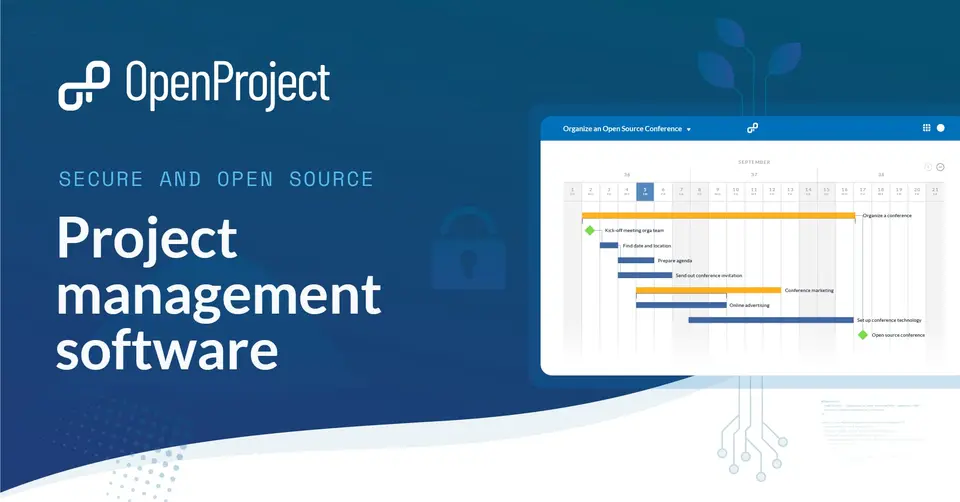
Our verdict
Third of our top three project management tools
For: Teams that want the software on their own servers
OpenProject is open source, and its free Community edition installs on your own servers with no user minimum. That edition includes Gantt charts, agile boards, Scrum backlogs, time tracking, a wiki and meetings. If you would rather not run a server, the vendor hosts it in the EU from $7.25 per user a month, billed yearly, with a 5-user minimum. It is third because fewer teams can take it as it comes: the free edition has to be installed and run on your own Linux servers with community support only, and its iPhone and Android apps are in beta. Single sign-on needs the Professional plan, which starts at 25 users.
See all three and how we rankOpenProject report card
Good · out of 4.0 · graded Oct 10, 2026
Best for self-hosting classic and agile planning
OpenProject is open-source project management with Gantt charts, budgets, boards and Scrum backlogs. The Community edition is free with no user minimum, but only if you run it on your own servers. Hosted, it starts at $7.25 a user a month with a 5-user minimum, single sign-on needs a 25-user plan, portfolios need 100 users, and the phone apps are beta companions.
Who OpenProject is for
- Fits if your organization wants to self-host an open-source project tool and has someone to run the server
- Works for teams mixing Gantt-based planning with Scrum or Kanban, with cloud data hosted in the EU
Who OpenProject is not for
- Skip it if you want a free hosted plan, as the cloud starts at paid Basic with a 5-user minimum
- Pricey if you're a small team needing single sign-on, since Professional requires at least 25 users at $13.50 each
- Not for you if you'd run projects from your phone, because the mobile apps are beta companions to the web app
- Tight if you want portfolios or resource management, which need Premium with at least 100 users
- Watch out: on-premises Enterprise plans start at 25 users and a one-year term, and SCIM is Corporate only
Why OpenProject gets a 2.6
Five grades, each with its reason. The GPA is their average: an A is 4 points, an F is none.
- CValue for moneyCloud Basic is $7.25 a user a month billed yearly, $8.50 monthly, which is mid-pack for this category, and it holds you to 5 users. The steps up carry big minimums: Professional $13.50 from 25 users, Premium $19.50 from 100. Self-hosting the Community edition costs nothing but your servers.
- BFree plan and trialFree means hosting it: the Community edition has no user minimum and keeps Gantt charts, agile boards, Scrum backlogs, time tracking, wiki and meetings. Support is community only, and there's no free cloud, just a 14-day trial.
- BFeaturesWork packages on Gantt charts with relations and automatic or manual scheduling, Kanban and sprint boards with a backlog and burndown charts, time and costs against budgets, meeting minutes linked to the work, and a wiki. Both planning styles covered; portfolios and resource management wait for Premium.
- CEase of useNo store rating on record. The paid cloud is hosted for you in the EU, but this is a big tool with work package types, roles and statuses to arrange, and the free edition is a Linux server job: DEB or RPM packages, Docker, Kubernetes or Helm.
- BPlatforms and integrationsWeb with iPhone and Android apps, and no desktop app. The phone apps are in beta and the vendor calls them companions to the web version. It connects to Nextcloud, GitHub, GitLab and Excel, with OneDrive, SharePoint and an MCP server from Professional.
What these grades rest on. Graded from this listing, whose facts were read from OpenProject's own pages on 5 October 2026. Also tested with a demo account on 2026-02-25. How we review and grade.
Make OpenProject? Put this grade on your site

Paste this where you want the badge. It links here and follows the grade if it changes. About badges
<a href="https://toolgpa.com/tools/openproject#review"><img src="https://toolgpa.com/badge/openproject.svg" alt="OpenProject: 2.6 GPA on ToolGPA" width="196" height="56"></a>Where OpenProject stands among project management tools
OpenProject's GPA of 2.6 is higher than 98 of the 149 other project management tools we grade, and level with 21.
It stands best on free plan and trial (B, above 101 of 149) and worst on ease of use (C, above 7).
Its paid plans start at $7.25 a month for each person, against a middle price of $9 for the category: 40 of the 121 others that charge start lower.
On features, ease of use and platforms it scores 2.7 out of 4. 12 tools score higher and cost less.
Each grade against the category
Every bar is all 150 project management tools we grade, cut by the letter each got. OpenProject’s own letter is outlined.
- CValue for moneyAbove 35 of 149, level with 78
- BFree plan and trialAbove 101 of 149, level with 37
- BFeaturesAbove 76 of 149, level with 68
- CEase of useAbove 7 of 149, level with 126
- BPlatforms and integrationsAbove 26 of 149, level with 95
Price against what you get
Each dot is one of 128 project management tools. Further left costs less, and higher up scores better on features, ease of use and platforms. Point at a dot to see which tool it is.
Features, ease of use and platforms, averaged
What paid plans start at, a month (each step along is roughly double) →
- The best score at each price
- Has a free plan
- No free plan
Keep OpenProject, or make your own?
You could make this
A project tool at its plainest is tasks on a board with an owner and a date.
What OpenProject does at its core is Gantt & timelines, kanban boards, issue tracking, time tracking and wiki, and that is the kind of thing an AI app builder makes well. You would give up 5 things, listed below, and little else. It costs $87 a year. An AI app builder starts at about $20 a month on our listings, and you only need it while you build. OpenProject is open source, so there is a third way: take its code and run it yourself.
What you could make
- Gantt & timelines, kanban boards, issue tracking, time tracking and wiki: an app builder makes these well.
What you could not
- A real app for iOS and Android. Something home-made would be a web page.
- It is priced for each person, which means accounts and billing for a team.
- It plugs into other products, Nextcloud, GitHub and GitLab among them.
- What a company asks for before it lets staff use something: single sign-on.
- The depth: we grade its features B, which means it covers the whole job.
What this rests on. OpenProject’s listing: what it does, where it runs, what it plugs into and what it costs. It is a judgement about the kind of software this is. We have not built a replacement for it, and making your own means looking after it too. How we decide, and every tool’s verdict.
What is OpenProject?
OpenProject is open-source project management software licensed under the GNU GPL v3. It combines classic planning tools such as Gantt charts, work breakdown structures and budgets with agile boards and Scrum backlogs, and adds time tracking, meetings and a wiki. The free Community edition is installed on your own servers, while paid Enterprise plans add support and extra features, either on-premises or hosted by the vendor in the EU.
Worth knowing
- The free Community edition is self-hosted only. The hosted cloud starts at the paid Basic plan with a 5-user minimum.
- Professional requires at least 25 users and Premium at least 100. On-premises Enterprise plans start at 25 users and a one-year term.
- Single sign-on needs Professional or higher, and SCIM provisioning is limited to the Corporate plan.
- The iOS and Android apps are in beta and described by the vendor as companions to the web application.
Key features
- Work packages and Gantt charts
- Work is broken into work packages such as tasks, features, phases and milestones, then scheduled on Gantt charts with relations and automatic or manual scheduling.
- Agile boards and Scrum
- Kanban, team, version and subproject boards, a product backlog, sprint boards, story points and burndown charts are all part of the free Community edition.
- Time tracking, costs and budgets
- Time is logged on work packages, unit and labor costs are tracked against budgets, and reports break down spent time and costs.
- Meetings, wiki and documents
- Meeting agendas and minutes link to work packages, and a wiki, forums and collaboratively edited documents hold project information in one place.
- Self-hosting or vendor cloud
- The Community edition installs on your own Linux servers from DEB or RPM packages, Docker, Kubernetes or Helm charts. Enterprise cloud is hosted by OpenProject in the EU.
- Tiered Enterprise add-ons
- Paid plans unlock extra features by tier: the team planner on Basic, single sign-on on Professional, and portfolio and resource management on Premium.
OpenProject tips most people miss
Pay less
Lock people who've left, so you stop paying for them
OpenProject's FAQ says only active users are counted for payment, and locked users and pending invites don't count. So when someone no longer needs access, lock their account rather than leaving it open, and the seat is free for someone else.
openproject.orgRenewal
You can add seats any time, but only cut them at renewal
The pricing FAQ says users are added in steps of 5 and charged prorated for the rest of the term. Going down in users, plan or term length only takes effect when the current subscription period ends. So don't buy for the headcount you hope to reach.
openproject.orgRenewal
A cloud trial you don't buy gets deleted
There's nothing to cancel after the 14-day trial: the pricing FAQ says an unpaid cloud trial is blocked and deleted automatically. A self-hosted trial just falls back to the free Community edition. If you've put real work into the cloud trial, decide before it ends.
openproject.orgLeaving
Stop paying for on-premises and you keep everything but the add-ons
Cancel an on-premises Enterprise plan and the FAQ says it drops to the Community edition by itself when the period ends. All your data stays. What goes is the Enterprise add-ons, such as the team planner, and the support.
openproject.orgEasy to miss
You can move between their cloud and your own server
Going from the cloud to Enterprise on your own server is done by restoring a backup of your cloud data, with about 60 minutes of downtime in normal cases. Moving the other way, from Community or on-premises into the cloud, works the same way but is a paid service.
openproject.orgSetting
Daily reminder emails go out at 2am unless you change it
The default is a daily email at 2am, Monday to Friday. In Account settings → Notification and email → Email reminders, pick your own days and times, get an email straight away when someone mentions you, or pause them for a holiday.
openproject.orgShortcut
Type n w p for a new work package, s to search
Away from a text box, press s for global search, p for project search and n w p for a new work package. g w p jumps to work packages and g m to My page. Press ? on any page for the list, and Ctrl+Enter (Cmd+Enter on a Mac) saves rich text.
openproject.org
Read on Oct 17, 2026. Read from OpenProject's FAQ, its pricing page FAQ and its user guide (keyboard shortcuts, notification and email settings) on 17 October 2026. Not tried out: these tips are what its own pages say.
OpenProject pricing
As of Oct 5, 2026, OpenProject has a free plan, and paid plans start at $7.25 per user / month, billed yearly (5-user minimum).
- Starts at
- $7.25 per user / month, billed yearly (5-user minimum)
- Free plan
- Community edition: free and open source, installed on your own servers, with no user minimum and community support only. It is not offered as a hosted cloud plan.
- Free trial
- 14-day free trial of the Enterprise cloud, or a 14-day trial license for a self-hosted installation
| Plan | Price | What you get |
|---|---|---|
| Community | Free | Self-hosted open-source edition with no user minimum: Gantt charts, agile boards, Scrum backlogs, time tracking, wiki and meetings, with community support. |
| Basic | $7.25per user / month, billed yearly ($8.50 monthly, cloud only) | From 5 users in the cloud or 25 on-premises. Adds the Basic Enterprise add-ons, such as the team planner, baseline comparisons and a custom theme, plus email support. |
| Professional | $13.50per user / month, billed yearly | Minimum 25 users. Adds single sign-on, OneDrive and SharePoint integration, sharing work packages with external users, the MCP server and phone support. |
| Premium | $19.50per user / month, billed yearly | Minimum 100 users. Adds portfolio management, resource management, LDAP user and group sync, and remote-hands support. |
| Corporate | Custom | Priced on request and recommended from 250 users. Adds SCIM provisioning, XWiki and openDesk integrations, and a dedicated support engineer. |
Read from openproject.org on Oct 5, 2026. Prices change, so confirm with OpenProject before you buy.
Ways to pay less
- Annual discountYearly billing is $1.25 per user cheaper
Cloud Basic can be billed monthly for an extra $1.25 per user / month, so a one-year subscription costs $7.25 instead of $8.50 per user / month.
Stated on openproject.org - Other savingsFree months on multi-year subscriptions
The pricing calculator lists 5 months free on a 2-year subscription, 8 on 3 years, 11 on 4 years and 15 on 5 years.
Stated on openproject.org - EducationSpecial rates for educational institutions
OpenProject states that it offers discounted rates for educational institutions. No percentage is published; eligibility is checked by its sales team.
Stated on openproject.org - NonprofitSpecial rates for NGOs
The same pricing page offers discounted rates for NGOs on request, again without a published percentage.
Stated on openproject.org
Works with
Who makes OpenProject
OpenProject is made by OpenProject GmbH, a privately held company in Berlin that develops it as open source software. It earns money from its paid Enterprise edition, hosting, and training and consulting, while the Community edition is free to download and run.
- Based
- Berlin, Germanyopenproject.org
- Ownership
- Privately held. Privately held: its June 2026 press release on the msg partnership calls both companies Germany-based and privately held, and its imprint names OpenProject GmbH, registered in Berlin, with Niels Lindenthal as CEO.openproject.org
- Team
- A remote team spread across Germany, France, the UK, Spain, Greece, the USA, Nepal, Kenya, Panama and Romania, according to its about page, which gives no headcountopenproject.org
- Founders and leaders
- Niels Lindenthal, Founder and CEOopenproject.org
- Hiring
- 5 open roles on its job board, read Nov 17, 2026. See the roles
- Reseller program
- Free to join. Resellers get the Enterprise edition at 25% off for their customers and keep all revenue from their own services and implementations, and commit to bringing one paid customer per quarter.openproject.org
- Lately
- OpenProject 17.9.2 · Oct 15, 2026
- OpenProject 17.9.1 · Oct 1, 2026
- OpenProject 17.9.0 · Sep 30, 2026
- OpenProject 17.8.0 · Sep 2, 2026
Read on Oct 18, 2026 from the company’s own pages and from news reports. What is not stated there is left out.
Jobs at OpenProject
OpenProject has 5 open roles, most in Sales & Key Accounts (1), Onboarding & Training (1) and Customer Success (1). Here are the newest; open one to read the whole job and apply on OpenProject’s own site.
- (Senior) Customer Enablement ManagerView and apply
Customer success and support · Onboarding & Training · Remote · posted 4 weeks ago
- Customer Support & Success SpecialistView and apply
Customer success and support · Customer Success · Remote · posted 3 months ago
- (Senior) Account Manager - EuropeView and apply
Sales and partnerships · Sales & Key Accounts · Remote · posted 3 months ago
- Speculative Application - if you couldn't find the right role among our job postingsView and apply
People, finance and operations · People & Organization · Remote · posted 8 months ago
- Senior Ruby on Rails DeveloperView and apply
Engineering · Development · Remote · posted 10 months ago
Read from OpenProject’s job board on Personio on Nov 17, 2026 and checked every week. Applications go to OpenProject, not to us.
OpenProject alternatives
- OpenProject vs Jira
Free plan · from $9.70/mo
- OpenProject vs Taiga
Free plan · from €5/mo
- OpenProject vs Plane
Free plan · from $6/mo
- OpenProject vs Microsoft Project
Free trial · from $30.00/mo





Common questions
Does OpenProject have a Windows app?
No Windows app was listed when its pages were read on Oct 5, 2026. OpenProject is listed for Web, iOS and Android.
Does OpenProject have a macOS app?
No macOS app was listed when its pages were read on Oct 5, 2026. OpenProject is listed for Web, iOS and Android.
Is OpenProject open source?
Yes. OpenProject is open source, according to its own site. It can also be run on a server of your own.
Sources for this page
The prices, plans, platforms and features above were read from these pages on Oct 5, 2026.