
Smartsheet review (2026): is it worth $9 a month per member, billed yearly?
Spreadsheet-style project and work management for teams
Black Friday: is there a Smartsheet sale?
Smartsheet report card
Very good · out of 4.0 · graded Oct 10, 2026
Best for project plans for spreadsheet people
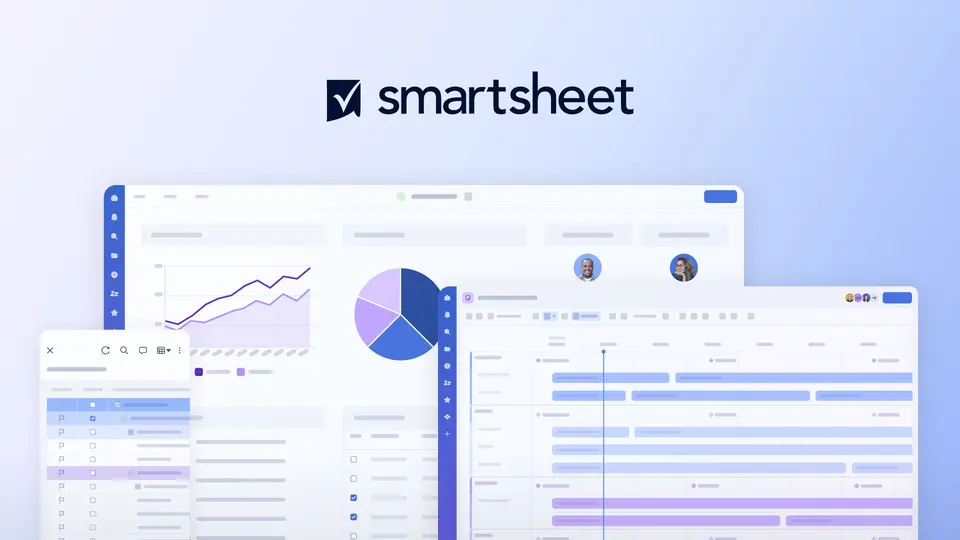
Smartsheet is a spreadsheet-style sheet that can also be a Gantt chart, a card board or a calendar, with reports and dashboards on top. There's no free plan, only a 30-day trial, then $9 a Member a month billed yearly. Pro stops at 10 Members, 250 automations and 20 GB, while timeline, workload and the API need Business at $19 with at least 3 Members.
Who Smartsheet is for
- Fits if your team works in spreadsheets and wants project views on top of them
- Works for companies that need Gantt charts, reports and dashboards across many projects
Who Smartsheet is not for
- Not for you if you want to stay free, as there's only a 30-day trial
- Tight if you automate a lot on Pro, which stops at 250 automations a month, 20 GB and 10 Members, and is sold to new customers only
- Pricey if you need timeline view, workload tracking or the API, since those start at Business, $19 a Member with 3 minimum
- Pricey if you need single sign-on or portfolios, which are Enterprise only, from 10 Members and priced by quote
Why Smartsheet gets a 3.0
Five grades, each with its reason. The GPA is their average: an A is 4 points, an F is none.
- CValue for moneyPro is $9 a Member a month billed yearly, between the $8 middle and the $10 dear end for project tools here, so an ordinary price. Contributors are free and unlimited, which helps. But Pro stops at 10 Members, and timeline view, workload tracking and the API all wait for Business at $19.
- CFree plan and trialNo free plan. You get 30 days with no credit card asked for, and then a paid plan is the only way to carry on.
- BFeaturesIt covers the whole job: one sheet shown as a grid, a Gantt chart, cards or a calendar, rolling up into reports and dashboards, with forms for intake, automated workflows and Smart Assist for formulas. Airtable, monday and Wrike, its own named rivals, cover the same ground.
- AEase of use4.85 from about 120,000 App Store ratings, which is the top band. The sheets behave like spreadsheets, so anyone who already lives in one has little new to learn.
- APlatforms and integrationsThe full set: web, Mac, Windows, iPhone and Android, with Microsoft Teams, Slack, Salesforce, Jira, Power BI and Tableau, and an API. The API is Business and up, mind.
What these grades rest on. Graded from this listing, whose facts were read from Smartsheet's own pages on 9 October 2026, and its App Store rating. Also tested with a demo account on 2026-05-18. How we review and grade.
Make Smartsheet? Put this grade on your site

Paste this where you want the badge. It links here and follows the grade if it changes. About badges
<a href="https://toolgpa.com/tools/smartsheet#review"><img src="https://toolgpa.com/badge/smartsheet.svg" alt="Smartsheet: 3.0 GPA on ToolGPA" width="196" height="56"></a>Where Smartsheet stands among project management tools
Smartsheet's GPA of 3.0 is higher than 132 of the 149 other project management tools we grade, and level with 10.
It stands best on ease of use (A, above 145 of 149) and worst on free plan and trial (C, above 26).
Its paid plans start at $9 a month for each person, against a middle price of $9 for the category: 57 of the 121 others that charge start lower.
On features, ease of use and platforms it scores 3.7 out of 4, and no tool on the category's chart scores higher without costing more.
Each grade against the category
Every bar is all 150 project management tools we grade, cut by the letter each got. Smartsheet’s own letter is outlined.
- CValue for moneyAbove 35 of 149, level with 78
- CFree plan and trialAbove 26 of 149, level with 74
- BFeaturesAbove 76 of 149, level with 68
- AEase of useAbove 145 of 149, level with 4
- APlatforms and integrationsAbove 122 of 149, level with 27
Price against what you get
Each dot is one of 128 project management tools. Further left costs less, and higher up scores better on features, ease of use and platforms. Point at a dot to see which tool it is.
Features, ease of use and platforms, averaged
What paid plans start at, a month (each step along is roughly double) →
- The best score at each price
- Has a free plan
- No free plan
Keep Smartsheet, or make your own?
Keep it
To replace Smartsheet you would be making connections to other products, each kept working as those products change. That is not a weekend's work, with an AI app builder or without one.
It is one of the better ones too: its GPA of 3.0 is higher than 132 of the 149 other project management tools we grade. It costs $108 a year.
What you could make
- Tasks, Gantt & timelines, kanban boards and calendar: an app builder makes these well.
What you could not
- Connections to other products, each kept working as those products change.
- Apps for macOS, Windows, iOS and Android that stay in step with each other.
- It is priced for each person, which means accounts and billing for a team.
- AI features, unless you pay a model provider for each request yourself.
- The depth: we grade its features B, which means it covers the whole job.
What this rests on. Smartsheet’s listing: what it does, where it runs, what it plugs into and what it costs. It is a judgement about the kind of software this is. We have not built a replacement for it, and making your own means looking after it too. How we decide, and every tool’s verdict.
What is Smartsheet?
Smartsheet is a work management platform built around sheets that look and behave like spreadsheets. The same data can be shown in grid, Gantt, card and calendar views and rolled up into reports and dashboards, with forms and automated workflows for intake and reminders. There is no free plan; new accounts start with a 30-day trial.
Worth knowing
- There is no free plan; a paid plan is needed once the 30-day trial ends.
- Pro is limited to 10 Members and is only available to new customers; Business requires at least 3 Members.
- Pro is capped at 250 automations a month and 20 GB of storage.
- The API is offered from the Business plan, and SAML single sign-on needs Enterprise.
Key features
- Sheets with multiple views
- Work is stored in spreadsheet-like sheets that can be switched between grid, Gantt, card and calendar views. Timeline view starts on the Business plan.
- Reports and dashboards
- Reports pull together and filter rows from sheets, and dashboards summarize the results for stakeholders.
- Forms
- Forms gather structured input such as requests, field reports and feedback. Forms are unlimited on the Pro plan and above.
- Automated workflows
- Workflows can be built from templates or from scratch for tasks such as reminders. Pro allows 250 automations a month; Business and above are unlimited.
- Resource management
- Shows who is assigned to what, so managers can even out workloads and plan for upcoming demand. Workload tracking is listed from the Business plan.
- AI tools
- Smart Assist and Smart Columns help with formulas and data analysis, and Business adds connections to external AI tools through MCP.
Smartsheet pricing
As of Oct 9, 2026, Smartsheet is a paid product with a free trial, starting at $9 per Member / month, billed yearly ($12 billed monthly).
- Starts at
- $9 per Member / month, billed yearly ($12 billed monthly)
- Free plan
- None
- Free trial
- 30-day free trial, no credit card required
| Plan | Price | What you get |
|---|---|---|
| Pro | $9per Member / month, billed yearly ($12 billed monthly) | 1 to 10 Members with unlimited free Contributors. Gantt, table, board and calendar views, 250 automations a month and 20 GB of storage. |
| Business | $19per Member / month, billed yearly ($24 billed monthly) | 3 or more Members. Adds timeline view, workload tracking, unlimited automations, proofing, admin controls and 1 TB of storage. |
| Enterprise | Custom | 10 or more Members. Adds SAML single sign-on, portfolios, scenario planning, directory integrations and unlimited attachment storage. |
| Advanced Work Management | Custom | Everything in Enterprise, plus Control Center, Dynamic View, Data Shuttle, DataMesh, connectors and premium support. |
Read from smartsheet.com on Oct 9, 2026. Prices change, so confirm with Smartsheet before you buy.
6 price changes on recordWhat the app costs in other countries
Ways to pay less
- Annual discountLower per-Member price with yearly billing
Pro is $9 per Member / month billed yearly against $12 monthly (25% less), and Business is $19 against $24 (about 21% less).
Stated on smartsheet.com
Smartsheet refunds and cancellation
Weak · checked Oct 18, 2026
There are no refunds here at all, not even pro-rated, and Smartsheet's own billing FAQ says so. Worse, you have to give 30 days' notice before your renewal date to make any change, which is the kind of clause written for companies with purchasing departments and a nasty surprise for a two-person Pro plan. Pro and Business can at least press the button themselves. No refunds plus a notice period is a D.
- Refund window
- No set window
- How you cancel
- Yourself, in settings
- Getting your money back
The User Agreement says all orders are non-cancelable and service fees are non-refundable except where it explicitly says otherwise, and the exceptions are limited to Smartsheet failing to cure a breach or a warranty failure. The billing FAQ puts it plainly: no refunds are provided for unused portions of a subscription, and a cancelled or downgraded account does not qualify for a pro-rated or full refund.
Stated on help.smartsheet.com- How to cancel Smartsheet
A Pro or Business plan paid by card or bank transfer is cancelled in the app under Account, then Plan & Billing Info, then Cancel Account; only the account owner on Pro or a System Admin on Business can do it. Smartsheet asks for the request at least 30 days before the renewal date. An Enterprise plan cannot be cancelled in the app, and an invoice-billed plan goes through a request form.
- Sign in to your Smartsheet account in a browser
- On the left navigation bar, select Account, then Plan & Billing Info
- In the Plan & Billing tab, select Cancel Account
- Select Continue to cancellation
- Read the confirmation page, which gives the effective date and warns of data loss
- Select Cancel and accept data loss to confirm
- What you keep afterwards
Smartsheet says cancelling makes the items you own read-only immediately and permanently deletes them 30 days after cancellation, with no recovery. Items other people shared with you stay reachable. The article tells you to transfer ownership of sheets or export the data to Excel or Google Sheets before cancelling. A trial or free account can instead be switched to Free and kept open.
Stated on help.smartsheet.com- Renewals
The User Agreement says that unless an order says otherwise, or one side gives written notice of non-renewal at least 30 days before the end of the term, every subscription service renews automatically for successive one-year terms. Smartsheet may raise the price for a renewal term by written notice before it starts, with at least 45 days' notice in the common case, and promotional pricing does not carry over.
Stated on smartsheet.com
In your favour
- A Pro or Business plan is cancelled from inside the app, with no email or phone call needed.
- A price rise at renewal needs written notice first, and 45 days of it in the common case.
- You can choose to cancel immediately or let the plan run to the end of the billing cycle.
- A trial or free account can be switched to Free instead of closed, so you keep signing in.
Watch out for
- No refunds at all, full or pro-rated, on a cancelled or downgraded account.
- You have to give at least 30 days' notice before the renewal date, or you are into another year.
- Cancelling makes your sheets read-only at once and deletes them permanently 30 days later.
- Enterprise and invoice-billed plans can't be cancelled in the app: it's a form or a sales rep.
Smartsheet customer support
Excellent · checked Oct 18, 2026
Smartsheet's support page sets out a table, and the base level that comes with every plan type is better than most paid tiers elsewhere: a live agent on in-app chat around the clock, web ticketing, the help centre, the community and self-paced courses. Phone is kept for Enterprise and the paid Premium package, and the under-two-hour first-response promise is Premium only. Live human help at any hour on every plan is an A.
Ways to get help
Live chat
In-app chat. The support table lists AI-powered in-app chat and, separately, 24x7 support with a live agent via in-app chat, both ticked for Base Support, which the page says covers all plan types, as well as for the Standard and Premium packages.
Stated on smartsheet.comPhone
24x7 global support by phone, ticked only for the Standard Support Package, which the page says is included in the Enterprise plan, and for the Premium Support Package. Base Support has no phone line.
Stated on smartsheet.comContact form or ticket
Web-based ticketing: a support case opened from the Contact Support page. The support table ticks it for Base Support and both paid packages, so every plan type has it. A separate contact route exists for billing questions.
Stated on smartsheet.comHelp centre
The Help & Learning Center, with articles on billing, account management, admin controls, formulas and the apps, plus a functions list. It is public and ticked for every support package.
Stated on help.smartsheet.comCommunity or forum
The Smartsheet Community, a public forum for asking other users and posting feature requests. The support table ticks it for every package including the base level.
Stated on smartsheet.com
- When people answer
The support page states 24x7 support, and ticks 24x7 live-agent in-app chat for all three packages including the base level that applies to every plan type. The phone line is also described as 24x7 and global, but only for the Standard and Premium packages.
Stated on smartsheet.com- How fast it says it replies
The only stated target is a first-response service level of less than two hours, whatever route the case came in by, and the table places it in the Premium Support Package column alone. No response time is stated for Base Support or the Standard package.
Stated on smartsheet.com- What depends on your plan
Base Support, which the page marks for all plan types, covers the community, the help centre, web ticketing, AI in-app chat, self-paced Smartsheet University courses and 24x7 live-agent chat. The Standard package, included with Enterprise, adds 24x7 global phone support. Premium, an add-on to Business and Enterprise, adds Pro Desk coaching and the two-hour first-response target.
Stated on smartsheet.com
In your favour
- A live agent on in-app chat, around the clock, on every plan type and not just the big ones.
- Smartsheet publishes a table of what each support package covers, so you can check before buying.
- Web ticketing, the help centre, the community and self-paced courses come with the base level.
- The help centre has step-by-step articles on cancelling, billing and exporting your sheets.
Watch out for
- No phone line below Enterprise unless you buy the Premium Support package.
- The two-hour first-response target applies to Premium only; nothing is promised to everyone else.
- The in-app chat is described as AI-powered as well as live-agent, so expect a bot first.
- Billing questions go to a separate contact route rather than the main support queue.
What these two grades rest on. Read on 18 October 2026: Smartsheet's User Agreement, its help-centre billing FAQ, the article on cancelling an account, the article on reviewing plan and billing information, the accepted payment types article, the Smartsheet Support services page with its package comparison, and the contact page. Nobody here cancelled a plan or contacted its support. They are graded apart from the five that make the GPA. How we grade refunds and support.
How people rate the Smartsheet app
4.8
out of 5 for the iPhone and iPad app
- 5 stars89%
- 4 stars9%
- 3 stars2%
- 2 stars<1%
- 1 star<1%
120,340 ratings on the App Store in the United States, read Oct 5, 2026. It rates the app, not everything the product does. See the listing
Works with
- Microsoft Teams
- Slack
- Salesforce
- Jira
- Power BI
- Tableau
- Docusign
- Adobe Creative Cloud
Jobs at Smartsheet
Smartsheet has 73 open roles, most in Engineering - Developers (17), Enterprise Sales (6) and Platform (5). Here are the newest; open one to read the whole job and apply on Smartsheet’s own site.
- View and apply
- Sr. Manager, Critical Situations TeamNewView and apply
Other · CE Admin & Programs · -REMOTE, USA- · posted 9 days ago
- Sr. Software Engineer INewView and apply
Engineering · Engineering - Developers · Bangalore, INDIA · posted 9 days ago
- Compensation Analyst IINewView and apply
Data and AI research · Total Rewards · Bellevue, WA, USA · posted 9 days ago
- Commercial Account Executive (Asia)NewView and apply
Sales and partnerships · APJ Commercial Sales Reps · Singapore, SGP · posted 11 days ago
Read from Smartsheet’s job board on Greenhouse on Nov 17, 2026 and checked every week. Applications go to Smartsheet, not to us.
Smartsheet alternatives
- Smartsheet vs Airtable
Free plan · from $20/mo
- Smartsheet vs monday.com
Free plan · from $9/mo
- Smartsheet vs Asana
Free plan · from $10.99/mo
- Smartsheet vs Wrike
Free plan · from $10/mo
- Smartsheet vs ClickUp
Free plan · from $9/mo





Featured in
Common questions
Does Smartsheet have a Linux app?
No Linux app was listed when its pages were read on Oct 9, 2026. Smartsheet is listed for Web, macOS, Windows, iOS and Android.
Is Smartsheet open source?
Smartsheet is not described as open source on its own site, as read on Oct 9, 2026.
Does Smartsheet have an API?
Yes. Smartsheet offers a public API, according to its own site.
Sources for this page
The prices, plans, platforms and features above were read from these pages on Oct 9, 2026. What people say is linked where it appears.