
Instagantt review (2026): is the free plan enough?
Web-based Gantt charts, standalone or synced with Asana
Black Friday: is there a Instagantt sale?
Instagantt report card
Fair · out of 4.0 · graded Oct 10, 2026
Best for Gantt charts on top of Asana
Instagantt makes Gantt charts, on its own or synced both ways with Asana, with dependencies, baselines and a critical path. It's $10 a month for one person billed yearly. But the free plan exists only in the Asana version and stops at 3 projects, the standalone trial is 7 days, it lists two dependency types, it's web only, and your projects are locked if you stop paying.
Who Instagantt is for
- Fits if you use Asana and want Gantt charts with two-way sync
- Works for solo project managers who need dependencies, baselines and a critical path at $10 a month
Who Instagantt is not for
- Skip it if you want a free plan without Asana, as the standalone version only has a 7-day trial
- Tight if you're on the free Asana version, which is 1 user and 3 projects
- Not for you if you might stop paying, because access to your projects is paused until you upgrade again
- Too light for schedules that need more than finish-to-start and start-to-start dependencies
- Watch out: it's web only, and the AI Assistant and time off aren't in the Asana-connected version
Why Instagantt gets a 2.2
Five grades, each with its reason. The GPA is their average: an A is 4 points, an F is none.
- CValue for moneyIndividual is $10 a month billed yearly as $120, $12 monthly, which puts one person at the dear edge of this category rather than the middle. Teams is $20 a month for 3 users billed yearly, then $8 for each extra collaborator.
- CFree plan and trialThe free plan only exists in the Instagantt for Asana version, and it's 1 user and 3 Asana projects, which a working week will fill. The standalone version gives you 7 days of everything instead, with no card asked for.
- CFeaturesThe chart covers drag-and-drop scheduling, milestones, baselines and a highlighted critical path, plus table, Kanban and workload views and public snapshot links. But that's one slice of running a project, and the plan comparison lists only two dependency types, finish-to-start and start-to-start.
- CEase of useNo store rating on record. Dragging bars along a timeline is easy enough to grasp, but you're still building the schedule task by task, and the AI Assistant that drafts one for you is standalone and paid-only.
- BPlatforms and integrationsWeb only: no desktop app, nothing on a phone. What it does have is Asana, with two-way sync of tasks, dates, assignees and custom fields, plus Claude and Gemini on the list, and public snapshot links anyone can open without an account.
What these grades rest on. Graded from this listing, whose facts were read from Instagantt's own pages on 5 October 2026. Also tested with a demo account on 2026-06-28. How we review and grade.
Make Instagantt? Put this grade on your site

Paste this where you want the badge. It links here and follows the grade if it changes. About badges
<a href="https://toolgpa.com/tools/instagantt#review"><img src="https://toolgpa.com/badge/instagantt.svg" alt="Instagantt: 2.2 GPA on ToolGPA" width="196" height="56"></a>Where Instagantt stands among project management tools
Instagantt's GPA of 2.2 is higher than 38 of the 149 other project management tools we grade, and level with 31.
It stands best on platforms and integrations (B, above 26 of 149) and worst on features (C, above 2).
Its paid plans start at $10 a month, against a middle price of $9 for the category: 70 of the 121 others that charge start lower.
On features, ease of use and platforms it scores 2.3 out of 4. 39 tools score higher and cost less.
Each grade against the category
Every bar is all 150 project management tools we grade, cut by the letter each got. Instagantt’s own letter is outlined.
- CValue for moneyAbove 35 of 149, level with 78
- CFree plan and trialAbove 26 of 149, level with 74
- CFeaturesAbove 2 of 149, level with 73
- CEase of useAbove 7 of 149, level with 126
- BPlatforms and integrationsAbove 26 of 149, level with 95
Price against what you get
Each dot is one of 128 project management tools. Further left costs less, and higher up scores better on features, ease of use and platforms. Point at a dot to see which tool it is.
Features, ease of use and platforms, averaged
What paid plans start at, a month (each step along is roughly double) →
- The best score at each price
- Has a free plan
- No free plan
Keep Instagantt, or make your own?
You could make this
A project tool at its plainest is tasks on a board with an owner and a date.
What Instagantt does at its core is Gantt & timelines, tasks, kanban boards, time tracking and templates, and that is the kind of thing an AI app builder makes well. You would give up one thing, listed below, and little else. It costs $120 a year. An AI app builder starts at about $20 a month on our listings, and you only need it while you build.
What you could make
- Gantt & timelines, tasks, kanban boards, time tracking and templates: an app builder makes these well.
- It runs in a browser, which is where something home-made would run too.
What you could not
- AI features, unless you pay a model provider for each request yourself.
What this rests on. Instagantt’s listing: what it does, where it runs, what it plugs into and what it costs. It is a judgement about the kind of software this is. We have not built a replacement for it, and making your own means looking after it too. How we decide, and every tool’s verdict.
What is Instagantt?
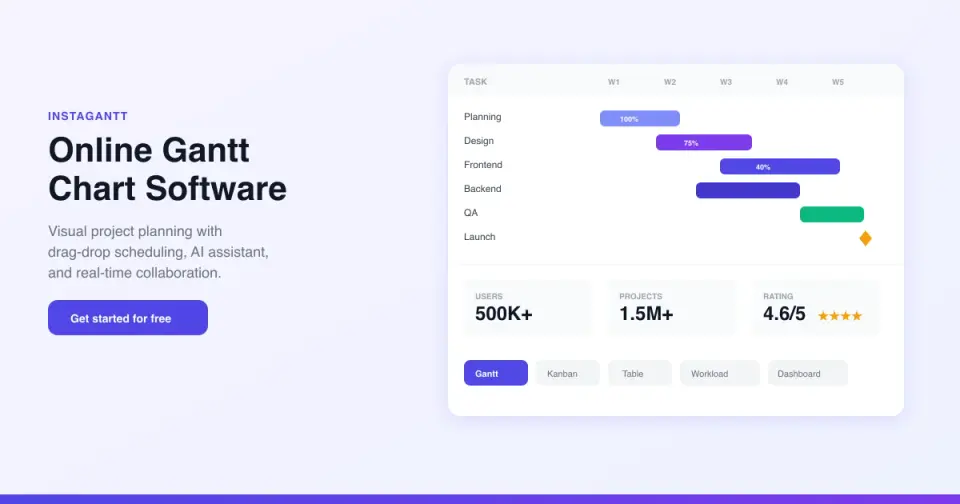
Instagantt is a web-based Gantt chart tool that works either on its own or connected to Asana with two-way sync. Projects are scheduled by drag and drop with dependencies, milestones, baselines and a critical path, and can also be viewed as a table, Kanban board, workload chart or dashboard. In the standalone version an AI Assistant generates a project plan from a text description.
Worth knowing
- The free plan exists only in the Instagantt for Asana version and stops at 3 projects. The standalone version has a 7-day trial instead.
- The AI Assistant and time off are marked standalone only, so they are not part of the Asana-connected version.
- The plan comparison lists two dependency types: finish-to-start and start-to-start.
- After a downgrade, projects are kept but access is paused until you upgrade again, except for the free Asana version.
Key features
- Drag-and-drop Gantt scheduling
- Tasks, subtasks and sections are placed on a timeline by dragging. Linked tasks reschedule automatically when a predecessor moves, and the critical path is highlighted.
- Two-way Asana sync
- The Instagantt for Asana version pulls in Asana tasks, subtasks, assignees, dates and custom fields as a Gantt chart, and changes in either tool sync to the other.
- AI Assistant
- A project described in plain English is turned into a Gantt chart with tasks, dependencies, milestones and duration estimates. It is available in the standalone version on paid plans.
- Table, board and workload views
- Besides the Gantt chart, projects can be shown as a table, a Kanban board that stays in sync with the timeline, and a workload view of each person's assignments.
- Milestones and baselines
- Milestones mark key deliverables on the timeline, and a saved baseline can be compared with the current schedule to see where tasks have shifted.
- Public snapshots and exports
- A public snapshot is a read-only URL that anyone can open without an account. Paid plans add PDF and image export; CSV export is on every plan.
Instagantt pricing
As of Oct 5, 2026, Instagantt has a free plan, and paid plans start at $10 per month, billed yearly as $120 (Individual, 1 user).
- Starts at
- $10 per month, billed yearly as $120 (Individual, 1 user)
- Free plan
- Free plan in the Instagantt for Asana version only: 1 user and up to 3 Asana projects, with Gantt charts, dependencies, milestones, public snapshot links and CSV export.
- Free trial
- 7-day free trial of the standalone version with all features, no credit card required
| Plan | Price | What you get |
|---|---|---|
| Free | $0 | Instagantt for Asana only: 1 user and up to 3 Asana projects with Gantt charts, dependencies, milestones, public snapshot links and email support. |
| Individual | $10per month, billed yearly as $120 ($12 billed monthly) | 1 user with unlimited projects, all chart views, critical path, baselines, custom fields, PDF and image export, and the AI Assistant in the standalone version. |
| Teams | $20per month for 3 users, billed yearly as $240 ($24 monthly) | 3 collaborators included, then $8 a month each. Adds team workload management, resource allocation, team availability, portfolio view and a multi-project dashboard. |
Read from instagantt.com on Oct 5, 2026. Prices change, so confirm with Instagantt before you buy.
Ways to pay less
- Annual discountSave 17% with yearly billing
Instagantt states that annual billing saves 17%. Individual is $120 a year instead of $12 a month ($144), and Teams is $240 a year instead of $24 a month ($288).
Stated on instagantt.com
Works with
Instagantt alternatives
- Instagantt vs TeamGantt
Free plan · from $59/mo
- Instagantt vs GanttPRO
Free trial · from $8/mo
- Instagantt vs Tom's Planner
Free plan · from $9.95/mo
- Instagantt vs Asana
Free plan · from $10.99/mo
- Instagantt vs Smartsheet
Free trial · from $9/mo





Common questions
Does Instagantt have an Android app?
No Android app was listed when its pages were read on Oct 5, 2026. Instagantt is listed for Web.
Does Instagantt have an iPhone app?
No iPhone app was listed when its pages were read on Oct 5, 2026. Instagantt is listed for Web.
Is Instagantt open source?
Instagantt is not described as open source on its own site, as read on Oct 5, 2026.
Sources for this page
The prices, plans, platforms and features above were read from these pages on Oct 5, 2026.