
Superthread
Tasks, docs and AI agents for teams, at a price you choose
What is Superthread?
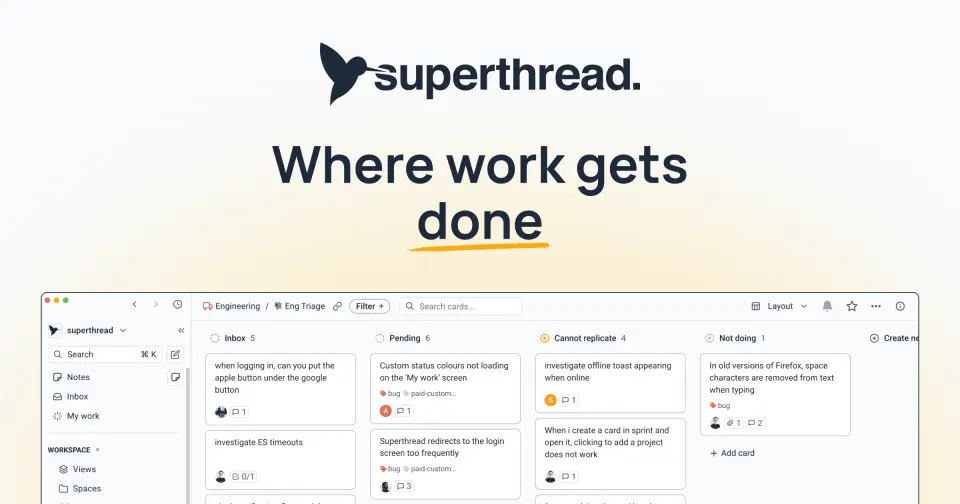
Superthread combines task boards, projects, sprints and a wiki of collaborative pages in one workspace, with AI agents, request forms and time tracking included on every plan. Work is tracked as cards on boards that can be viewed as kanban, list, timeline or calendar layouts. Its main paid plan is pay-what-you-want, and there are desktop apps for macOS and Windows and mobile apps for iOS and Android.
Superthread has a free plan. Paid plans start at $3 per user / month, billed monthly (pay what you want, up to $67). See every plan
Good for
- Small teams that want tasks and docs in one app at a price they set
- Agencies tracking client work and billable time
- Teams moving from Jira, Trello or Shortcut, which have built-in importers
Worth knowing
- The Free plan stops at 200 cards, 4 boards and 2 spaces, and limits file uploads to 5MB.
- Pay what you want covers up to 50 members; Business starts at $6,000 a year and Enterprise at $85,000 a year.
- AI meeting transcription and the service desk portal need Business or Enterprise, and SAML and SCIM need Enterprise.
- Downloads are listed for macOS, Windows, iOS and Android; no Linux app is listed.
Key features
- Cards and boards
- Cards hold tasks, issues or tickets, and boards show them as kanban, list, timeline or calendar layouts, with swimlanes, child cards and blocking relationships.
- Projects and sprints
- Cards roll up into larger projects tracked on a dedicated projects board, and sprints give a team time-boxed cycles for a set of work.
- Pages and wiki
- Collaborative documents with sub-pages, inline comments, templates and real-time editing. Pages can be shared by link with people outside the workspace.
- AI agents
- Agents work across tasks, pages, projects and meetings with configurable triggers and access, and are included on every plan, with usage limits that vary by plan.
- Forms and time tracking
- Forms collect structured requests and route them to boards. Time tracking logs hours on tasks, with timesheets, billable rates and workspace reports.
- AI note-taker
- Plain meeting notes are unlimited on every plan. AI meeting transcription and AI note templates are limited to the Business and Enterprise plans.
Superthread pricing
- Starts at
- $3 per user / month, billed monthly (pay what you want, up to $67)
- Free plan
- Unlimited members and pages, 200 cards, 4 boards and 2 spaces, with AI agents, forms and time tracking. 7-day page history and 5MB file uploads.
- Free trial
- None listed
| Plan | Price | What you get |
|---|---|---|
| Free | $0 | 200 cards, 4 boards, 2 spaces, unlimited pages and members, with AI agents, forms and time tracking. 7-day version history and 5MB uploads. |
| Pay what you want | $3 to $67per user / month, billed monthly; the buyer picks the amount | Unlimited cards, boards, spaces and pages for up to 50 members, with 30-day version history and 100MB uploads. The page's price slider is preset to $18. |
| Business (50+ seats) | From $6,000per year, billed annually | Up to 200 members, adding the service desk portal, AI meeting transcription, 90-day version history and in-app live chat support. |
| Enterprise (200+ seats) | From $85,000per year, custom billing | Unlimited members, SAML and SCIM, unlimited version history, a bring-your-own-cloud option, and expert onboarding and support. |
Read from superthread.com on Oct 9, 2026. Prices change, so confirm with Superthread before you buy.
Ways to pay less
- Other savingsPay-what-you-want pricing from $3 per user
On the Pay What You Want plan a team chooses its own monthly price per user, from $3 up to $67, with no long commitment. The page lists one feature set for the plan.
Stated on superthread.com
Works with
Superthread alternatives
- Superthread vs Trello
Free plan · from $5/mo
- Superthread vs Jira
Free plan · from $9.05/mo
- Superthread vs Shortcut
Free plan · from $8.50/mo
- Superthread vs monday.com
Free plan · from $9/mo
- Superthread vs Asana
Free plan · from $10.99/mo





Common questions
Is Superthread free?
Superthread has a free plan. Unlimited members and pages, 200 cards, 4 boards and 2 spaces, with AI agents, forms and time tracking. 7-day page history and 5MB file uploads. Paid plans start at $3 per user / month, billed monthly (pay what you want, up to $67).
How much does Superthread cost?
Superthread lists 4 plans. Free: $0. Pay what you want: $3 to $67 per user / month, billed monthly; the buyer picks the amount. Business (50+ seats): from $6,000 per year, billed annually. Enterprise (200+ seats): from $85,000 per year, custom billing. Prices were read from superthread.com on Oct 9, 2026.
What platforms does Superthread work on?
Superthread is available on Web, macOS, Windows, iOS and Android.
Does Superthread offer any discounts?
Superthread publicly lists the following: Pay-what-you-want pricing from $3 per user.
Does Superthread have a Linux app?
No Linux app was listed when its pages were read on Oct 9, 2026. Superthread is listed for Web, macOS, Windows, iOS and Android.
Is Superthread open source?
Superthread is not described as open source on its own site, as read on Oct 9, 2026.
What does Superthread integrate with?
Superthread's listing names GitHub, Slack, Zapier, Google Calendar, Office 365 and YouTube. A listing names up to eight integrations, so it may connect to more.
Who makes Superthread?
Superthread is made by Superthread IO Ltd.
What are the alternatives to Superthread?
The closest alternatives to Superthread in our directory are Trello, Jira, Shortcut, monday.com and Asana. Each one has a side-by-side comparison with Superthread.
Sources for this page
The prices, plans, platforms and features above were read from these pages on Oct 9, 2026.