
Bravo Studio review (2026): is the free plan enough?
Turns Figma designs into native iOS and Android apps
Black Friday: is there a Bravo Studio sale?
Bravo Studio report card
Fair · out of 4.0 · graded Nov 13, 2026
Best for turning Figma designs into native phone apps
Bravo Studio turns a design into a native app, with a free Starter plan for phone preview and a Solo plan at $22 a month for store builds. Solo caps Studio apps at 30 screens, and several Studio features are still only listed as coming to its AI route.
Who Bravo Studio is for
- Fits if you design in Figma and want a native app without code
- Works for small apps that fit inside 30 screens
Who Bravo Studio is not for
- Tight if you stay on Starter: no App Store builds
- Watch out: Solo caps Studio apps at 30 screens
- Watch out: Stripe payments and push notifications are listed as coming to Bravo MCP
- Watch out: the pricing page shows an annual option, but only monthly prices could be read
- Pricey if you want a service: Bravo To Go is $999
Why Bravo Studio gets a 2.2
Five grades, each with its reason. The GPA is their average: an A is 4 points, an F is none.
- CValue for moneySolo is $22 a month, a little over the category's $20 middle. Bravo To Go is $999.
- CFree plan and trialStarter is free forever with phone preview and basic API links, but no App Store builds. A free trial of Solo features is offered with no card.
- CFeaturesDesign to native app, an MCP route in beta, integrations and imports. Stripe payments and push notifications are listed as coming to the MCP route, and Solo stops at 30 screens.
- CEase of useNo store rating on record, and you build and connect the design yourself.
- BPlatforms and integrationsWeb, with seven integrations listed. Output is native apps, but no phone or desktop editor.
What these grades rest on. Graded from this listing, whose facts were read from Bravo Studio's own pages on 13 November 2026. Not based on using the product, and shorter than our full reviews. How we review and grade.
Make Bravo Studio? Put this grade on your site

Paste this where you want the badge. It links here and follows the grade if it changes. About badges
<a href="https://toolgpa.com/tools/bravo-studio#review"><img src="https://toolgpa.com/badge/bravo-studio.svg" alt="Bravo Studio: 2.2 GPA on ToolGPA" width="196" height="56"></a>Where Bravo Studio stands among AI app builders
Bravo Studio's GPA of 2.2 is higher than 23 of the 89 other AI app builders we grade, and level with 27.
It stands best on platforms and integrations (B, above 29 of 89) and worst on ease of use (C, above 1).
Its paid plans start at $22 a month, against a middle price of $20 for the category: 53 of the 82 others that charge start lower.
On features, ease of use and platforms it scores 2.3 out of 4. 19 tools score higher and cost less.
Each grade against the category
Every bar is all 90 AI app builders we grade, cut by the letter each got. Bravo Studio’s own letter is outlined.
- CValue for moneyAbove 19 of 89, level with 44
- CFree plan and trialAbove 7 of 89, level with 64
- CFeaturesAbove 2 of 89, level with 61
- CEase of useAbove 1 of 89, level with 68
- BPlatforms and integrationsAbove 29 of 89, level with 57
Price against what you get
Each dot is one of 85 AI app builders. Further left costs less, and higher up scores better on features, ease of use and platforms. Point at a dot to see which tool it is.
Features, ease of use and platforms, averaged
What paid plans start at, a month (each step along is roughly double) →
- The best score at each price
- Has a free plan
- No free plan
Keep Bravo Studio, or make your own?
Keep it
To replace Bravo Studio you would be making a tool that builds and hosts other apps. That is not a weekend's work, with an AI app builder or without one.
That makes this kind of software worth paying for, not this one in particular: 39 of the 89 other AI app builders grade higher. It costs $264 a year.
What you could make
- Templates: an app builder makes this well.
What you could not
- A tool that builds and hosts other apps.
- A builder that other people can use without writing code.
- It plugs into other products, Figma, Claude and Cursor among them.
- AI features, unless you pay a model provider for each request yourself.
What this rests on. Bravo Studio’s listing: what it does, where it runs, what it plugs into and what it costs. It is a judgement about the kind of software this is. We have not built a replacement for it, and making your own means looking after it too. How we decide, and every tool’s verdict.
What is Bravo Studio?
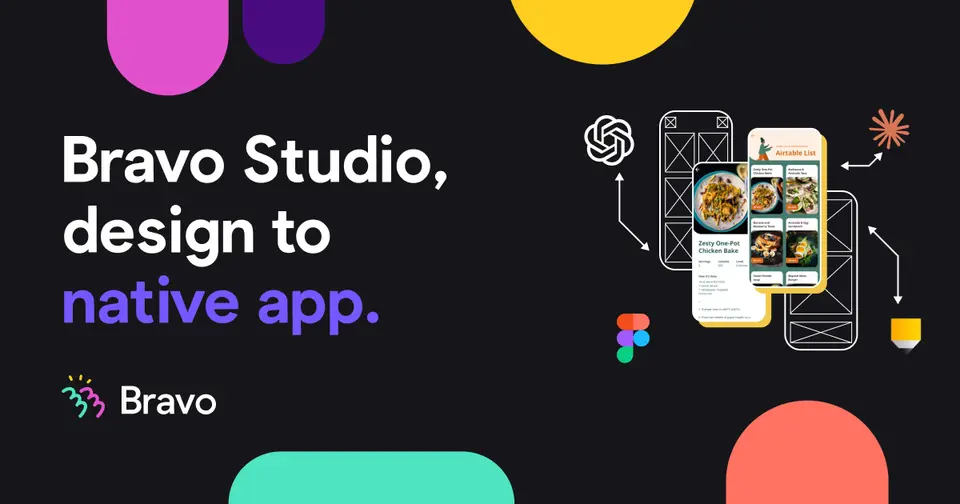
Bravo Studio turns design files into native iOS and Android apps, either in its no-code visual builder or through Bravo MCP, a beta that builds from inside Claude, Cursor or ChatGPT and produces React Native code you own. A paid concierge service, Bravo To Go, builds the app for you.
Worth knowing
- The free Starter plan has no App Store builds; the store builds start on Solo.
- Studio apps are capped at 30 screens on Solo, while the MCP route has no screen limit.
- Several Studio features, such as Stripe payments and push notifications, are listed as coming to Bravo MCP.
- The pricing page shows an annual option and a USD selector, but only monthly prices could be read.
Key features
- Design to native app
- Designs become native iOS and Android apps, which can be previewed on a phone and built for the App Store and Google Play on Solo.
- Bravo MCP (beta)
- Build from inside Claude, Cursor or ChatGPT on your existing AI subscription, with no screen limit and React Native code you own. It is on every plan.
- Integrations in Studio
- Solo unlocks every integration, including Stripe, OAuth and Firebase; the free Starter plan has basic API connections only.
- Import from other tools
- Bravo MCP can import from Lovable, Pencil, Figma or Bravo Studio and ship the result as a native app.
- Bravo To Go
- A done-for-you service that converts a design into an app or website, delivered with source code and a 48-hour revision turnaround.
Bravo Studio pricing
As of Nov 13, 2026, Bravo Studio has a free plan, and paid plans start at $22 per month, billed monthly.
- Starts at
- $22 per month, billed monthly
- Free plan
- Starter plan: free forever, with phone preview and basic API connections but no App Store builds.
- Free trial
- Free trial of Solo features for a limited period, no credit card required
| Plan | Price | What you get |
|---|---|---|
| Starter | $0 | Test designs in a real Bravo app on your phone; basic API connections and no App Store builds. |
| Solo | $22per month, billed monthly | Up to 30 screens per app, unlimited native app builds, every integration including Stripe, OAuth and Firebase. |
| Bravo To Go | $999per app or website, one-time | Concierge build by the Bravo team with source code you own, launched to the stores or the web. |
Read from bravostudio.app on Nov 13, 2026. Prices change, so confirm with Bravo Studio before you buy.
Works with
Bravo Studio alternatives
- Bravo Studio vs FlutterFlow
Free plan · from $29/mo
- Bravo Studio vs Adalo
Free plan · from $65/mo
- Bravo Studio vs Glide
Free trial · from $25/mo
- Bravo Studio vs Thunkable
Free plan · from $18/mo
- Bravo Studio vs Draftbit
Free plan · from $12/mo





Common questions
Does Bravo Studio have an Android app?
No Android app was listed when its pages were read on Nov 13, 2026. Bravo Studio is listed for Web.
Does Bravo Studio have an iPhone app?
No iPhone app was listed when its pages were read on Nov 13, 2026. Bravo Studio is listed for Web.
Is Bravo Studio open source?
Bravo Studio is not described as open source on its own site, as read on Nov 13, 2026.
Sources for this page
The prices, plans, platforms and features above were read from these pages on Nov 13, 2026.