
ClassPoint review (2026): is the free plan enough?
PowerPoint add-in for quizzes, polls and classroom engagement
Black Friday: is there a ClassPoint sale?
ClassPoint report card
Weak · out of 4.0 · graded Nov 13, 2026
Best for quizzes and polls inside PowerPoint
ClassPoint adds quizzes, polls and gamification to Microsoft PowerPoint, free for 25 students and 3 classes and $96 a year for Pro. It works with the Windows version of PowerPoint, and live Q&A is on the custom plan only.
Who ClassPoint is for
- Fits if you teach with PowerPoint on Windows and want live quizzes
- Works for trainers who want polls in a slideshow
Who ClassPoint is not for
- Skip it if you use PowerPoint on a Mac, as the vendor says it works with the Windows version
- Tight if you teach big classes: Basic caps at 25 students, Pro at 200
- Watch out: live Q&A, grouping and webhooks are on the custom Premium plan only
- Watch out: only an annual Pro price was shown
Why ClassPoint gets a 1.8
Five grades, each with its reason. The GPA is their average: an A is 4 points, an F is none.
- CValue for moneyPro is $8 a month billed annually ($96), a little above the $7.95 cheaper-quarter mark for presentation tools.
- CFree plan and trialBasic is free for 25 students a class, 3 classes, 5 activity types and 5 activities per presentation, which a teacher will hit.
- DFeaturesIt is an add-in that needs PowerPoint to be useful: quizzes, gamification, AI quiz maker and reports, but it builds no slides itself.
- CEase of useNo store rating on record. You install an add-in and connect classes before use.
- CPlatforms and integrationsA Windows PowerPoint add-in plus a web page for participants. No Mac or phone app is listed.
What these grades rest on. Graded from this listing, whose facts were read from ClassPoint's own pages on 13 November 2026. Not based on using the product, and shorter than our full reviews. How we review and grade.
Make ClassPoint? Put this grade on your site

Paste this where you want the badge. It links here and follows the grade if it changes. About badges
<a href="https://toolgpa.com/tools/classpoint#review"><img src="https://toolgpa.com/badge/classpoint.svg" alt="ClassPoint: 1.8 GPA on ToolGPA" width="196" height="56"></a>Where ClassPoint stands among presentation tools
ClassPoint's GPA of 1.8 is higher than 9 of the 89 other presentation tools we grade, and level with 10.
It stands best on value for money (C, above 22 of 89) and worst on features (D, above 0).
Its paid plans start at $8 a month, against a middle price of $10 for the category: 18 of the 63 others that charge start lower.
On features, ease of use and platforms it scores 1.7 out of 4. 20 tools score higher and cost less.
Each grade against the category
Every bar is all 90 presentation tools we grade, cut by the letter each got. ClassPoint’s own letter is outlined.
- CValue for moneyAbove 22 of 89, level with 39
- CFree plan and trialAbove 14 of 89, level with 48
- DFeaturesAbove 0 of 89, level with 7
- CEase of useAbove 6 of 89, level with 68
- CPlatforms and integrationsAbove 3 of 89, level with 42
Price against what you get
Each dot is one of 72 presentation tools. Further left costs less, and higher up scores better on features, ease of use and platforms. Point at a dot to see which tool it is.
Features, ease of use and platforms, averaged
What paid plans start at, a month (each step along is roughly double) →
- The best score at each price
- Has a free plan
- No free plan
Keep ClassPoint, or make your own?
Keep it
Nothing ClassPoint does is plain enough to make in a weekend. The 3 things listed below take a company.
That makes this kind of software worth paying for, not this one in particular: 70 of the 89 other presentation tools grade higher. It costs $96 a year.
What you could not
- A slide editor.
- A real app for Windows. Something home-made would be a web page.
- AI features, unless you pay a model provider for each request yourself.
What this rests on. ClassPoint’s listing: what it does, where it runs, what it plugs into and what it costs. It is a judgement about the kind of software this is. We have not built a replacement for it, and making your own means looking after it too. How we decide, and every tool’s verdict.
What is ClassPoint?
ClassPoint adds interactive quizzes, polls, gamification and annotation tools to Microsoft PowerPoint, so teachers and trainers can run activities during a slideshow. The vendor says it works with the Windows version of PowerPoint. Participants join from a browser.
Worth knowing
- The vendor says it works with the Windows version of Microsoft PowerPoint.
- Basic caps classes at 25 students and 5 activities per presentation.
- Live Q&A, grouping and webhooks are on the custom Premium plan only.
- Only an annual price was shown for Pro; a monthly-billed price was not.
Key features
- Interactive quiz types
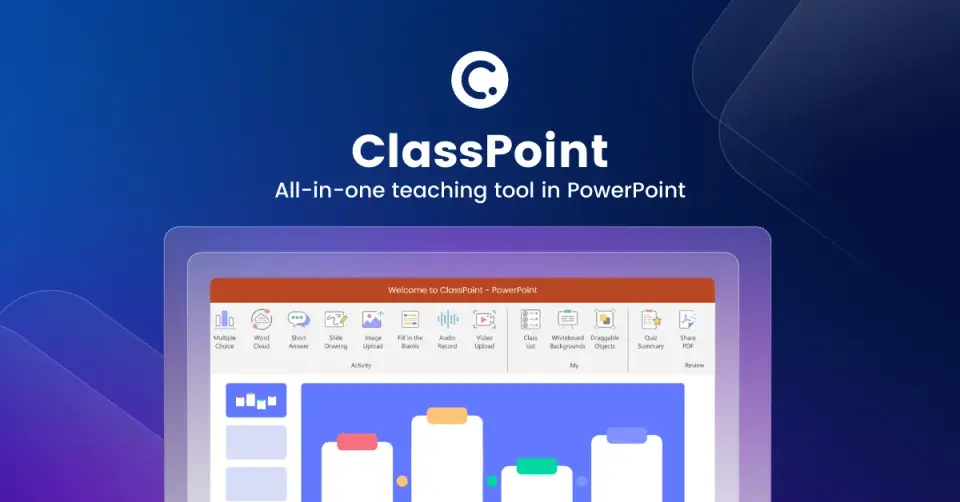
- Multiple choice, word cloud, short answer, slide drawing, image upload, fill in the blanks, audio and video upload.
- Gamification
- Award stars, levels, badges and leaderboards, available on every plan.
- AI quiz generator
- Generates quizzes from PowerPoint slides; the pricing page lists it as unlimited on all plans.
- Presentation tools
- Annotation, inking, timer, random name picker and draggable objects work in slideshow mode.
- Class reports
- Reports are kept for the lifetime of the account on every plan.
ClassPoint pricing
As of Nov 13, 2026, ClassPoint has a free plan, and paid plans start at $8 per month, billed annually ($96).
- Starts at
- $8 per month, billed annually ($96)
- Free plan
- Basic plan: 25 students per class, up to 3 classes, 5 activity types and 5 activities per presentation.
- Free trial
- None listed
| Plan | Price | What you get |
|---|---|---|
| Basic | $0 | 25 students per class, 3 saved classes, 5 activity types and 5 activities per presentation. |
| Pro | $8per month, billed annually ($96) | 200 students per class, unlimited classes, all 8 activity types, quiz mode and AI Insights. |
| Premium | Custom | 500 students per class, live Q&A, grouping, webhook access, custom branding and SOC 2 report. |
Read from classpoint.io on Nov 13, 2026. Prices change, so confirm with ClassPoint before you buy.
Works with
ClassPoint alternatives
- ClassPoint vs Mentimeter
Free plan · from €14/mo
- ClassPoint vs AhaSlides
Free plan · from $7.95/mo
- ClassPoint vs Pear Deck
Free plan · from $149/yr
- ClassPoint vs Nearpod
Free plan · from $159/yr
- ClassPoint vs Poll Everywhere
Free plan · from $10/mo





Common questions
Does ClassPoint have an Android app?
No Android app was listed when its pages were read on Nov 13, 2026. ClassPoint is listed for Windows and Web.
Does ClassPoint have an iPhone app?
No iPhone app was listed when its pages were read on Nov 13, 2026. ClassPoint is listed for Windows and Web.
Is ClassPoint open source?
ClassPoint is not described as open source on its own site, as read on Nov 13, 2026.
Sources for this page
The prices, plans, platforms and features above were read from these pages on Nov 13, 2026.