The Granola Insider’s Guide
Everything we know about Granola in one document: what it costs, its grades, getting a refund, getting help and what else to look at. Read it here, or keep a copy.
Granola
The Insider’s Guide
AI notepad that transcribes meetings from device audio, no bot
Every plan, grade, refund rule and rival among AI meeting note takers, read from Granola’s own pages.
Made by Granola, Inc. · checked Oct 10, 2026 · toolgpa.com
Contents
- 01WelcomeWhat it is, who it suits, its grades and the ten things to know first
- 02Insider tipsWhat most people miss: ways to pay less, settings worth changing and the catches
- 03What it costsEvery plan, the free plan, ways to pay less and how prices have moved
- 04What it doesIts main features, where it runs, what it works with and who makes it
- 05Where it standsIts grades against its category, and whether to keep it or make your own
- 06After you payGetting your money back, getting out, and getting help
- 07The alternativesThe tools it is most often weighed against, side by side
- 08Quick answersThe questions people ask about it, each answered in a line or two
- 09About ToolGPAWho made this guide, what else is on the site, and how to cite it
ToolGPA put this guide together from Granola’s own pages, its app-store listings and our grades. Every fact in it is on Granola’s page too, where it is kept up to date. Checked Oct 10, 2026.
Part 01 · Overview
Welcome
What it is, who it suits, its grades and the ten things to know first
3.0
GPA, above 38 of the 48 other AI meeting note takers we grade
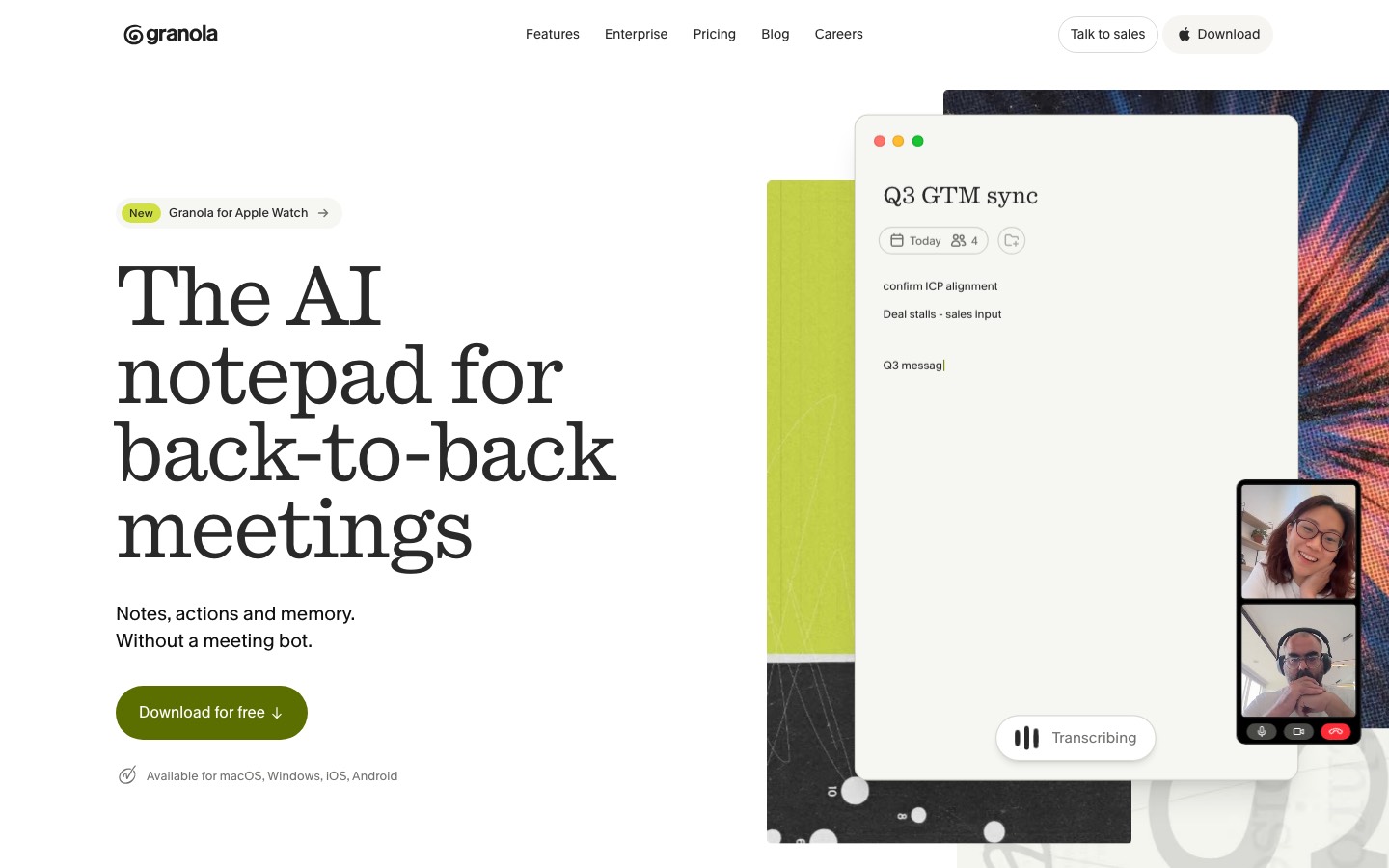
Granola is a meeting notepad that transcribes calls from the microphone and system audio of your own device, so no recording bot joins the meeting. You jot down as much or as little as you like and it writes up structured notes from the transcript, then lets you ask questions across past meetings. Desktop apps cover Mac and Windows, and the phone apps handle in-person conversations.
To get you started, here are 10 things to know about Granola, taken from its own pages and our grades.
Sign in with Google or Microsoft, connect your calendar, and it starts working.
- 1
Best for meeting notes without a bot in the call
If you want old notes for free or work in a browser, look elsewhere.
- 2
Paid plans start at $14 a month for each person
As its pricing page puts it: $14 per user / month, billed monthly.
- 3
There is a free plan
Basic plan: AI meeting notes with no daily transcription limit, chat, shared folders and templates. Only the last 30 days of notes are viewable in the app, and Slack is the only integration.
- 4
It runs on 4 platforms
macOS, Windows, iOS and Android.
- 5
Bot-free capture
Transcribes from your device's microphone and system audio, so it works with Zoom, Google Meet, Microsoft Teams or other call software without adding a participant to the meeting.
- 6
Notes built on what you type
Type rough notes during the call and Granola expands them into a full write-up using the transcript. Custom templates control the structure of the result.
- 7
Chat across meetings
Ask questions about one meeting or your whole history, such as what you agreed to do this week. Basic uses automatic model choice; paid plans let you pick the model.
- 8
Refunds: none stated
Leaving Granola is simple. You cancel in the billing portal whenever you like, keep the plan to the end of the cycle and land on the free Basic plan with your notes still stored.
- 9
A 3.0 GPA, above 38 of 48
That is against the other AI meeting note takers we grade, on value, the free plan, features, ease of use and platforms.
- 10
Keep it
To replace Granola you would be making a bot that joins your calls and turns the talk into notes. That is not a weekend's work, with an AI app builder or without one.
Granola at a glance
- Pricing
- Free plan, from $14 per user / month, billed monthly
- Free plan
- Yes
- Free trial
- None stated
- Runs on
- macOS, Windows, iOS, Android
- Made by
- Granola, Inc.
- Category
- AI Meeting Notes
- Our grade
- 3.0 GPA, very good
- Store rating
- 5.0 on the App Store, 14,089 ratings
The report card
Best for meeting notes without a bot in the call
Granola is an AI note-taker that listens through your own laptop instead of sending a bot into the call, and builds notes from the few words you jot. The free plan only shows your last 30 days of notes, every hook-up but Slack needs the $14 Business plan, billing is monthly only, and there's no web app or Linux. If you want old notes for free or work in a browser, look elsewhere.
| Subject | Grade | Comment |
|---|---|---|
| Value for money | C | $14 a person a month, middling money in a category that starts near $10, and billed monthly only — there's no cheaper yearly price unless you're on an Enterprise contract, and those start at $35 a head. |
| Free plan and trial | B | No daily limit on transcription, plus chat across meetings, shared folders and templates. The wall is time: only the last 30 days of notes are viewable, and Slack is the only integration. |
| Features | B | No bot in the call, notes built out of the few words you typed, chat across your whole history, shared folders, and an MCP hook so Claude or ChatGPT can read your notes. The app hook-ups and the API wait for Business. |
| Ease of use | A | 4.96 from about 14,000 App Store ratings, the highest score in this category. Sign in with Google or Microsoft, connect your calendar, and it starts working. |
| Platforms and integrations | B | Mac, Windows, iPhone, Android and an Apple Watch app, with Slack on every plan and Notion, HubSpot, Attio, Affinity and Zapier from Business. No web app, no Linux, and the Mac app needs macOS 14 or later. |
An A is worth 4 points, a B 3, a C 2, a D 1 and an F nothing. The GPA is the average of the five.
Who Granola is for
- Fits if you don't want a bot showing up in your meetings
- Works for people in back-to-back calls on Zoom, Meet and Teams who jot their own points
Who it is not for
- Skip it if you want to look back at old notes without paying, since the free plan only shows the last 30 days
- Not for you if you want it in a browser or on Linux, since there's no web app, extension or Linux app
- Pricey if you need Notion, HubSpot or Zapier, which start on Business at $14, or SSO and Salesforce at $35 a head
- Watch out: billing is monthly only below Enterprise, and you must sign in with a Google or Microsoft account
- Not for you if your Mac can't run macOS 14, or if you need to edit the raw notes yourself
Good to know
Good for
- People who do not want a recording bot visible in their calls
- Note-takers who like to type their own points and have them filled out afterwards
- Back-to-back meeting schedules across Zoom, Google Meet and Teams
Worth knowing
- The free Basic plan shows only the last 30 days of notes; older notes need a Business subscription to view.
- Notion, HubSpot, Attio, Affinity and Zapier integrations start on Business; Salesforce, SSO and SCIM are Enterprise only.
- Basic and Business are billed monthly only; annual billing is offered on Enterprise contracts.
- There is no web app or browser extension, and the Mac app needs macOS 14 or later.
Part 02 · Tips
Insider tips
What most people miss: ways to pay less, settings worth changing and the catches
7
Things most people miss, each from its own help pages
The things about Granola that are easy to miss until they cost you: ways to pay less, settings worth changing and the catches at renewal or when you leave. Each one is from Granola’s own pages, linked beside it.
Read on Oct 17, 2026. Read from Granola's help centre (subscriptions and billing, model training, sharing controls, AI-enhanced notes and transcription) on 17 October 2026. Not tried out: these tips are what its own pages say.
- 1
Pay less
Want Business just for you? Upgrade a personal workspace
Granola bills per workspace, not per person, and one workspace can't mix plans, so upgrading your company's means paying for everyone in it. Its billing page says to make a personal workspace and upgrade only that. Notes don't cross between workspaces, though.
docs.granola.ai - 2
Pay less
Add your VAT number before you pay, not after
VAT is worked out from your billing address, and a valid VAT registration takes it off future invoices. Add it under Billing information in the Stripe portal. Granola says it can't give back VAT or GST that's already been charged.
docs.granola.ai - 3
Privacy
Your notes can help train models unless you switch it off
Granola says that by default it may use anonymised data to improve its services. Turn off "Use my data to improve models for everyone" in Settings, Preferences. It covers the whole account, but the Android app doesn't have the switch yet, so use desktop or iPhone.
docs.granola.ai - 4
Setting
Set who can open your share links before you send any
In Settings, Preferences, Data & sharing, pick a default: Anyone with the link, Only my company or Private. Going stricter asks if you want to update all your existing notes too. People you've already shared with keep their access either way.
docs.granola.ai - 5
Shortcut
Cmd+J opens chat on the meeting you're looking at
Press Cmd+J on a Mac or Ctrl+J on Windows to open Granola Chat. Ask for a quote, a summary of one part, or an edit like "make the next steps section more detailed".
docs.granola.ai - 6
Easy to miss
Check where a line came from, and fix your own notes
Click the magnifying glass beside any line of the write-up to see if it came from the transcript or from what you typed. Your raw notes sit behind the three horizontal lines: edit them and regenerate, or pick another template from the sparkle button.
docs.granola.ai - 7
Renewal
Removing the teammate who pays doesn't take their card off
Seats change with proration as people join or leave, and invites don't count until they're accepted. But its billing page warns that if a removed person's card is on file, it will continue to be charged. Swap the card in the Stripe portal first.
docs.granola.ai
Part 03 · Pricing
What it costs
Every plan, the free plan, ways to pay less and how prices have moved
$14
A month to start, for each person. There is a free plan too
Granola has a free plan. Paid plans start at $14 per user / month, billed monthly.
No daily limit on transcription, plus chat across meetings, shared folders and templates.
Basic
$0
AI meeting notes, chat across meetings, shared folders and note templates, with 30 days of meeting history.
Business
$14
per user / month, billed monthly
Unlimited history, model selection in chat, pre-meeting briefs, API access and integrations such as Notion, HubSpot and Zapier.
Enterprise
$35
per user / month, monthly or annual contract
Starting price. Adds SSO, SCIM, workspace-wide admin policies, usage analytics, HIPAA-compliant workspaces and Salesforce.
The free plan
Basic plan: AI meeting notes with no daily transcription limit, chat, shared folders and templates. Only the last 30 days of notes are viewable in the app, and Slack is the only integration.
Read from granola.ai on Oct 10, 2026.
Ways to pay less
Startups
1 year of Business free for startups
Granola's startup program gives accepted companies 12 months of the Business plan at no cost. It is open to startups with fewer than 30 employees that have raised a pre-seed or seed round.
Stated on granola.aiEducation
12 months free for students
Currently enrolled students at accredited universities in the US, UK and Canada can apply for 12 months of Granola Business free.
Stated on granola.aiNonprofit
50% off Business for nonprofits
Registered nonprofits get 50% off the Business plan after verifying their status through Goodstack. Approval is at Granola's discretion.
Stated on granola.ai
How its prices have moved
- Sep 25, 2026Basic: 14 days of meeting history → 30 days of meeting historyThe archived copy of 25 September 2026 is the first whose plan comparison puts Basic's meeting history at 30 days; the copy of 8 October 2025 says 14 days, and the copies in between say only that history is limited.
- Oct 8, 2025Individual: withdrawn (was $18 per month)The archived copy of 8 October 2025 no longer lists the Individual plan; the copy before it, of 3 September 2025, shows it at $18 per month beside Business at $14 per user. The plan was withdrawn between the two.
- Oct 8, 2025Free plan: Free trial of 25 meetings → Basic plan at $0 with 14 days of meeting historyThe archived copy of 8 October 2025 shows a Basic plan at $0 with 14 days of meeting history; the copy before it, of 3 September 2025, shows only a free trial of 25 meetings. The free plan arrived between the two.
Part 04 · Features
What it does
Its main features, where it runs, what it works with and who makes it
4
Places it runs: macOS, Windows, iOS and Android
AI notepad that transcribes meetings from device audio, no bot. Here is what it does, as its own site describes it, and what it covers: public API, AI features, meeting notes, transcription, chat assistant, templates.
The app hook-ups and the API wait for Business.
- Bot-free capture
- Transcribes from your device's microphone and system audio, so it works with Zoom, Google Meet, Microsoft Teams or other call software without adding a participant to the meeting.
- Notes built on what you type
- Type rough notes during the call and Granola expands them into a full write-up using the transcript. Custom templates control the structure of the result.
- Chat across meetings
- Ask questions about one meeting or your whole history, such as what you agreed to do this week. Basic uses automatic model choice; paid plans let you pick the model.
- Shared folders
- Notes are private until you share them. Shared folders give a team a common place for meeting notes and are included on every plan.
- MCP and API access
- An MCP connection lets assistants such as Claude and ChatGPT read your meeting notes. Basic exposes personal notes from the last 30 days; API access starts on Business.
- Phone apps for in-person meetings
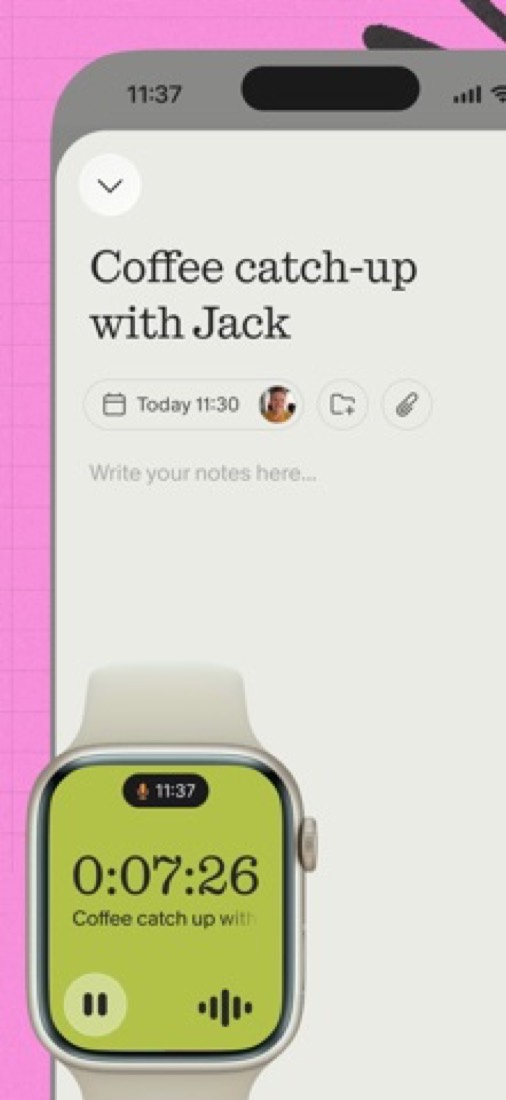
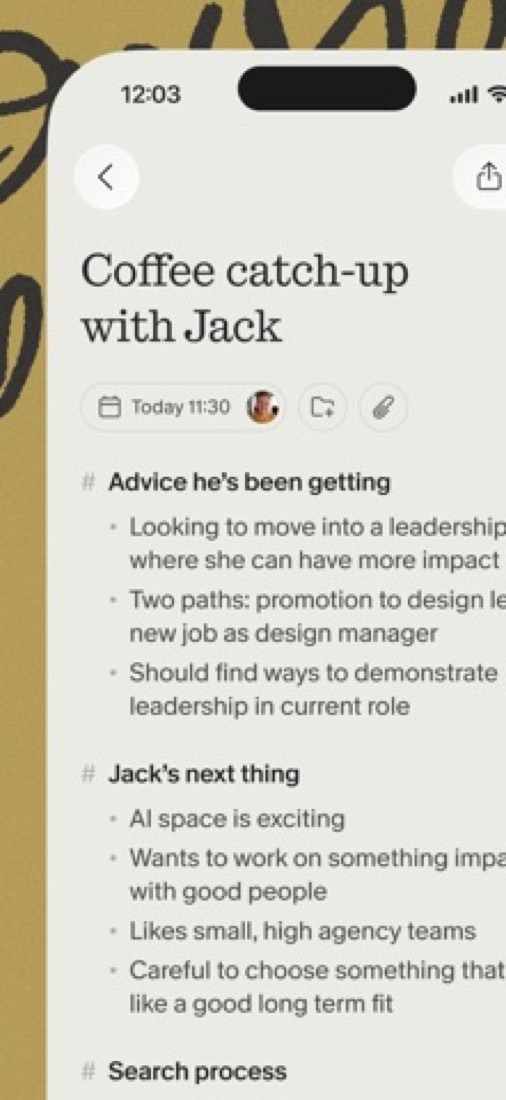
- The iPhone and Android apps take notes away from the desk, for walking meetings, conferences or coffee catch-ups, and there is an Apple Watch app.
Where it runs
- macOS
- Windows
- iOS
- Android
What it works with
- Slack
- Notion
- HubSpot
- Attio
- Affinity
- Zapier
- Salesforce
- Claude
Who makes Granola
Granola is made by Granola, Inc., a venture-backed company based in London with an office in San Francisco. It earns money from subscriptions to the Business and Enterprise plans of its AI meeting notepad, which also has a free plan.
- Founded
- 2023thenextweb.com
- Based
- London, with an office in San Franciscogranola.ai
- Ownership
- Privately held. Privately held and venture-backed: its own funding announcements name Index Ventures, Kleiner Perkins, Lightspeed, Spark and NFDG as investors, and its pages name no parent company.granola.ai
- Funding
- Raised a $125 million Series C at a $1.5 billion valuation in March 2026, led by Index Ventures with Kleiner Perkins taking part, according to its own announcement. Earlier: a $43 million Series B led by NFDG in May 2025 and a $20 million Series A led by Spark Capital in October 2024. The Next Web put the total at $192 million.granola.aigranola.aigranola.aithenextweb.com
- Founders and leaders
- Chris Pedregal, Co-founder and CEOgranola.ai
- Sam Stephenson, Co-founder, designgranola.ai
- Hiring
- 21 open roles: 9 in engineering, 7 in sales and customer success, 2 in operations, and 1 each in design, marketing and tech operations, in London and San Franciscogranola.ai
- Affiliate program
- $20 for every referred user who completes a valid meeting, and the referred user gets the first month of a paid plan free. Run through Dub; applications are reviewed.partners.dub.co
- Lately
- More languages are here! · Sep 2, 2026
- Granola for Apple Watch · Jul 28, 2026
- Granola for Android is here! · Jul 1, 2026
- New: Briefs prepare you for your next meeting as you join · May 20, 2026
Read on Oct 18, 2026 from the company’s own pages and from news reports. What is not stated there is left out.
Part 05 · Standing
Where it stands
Its grades against its category, and whether to keep it or make your own
38/48
Other AI meeting note takers it is graded above
Granola's GPA of 3.0 is higher than 38 of the 48 other AI meeting note takers we grade, and level with 7.
It stands best on ease of use (A, above 40 of 48) and worst on value for money (C, above 13).
Its paid plans start at $14 a month for each person, against a middle price of $10 for the category: 31 of the 47 others that charge start lower.
On features, ease of use and platforms it scores 3.3 out of 4. 6 tools score higher and cost less.
Each grade against the category
Every bar is all 49 AI meeting note takers we grade, cut by the letter each got. Granola’s own letter is outlined.
- CValue for moneyAbove 13 of 48
- BFree plan and trialAbove 41 of 48
- BFeaturesAbove 10 of 48
- AEase of useAbove 40 of 48
- BPlatforms and integrationsAbove 6 of 48
Price against what you get
Each dot is one of 48 AI meeting note takers. Further left costs less; higher up scores better on features, ease of use and platforms. Granola is the marked dot.
What paid plans start at, a month (each step along is roughly double) →
Keep it, or make your own?
Whether this is something you could build for yourself with an AI app builder, and what you would give up.
Keep it
To replace Granola you would be making a bot that joins your calls and turns the talk into notes. That is not a weekend's work, with an AI app builder or without one.
It is one of the better ones too: its GPA of 3.0 is higher than 38 of the 48 other AI meeting note takers we grade. It costs $168 a year.
What you could make
- Templates: an app builder makes this well.
What you could not
- A bot that joins your calls and turns the talk into notes.
- An AI model, which you can rent by the request but not make.
- Speech turned into text you can trust.
- Apps for macOS, Windows, iOS and Android that stay in step with each other.
- It is priced for each person, which means accounts and billing for a team.
- It plugs into other products, Slack, Notion and HubSpot among them, and has an API.
- Hooks into the device itself: an Apple Watch app.
- The depth: we grade its features B, which means it covers the whole job.
What this rests on. Granola’s listing: what it does, where it runs, what it plugs into and what it costs. It is a judgement about the kind of software this is. We have not built a replacement for it, and making your own means looking after it too. How we decide, and every tool’s verdict.
Part 06 · Refunds
After you pay
Getting your money back, getting out, and getting help
What happens once you have paid: whether you can get your money back, how to leave, and how to reach a person when something goes wrong. Each is graded from Granola’s own terms and help pages.
Refunds and cancelling
Ordinary · checked Oct 12, 2026
Leaving Granola is simple. You cancel in the billing portal whenever you like, keep the plan to the end of the cycle and land on the free Basic plan with your notes still stored. What we can't tell you is whether money ever comes back: none of its help pages mention refunds, and its Platform Terms are published only as a PDF, which we did not read. Business is billed monthly, so a month is the most you'd be out. That adds up to an ordinary C.
- Refund window
- None stated
- How you cancel
- Yourself, in settings
- Getting your money back
Its pages do not say.
- How to cancel Granola
The help page says you can cancel at any time from Settings, under Billing, where Manage subscription opens Stripe's billing portal. It can also be done by logging in on the web, and if you have lost access to the account you write to Granola. In a team, the billing page says, a workspace admin usually manages billing.
- Click your workspace name in the bottom-left corner, select Settings and go to Billing
- Click Manage subscription to open Stripe's billing portal
- Select Cancel subscription in the portal
- What you keep afterwards
The subscription runs to the end of the current billing period, and the workspace then moves to the free Basic plan. On Basic only the last 30 days of notes show in the app: older notes are stored, not deleted, and come back if you upgrade. Integrations other than Slack stop working. A CSV of your full note history can be requested from Settings, under Profile.
Stated on docs.granola.ai- Renewals
The billing page says Basic and Business are billed monthly, and annual billing exists on Enterprise contracts only. It says a time-limited trial does not charge you by itself: you get an email before it ends and are moved to Basic unless you subscribe. The help pages say nothing about a reminder before a renewal or a refund after one.
Stated on docs.granola.ai
In your favour
- You cancel yourself, at any time, in the billing portal.
- You keep the paid plan until the end of the billing period.
- Your older notes are stored, not deleted, when you drop to Basic, and you can export the lot as a CSV.
- Business is billed monthly, so you're never locked into a year.
Watch out for
- No help page says anything about refunds, so don't assume you'll get one.
- On Basic you only see the last 30 days of notes in the app.
- Integrations other than Slack stop working once you're on Basic.
- In a team, only whoever manages billing can cancel.
Customer support
Ordinary · checked Oct 12, 2026
Granola's help centre is thorough, and there's an email address for anything it doesn't cover. That's the whole offer on Basic and Business. No hours, no reply time, no phone, and the pricing page calls the support level Standard until you reach Enterprise. It's where most tools sit, so a C.
Ways to get help
Email
The help pages give a support email address for plan changes, billing and anything the articles do not answer. No plan is named as a condition.
Stated on docs.granola.aiHelp inside the app
The mobile apps can reach the support team directly: Report a bug in the iOS app sends diagnostic logs with your message, and Contact us in the Android app opens an email with device details attached.
Stated on docs.granola.aiHelp centre
The Docs and Help Center has searchable articles on setup, notes, sharing, billing, security and troubleshooting, with an Ask AI widget, open to everyone.
Stated on docs.granola.ai
Not listed on Granola’s pages: live chat, phone.
- When people answer
Its pages do not say.
- How fast it says it replies
Its pages do not say.
- What depends on your plan
The pricing comparison gives the support level as Standard on Basic and Business and Dedicated on Enterprise, and the Enterprise card lists priority support.
Stated on granola.ai
In your favour
- There's a support email address, and no plan is needed to use it.
- The help centre is detailed, with separate pages for cancelling, billing and reading an invoice.
- The mobile apps can send a bug report with logs straight to support.
Watch out for
- No hours and no reply time are stated.
- No live chat with a person and no phone support are mentioned.
- Paying for Business gets the same Standard support level as the free plan.
- Dedicated and priority support are Enterprise only.
What these two grades rest on. Read on 12 October 2026: Granola's help pages on subscriptions and billing, cancelling, deleting an account, exporting notes and getting help, its User Terms and its pricing page. Its Platform Terms are published only as a PDF and were not read. Nobody here cancelled a plan or contacted its support. They are graded apart from the five that make the GPA. How we grade refunds and support.
Part 07 · Alternatives
The alternatives
The tools it is most often weighed against, side by side




Fathom, Jamie, Fireflies.ai, Otter.ai and Krisp
The 5 tools Granola is most often weighed against, with where each one differs from it.
- 2.8GPA
Fathom
Free plan · from $15/mo
AI notetaker for Zoom, Google Meet and Teams with a free plan.
- Only Granola lists an Android app.
- 2.4GPA
Jamie
Free plan · from €21/mo
- 3.2GPA
Fireflies.ai
Free plan · from $10/mo
Meeting notetaker that records, transcribes and summarizes calls.
- Only Fireflies.ai lists a web app.
- Only Fireflies.ai lists a browser extension.
- Granola also covers templates.
- 3.0GPA
Otter.ai
Free plan · from $8.33/mo
Live meeting transcription with summaries and AI chat.
- Only Otter.ai lists a web app.
- Only Otter.ai lists a browser extension.
- Granola also covers templates.
- 3.0GPA
Krisp
Free trial · from $8/mo
Noise cancellation and bot-free AI meeting notes in one app.
- Granola has a free plan. Krisp does not, though it has a free trial.
- Only Krisp lists a browser extension.
- Granola also covers templates.
Part 08 · Questions
Quick answers
The questions people ask about it, each answered in a line or two
19
Questions, each answered in a line or two
The short version of everything above, for when you only need the answer. Each one is told in full in its part of the guide.
Is Granola free?
Granola has a free plan. Basic plan: AI meeting notes with no daily transcription limit, chat, shared folders and templates.
How much does Granola cost?
Granola lists 3 plans. Basic: $0.
What platforms does Granola work on?
Granola is available on macOS, Windows, iOS and Android.
Does Granola offer any discounts?
Granola publicly lists the following: 1 year of Business free for startups; 12 months free for students; 50% off Business for nonprofits.
How is Granola rated?
Granola's iPhone and iPad app averages 5.0 out of 5 from 14,089 ratings on the App Store in the United States, as read on Oct 5, 2026.
Does Granola have a Linux app?
No Linux app was listed when its pages were read on Oct 10, 2026. Granola is listed for macOS, Windows, iOS and Android.
Is Granola open source?
Granola is not described as open source on its own site, as read on Oct 10, 2026.
Does Granola have an API?
Yes. Granola offers a public API, according to its own site.
What does Granola integrate with?
Granola's listing names Slack, Notion, HubSpot, Attio, Affinity, Zapier, Salesforce and Claude.
Does Granola have a student discount?
12 months free for students. Currently enrolled students at accredited universities in the US, UK and Canada can apply for 12 months of Granola Business free.
Who makes Granola?
Granola is made by a company of the same name. Privately held and venture-backed: its own funding announcements name Index Ventures, Kleiner Perkins, Lightspeed, Spark and NFDG as investors, and its pages name no parent company.
What are the alternatives to Granola?
The closest alternatives to Granola in our directory are Fathom, Jamie, Fireflies.ai, Otter.ai and Krisp.
Does Granola give refunds?
Granola's own pages state no refund policy, as read on Oct 12, 2026. Ask before you pay for a year.
How do I cancel Granola?
The help page says you can cancel at any time from Settings, under Billing, where Manage subscription opens Stripe's billing portal.
What happens to my data if I cancel Granola?
The subscription runs to the end of the current billing period, and the workspace then moves to the free Basic plan.
How do I contact Granola support?
Granola's pages list these ways to get help: email, help inside the app and help centre.
How does Granola compare with other AI meeting note takers?
Granola's GPA of 3.0 is higher than 38 of the 48 other AI meeting note takers we grade, and level with 7.
Is Granola good value for money?
ToolGPA grades Granola C for value for money. Its paid plans start at $14 a month for each person, against a middle price of $10 for the category: 31 of the 47 others that charge start lower.
Could I make my own version of Granola?
To replace Granola you would be making a bot that joins your calls and turns the talk into notes.
Where this guide comes from
The prices, plans, platforms and features were read from Granola’s own pages on Oct 10, 2026, and the grades were given on Oct 10, 2026. Based on Granola's home, pricing and help centre pages as of 8 October 2026, its App Store reviews and Hacker News threads about it. Also tested with a demo account on 2026-01-29.
Every tool we list gets five grades, A to F, each with its reason, and a GPA that averages them. How each is decided is at toolgpa.com/grades. This guide is ToolGPA’s own work; it is not made, paid for or approved by Granola, Inc. Prices change, so check granola.ai before you buy.
Part 09 · About
About ToolGPA
Who made this guide, what else is on the site, and how to cite it
3,189
Tools graded, in 94 categories
ToolGPA grades software the way a school report grades a pupil: five subjects, a letter for each with the reason written beside it, and a GPA that averages them. Prices, plans and platforms are read from each maker’s own pages and dated, so you always know how fresh a figure is.
Every grade, review and ranking on ToolGPA is our own judgement. No company can pay for a grade or change one. Every tool on the site has a guide like this one, free to download and pass on. It all lives at toolgpa.com.
3,189
tools graded
94
categories
426
price changes on record
579
apps priced in 12 countries
What else is on toolgpa.com
- Granola, kept up to dateEverything in this guide, with prices and grades as they are todaytoolgpa.com/tools/granola
- How grades are givenThe rules behind every letter and every GPAtoolgpa.com/grades
- Value chartsWhat each tool costs against what it scores, for every categorytoolgpa.com/charts
- CompareAny two tools side by side, plan by plantoolgpa.com/compare
- Price changesEvery price rise and cut on record, each with its sourcetoolgpa.com/price-changes
- Prices by countryWhat apps cost on the App Store in 12 countriestoolgpa.com/prices-by-country
- Pay lessEvery public discount: yearly billing, students, nonprofitstoolgpa.com/save
- Keep or makeWhich tools are worth paying for, and which you could build yourselftoolgpa.com/keep-or-make
Scan for the live page
Prices and grades as they are today
Quoting this guide?
Please name ToolGPA and link to the live page, so readers can check the figures for themselves:
ToolGPA, "Granola: The Insider's Guide", checked Oct 10, 2026. https://toolgpa.com/tools/granola
Know someone choosing between AI meeting note takers?
Send them this guide: toolgpa.com/tools/granola/guide
ToolGPA elsewhere: youtube.com/@toolgpa
See our other guides
The best-graded AI meeting note takers after Granola, each with an Insider's Guide of its own.
- AI Meeting Notes Insider's GuideEvery one of the 49 AI meeting note takers we grade, compared
- HyNote Insider's GuideAI note taker for meetings, audio, PDFs and videos3.4 GPA
- Wave AI Insider's GuideAI note taker and recorder for meetings, calls and lectures3.4 GPA
- Fireflies.ai Insider's GuideMeeting notetaker that records, transcribes and summarizes calls3.2 GPA

Choosing software? Every tool graded, every price dated.
Compare tools at toolgpa.com ›Everything in this guide is ToolGPA’s own summary of what Granola’s pages, its app-store listings and public reviews said on the dates shown. Grades are our judgement under the rules at toolgpa.com/grades. Every grade, review and ranking on ToolGPA is our own judgement. No company can pay for a grade or change one. Granola is a trademark of its owner, and this guide is not made, paid for or approved by Granola, Inc. Prices and plans change: check granola.ai before you buy.