The Notion Calendar Insider’s Guide
Everything we know about Notion Calendar in one document: what it costs, its grades, getting a refund, getting help and what else to look at. Read it here, or keep a copy.
Notion Calendar
The Insider’s Guide
Free calendar app that connects to Notion databases
Every plan, grade, refund rule and rival among calendar and scheduling apps, read from Notion Calendar’s own pages.
Made by Notion Labs, Inc. · checked Oct 4, 2026 · toolgpa.com
Contents
- 01WelcomeWhat it is, who it suits, its grades and the ten things to know first
- 02Insider tipsWhat most people miss: ways to pay less, settings worth changing and the catches
- 03What it costsEvery plan, the free plan, ways to pay less and how prices have moved
- 04What it doesIts main features, where it runs, what it works with and who makes it
- 05Where it standsIts grades against its category, and whether to keep it or make your own
- 06The alternativesThe tools it is most often weighed against, side by side
- 07Quick answersThe questions people ask about it, each answered in a line or two
- 08About ToolGPAWho made this guide, what else is on the site, and how to cite it
ToolGPA put this guide together from Notion Calendar’s own pages, its app-store listings and our grades. Every fact in it is on Notion Calendar’s page too, where it is kept up to date. Checked Oct 4, 2026.
Part 01 · Overview
Welcome
What it is, who it suits, its grades and the ten things to know first
3.6
GPA, above 74 of the 74 other calendar and scheduling apps we grade
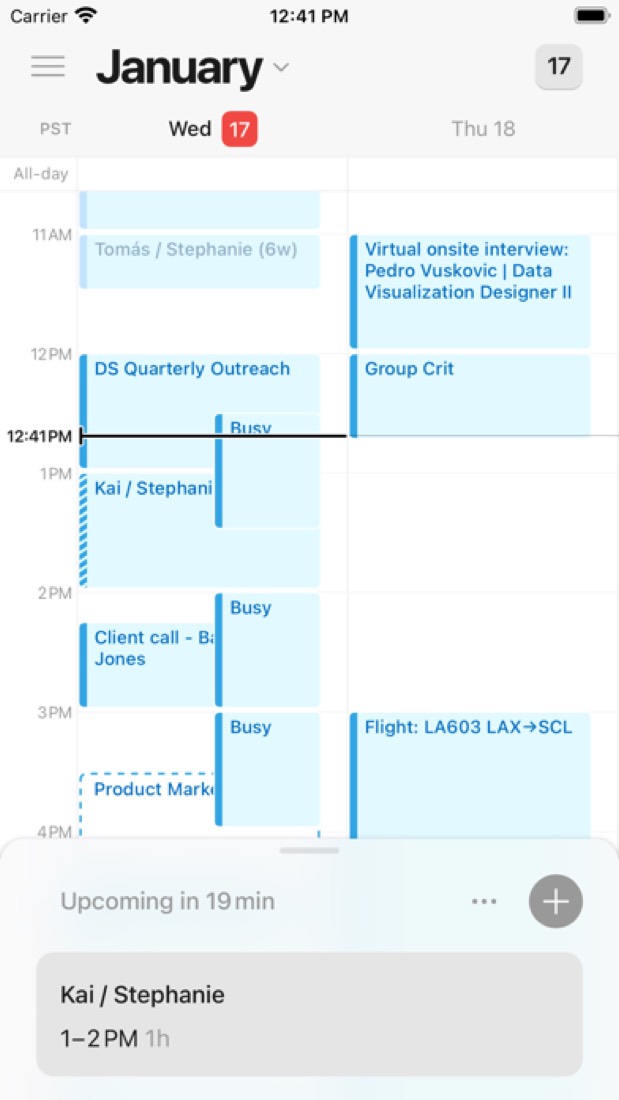
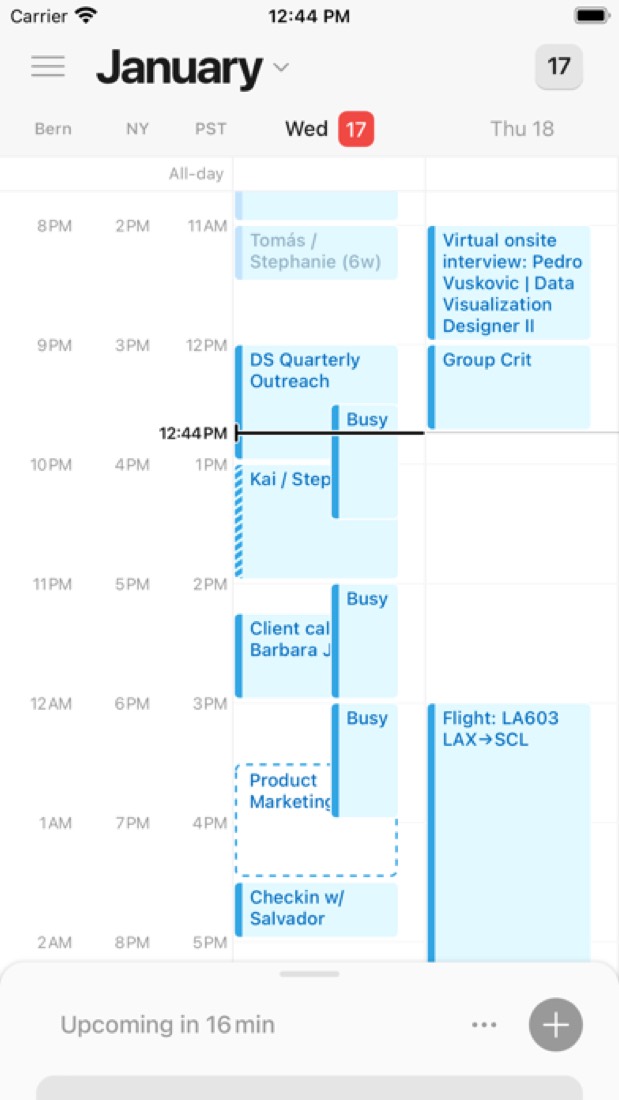
Notion Calendar is a free calendar app from Notion that shows Google Calendar, Apple iCloud and Microsoft Outlook calendars in one view. Dated items from connected Notion databases can appear next to events and be rescheduled by dragging them. It also includes availability sharing with scheduling links, a command menu and a multi-time-zone display.
To get you started, here are 8 things to know about Notion Calendar, taken from its own pages and our grades.
Connecting iCloud does mean making an app-specific password on Apple's site first.
- 1
Best for seeing Notion deadlines next to your meetings
If your phone is your main calendar, look elsewhere.
- 2
It is free
Notion Calendar has no paid plan at all. Notion Calendar is free to use and has no paid tier of its own. Notion's pricing page lists it under every Notion plan, including the Free plan.
- 3
It runs on 5 platforms
Web, macOS, Windows, iOS and Android.
- 4
Several calendar accounts in one view
Connects Google Calendar, Apple iCloud and Microsoft Outlook calendars and can automatically block busy slots across them.
- 5
Notion database items on the calendar
Dated items from connected Notion databases appear next to events. Dragging one to a new time updates the Notion database.
- 6
Availability and scheduling links
Mark open times on the calendar and send them to others, or share a scheduling link that lets people book time with you.
- 7
A 3.6 GPA, above 74 of 74
That is against the other calendar and scheduling apps we grade, on value, the free plan, features, ease of use and platforms.
- 8
Keep it
Notion Calendar is free, so making your own would save you nothing.
Notion Calendar at a glance
- Pricing
- Free
- Free plan
- Yes
- Free trial
- None stated
- Runs on
- Web, macOS, Windows, iOS, Android
- Made by
- Notion Labs, Inc.
- Category
- Calendar & Scheduling
- Our grade
- 3.6 GPA, excellent
- Store rating
- 4.7 on the App Store, 7,567 ratings
The report card
Best for seeing Notion deadlines next to your meetings
Notion Calendar is a free calendar app that puts Google, iCloud and Outlook calendars and dated Notion items on one grid, with nothing to upgrade to. The phone app shows 3 days at most, can't search and can't edit most events, Outlook isn't on the phone yet, and there's no travel time or Linux app. If your phone is your main calendar, look elsewhere.
| Subject | Grade | Comment |
|---|---|---|
| Value for money | A | Nothing to buy, in a category whose middle plan is $6 a month. Several accounts in one view, scheduling links and Notion databases are all free, where Fantastical keeps booking links for its $4.75 a month plan. |
| Free plan and trial | A | The whole app is free on every device, with no paid tier of its own and nothing to unlock later. You sign in with a Notion account, and Notion's own free plan covers it. |
| Features | C | On a computer there are scheduling links, time zones side by side, busy slots blocked across calendars and a shortcut for everything. Notion's own help pages list the gaps: the phone app shows 3 days at most, can't search or edit most events, there's no travel time, and Focus needs Google Workspace. |
| Ease of use | A | 4.7 from about 7,600 App Store ratings, the top band in this category. Connecting iCloud does mean making an app-specific password on Apple's site first. |
| Platforms and integrations | A | Web, Mac, Windows, iPhone and Android, reading Google, iCloud and Outlook calendars with Zoom, Meet and Teams links. No other app in this category lists more platforms. No Linux app, and Outlook calendars aren't on the phone apps yet. |
An A is worth 4 points, a B 3, a C 2, a D 1 and an F nothing. The GPA is the average of the five.
Who Notion Calendar is for
- Fits if your tasks live in Notion and your meetings in Google, and you want both on one grid
- Works for sending a booking link from a computer without paying for a scheduling app
Who it is not for
- Skip it if your phone is your main calendar: the app shows 3 days at most, can't search and can't edit most events
- Not for you if work is on Outlook and you check it on your phone, as Notion says that's still coming
- Watch out: Focus time and out-of-office events need a Google Workspace account, and there's no travel time at all
- Tight if you keep two Notion accounts, since only one can be linked to a Notion Calendar account
- Not for you if you want a Linux desktop app: it's the website or nothing there
Good to know
Good for
- Notion users who want database deadlines next to their meetings
- People who want a free calendar app with scheduling links
- Combining Google, iCloud and Outlook calendars in one view
Worth knowing
- The mobile apps show only 1 to 3 day views and cannot search events, edit most events or create Focus and out-of-office events.
- Notion's help center says mobile support for Microsoft Outlook calendars is still coming.
- Focus time and out-of-office events need a Google Workspace account, and travel time is not supported.
- Only one Notion account can be linked to a Notion Calendar account, and no Linux desktop app is listed.
Part 02 · Tips
Insider tips
What most people miss: ways to pay less, settings worth changing and the catches
6
Things most people miss, each from its own help pages
The things about Notion Calendar that are easy to miss until they cost you: ways to pay less, settings worth changing and the catches at renewal or when you leave. Each one is from Notion Calendar’s own pages, linked beside it.
Read on Oct 17, 2026. Read from Notion's help centre on Notion Calendar (time zones, getting started, keyboard shortcuts, settings, managing events and scheduling links) on 17 October 2026. Not tried out: these tips are what its own pages say.
- 1
Shortcut
Press Z to plan from another time zone for a while
Off on a trip, or setting up a call in Tokyo? Z travels to a new time zone, which becomes your main one for now. Right-click it if you want to keep it. And Cmd+K (Ctrl+K on Windows) then typing time zone brings up every time zone option.
notion.com - 2
Shortcut
N and B hop between events, J and K by the week
N jumps to your next event and B goes back one. J and K move forward and back a week or a month, depending on your view, and T brings you back to today. Press ? for the full list, which you can search.
notion.com - 3
Setting
Set a join-meeting shortcut that works from any app
Some shortcuts work even when Notion Calendar is in the background, like joining a meeting or showing the menu bar calendar. Change them under Settings, Menu bar, System-wide keyboard shortcuts by picking one and pressing your own keys.
notion.com - 4
Setting
Taking a calendar out of the menu bar also mutes its meeting alerts
On a computer, right-clicking a calendar in the sidebar and turning off Events included in menu bar hides it from the menu bar. Notion's help page says it also turns off meeting notifications for that calendar, so don't do it to your work one by mistake.
notion.com - 5
Easy to miss
Shift-click several events to move or recolour them together
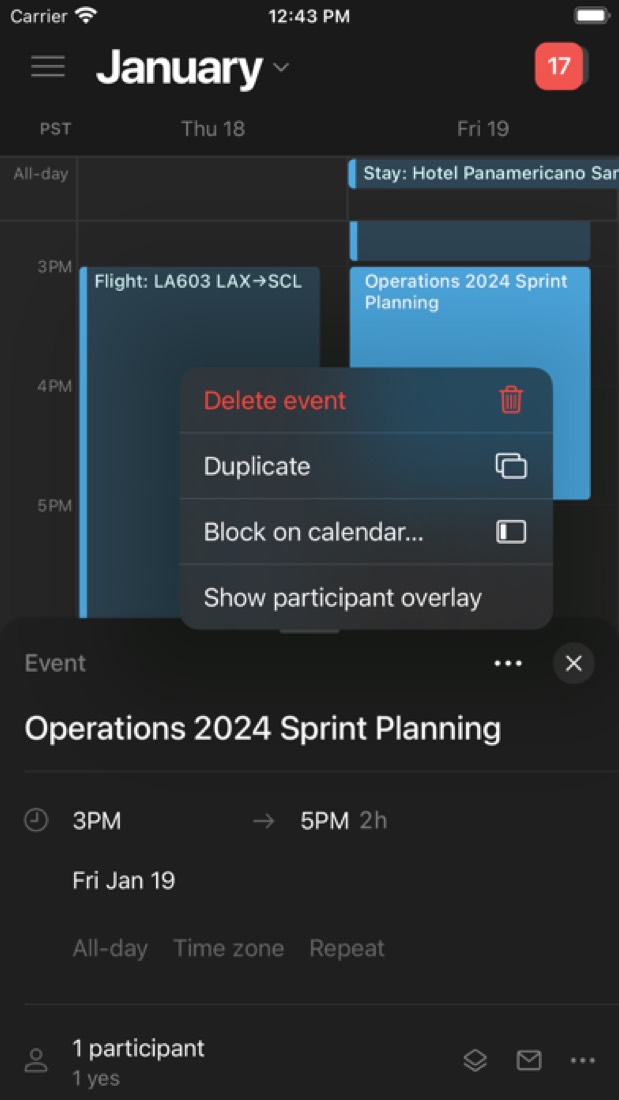
Hold Shift and select a few events, then drag them to a new time together, or right-click to change their colour or block them on another calendar. Type birthday in an event's name and it becomes a yearly, all-day birthday too.
notion.com - 6
Setting
Turn on Avoid conflicts before you send a scheduling link
With Avoid conflicts on, your link drops times that clash with new events as they land on your calendar. Each link can also have an expiry date and a booking window with a minimum and maximum, so nobody grabs a slot in an hour or six months out.
notion.com
Part 03 · Pricing
What it costs
Every plan, the free plan, ways to pay less and how prices have moved
Free
No paid plan at all
Notion Calendar is free to use.
The whole app is free on every device, with no paid tier of its own and nothing to unlock later.
Free
$0
The full calendar app on web, desktop and mobile, with scheduling links and Notion database calendars.
The free plan
Notion Calendar is free to use and has no paid tier of its own. Notion's pricing page lists it under every Notion plan, including the Free plan.
Read from notion.com on Oct 4, 2026.
Part 04 · Features
What it does
Its main features, where it runs, what it works with and who makes it
5
Places it runs: Web, macOS, Windows, iOS and Android
Free calendar app that connects to Notion databases. Here is what it does, as its own site describes it, and what it covers: keyboard-first, calendar, booking links.
On a computer there are scheduling links, time zones side by side, busy slots blocked across calendars and a shortcut for everything.
- Several calendar accounts in one view
- Connects Google Calendar, Apple iCloud and Microsoft Outlook calendars and can automatically block busy slots across them.
- Notion database items on the calendar
- Dated items from connected Notion databases appear next to events. Dragging one to a new time updates the Notion database.
- Availability and scheduling links
- Mark open times on the calendar and send them to others, or share a scheduling link that lets people book time with you.
- Command menu and shortcuts
- A command menu and keyboard shortcuts cover common actions; pressing ? in the app lists every shortcut.
- Time zone display
- Shows the day across several time zones, which helps when planning meetings with people in other regions.
- Conferencing links
- Creates Zoom meetings from an event, offers Google Meet by default on Google calendars and Microsoft Teams on Outlook calendars.
Where it runs
- Web
- macOS
- Windows
- iOS
- Android
What it works with
- Notion
- Google Calendar
- Apple iCloud
- Microsoft Outlook
- Zoom
- Google Meet
- Microsoft Teams
Who makes Notion Calendar
Notion Calendar is made by Notion Labs, Inc., the San Francisco company behind the Notion workspace. The calendar app has no paid tier of its own; Notion earns money from paid Plus, Business and Enterprise plans for its workspace and AI features.
- Founded
- 2013notion.com
- Based
- San Francisco, with offices around the worldnotion.com
- Ownership
- Privately held. Privately held and venture-backed. Its own post of January 2026 names Sequoia Capital and Index Ventures as returning investors and GIC as a new one, and no parent company is named.notion.com
- Funding
- $50 million led by Index Ventures in April 2020, after which the company told TechCrunch it had raised $67 million in all, then $275 million led by Sequoia Capital and Coatue in October 2021. CNBC says it has raised no outside capital since. Its 2022 and 2026 share sales were tender offers to employees, not money for the company.cnbc.comsiliconangle.comtechcrunch.comnotion.com
- Founders and leaders
- Ivan Zhao, CEO & Foundernotion.com
- Simon Last, Co-foundernotion.com
- Akshay Kothari, Co-foundernotion.com
- Rama Katkar, CFOnotion.com
- Hiring
- 128 open roles across the whole company, the most in sales (44), people (16), engineering (14) and outcomes architecture (14)jobs.ashbyhq.com
- Affiliate program
- Up to $50 per activated sign-up plus 20% of first-year revenue for each referral, tracked through PartnerStack, for workspaces that upgrade within 180 days. The page says the program is not accepting new affiliates.notion.com
- Lately
- New calendar tools for your agent · Jul 16, 2026
- Notion 3.6: External Agents, HTML blocks, and more · Jul 1, 2026
- Mail & Calendar, now in your settings · Apr 17, 2026
- Notion 3.2: Mobile AI, new models, people directory · Jan 20, 2026
Read on Oct 18, 2026 from the company’s own pages and from news reports. What is not stated there is left out.
Part 05 · Standing
Where it stands
Its grades against its category, and whether to keep it or make your own
74/74
Other calendar and scheduling apps it is graded above
Notion Calendar's GPA of 3.6 is higher than 74 of the 74 other calendar and scheduling apps we grade.
It stands best on platforms and integrations (A, above 71 of 74) and worst on features (C, above 3).
Notion Calendar has no paid plan.
On features, ease of use and platforms it scores 3.3 out of 4, and no tool on the category's chart scores higher without costing more.
Each grade against the category
Every bar is all 75 calendar and scheduling apps we grade, cut by the letter each got. Notion Calendar’s own letter is outlined.
- AValue for moneyAbove 45 of 74
- AFree plan and trialAbove 56 of 74
- CFeaturesAbove 3 of 74
- AEase of useAbove 62 of 74
- APlatforms and integrationsAbove 71 of 74
Price against what you get
Each dot is one of 67 calendar and scheduling apps. Further left costs less; higher up scores better on features, ease of use and platforms. Notion Calendar is the marked dot.
What paid plans start at, a month (each step along is roughly double) →
Keep it, or make your own?
Whether this is something you could build for yourself with an AI app builder, and what you would give up.
Keep it
Notion Calendar is free, so making your own would save you nothing.
And it is not the kind of software a weekend replaces. It is one of the better ones too: its GPA of 3.6 is higher than 74 of the 74 other calendar and scheduling apps we grade.
What you could make
- Calendar: an app builder makes this well.
What you could not
- Booking pages that read and write other people's calendars and send the emails.
- Apps for macOS, Windows, iOS and Android that stay in step with each other.
- It plugs into other products, Notion, Google Calendar and Apple iCloud among them.
- Sharing with other people, which means accounts and invitations.
What this rests on. Notion Calendar’s listing: what it does, where it runs, what it plugs into and what it costs. It is a judgement about the kind of software this is. We have not built a replacement for it, and making your own means looking after it too. How we decide, and every tool’s verdict.
Part 06 · Alternatives
The alternatives
The tools it is most often weighed against, side by side





Google Calendar, Fantastical, Vimcal, Amie and Morgen
The 5 tools Notion Calendar is most often weighed against, with where each one differs from it.
- 3.4GPA
Google Calendar
Free plan · from $7/mo
Online calendar from Google, free with a personal account.
- Only Notion Calendar lists macOS and Windows apps.
- Google Calendar also covers tasks.
- 2.4GPA
Fantastical
Free plan · from $4.75/mo
Calendar and tasks app for Apple devices, Windows and Googlebook.
- Only Notion Calendar lists a web app.
- Only Notion Calendar lists an Android app.
- Fantastical also covers templates, tasks and natural-language input.
- 2.4GPA
Vimcal
Free plan · from $25/mo
Fast calendar for people with heavy meeting schedules.
- Only Notion Calendar lists an Android app.
- Vimcal also covers Pomodoro timer.
- 2.2GPA
Amie
Free trial · from $20/mo
AI meeting notes combined with a calendar and todo list.
- Notion Calendar has a free plan. Amie does not, though it has a free trial.
- Only Notion Calendar lists a web app.
- Only Notion Calendar lists an Android app.
- 2.4GPA
Morgen
Free trial · from $15/mo
Calendar and daily planner with AI-suggested time blocking.
- Notion Calendar has a free plan. Morgen does not, though it has a free trial.
- Only Morgen lists a Linux app.
- Morgen also covers tasks, time blocking and auto-scheduling.
Part 07 · Questions
Quick answers
The questions people ask about it, each answered in a line or two
12
Questions, each answered in a line or two
The short version of everything above, for when you only need the answer. Each one is told in full in its part of the guide.
Is Notion Calendar free?
Yes. Notion Calendar is free to use.
How much does Notion Calendar cost?
Notion Calendar lists one plan. Free: $0.
What platforms does Notion Calendar work on?
Notion Calendar is available on Web, macOS, Windows, iOS and Android.
How is Notion Calendar rated?
Notion Calendar's iPhone and iPad app averages 4.7 out of 5 from 7,567 ratings on the App Store in the United States, as read on Oct 5, 2026.
Does Notion Calendar have a Linux app?
No Linux app was listed when its pages were read on Oct 4, 2026. Notion Calendar is listed for Web, macOS, Windows, iOS and Android.
Is Notion Calendar open source?
Notion Calendar is not described as open source on its own site, as read on Oct 4, 2026.
What does Notion Calendar integrate with?
Notion Calendar's listing names Notion, Google Calendar, Apple iCloud, Microsoft Outlook, Zoom, Google Meet and Microsoft Teams.
Who makes Notion Calendar?
Notion Calendar is made by Notion Labs. Privately held and venture-backed.
What are the alternatives to Notion Calendar?
The closest alternatives to Notion Calendar in our directory are Google Calendar, Fantastical, Vimcal, Amie and Morgen.
How does Notion Calendar compare with other calendar and scheduling apps?
Notion Calendar's GPA of 3.6 is higher than 74 of the 74 other calendar and scheduling apps we grade.
Is Notion Calendar good value for money?
ToolGPA grades Notion Calendar A for value for money. Notion Calendar has no paid plan.
Could I make my own version of Notion Calendar?
Notion Calendar is free, so making your own would save you nothing. And it is not the kind of software a weekend replaces.
Where this guide comes from
The prices, plans, platforms and features were read from Notion Calendar’s own pages on Oct 4, 2026, and the grades were given on Oct 10, 2026. Based on Notion's Calendar product page, its pricing page and its help pages on the apps, accounts, events, scheduling links, connections and Notion databases as of 9 October 2026, its App Store listing and reviews, and Hacker News comments about it. Also tested with a demo account on 2026-07-18.
Every tool we list gets five grades, A to F, each with its reason, and a GPA that averages them. How each is decided is at toolgpa.com/grades. This guide is ToolGPA’s own work; it is not made, paid for or approved by Notion Labs, Inc. Prices change, so check notion.com before you buy.
- notion.com/product/calendar
- notion.com/pricing
- notion.com/help/category/notion-calendar
- notion.com/help/notion-calendar-apps
- notion.com/help/create-a-notion-calendar-account
- notion.com/help/manage-your-calendars-and-events
- notion.com/help/guides/getting-started-with-notion-calendar
- notion.com/product/calendar/download
Part 08 · About
About ToolGPA
Who made this guide, what else is on the site, and how to cite it
3,189
Tools graded, in 94 categories
ToolGPA grades software the way a school report grades a pupil: five subjects, a letter for each with the reason written beside it, and a GPA that averages them. Prices, plans and platforms are read from each maker’s own pages and dated, so you always know how fresh a figure is.
Every grade, review and ranking on ToolGPA is our own judgement. No company can pay for a grade or change one. Every tool on the site has a guide like this one, free to download and pass on. It all lives at toolgpa.com.
3,189
tools graded
94
categories
426
price changes on record
579
apps priced in 12 countries
What else is on toolgpa.com
- Notion Calendar, kept up to dateEverything in this guide, with prices and grades as they are todaytoolgpa.com/tools/notion-calendar
- How grades are givenThe rules behind every letter and every GPAtoolgpa.com/grades
- Value chartsWhat each tool costs against what it scores, for every categorytoolgpa.com/charts
- CompareAny two tools side by side, plan by plantoolgpa.com/compare
- Price changesEvery price rise and cut on record, each with its sourcetoolgpa.com/price-changes
- Prices by countryWhat apps cost on the App Store in 12 countriestoolgpa.com/prices-by-country
- Pay lessEvery public discount: yearly billing, students, nonprofitstoolgpa.com/save
- Keep or makeWhich tools are worth paying for, and which you could build yourselftoolgpa.com/keep-or-make
Scan for the live page
Prices and grades as they are today
Quoting this guide?
Please name ToolGPA and link to the live page, so readers can check the figures for themselves:
ToolGPA, "Notion Calendar: The Insider's Guide", checked Oct 4, 2026. https://toolgpa.com/tools/notion-calendar
Know someone choosing between calendar and scheduling apps?
Send them this guide: toolgpa.com/tools/notion-calendar/guide
ToolGPA elsewhere: youtube.com/@toolgpa
See our other guides
The best-graded calendar and scheduling apps after Notion Calendar, each with an Insider's Guide of its own.
- Calendar & Scheduling Insider's GuideEvery one of the 75 calendar and scheduling apps we grade, compared
- Google Calendar Insider's GuideOnline calendar from Google, free with a personal account3.4 GPA
- World Time Buddy Insider's GuideVisual time zone converter and world clock for planning calls3.4 GPA
- Apple Calendar Insider's GuideFree built-in calendar for iPhone, iPad, Mac and iCloud.com3.2 GPA

Choosing software? Every tool graded, every price dated.
Compare tools at toolgpa.com ›Everything in this guide is ToolGPA’s own summary of what Notion Calendar’s pages, its app-store listings and public reviews said on the dates shown. Grades are our judgement under the rules at toolgpa.com/grades. Every grade, review and ranking on ToolGPA is our own judgement. No company can pay for a grade or change one. Notion Calendar is a trademark of its owner, and this guide is not made, paid for or approved by Notion Labs, Inc. Prices and plans change: check notion.com before you buy.