
ScreenConnect
Remote support for IT teams and MSPs, priced per concurrent technician
ScreenConnect report card
Fair · out of 4.0 · graded Oct 18, 2026
Best for MSPs supporting many client businesses
ScreenConnect is the managed service provider's tool: quick support sessions, unattended agents, a background mode for fixing a machine without interrupting anyone, and your own server if you want it. It's priced for businesses, though. One technician on the cheapest plan pays $30 a month, annual only, for one session at a time.
Who ScreenConnect is for
- Great if you're an MSP looking after lots of client businesses
- Handy when you need to fix a machine in the background while someone keeps working
- Good for teams that already run ConnectWise PSA or Automate
Who ScreenConnect is not for
- Pricey if you're one person with a few machines, since One is $30 a month, annual only
- Tight if you're on One and need more than 1 session at a time or 10 unattended agents
- Skip it if you need help desk integrations included, as many are paid add-ons
Why ScreenConnect gets a 2.2
Five grades, each with its reason. The GPA is their average: an A is 4 points, an F is none.
- DValue for moneyOne is $30 a month billed annually, annual only, for a single licence with 1 session at a time and 10 unattended agents. Past that, Standard is $47 per concurrent tech. For one technician doing the same job that's dearer than Zoho Assist or Splashtop, and many integrations cost extra on top.
- CFree plan and trialNo free plan, but there's a free trial that needs no card. ScreenConnect doesn't say how long it lasts.
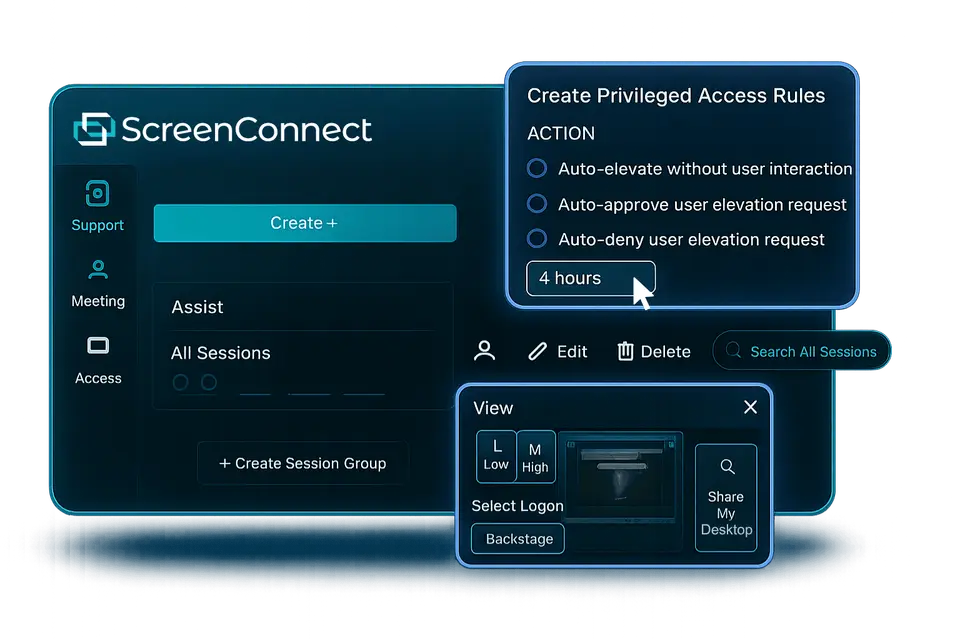
- BFeaturesOn-demand and unattended sessions, Backstage for fixing a machine silently in the background, a toolbox of scripts, a remote command line, session recording, two-factor sign-in and an on-premises option. Nothing in the listing is missing from the support job.
- CEase of useNo App Store rating on record. It's built for IT pros: agents to deploy, a toolbox of scripts, roles and permissions to set up. Expect a learning curve if you're not one.
- BPlatforms and integrationsWindows, Mac, Linux, iPhone and Android, with ConnectWise PSA, Automate, Zendesk, Freshdesk and Acronis. Many of those are paid add-ons, and there's no web app on record.
What these grades rest on. Graded from this listing, whose facts were read from ConnectWise's own pages on 18 October 2026. Not based on using the product, and shorter than our full reviews. How we review and grade.
Make ScreenConnect? Put this grade on your site

Paste this where you want the badge. It links here and follows the grade if it changes. About badges
<a href="https://toolgpa.com/tools/screenconnect#review"><img src="https://toolgpa.com/badge/screenconnect.svg" alt="ScreenConnect: 2.2 GPA on ToolGPA" width="196" height="56"></a>Where ScreenConnect stands among remote desktop apps
ScreenConnect's GPA of 2.2 is higher than 0 of the 15 other remote desktop apps we grade, and level with 3.
It stands best on features (B, above 12 of 15) and worst on value for money (D, above 0).
Its paid plans start at $30 a month, against a middle price of $10 for the category: 9 of the 10 others that charge start lower.
On features, ease of use and platforms it scores 2.7 out of 4. 3 tools score higher and cost less.
Each grade against the category
Every bar is all 16 remote desktop apps we grade, cut by the letter each got. ScreenConnect’s own letter is outlined.
- DValue for moneyAbove 0 of 15, level with 1
- CFree plan and trialAbove 0 of 15, level with 8
- BFeaturesAbove 12 of 15, level with 3
- CEase of useAbove 0 of 15, level with 4
- BPlatforms and integrationsAbove 0 of 15, level with 12
Price against what you get
Each dot is one of 12 remote desktop apps. Further left costs less, and higher up scores better on features, ease of use and platforms. Point at a dot to see which tool it is.
Features, ease of use and platforms, averaged
What paid plans start at, a month (each step along is roughly double) →
- The best score at each price
- Has a free plan
- No free plan
Keep ScreenConnect, or make your own?
Keep it
To replace ScreenConnect you would be making a fast, secure link to another computer through any network. That is not a weekend's work, with an AI app builder or without one.
That makes this kind of software worth paying for, not this one in particular: 12 of the 15 other remote desktop apps grade higher. It costs $360 a year.
What you could not
- A fast, secure link to another computer through any network.
- Apps for macOS, Windows, Linux, iOS and Android that stay in step with each other.
- It plugs into other products, ConnectWise PSA, ConnectWise Automate and Zendesk among them.
- What a company asks for before it lets staff use something: single sign-on and roles and permissions.
- The depth: we grade its features B, which means it covers the whole job.
What this rests on. ScreenConnect’s listing: what it does, where it runs, what it plugs into and what it costs. It is a judgement about the kind of software this is. We have not built a replacement for it, and making your own means looking after it too. How we decide, and every tool’s verdict.
What is ScreenConnect?
ScreenConnect, from ConnectWise, is remote support and access software mainly for IT teams, help desks and managed service providers supporting other people's computers. Remote Support plans are priced per concurrent technician, while a separate Remote Access licence covers unattended machines by the number of agents installed. It connects to Windows, Mac, Linux and mobile devices, and can run on your own server.
ScreenConnect is a paid product with a free trial, starting at $30 per month, billed annually (One, single licence). See every plan
Good for
- Managed service providers supporting many client businesses
- Internal IT teams with several technicians working at once
- Teams already using ConnectWise PSA or Automate
- Organizations that need to host remote support on their own servers
Worth knowing
- Pricing is per concurrent technician, so each person connecting at the same time needs a licence.
- The One plan is a single licence limited to 1 session and 10 unattended agents, and is sold annually only.
- Remote Access licences need at least 25 agents and do not include on-demand support sessions.
- Many integrations, such as ConnectWise PSA, Zendesk and Freshdesk, are listed as paid add-ons.
Key features
- On-demand and unattended sessions
- Start a support session with a user, or install access agents for round-the-clock access to desktops, laptops, servers and mobile devices.
- Backstage
- Troubleshoot and fix a machine silently in the background, without disrupting the person using it. Included from the Standard plan.
- Toolbox and command line
- Keep shared scripts and executables in a toolbox to run on remote machines during sessions, and run commands remotely.
- Security controls
- AES-256 encryption, two-factor authentication, role-based permissions, consent options, audit reports, and sign-in through LDAP, SAML or OAuth.
- Session recording and video auditing
- Record sessions on Standard; Premium adds video auditing and a remote diagnostics toolkit.
- On-premises option
- Besides the cloud service, ScreenConnect can be installed on your own server, with licensing arranged through sales.
ScreenConnect pricing
- Starts at
- $30 per month, billed annually (One, single licence)
- Free plan
- None
- Free trial
- Free trial, no credit card required; length not stated
| Plan | Price | What you get |
|---|---|---|
| One | $30per month, billed annually (annual only) | A single licence for individual use: 1 session at a time and 10 unattended access agents, with file transfer, remote printing and the toolbox. |
| Remote Access | $35per month for 25 agents, billed annually | Unattended access only, priced by the number of agents installed, from a minimum of 25; the cost per device falls as the count rises. |
| Standard | $47per concurrent tech / month, billed annually ($62 billed monthly) | Unlimited unattended agents, up to 3 sessions per tech, Backstage, remote command line, Wake-on-LAN, session recording, VoIP and mobile guests. |
| Premium | $57per concurrent tech / month, billed annually ($72 billed monthly) | Adds video auditing, a remote diagnostics toolkit, remote camera sharing (view) and up to 10 sessions per tech. |
| Enterprise | Custom | Custom and multi-year licensing, premium support and escalation, privileged access management and enterprise deployment options. |
Read from screenconnect.connectwise.com on Oct 18, 2026. Prices change, so confirm with ScreenConnect before you buy.
Ways to pay less
- Annual discountAnnual billing saves about a quarter
Standard is $47 per tech a month billed annually against $62 billed monthly, and Premium $57 against $72.
Stated on screenconnect.connectwise.com
Works with
ScreenConnect alternatives
- ScreenConnect vs LogMeIn Resolve
Free plan · from $23/mo
- ScreenConnect vs Zoho Assist
Free plan · from $10/mo
- ScreenConnect vs TeamViewer
Free plan · from $619.99/yr
- ScreenConnect vs Splashtop
Free plan · from $23.99/yr
- ScreenConnect vs Remote Utilities
Free plan





Common questions
Is ScreenConnect free?
No, ScreenConnect is a paid product, but you can try it first. Free trial, no credit card required; length not stated.
How much does ScreenConnect cost?
ScreenConnect lists 5 plans. One: $30 per month, billed annually (annual only). Remote Access: $35 per month for 25 agents, billed annually. Standard: $47 per concurrent tech / month, billed annually ($62 billed monthly). Premium: $57 per concurrent tech / month, billed annually ($72 billed monthly). Enterprise: custom pricing. Prices were read from screenconnect.connectwise.com on Oct 18, 2026.
What platforms does ScreenConnect work on?
ScreenConnect is available on Windows, macOS, Linux, iOS and Android.
Does ScreenConnect offer any discounts?
ScreenConnect publicly lists the following: Annual billing saves about a quarter.
Is ScreenConnect open source?
ScreenConnect is not described as open source on its own site, as read on Oct 18, 2026.
Can ScreenConnect be self-hosted?
Yes. ScreenConnect's own site says it can be run on a server of your own.
What does ScreenConnect integrate with?
ScreenConnect's listing names ConnectWise PSA, ConnectWise Automate, Zendesk, Freshdesk, Acronis and Customer Feedback. A listing names up to eight integrations, so it may connect to more.
Who makes ScreenConnect?
ScreenConnect is made by ConnectWise, LLC.
What are the alternatives to ScreenConnect?
The closest alternatives to ScreenConnect in our directory are LogMeIn Resolve, Zoho Assist, TeamViewer, Splashtop and Remote Utilities. Each one has a side-by-side comparison with ScreenConnect.
How does ScreenConnect compare with other remote desktop apps?
ScreenConnect's GPA of 2.2 is higher than 0 of the 15 other remote desktop apps we grade, and level with 3. It stands best on features (B, above 12 of 15) and worst on value for money (D, above 0).
Is ScreenConnect good value for money?
ToolGPA grades ScreenConnect D for value for money. Its paid plans start at $30 a month, against a middle price of $10 for the category: 9 of the 10 others that charge start lower. On features, ease of use and platforms it scores 2.7 out of 4. 3 tools score higher and cost less.
Could I make my own version of ScreenConnect?
To replace ScreenConnect you would be making a fast, secure link to another computer through any network. That is not a weekend's work, with an AI app builder or without one. That makes this kind of software worth paying for, not this one in particular: 12 of the 15 other remote desktop apps grade higher. It costs $360 a year. What you could not make: A fast, secure link to another computer through any network. Apps for macOS, Windows, Linux, iOS and Android that stay in step with each other. It plugs into other products, ConnectWise PSA, ConnectWise Automate and Zendesk among them. What a company asks for before it lets staff use something: single sign-on and roles and permissions. This is a judgement from its listing. We have not built one.
Sources for this page
The prices, plans, platforms and features above were read from these pages on Oct 18, 2026.