
ExpenseIn review (2026): is it worth it?
Expense claims, receipt scanning and company cards for UK teams
Black Friday: is there a ExpenseIn sale?
ExpenseIn report card
Fair · out of 4.0 · graded Nov 13, 2026
Best for expense claims and company cards for UK teams
ExpenseIn covers receipt scanning, mileage, company cards, approvals and reimbursements, and it's built around UK businesses. No price is shown on any plan, and the things bigger teams want, like SSO and the API, sit on the dearer ones.
Who ExpenseIn is for
- Fits if you run a UK business and want claims, cards and mileage in one place
- Works for finance teams that post expenses into Xero, QuickBooks or Sage
Who ExpenseIn is not for
- Skip it if you want to see a price before booking a demo, as none is published
- Not for you if you're outside the UK, since the site is built around UK data storage and HMRC rules
- Watch out: reimbursements carry extra charges that the plans page doesn't state
- Tight if you need SSO, multi-entity or card data feeds, which start at Advanced, or the API, which needs Complete
- Tight if you want to try before talking to sales, with no trial on the listing
Why ExpenseIn gets a 2.0
Five grades, each with its reason. The GPA is their average: an A is 4 points, an F is none.
- CValue for moneyNo prices are published, so there's nothing to set against the category's middle of $12 a seat. Every plan says to book a demo.
- FFree plan and trialNo free plan and no trial. You book a demo.
- BFeaturesReceipt scanning, mileage with Google Maps, cards, policies, approvals and reimbursements, plus accounting links. Nothing in the core job is missing, though several extras sit on higher plans.
- CEase of useNo rating on record. Policies, approvals and accounting links all need setting up.
- BPlatforms and integrationsWeb, iPhone and Android, plus Xero, QuickBooks Online, NetSuite, Sage and Business Central. The REST API is Complete plan only.
What these grades rest on. Graded from this listing, whose facts were read from ExpenseIn's own pages on 12 November 2026. Not based on using the product, and shorter than our full reviews. How we review and grade.
Make ExpenseIn? Put this grade on your site

Paste this where you want the badge. It links here and follows the grade if it changes. About badges
<a href="https://toolgpa.com/tools/expensein#review"><img src="https://toolgpa.com/badge/expensein.svg" alt="ExpenseIn: 2.0 GPA on ToolGPA" width="196" height="56"></a>Where ExpenseIn stands among spend and bill pay tools
ExpenseIn's GPA of 2.0 is higher than 26 of the 51 other spend and bill pay tools we grade, and level with 5.
It stands best on features (B, above 40 of 51) and worst on free plan and trial (F, above 0).
Each grade against the category
Every bar is all 52 spend and bill pay tools we grade, cut by the letter each got. ExpenseIn’s own letter is outlined.
- CValue for moneyAbove 3 of 51, level with 39
- FFree plan and trialAbove 0 of 51, level with 28
- BFeaturesAbove 40 of 51, level with 11
- CEase of useAbove 0 of 51, level with 39
- BPlatforms and integrationsAbove 9 of 51, level with 41
Keep ExpenseIn, or make your own?
Keep it
To replace ExpenseIn you would be making cards issued through a bank. That is not a weekend's work, with an AI app builder or without one.
What you could make
- Expense tracking and reports: an app builder makes these well.
What you could not
- Cards issued through a bank.
- A real app for iOS and Android. Something home-made would be a web page.
- It plugs into other products, Xero, QuickBooks Online and NetSuite among them, and has an API.
- The depth: we grade its features B, which means it covers the whole job.
What this rests on. ExpenseIn’s listing: what it does, where it runs, what it plugs into and what it costs. It is a judgement about the kind of software this is. We have not built a replacement for it, and making your own means looking after it too. How we decide, and every tool’s verdict.
What is ExpenseIn?
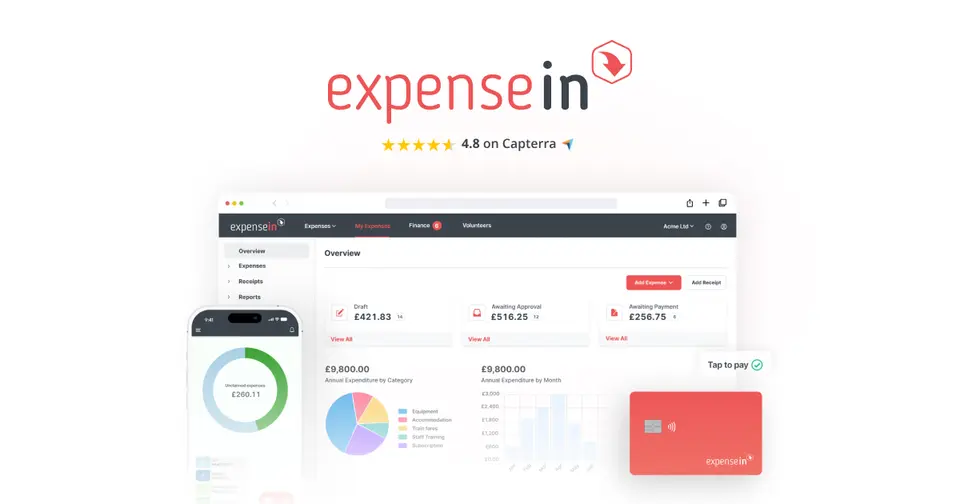
ExpenseIn is expense management software for submitting, approving, paying and reporting on expense claims. Employees capture receipts, mileage and time in a mobile app, and an optional expense card feeds transactions straight into claims. Plans are sold through a demo request, and the site publishes no prices.
Worth knowing
- No prices are published: the Core, Advanced and Complete plans all say to book a demo.
- SSO, multi-entity, custom fields and corporate card data feeds start at Advanced; the REST API, receipt verification and carbon reporting need Complete.
- Reimbursements carry additional charges, which the plans page does not state.
- The site names UK data storage and HMRC compliance, so it is built around UK businesses.
Key features
- Receipt scanning
- A photo of a receipt in the mobile app is read for amount, date and other details, and the receipt is stored with the claim.
- Mileage with Google Maps
- The app uses Google Maps to work out distance and the reimbursement for a mileage claim, and the vendor lists carbon emission calculations.
- Expense cards
- Cards have built-in spending controls and card transactions appear in the app for matching with receipts. Advanced and Complete plans list cashback of 0.50% and 0.75%.
- Policies and approvals
- Policy rules are enforced automatically, with multi-stage approval, escalation and out-of-office cover. Receipt verification is on the Complete plan.
- Reimbursements
- Approved expenses can be paid out through ExpenseIn. The plans page notes that reimbursements carry additional charges.
- Accounting and payroll integrations
- The plans page lists Xero, QuickBooks Online, NetSuite, Sage products, Microsoft Business Central and SFTP file delivery, plus a REST API on the Complete plan.
ExpenseIn pricing
We could not confirm ExpenseIn’s current pricing from its own site, so we are not listing plans here. See expensein.com for current prices.
Works with
- Xero
- QuickBooks Online
- NetSuite
- Sage Intacct
- Sage 50 Accounts
- Microsoft Business Central
- AccountsIQ
- Staffology
ExpenseIn alternatives
- ExpenseIn vs Webexpenses
From £7.5/mo
- ExpenseIn vs Expensify
Free plan · from $5/mo
- ExpenseIn vs Rydoo
Free trial · from $9/mo
- ExpenseIn vs Zoho Expense
Free plan · from $3/mo
- ExpenseIn vs Pleo
From $12/mo





Common questions
Does ExpenseIn have a Windows app?
No Windows app was listed when its pages were read on Nov 12, 2026. ExpenseIn is listed for Web, iOS and Android.
Does ExpenseIn have a macOS app?
No macOS app was listed when its pages were read on Nov 12, 2026. ExpenseIn is listed for Web, iOS and Android.
Is ExpenseIn open source?
ExpenseIn is not described as open source on its own site, as read on Nov 12, 2026.
Does ExpenseIn have an API?
Yes. ExpenseIn offers a public API, according to its own site.
Sources for this page
The prices, plans, platforms and features above were read from these pages on Nov 12, 2026.