The HubSpot Insider’s Guide
Everything we know about HubSpot in one document: what it costs, its grades, getting a refund, getting help and what else to look at. Read it here, or keep a copy.
HubSpot
The Insider’s Guide
Free CRM at the center of a marketing, sales and service suite

Every plan, grade, refund rule and rival among CRM tools, read from HubSpot’s own pages.
Made by HubSpot, Inc. · checked Oct 4, 2026 · toolgpa.com
Contents
- 01WelcomeWhat it is, who it suits, its grades and the ten things to know first
- 02Insider tipsWhat most people miss: ways to pay less, settings worth changing and the catches
- 03What it costsEvery plan, the free plan, ways to pay less and how prices have moved
- 04What it doesIts main features, where it runs, what it works with and who makes it
- 05Where it standsIts grades against its category, and whether to keep it or make your own
- 06After you payGetting your money back, getting out, and getting help
- 07The alternativesThe tools it is most often weighed against, side by side
- 08Quick answersThe questions people ask about it, each answered in a line or two
- 09About ToolGPAWho made this guide, what else is on the site, and how to cite it
ToolGPA put this guide together from HubSpot’s own pages, its app-store listings and our grades. Every fact in it is on HubSpot’s page too, where it is kept up to date. Checked Oct 4, 2026.
Part 01 · Overview
Welcome
What it is, who it suits, its grades and the ten things to know first
3.2
GPA, above 48 of the 48 other CRM tools we grade
HubSpot is a customer platform built around a shared CRM, with separate hubs for marketing, sales, service, content and data layered on top. The CRM itself is free for up to 2 users and 1,000 contacts and covers contacts, deal pipelines, tasks, email tracking and reporting dashboards. Paid tiers are sold per seat as a Starter bundle, as Smart CRM, or hub by hub, such as Sales Hub.
To get you started, here are 10 things to know about HubSpot, taken from its own pages and our grades.
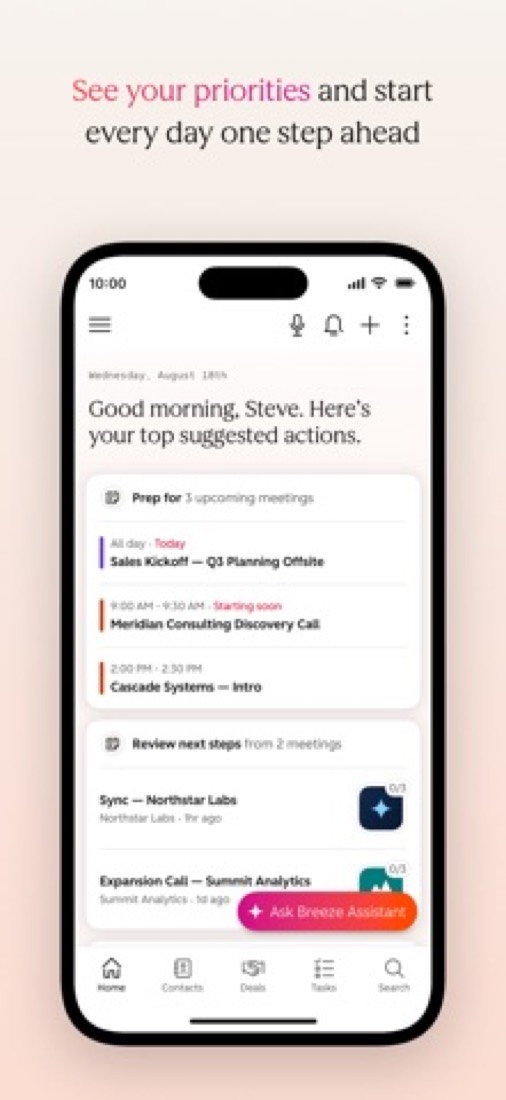
It runs in a browser with nothing to install, and adding a contact fills in the company details for you.
- 1
Best for small businesses starting with a free CRM
HubSpot is a CRM with marketing, sales and service hubs on top, and its free tools cover 2 users and 1,000 contacts with no end date.
- 2
Paid plans start at $20 a month for each person
As its pricing page puts it: $20 per seat / month for Starter (new customers: from $7, billed annually).
- 3
There is a free plan
Free tools for up to 2 users and 1,000 contacts with no expiry date: contact management, deal pipelines, tasks, email tracking, live chat, a meeting link and reporting dashboards. Live chat and marketing emails carry HubSpot branding.
- 4
It runs on 3 platforms
Web, iOS and Android, with a browser extension too.
- 5
Free CRM tools
Contact management, deal pipelines, task and activity tracking, CRM import and reporting dashboards are free for up to 2 users and 1,000 contacts, with no expiry date.
- 6
Sales email and meeting tools
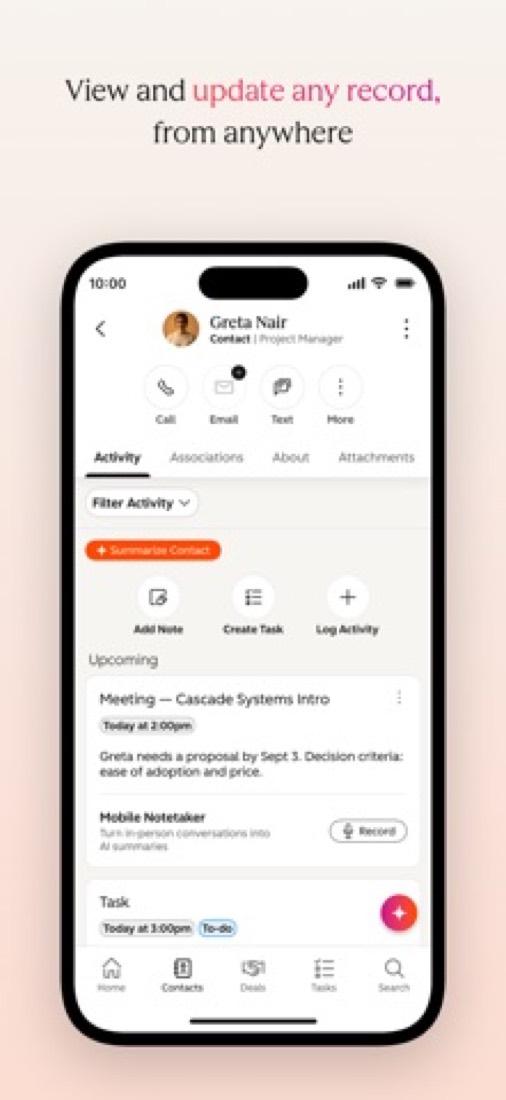
Email tracking, templates and a meeting scheduler work inside HubSpot or from the inbox, through a Chrome extension for Gmail and an Office 365 add-in for Outlook.
- 7
Workflows and sales automation
Workflows automate follow-ups and record updates. Sales Hub Professional allows up to 300 fully customizable workflows; lower tiers have fewer triggers and actions.
- 8
Refunds: no set window
HubSpot sells a commitment, not a monthly habit, and its terms are blunt about what that means: you cannot cancel in the middle of a term, prepaid and unused fees are not refunded, and you cannot even move down a tier until the term ends. Turning off auto-renewal is a button you can press yourself, but it only stops the next term, and you keep paying through the one you are in.
- 9
A 3.2 GPA, above 48 of 48
That is against the other CRM tools we grade, on value, the free plan, features, ease of use and platforms.
- 10
Keep it
To replace HubSpot you would be making email sent in volume that still reaches the inbox. That is not a weekend's work, with an AI app builder or without one.
HubSpot at a glance
- Pricing
- Free plan, from $20 per seat / month for Starter (new customers: from $7, billed annually)
- Free plan
- Yes
- Free trial
- 14-day free trial of HubSpot's paid sales tools; the free tools themselves do not expire
- Runs on
- Web, iOS, Android, Browser extension
- Made by
- HubSpot, Inc., since 2006
- Category
- CRM Software
- Our grade
- 3.2 GPA, very good
- Store rating
- 4.7 on the App Store, 15,681 ratings
The report card
Best for small businesses starting with a free CRM
HubSpot is a CRM with marketing, sales and service hubs on top, and its free tools cover 2 users and 1,000 contacts with no end date. Free puts HubSpot's logo on your chat and emails, Starter's $7 offer sits against a $20 list price and a $15 figure on another page, and Sales Hub Professional is $90 a seat plus $1,500 onboarding. Past 1,000 contacts, price up the alternatives first.
| Subject | Grade | Comment |
|---|---|---|
| Value for money | C | Starter lists at $20 a seat, mid-pack for the CRMs here, and new customers get it from $7. Then it jumps: Sales Hub Professional is $90 a seat plus a one-time $1,500 onboarding fee, when Zoho CRM starts at $14 a user. Mid-priced at the bottom, dear at the top. |
| Free plan and trial | B | Free with no end date for 2 users and 1,000 contacts, with deal pipelines, email tracking, live chat, a meeting link and dashboards. But 1,000 contacts is a wall you'll hit, and HubSpot's logo sits on your chat and marketing emails. |
| Features | A | The CRM job, then marketing, service and content tools all reading from the same customer record; no other CRM here covers all four. Email tracking, calling, workflows, dashboards, an AI assistant and more than 2,000 integrations. Much of it is locked to paid tiers. |
| Ease of use | A | 4.7 from about 15,700 App Store ratings, the highest score among the CRMs here with that many ratings. It runs in a browser with nothing to install, and adding a contact fills in the company details for you. |
| Platforms and integrations | B | Web, iPhone and Android, with a Chrome extension for Gmail and an add-in for Outlook, but no desktop app. More than 2,000 integrations and an API, the longest list in this category. |
An A is worth 4 points, a B 3, a C 2, a D 1 and an F nothing. The GPA is the average of the five.
Who HubSpot is for
- Fits if there are one or two of you with under 1,000 contacts and you want to pay nothing
- Works for teams that want sales, marketing and support on the same customer record
Who it is not for
- Skip it if you're past 1,000 contacts or 2 users and won't pay, because that's where free stops
- Pricey if you need sequences and custom workflows: Sales Hub Professional is $90 a seat plus $1,500 up front
- Not for you if you want one plain price: it's bundles, hubs, seat types and credits that don't roll over
- Watch out: the $7 Starter offer is for new customers against a $20 list price, and another page says from $15
- Tight if you sell on the road, as reviewers say the phone app does less than the website and there's no desktop app
Good to know
Good for
- Small teams that want to start on a free CRM and add paid tools later
- Companies that want marketing, sales and service working from one customer database
- Startups and nonprofits that qualify for HubSpot's discount programs
Worth knowing
- The free tools stop at 2 users and 1,000 contacts, and free live chat and marketing emails carry HubSpot branding.
- Sales Hub Professional and Enterprise each require a one-time onboarding fee ($1,500 and $3,500) on top of the seat price.
- Paid tiers are split across a Starter bundle, Smart CRM and separate hubs, so the total depends on which products and how many seats you buy.
- The $7 Starter price is a limited-time offer for new customers against a $20 list price, and HubSpot's CRM product page shows a different new-customer price, from $15 per seat.
Part 02 · Tips
Insider tips
What most people miss: ways to pay less, settings worth changing and the catches
6
Things most people miss, each from its own help pages
The things about HubSpot that are easy to miss until they cost you: ways to pay less, settings worth changing and the catches at renewal or when you leave. Each one is from HubSpot’s own pages, linked beside it.
Read on Oct 17, 2026. Read from HubSpot's knowledge base articles on seats, marketing contacts billing, renewals, cancelling, downgrading and email tracking on 17 October 2026. Not tried out: these tips are what its own pages say.
- 1
Pay less
Give read-only colleagues a free View-Only seat
HubSpot's seats page says View-Only seats are free and unlimited on Starter, Professional and Enterprise. They can look at records, dashboards and reports and leave notes, but can't edit records or log email. Perfect for the boss who only wants the numbers.
knowledge.hubspot.com - 2
Setting
Set a cap on marketing contacts before your first big import
Go over your marketing contact tier by even one contact and HubSpot moves you up a tier until renewal, and it never moves you back down by itself. A Super Admin can set a maximum under Account & Billing > Marketing Contacts, so contacts past it are saved as non-marketing.
knowledge.hubspot.com - 3
Renewal
Turn off auto-renewal yourself, because you can't cancel mid-term
Paid plans renew automatically and mid-contract cancellations aren't allowed, so a 12-month contract is paid in full even if you stop after eight. A Super Admin or billing admin turns it off under Account & Billing > Subscriptions > Cancel auto-renewal. You drop to the free tools when the term ends.
knowledge.hubspot.com - 4
Renewal
Ask for a downgrade at least five business days before renewal
Fewer seats, fewer contacts or a lower tier only take effect at renewal, never mid-contract. HubSpot wants at least five business days' notice: Starter customers send a support ticket, Professional and Enterprise customers go through their Contract Manager. Leave it later and you may renew as you are.
knowledge.hubspot.com - 5
Leaving
Export reports and knowledge base articles before you downgrade
Drop to Starter or the free tools and you can't view existing custom reports, and HubSpot-made CTAs stop working. Leave Service Hub Professional and your knowledge base is deleted after 90 days, with no way back even if you upgrade again. HubSpot's own advice is to export first.
knowledge.hubspot.com - 6
Easy to miss
Treat email open alerts as a hint, not proof
HubSpot's tracking page says scrolling past your email in an Outlook or Apple Mail preview pane can count as an open, and a forwarded email shows up as the original person opening it again. With several recipients it may not know who opened it. Clicks and replies are the surer sign.
knowledge.hubspot.com
Part 03 · Pricing
What it costs
Every plan, the free plan, ways to pay less and how prices have moved
$20
A month to start, for each person. There is a free plan too
HubSpot has a free plan. Paid plans start at $20 per seat / month for Starter (new customers: from $7, billed annually).
Mid-priced at the bottom, dear at the top.
Free Tools
$0
Up to 2 users and 1,000 contacts, with contact management, deal pipelines, live chat and reporting dashboards. No credit card required.
Starter
$20
per seat / month; new customers from $7, billed annually
A bundle of the Starter editions of the marketing, sales, service, content and data hubs. Removes HubSpot branding and includes 500 HubSpot Credits.
Smart CRM Professional
$45
per seat / month, annual commitment ($50 billed monthly)
CRM-only tier with up to 100 pipelines, 100 custom reports, 75 dashboards and 3,000 HubSpot Credits.
Smart CRM Enterprise
$75
per seat / month
CRM-only tier with up to 350 pipelines, 500 custom reports, 200 calculated properties and 5,000 HubSpot Credits.
Sales Hub Professional
$90
per seat / month, annual commitment ($100 billed monthly)
Sales Hub only: up to 300 customizable workflows, call transcription and playbooks. A one-time $1,500 onboarding fee is required.
Sales Hub Enterprise
$150
per seat / month
Sales Hub only: adds forecasting across team hierarchies and more advanced automation. A one-time $3,500 onboarding fee is required.
The free plan
Free tools for up to 2 users and 1,000 contacts with no expiry date: contact management, deal pipelines, tasks, email tracking, live chat, a meeting link and reporting dashboards. Live chat and marketing emails carry HubSpot branding.
Trying it first
14-day free trial of HubSpot's paid sales tools; the free tools themselves do not expire
Read from hubspot.com on Oct 4, 2026.
Ways to pay less
Other savings
New-customer Starter offer: from $7 per seat
For a limited time, new customers pay $7 per seat a month billed annually, or $10 billed monthly, instead of the $20 list price for Starter. HubSpot gives no end date.
Stated on hubspot.comAnnual discount
Lower seat price with an annual commitment
Sales Hub Professional is $90 per seat a month on an annual commitment versus $100 paid monthly. Smart CRM Professional is $45 versus $50.
Stated on hubspot.comStartups
HubSpot for Startups: up to 90% off
Startups with pre-seed to Series A funding can get 90% off in year one, 50% in year two and 25% in year three. Others tied to an approved partner get 30%, then 15%. Professional and Enterprise products only.
Stated on hubspot.comNonprofit
40% off for eligible nonprofits
New customers registered as nonprofits in North America, Australia or New Zealand get 40% off Professional and Enterprise products on a one-year contract. Starter is excluded.
Stated on hubspot.com
Part 04 · Features
What it does
Its main features, where it runs, what it works with and who makes it
4
Places it runs: Web, iOS, Android and Browser extension
Free CRM at the center of a marketing, sales and service suite. Here is what it does, as its own site describes it, and what it covers: public API, AI features, booking links, sales pipeline, marketing automation, workflow automation.
The CRM job, then marketing, service and content tools all reading from the same customer record; no other CRM here covers all four.
- Free CRM tools
- Contact management, deal pipelines, task and activity tracking, CRM import and reporting dashboards are free for up to 2 users and 1,000 contacts, with no expiry date.
- Sales email and meeting tools
- Email tracking, templates and a meeting scheduler work inside HubSpot or from the inbox, through a Chrome extension for Gmail and an Office 365 add-in for Outlook.
- Workflows and sales automation
- Workflows automate follow-ups and record updates. Sales Hub Professional allows up to 300 fully customizable workflows; lower tiers have fewer triggers and actions.
- Breeze AI and HubSpot Credits
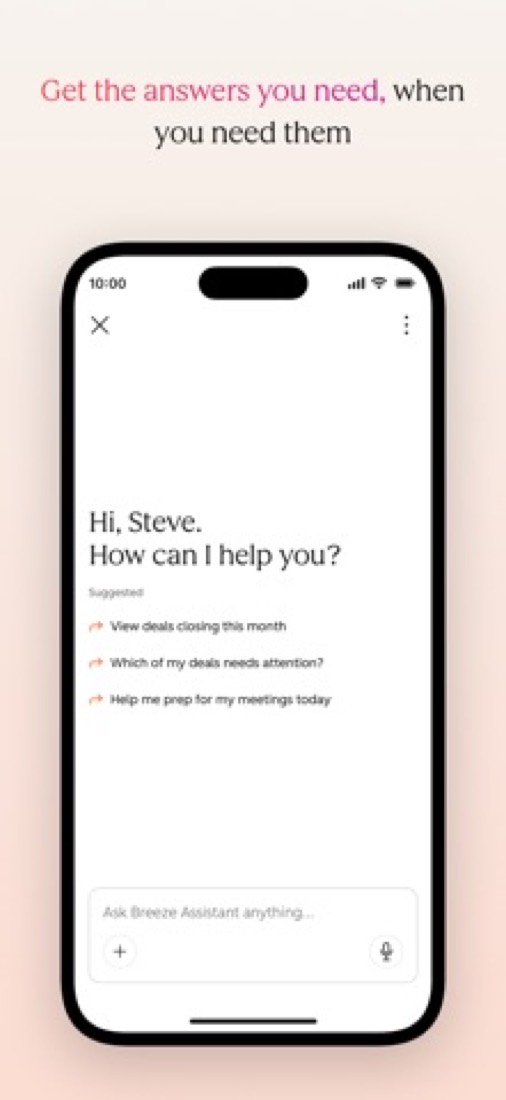
- Breeze Assistant answers questions from CRM data, and agents run on HubSpot Credits. Paid tiers include 500, 3,000 or 5,000 credits a month, and unused credits do not roll over.
- Calling and conversation tools
- Calls can be placed and logged from the CRM, with a monthly allowance of calling minutes that grows by tier. Sales Hub Professional adds call transcription and playbooks.
- Connected hubs and integrations
- The CRM shares one customer database with HubSpot's marketing, service, content and data hubs, and HubSpot lists more than 2,000 integrations.
Where it runs
- Web
- iOS
- Android
- Browser extension
What it works with
- Gmail
- Outlook
- Slack
- Zapier
- Shopify
- Mailchimp
- Salesforce
- Google Ads
Who makes HubSpot
HubSpot's CRM is made by HubSpot, Inc., a listed company that sells marketing, sales, service and CRM software to businesses. It earns money mainly from subscriptions: $894.0 million of the $911.7 million revenue it reported for the second quarter of 2026.
- Founded
- 2006hubspot.com
- Based
- Cambridge, Massachusettshubspot.com
- Ownership
- Publicly traded. Listed on the New York Stock Exchange under the ticker HUBS, as its quarterly results filed with the US Securities and Exchange Commission state.sec.gov
- Team
- 9K+ employees across the whole company, per its newsroom. On 6 October 2026 it announced a cut of about 7%, nearly 660 people.hubspot.com
- Founders and leaders
- Yamini Rangan, Chief Executive Officerhubspot.com
- Dharmesh Shah, Co-Founder, CTOhubspot.com
- Brian Halligan, Co-founderhubspot.com
- Duncan Lennox, Chief Product & Technology Officerhubspot.com
- Affiliate program
- 30% recurring commission each month for up to one year on referred sales, with a 180-day cookie. Run through the Impact network; joining is free and higher tiers can get custom commission.hubspot.com
- Partner program
- Solutions Partner Program for agencies and consultancies: 20% commission for 3 years on deals a partner brings to HubSpot, and 20% for 1 year on some co-sold upmarket deals that began with HubSpot's own sales team.hubspot.com
- Lately
- A message from our CEO: Important HubSpot team and business changes · Oct 6, 2026
- Fall 2026 Spotlight: HubSpot just made its most foundational product release, giving teams a new way to work to get 3x better outcomes · Sep 16, 2026
- HubSpot and OpenAI deepen partnership to bring AI transformation to every SMB · Sep 16, 2026
- Welcoming TELUS Digital to the HubSpot Solutions Partner Ecosystem · Jul 22, 2026
Read on Oct 7, 2026 from the company’s own pages and from news reports. What is not stated there is left out.
Part 05 · Standing
Where it stands
Its grades against its category, and whether to keep it or make your own
48/48
Other CRM tools it is graded above
HubSpot's GPA of 3.2 is higher than 48 of the 48 other CRM tools we grade.
It stands best on ease of use (A, above 47 of 48) and worst on value for money (C, above 18).
Its paid plans start at $20 a month for each person, against a middle price of $24 for the category: 19 of the 46 others that charge start lower.
On features, ease of use and platforms it scores 3.7 out of 4, and no tool on the category's chart scores higher without costing more.
Each grade against the category
Every bar is all 49 CRM tools we grade, cut by the letter each got. HubSpot’s own letter is outlined.
- CValue for moneyAbove 18 of 48
- BFree plan and trialAbove 37 of 48
- AFeaturesAbove 45 of 48
- AEase of useAbove 47 of 48
- BPlatforms and integrationsAbove 5 of 48
Price against what you get
Each dot is one of 47 CRM tools. Further left costs less; higher up scores better on features, ease of use and platforms. HubSpot is the marked dot.
What paid plans start at, a month (each step along is roughly double) →
Keep it, or make your own?
Whether this is something you could build for yourself with an AI app builder, and what you would give up.
Keep it
To replace HubSpot you would be making email sent in volume that still reaches the inbox. That is not a weekend's work, with an AI app builder or without one.
It is one of the better ones too: its GPA of 3.2 is higher than 48 of the 48 other CRM tools we grade. It costs $240 a year.
What you could make
- Sales pipeline: an app builder makes this well.
What you could not
- Email sent in volume that still reaches the inbox.
- Connections to other products, each kept working as those products change.
- Booking pages that read and write other people's calendars and send the emails.
- A real app for iOS and Android. Something home-made would be a web page.
- It is priced for each person, which means accounts and billing for a team.
- AI features, unless you pay a model provider for each request yourself.
- The depth: we grade its features A, which means it covers the whole job.
What this rests on. HubSpot’s listing: what it does, where it runs, what it plugs into and what it costs. It is a judgement about the kind of software this is. We have not built a replacement for it, and making your own means looking after it too. How we decide, and every tool’s verdict.
Part 06 · Refunds
After you pay
Getting your money back, getting out, and getting help
What happens once you have paid: whether you can get your money back, how to leave, and how to reach a person when something goes wrong. Each is graded from HubSpot’s own terms and help pages.
Refunds and cancelling
Weak · checked Oct 18, 2026
HubSpot sells a commitment, not a monthly habit, and its terms are blunt about what that means: you cannot cancel in the middle of a term, prepaid and unused fees are not refunded, and you cannot even move down a tier until the term ends. Turning off auto-renewal is a button you can press yourself, but it only stops the next term, and you keep paying through the one you are in. No refunds with the door bolted until renewal day is a D.
- Refund window
- No set window
- How you cancel
- Yourself, in settings
- Getting your money back
The customer terms say all payment obligations are non-cancelable and all amounts paid are non-refundable except where the agreement says otherwise, with fees due in advance throughout the subscription term. They add that you may not cancel before the end of the current term and that HubSpot will not refund prepaid or unused fees through the end of it.
Stated on legal.hubspot.com- How to cancel HubSpot
A subscription is cancelled by turning off auto-renewal in the Account & Billing area, on the Subscriptions tab, which only Super Admins and users with billing permissions can do. HubSpot says mid-contract cancellations are not permitted, so the subscription ends on the renewal date and the account drops to HubSpot's free tools. A notice of non-renewal goes to the billing admin.
- In HubSpot, click your account name at the top right and choose Account & Billing
- Open the Subscriptions tab
- In the Auto-Renewal Terms section, click Cancel auto-renewal
- Select the products you want to cancel and review the features affected
- Click Next, choose a cancellation reason and click Next again
- Review the cancellation details and click Cancel auto-renewal
- What you keep afterwards
HubSpot says the account is downgraded to its free tools after the cancellation date, and that the account can then be deleted, which cannot be done while any subscription still has an active commitment. Deleting is permanent and needs Super Admin or billing admin permissions. Turning auto-renewal back on before the cancellation date reverses the cancellation for all the products it covered.
Stated on knowledge.hubspot.com- Renewals
The terms say a subscription renews automatically for the shorter of the previous term or one year unless the auto-renewal setting is switched off before the current term ends. HubSpot may raise fees to its then-current list price at renewal and says it will give at least 30 days' notice of that increase, leaving you to decline by giving notice of non-renewal.
Stated on legal.hubspot.com
In your favour
- You switch auto-renewal off yourself in Account & Billing rather than having to write to anyone.
- A notice of non-renewal goes to the billing admin with the term and the exact end date on it.
- Changed your mind? Auto-renewal can be switched back on any time before the cancellation date.
- A price rise at renewal comes with at least 30 days' notice, so there is time to decline it.
Watch out for
- Mid-contract cancellation is not allowed: cancel in month eight of twelve and you still pay all twelve.
- Prepaid and unused fees are not refunded, which the terms state in as many words.
- You cannot move down a tier mid-term either, and a downgrade needs a rep at least five business days before renewal.
- Only Super Admins and billing admins can turn auto-renewal off, so everyone else has to find one.
Customer support
Excellent · checked Oct 18, 2026
Pay HubSpot anything and you can talk to a person: Starter upwards gets real-time chat with a support specialist and email with a stated target of one working day, and Professional and Enterprise add a phone line with a callback if it is busy. Free accounts get the knowledge base and a large community. Live help on every paid plan with a written reply target is an A, though HubSpot never says what hours any of it runs.
Ways to get help
Live chat
Real-time chat with a HubSpot Customer Support Specialist, opened from the help icon in the app and then Contact us. The support table lists chat for Starter, Professional and Enterprise, and not for the free tools.
Stated on knowledge.hubspot.comPhone
A support number shown in the Help box for Professional and Enterprise subscriptions, with the option of a callback if the line is busy. HubSpot says phone support is in English only, though callbacks can be requested in other languages.
Stated on knowledge.hubspot.comEmail
Email support from a Customer Support Specialist, requested through the same help box, on Starter, Professional and Enterprise. You pick a language and describe the problem, and the reply goes to your user's address.
Stated on knowledge.hubspot.comHelp centre
The HubSpot Knowledge Base, listed for every plan including the free tools, with how-to guides, reference documents and troubleshooting steps in several languages.
Stated on knowledge.hubspot.comCommunity or forum
The HubSpot Community, which the get-help article lists for every plan, with boards for the CRM and Sales Hub, Marketing Hub, Service Hub, developers and product ideas.
Stated on knowledge.hubspot.com
- When people answer
Its pages do not say.
- How fast it says it replies
HubSpot says an email request to a Customer Support Specialist generally gets a reply within one working day, and describes its chat as talking to a specialist in real time. On the phone, it says you can ask for a callback after a brief wait if the line is busy. No hours are given for any of the three.
Stated on knowledge.hubspot.com- What depends on your plan
The support table gives the knowledge base and the community to everyone, chat and email from Starter upwards, and phone support on Professional and Enterprise only. HubSpot adds that in accounts created on or after 5 March 2024 a user needs an assigned Core, Sales or Service seat before they can use chat, email or phone support.
Stated on knowledge.hubspot.com
In your favour
- Real-time chat with a support specialist comes with the cheapest paid tier, not just the big ones.
- HubSpot puts a number on email: generally a reply within one working day.
- Chat, callback and email are offered in six languages, which is more than most.
- Free accounts still get the knowledge base and the community boards.
Watch out for
- No hours are published for chat, email or the phone line, so you cannot tell when they are staffed.
- Phone support starts at Professional: Starter customers get chat and email only.
- In newer accounts a user needs an assigned seat before they can contact support at all.
- Phone support is in English only, with other languages handled by callback.
What these two grades rest on. Read on 18 October 2026: HubSpot's Customer Terms of Service, its knowledge base articles on downgrading or cancelling a subscription and on getting help with HubSpot, and the HubSpot Community. Nobody here cancelled a plan or contacted its support. They are graded apart from the five that make the GPA. How we grade refunds and support.
Part 07 · Alternatives
The alternatives
The tools it is most often weighed against, side by side




Zoho CRM, Pipedrive, Attio, Close and folk
The 5 tools HubSpot is most often weighed against, with where each one differs from it.
- 2.6GPA
Zoho CRM
Free plan · from $14/mo
Sales CRM with a free edition, process automation and Zia AI.
- Only HubSpot lists a browser extension.
- HubSpot also covers booking links and marketing automation.
- 2.2GPA
Pipedrive
Free trial · from $14/mo
Sales CRM organized around visual deal pipelines.
- HubSpot has a free plan. Pipedrive does not, though it has a free trial.
- Only HubSpot lists a browser extension.
- HubSpot also covers booking links and marketing automation.
- 2.4GPA
Attio
Free plan · from $35/mo
CRM with a customizable data model, workflows and AI agents.
- HubSpot also covers booking links and marketing automation.
- Attio also covers transcription.
- 2.4GPA
Close
Free trial · from $9/mo
Sales CRM with built-in calling, SMS, email and an AI teammate.
- HubSpot has a free plan. Close does not, though it has a free trial.
- Only HubSpot lists a browser extension.
- Only Close lists macOS and Windows apps.
- 2.2GPA
folk
Free trial · from $24/mo
CRM that pulls contacts from LinkedIn, email and WhatsApp.
- HubSpot has a free plan. folk does not, though it has a free trial.
- Only folk lists macOS and Windows apps.
- HubSpot also covers booking links and marketing automation.
Part 08 · Questions
Quick answers
The questions people ask about it, each answered in a line or two
20
Questions, each answered in a line or two
The short version of everything above, for when you only need the answer. Each one is told in full in its part of the guide.
Is HubSpot free?
HubSpot has a free plan. Free tools for up to 2 users and 1,000 contacts with no expiry date: contact management, deal pipelines, tasks, email tracking, live chat, a meeting link and reporting dashboards.
How much does HubSpot cost?
HubSpot lists 6 plans. Free Tools: $0.
What platforms does HubSpot work on?
HubSpot is available on Web, iOS and Android. It also has a browser extension.
Does HubSpot offer any discounts?
HubSpot publicly lists the following: New-customer Starter offer: from $7 per seat; Lower seat price with an annual commitment; HubSpot for Startups: up to 90% off; 40% off for eligible nonprofits.
How is HubSpot rated?
HubSpot's iPhone and iPad app averages 4.7 out of 5 from 15,681 ratings on the App Store in the United States, as read on Oct 5, 2026.
Does HubSpot have a Windows app?
No Windows app was listed when its pages were read on Oct 4, 2026. HubSpot is listed for Web, iOS and Android.
Does HubSpot have a macOS app?
No macOS app was listed when its pages were read on Oct 4, 2026. HubSpot is listed for Web, iOS and Android.
Is HubSpot open source?
HubSpot is not described as open source on its own site, as read on Oct 4, 2026.
Does HubSpot have an API?
Yes. HubSpot offers a public API, according to its own site.
What does HubSpot integrate with?
HubSpot's listing names Gmail, Outlook, Slack, Zapier, Shopify, Mailchimp, Salesforce and Google Ads.
Does HubSpot have a free trial?
Yes. 14-day free trial of HubSpot's paid sales tools; the free tools themselves do not expire.
Who makes HubSpot?
HubSpot is made by a company of the same name. Listed on the New York Stock Exchange under the ticker HUBS, as its quarterly results filed with the US Securities and Exchange Commission state.
What are the alternatives to HubSpot?
The closest alternatives to HubSpot in our directory are Zoho CRM, Pipedrive, Attio, Close and folk.
Does HubSpot give refunds?
The customer terms say all payment obligations are non-cancelable and all amounts paid are non-refundable except where the agreement says otherwise, with fees due in advance throughout the subscription term.
How do I cancel HubSpot?
A subscription is cancelled by turning off auto-renewal in the Account & Billing area, on the Subscriptions tab, which only Super Admins and users with billing permissions can do.
What happens to my data if I cancel HubSpot?
HubSpot says the account is downgraded to its free tools after the cancellation date, and that the account can then be deleted, which cannot be done while any subscription still has an active commitment.
How do I contact HubSpot support?
HubSpot's pages list these ways to get help: live chat, phone, email, help centre and community or forum.
How does HubSpot compare with other CRM tools?
HubSpot's GPA of 3.2 is higher than 48 of the 48 other CRM tools we grade.
Is HubSpot good value for money?
ToolGPA grades HubSpot C for value for money. Its paid plans start at $20 a month for each person, against a middle price of $24 for the category: 19 of the 46 others that charge start lower.
Could I make my own version of HubSpot?
To replace HubSpot you would be making email sent in volume that still reaches the inbox.
Where this guide comes from
The prices, plans, platforms and features were read from HubSpot’s own pages on Oct 4, 2026, and the grades were given on Oct 10, 2026. Based on HubSpot's free CRM, Starter, Sales Hub and mobile app pages, its product catalogue and a help article as of 9 October 2026, its App Store reviews and Hacker News comments about it. Its three pricing pages would not load, so prices were checked against the pages above. Also tested with a demo account on 2026-06-25.
Every tool we list gets five grades, A to F, each with its reason, and a GPA that averages them. How each is decided is at toolgpa.com/grades. This guide is ToolGPA’s own work; it is not made, paid for or approved by HubSpot, Inc. Prices change, so check hubspot.com before you buy.
- hubspot.com
- hubspot.com/products/crm
- hubspot.com/pricing/crm
- hubspot.com/pricing/smart-crm
- hubspot.com/pricing/sales
- hubspot.com/products/crm/starter
- hubspot.com/products/sales
- hubspot.com/products/mobile
- knowledge.hubspot.com/connected-email/how-to-install-hubspot-sales
- developers.hubspot.com/
- hubspot.com/startups
- hubspot.com/nonprofits
- hubspot.com/our-story
Part 09 · About
About ToolGPA
Who made this guide, what else is on the site, and how to cite it
3,189
Tools graded, in 94 categories
ToolGPA grades software the way a school report grades a pupil: five subjects, a letter for each with the reason written beside it, and a GPA that averages them. Prices, plans and platforms are read from each maker’s own pages and dated, so you always know how fresh a figure is.
Every grade, review and ranking on ToolGPA is our own judgement. No company can pay for a grade or change one. Every tool on the site has a guide like this one, free to download and pass on. It all lives at toolgpa.com.
3,189
tools graded
94
categories
426
price changes on record
579
apps priced in 12 countries
What else is on toolgpa.com
- HubSpot, kept up to dateEverything in this guide, with prices and grades as they are todaytoolgpa.com/tools/hubspot
- How grades are givenThe rules behind every letter and every GPAtoolgpa.com/grades
- Value chartsWhat each tool costs against what it scores, for every categorytoolgpa.com/charts
- CompareAny two tools side by side, plan by plantoolgpa.com/compare
- Price changesEvery price rise and cut on record, each with its sourcetoolgpa.com/price-changes
- Prices by countryWhat apps cost on the App Store in 12 countriestoolgpa.com/prices-by-country
- Pay lessEvery public discount: yearly billing, students, nonprofitstoolgpa.com/save
- Keep or makeWhich tools are worth paying for, and which you could build yourselftoolgpa.com/keep-or-make
Scan for the live page
Prices and grades as they are today
Quoting this guide?
Please name ToolGPA and link to the live page, so readers can check the figures for themselves:
ToolGPA, "HubSpot: The Insider's Guide", checked Oct 4, 2026. https://toolgpa.com/tools/hubspot
Know someone choosing between CRM tools?
Send them this guide: toolgpa.com/tools/hubspot/guide
ToolGPA elsewhere: youtube.com/@toolgpa
See our other guides
The best-graded CRM tools after HubSpot, each with an Insider's Guide of its own.
- CRM Software Insider's GuideEvery one of the 49 CRM tools we grade, compared
- Bigin by Zoho CRM Insider's GuidePipeline-based CRM from Zoho for small businesses2.8 GPA
- Bitrix24 Insider's GuideFlat-priced CRM with tasks, chat, video calls and a site builder2.8 GPA
- Freshsales Insider's GuideSales CRM with built-in phone, email, chat and Freddy AI2.8 GPA



Choosing software? Every tool graded, every price dated.
Compare tools at toolgpa.com ›Everything in this guide is ToolGPA’s own summary of what HubSpot’s pages, its app-store listings and public reviews said on the dates shown. Grades are our judgement under the rules at toolgpa.com/grades. Every grade, review and ranking on ToolGPA is our own judgement. No company can pay for a grade or change one. HubSpot is a trademark of its owner, and this guide is not made, paid for or approved by HubSpot, Inc. Prices and plans change: check hubspot.com before you buy.