The Jotform Insider’s Guide
Everything we know about Jotform in one document: what it costs, its grades, getting a refund, getting help and what else to look at. Read it here, or keep a copy.
Jotform
The Insider’s Guide
No-code form builder with payments, e-signatures and workflows
Every plan, grade, refund rule and rival among form and survey tools, read from Jotform’s own pages.
Made by Jotform Inc. · checked Oct 5, 2026 · toolgpa.com
Contents
- 01WelcomeWhat it is, who it suits, its grades and the ten things to know first
- 02What it costsEvery plan, the free plan, ways to pay less and how prices have moved
- 03What it doesIts main features, where it runs, what it works with and who makes it
- 04Where it standsIts grades against its category, and whether to keep it or make your own
- 05After you payGetting your money back, getting out, and getting help
- 06The alternativesThe tools it is most often weighed against, side by side
- 07Quick answersThe questions people ask about it, each answered in a line or two
- 08About ToolGPAWho made this guide, what else is on the site, and how to cite it
ToolGPA put this guide together from Jotform’s own pages, its app-store listings and our grades. Every fact in it is on Jotform’s page too, where it is kept up to date. Checked Oct 5, 2026.
Part 01 · Overview
Welcome
What it is, who it suits, its grades and the ten things to know first
3.0
GPA, above 29 of the 30 other form and survey tools we grade
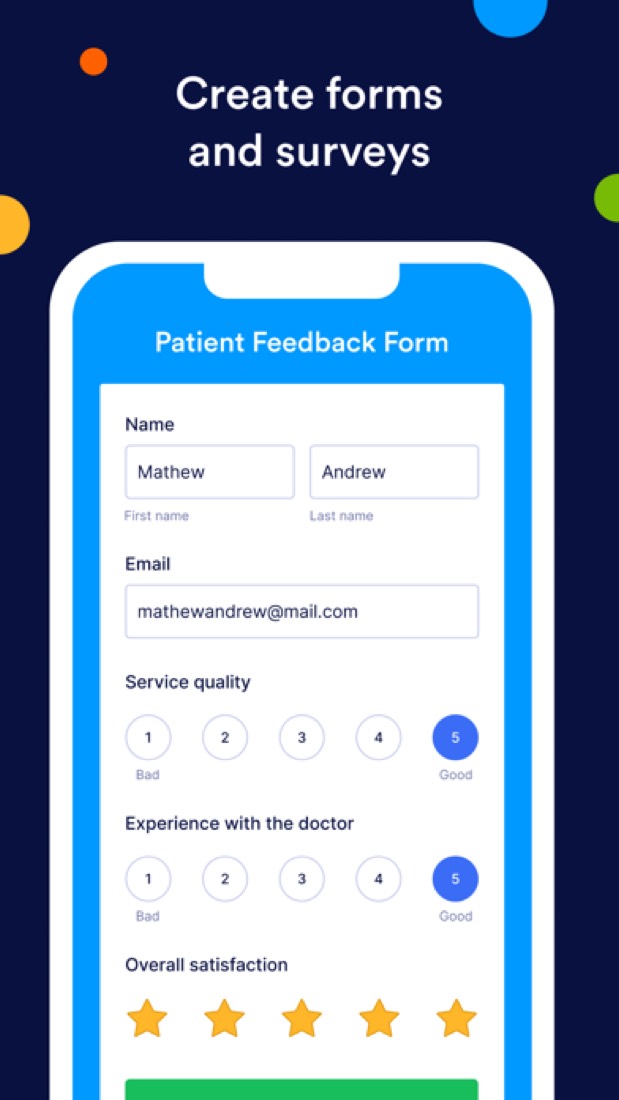
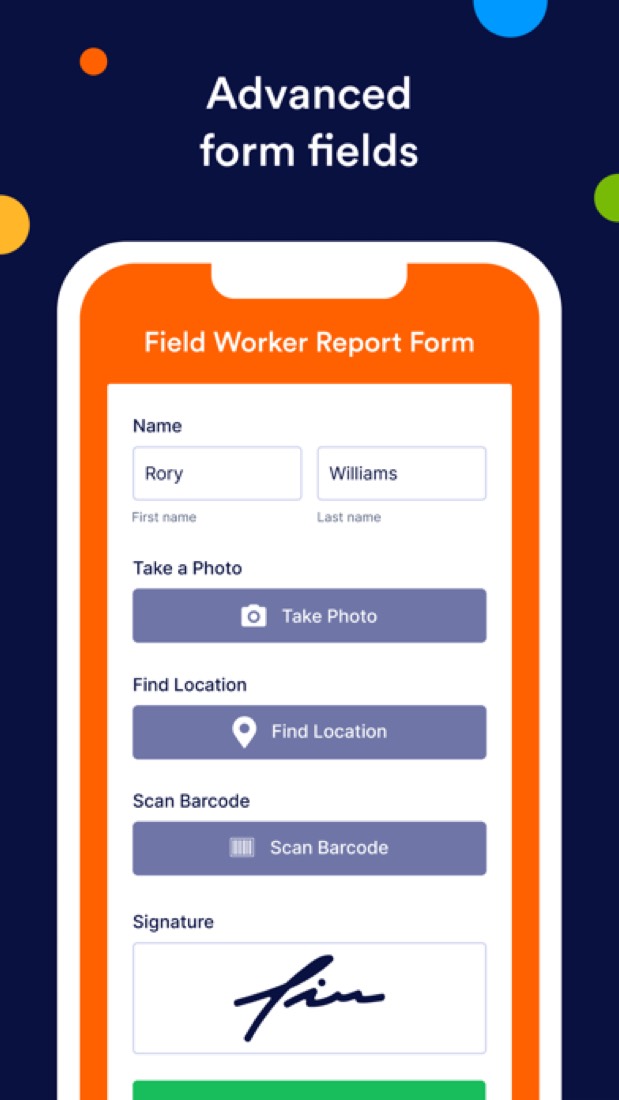
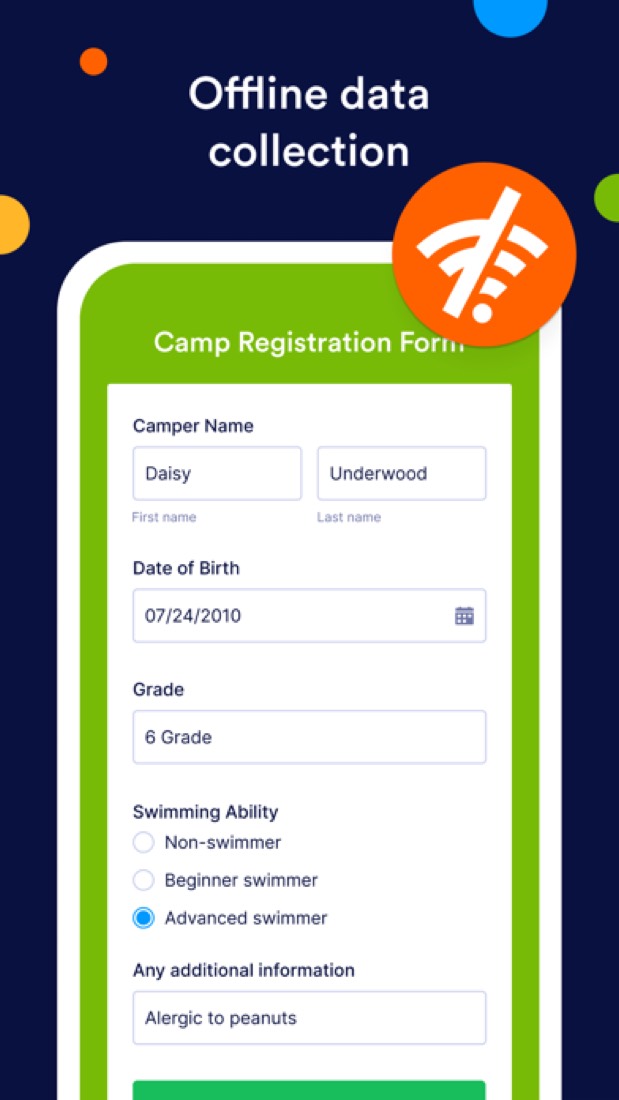
Jotform is a no-code form builder that has grown into a suite for collecting data and acting on it. Beyond forms it includes tables, reports, e-signatures, approval workflows, an app builder, a store builder and AI agents, plus iOS and Android apps that collect data offline. Plans are tiered by usage limits such as forms, monthly submissions and upload space, and only Enterprise supports multiple users.
To get you started, here are 10 things to know about Jotform, taken from its own pages and our grades.
Pick a template, drag the fields around, send the link.
- 1
Best for forms that take payments and signatures
Jotform builds forms that can also take payments, collect signatures and send answers for approval, with a phone app that works with no signal.
- 2
Paid plans start at $34 a month
As its pricing page puts it: $34 per month, billed annually ($39 billed monthly).
- 3
There is a free plan
Starter plan: 5 forms, 100 monthly submissions, 100 MB of upload space, 10,000 monthly form views and 500 stored submissions for one user. Forms and signed documents carry Jotform branding.
- 4
It runs on 3 platforms
Web, iOS and Android.
- 5
Drag-and-drop Form Builder
Build forms without code, starting from more than 20,000 premade templates, with conditional logic to show or hide fields and widgets that extend what a form can do.
- 6
Online payments
Collect one-time payments and recurring subscriptions through gateways such as PayPal, Stripe and Square. Monthly payment submissions are capped by plan, from 10 on Starter to 1,000 on Gold.
- 7
Jotform Sign
Create, share and e-sign documents. Signed documents count against a monthly limit that runs from 10 on Starter to 1,000 on Gold.
- 8
Refunds: 30 days
Thirty days from any payment, for any reason, and the terms say renewals count too, which is better than most of this category manages. You downgrade yourself from the Billing page and keep the paid plan until the next billing date.
- 9
A 3.0 GPA, above 29 of 30
That is against the other form and survey tools we grade, on value, the free plan, features, ease of use and platforms.
- 10
Keep it
To replace Jotform you would be making connections to other products, each kept working as those products change. That is not a weekend's work, with an AI app builder or without one.
Jotform at a glance
- Pricing
- Free plan, from $34 per month, billed annually ($39 billed monthly)
- Free plan
- Yes
- Free trial
- None stated
- Runs on
- Web, iOS, Android
- Made by
- Jotform Inc., since 2006
- Category
- Forms & Surveys
- Our grade
- 3.0 GPA, very good
- Store rating
- 4.9 on the App Store, 44,550 ratings
The report card
Best for forms that take payments and signatures
Jotform builds forms that can also take payments, collect signatures and send answers for approval, with a phone app that works with no signal. Free stops at 5 forms and 100 responses a month with Jotform's logo on every form, paid plans start at $34 a month for one person, a second builder means Enterprise at an unpublished price, there's no trial, and full storage deletes your oldest responses. For a quick survey, look elsewhere.
| Subject | Grade | Comment |
|---|---|---|
| Value for money | C | $34 a month on yearly billing lands between this category's $24 middle and its dearer quarter at $39, and that's 25 forms for one person. Fair if it replaces a signing tool too. Steep if you only need forms, and a second builder means Enterprise. |
| Free plan and trial | C | Nearly every feature is in the free plan, and it never expires, but the caps are ones you'll hit: 5 forms, 100 responses a month, 500 responses kept, and Jotform's logo on every form. |
| Features | A | Forms, payments, e-signatures, approvals, tables, reports, an app builder and AI agents, from more than 20,000 templates. Two things the rest of this category hasn't got: a phone app that collects answers with no signal, and agents that run a form over chat, phone or WhatsApp. |
| Ease of use | A | 4.9 from about 44,600 App Store ratings, the highest score in this category. Pick a template, drag the fields around, send the link. One reviewer's car club, run by volunteers with little tech experience, got on fine. |
| Platforms and integrations | B | Web plus iPhone and Android, with the phone app working offline, and it hooks into PayPal, Stripe, Google Sheets, Slack and Zapier, with an API key even on free. No desktop app, which is the one thing short of top marks. |
An A is worth 4 points, a B 3, a C 2, a D 1 and an F nothing. The GPA is the average of the five.
Who Jotform is for
- Fits if you want forms, payments and signatures in one account, not three
- Works for field teams collecting answers with no signal, like on a building site
Who it is not for
- Skip it if all you need is a quick survey, because Google Forms is free
- Tight if you want to stay on free, with 5 forms, 100 responses a month, 500 kept and Jotform's logo on each form
- Pricey if two of you build forms, since only Enterprise takes more than one user and its price isn't published
- Not for you if you need HIPAA features on a budget, as they start on Gold at $99
- Watch out: there's no trial, full storage deletes your oldest responses, and sale prices renew at full price
Good to know
Good for
- Solo users who need payments, signatures and forms in one account
- Field teams collecting data on phones and tablets without a connection
- Nonprofits and schools, which get half off the single-user plans
Worth knowing
- Bronze, Silver and Gold are single-user plans; Enterprise is the only multiuser plan.
- The free Starter plan allows 5 forms and 100 submissions a month, and its forms show Jotform branding.
- HIPAA compliance features are limited to the Gold and Enterprise plans.
- Paid plans have no trial period, only a 30-day money-back guarantee; once submission storage is full, the oldest responses are deleted.
Part 02 · Pricing
What it costs
Every plan, the free plan, ways to pay less and how prices have moved
$34
A month to start. There is a free plan too
Jotform has a free plan. Paid plans start at $34 per month, billed annually ($39 billed monthly).
Steep if you only need forms, and a second builder means Enterprise.
Starter
$0
5 forms, 100 monthly submissions, 100 MB of space and 10 payment submissions a month, with Jotform branding.
Bronze
$34
per month, billed annually ($39 billed monthly)
25 forms, 1,000 monthly submissions, 1 GB of space and 100 payment submissions a month for one user.
Silver
$39
per month, billed annually ($49 billed monthly)
50 forms, 2,500 monthly submissions, 10 GB of space and 250 payment submissions a month for one user.
Gold
$99
per month, billed annually ($129 billed monthly)
100 forms, 10,000 monthly submissions, 100 GB of space and optional HIPAA compliance features, for one user.
Enterprise
Custom
The only multiuser plan: unlimited forms and submissions, SSO, user management, data residency and a custom domain.
The free plan
Starter plan: 5 forms, 100 monthly submissions, 100 MB of upload space, 10,000 monthly form views and 500 stored submissions for one user. Forms and signed documents carry Jotform branding.
Read from jotform.com on Oct 5, 2026.
Ways to pay less
Annual discount
Save up to 20% with yearly billing
The pricing page advertises up to 20% off for yearly payment. Bronze is $34 per month billed annually versus $39 monthly, Silver $39 versus $49 and Gold $99 versus $129.
Stated on jotform.comNonprofit
50% off for nonprofits
Approved nonprofits get 50% off the Bronze, Silver and Gold plans and 30% off the Enterprise plan.
Stated on jotform.comEducation
50% off for educators and schools
Verified teachers and academic institutions get 50% off Bronze, Silver and Gold and 30% off Enterprise. Fees for HIPAA, SSO and other add-ons are excluded.
Stated on jotform.com
What the app costs elsewhere
Each country’s App Store price for “Jotform Mobile Monthly Bronze”, against $39.99 in the United States, in dollars at the day’s rate. The four cheapest and the four dearest of 11.
| Country | Price there | In dollars | Against the US |
|---|---|---|---|
| Mexico | $699.00 | $38.41 | about the same |
| Germany | 34,99 € | $39.21 | about the same |
| Philippines | ₱ 2,490.00 | $39.64 | about the same |
| United Kingdom | £29.99 | $39.65 | about the same |
| Indonesia | Rp 749ribu | $41.89 | about the same |
| Brazil | R$ 209,90 | $41.94 | about the same |
| Canada | $59.99 | $42.17 | 5% more |
| South Africa | R699.99 | $42.34 | 6% more |
Part 03 · Features
What it does
Its main features, where it runs, what it works with and who makes it
3
Places it runs: Web, iOS and Android
No-code form builder with payments, e-signatures and workflows. Here is what it does, as its own site describes it, and what it covers: works offline, public API, templates, workflow automation, AI agents, app builder, forms.
No desktop app, which is the one thing short of top marks.
- Drag-and-drop Form Builder
- Build forms without code, starting from more than 20,000 premade templates, with conditional logic to show or hide fields and widgets that extend what a form can do.
- Online payments
- Collect one-time payments and recurring subscriptions through gateways such as PayPal, Stripe and Square. Monthly payment submissions are capped by plan, from 10 on Starter to 1,000 on Gold.
- Jotform Sign
- Create, share and e-sign documents. Signed documents count against a monthly limit that runs from 10 on Starter to 1,000 on Gold.
- Workflows, Tables and reports
- Jotform Workflows automates approval steps, Jotform Tables organizes submissions in a workspace, and Report Builder turns responses into charts and grids.
- Mobile app with offline collection
- The free iOS and Android app collects submissions without an internet connection and has a kiosk mode for gathering many responses on one device.
- AI Agents
- Agents trained on URLs, uploaded documents or custom Q&As answer questions and guide people through a form over chat, phone, SMS, WhatsApp and email.
Where it runs
- Web
- iOS
- Android
What it works with
- PayPal
- Stripe
- Square
- Google Sheets
- Salesforce
- HubSpot
- Slack
- Zapier
Jotform is made by Jotform Inc., and has been around since 2006.
Part 04 · Standing
Where it stands
Its grades against its category, and whether to keep it or make your own
29/30
Other form and survey tools it is graded above
Jotform's GPA of 3.0 is higher than 29 of the 30 other form and survey tools we grade.
It stands best on ease of use (A, above 30 of 30) and worst on free plan and trial (C, above 1).
Its paid plans start at $34 a month, against a middle price of $21 for the category: 22 of the 30 others that charge start lower.
On features, ease of use and platforms it scores 3.7 out of 4, and no tool on the category's chart scores higher without costing more.
Each grade against the category
Every bar is all 31 form and survey tools we grade, cut by the letter each got. Jotform’s own letter is outlined.
- CValue for moneyAbove 7 of 30
- CFree plan and trialAbove 1 of 30
- AFeaturesAbove 27 of 30
- AEase of useAbove 30 of 30
- BPlatforms and integrationsAbove 4 of 30
Price against what you get
Each dot is one of 31 form and survey tools. Further left costs less; higher up scores better on features, ease of use and platforms. Jotform is the marked dot.
What paid plans start at, a month (each step along is roughly double) →
Keep it, or make your own?
Whether this is something you could build for yourself with an AI app builder, and what you would give up.
Keep it
To replace Jotform you would be making connections to other products, each kept working as those products change. That is not a weekend's work, with an AI app builder or without one.
It is one of the better ones too: its GPA of 3.0 is higher than 29 of the 30 other form and survey tools we grade. It costs $408 a year.
What you could make
- Forms and templates: an app builder makes these well.
What you could not
- Connections to other products, each kept working as those products change.
- An AI agent, with the models and the safeguards behind it.
- A tool that builds and hosts other apps.
- A real app for iOS and Android. Something home-made would be a web page.
- Hooks into the device itself: widgets.
- The depth: we grade its features A, which means it covers the whole job.
What this rests on. Jotform’s listing: what it does, where it runs, what it plugs into and what it costs. It is a judgement about the kind of software this is. We have not built a replacement for it, and making your own means looking after it too. How we decide, and every tool’s verdict.
Part 05 · Refunds
After you pay
Getting your money back, getting out, and getting help
What happens once you have paid: whether you can get your money back, how to leave, and how to reach a person when something goes wrong. Each is graded from Jotform’s own terms and help pages.
Refunds and cancelling
Good · checked Oct 18, 2026
Thirty days from any payment, for any reason, and the terms say renewals count too, which is better than most of this category manages. You downgrade yourself from the Billing page and keep the paid plan until the next billing date. It is a B rather than an A because the money comes through a refund request that Jotform then approves or denies, and because no page we could find says what happens to your forms and submissions once the account lands back on Starter.
- Refund window
- 30 days
- How you cancel
- Yourself, in settings
- Getting your money back
Jotform's terms set out a 30 Day Money Back Policy: cancel your account within 30 days of a payment made directly to Jotform, for any reason, and you may request and receive a refund from the support team. Refunds for other reasons inside those 30 days are at Jotform's sole discretion, and add-ons such as AI agent phone numbers are excluded. Purchases through the App Store or Google Play are refunded by those stores.
Stated on jotform.com- How to cancel Jotform
A paid plan is cancelled by downgrading to the Starter (Free) plan from the Billing section of Account Settings. Jotform says you keep your current plan's features until the plan actually changes. A subscription bought through the Jotform mobile app on Google Play or the App Store has to be cancelled in that store instead, and a PayPal automatic payment is stopped from the PayPal account.
- On the Workspace page, click your avatar at the top right
- Click Settings to open Account Settings
- In the menu on the left, click Billing
- In the My Plan section, click Change Plan
- At the bottom of the Starter (Free) plan, click Downgrade
- Review the changes listed in the window that opens and confirm the downgrade
- What you keep afterwards
Jotform's pricing FAQ says that when you cancel a paid plan you stay on it until the next billing date and are then moved to Starter, and that downgrading to a plan with lower limits takes effect immediately, with the unused time added to the account as a balance against the next invoice. The pages read do not say what becomes of forms and submissions that sit above the Starter limits afterwards.
Stated on jotform.com- Renewals
The terms say a Jotform subscription is billed in advance on a recurring basis and renews automatically at the end of each billing cycle until you cancel or downgrade to the free Starter plan, and that turning off auto-renew stops the next charge or invoice. No reminder before a renewal is mentioned, though the 30-day refund window runs from each payment rather than only the first.
Stated on jotform.com
In your favour
- Thirty days from any payment, including a renewal you forgot about, not just your first purchase.
- The refund is for any reason: the terms do not ask you to justify cancelling.
- You downgrade yourself from the Billing page, with nobody to talk you out of it.
- Cancel and you keep the paid plan until the next billing date rather than losing it that day.
Watch out for
- You submit a refund request and Jotform approves or denies it; there is no button that just returns the money.
- Add-ons such as AI agent phone numbers are carved out of the refund policy.
- Bought it in the app stores? Google or Apple handles the refund, not Jotform.
- No page we read says what happens to forms and submissions that exceed the Starter limits after you drop back.
Customer support
Good · checked Oct 18, 2026
Jotform states more than most: the support team is there 24 hours a day, every day, and the contact page shows a running average reply time of about an hour and a half. Anyone can raise a ticket, free plans included, and the help centre is large. It stops short of an A because the only instant options are an AI agent, and nothing on the page says a person answers live. Note too that tickets are posted publicly unless you tick the private box.
Ways to get help
Contact form or ticket
A support ticket raised from the contact page, with space for a link and a screenshot. Jotform warns that what you submit is posted to its public Jotform Answers page unless you tick Make private. The same page also offers an AI agent by chat, WhatsApp, Messenger and voice.
Stated on jotform.comHelp centre
Jotform's help centre, open without signing in, with user guides grouped into chapters including a billing chapter covering invoices, cancelling a subscription and requesting a refund.
Stated on jotform.comCommunity or forum
The public Jotform Answers pages, where tickets submitted without the private box ticked are published together with the support team's replies, so other users can read them.
Stated on jotform.com
Not listed on Jotform’s pages: live chat, phone.
- When people answer
The contact page states that the customer support team is available 24/7. The pricing page repeats it, saying the support team is available to help any time you need them.
Stated on jotform.com- How fast it says it replies
The contact page displays an average response time of 1 hour 30 minutes beside the question box. It is shown as an average rather than promised as a target, and no plan is named against it.
Stated on jotform.com- What depends on your plan
Jotform's pages do not split ordinary support by plan: the same ticket form and the same 24/7 claim are offered to everyone, Starter included. The one difference named is Enterprise, which Jotform's pricing page says comes with a dedicated support team.
Stated on jotform.com
In your favour
- Jotform states 24/7 cover and shows a running average reply time, which most tools never put in writing.
- Free Starter users get the same ticket form as paying customers.
- The help centre has step-by-step guides on cancelling, invoices and requesting a refund.
- Answered tickets are published, so you can often find your question already dealt with.
Watch out for
- Your ticket is posted publicly unless you tick Make private, so strip out anything personal.
- The only instant options are an AI agent; no page says a person answers live.
- The hour-and-a-half figure is an average on display, not a promise, and no plan is attached to it.
- A dedicated support team is an Enterprise thing, and Enterprise has no public price.
What these two grades rest on. Read on 18 October 2026: Jotform's terms of use with their payments and 30 Day Money Back sections, the help centre's billing chapter, its articles on cancelling a subscription and on requesting a refund, the article on the form over quota error, the pricing page and its FAQ, the contact page and the public answers pages. Nobody here cancelled a plan or contacted its support. They are graded apart from the five that make the GPA. How we grade refunds and support.
Part 06 · Alternatives
The alternatives
The tools it is most often weighed against, side by side




Typeform, Google Forms, Cognito Forms, Formstack and Zoho Forms
The 5 tools Jotform is most often weighed against, with where each one differs from it.
- 2.4GPA
Typeform
Free plan · from $28/mo
Form, survey and quiz builder with logic, AI and video questions.
- Only Jotform lists iOS and Android apps.
- Jotform also covers AI agents and app builder.
- Typeform also covers surveys and reports.
- 3.2GPA
Google Forms
Free plan · from $7/mo
Form, survey and quiz builder that comes with a Google Account.
- Only Jotform lists iOS and Android apps.
- Jotform also covers workflow automation, AI agents and app builder.
- Google Forms also covers surveys and reports.
- 2.4GPA
Cognito Forms
Free plan · from $19/mo
Form builder with calculations, payments and approval workflows.
- Only Jotform lists iOS and Android apps.
- Jotform also covers AI agents and app builder.
- Cognito Forms also covers no-code and surveys.
- 2.2GPA
Formstack
Free trial · from $83/mo
No-code forms with document generation and eSignatures.
- Jotform has a free plan. Formstack does not, though it has a free trial.
- Only Jotform lists iOS and Android apps.
- Jotform also covers AI agents and app builder.
- 2.8GPA
Zoho Forms
Free plan · from $10/mo
No-code form builder with approvals, payments and mobile apps.
- Jotform also covers AI agents and app builder.
- Zoho Forms also covers no-code and reports.
Part 07 · Questions
Quick answers
The questions people ask about it, each answered in a line or two
21
Questions, each answered in a line or two
The short version of everything above, for when you only need the answer. Each one is told in full in its part of the guide.
Is Jotform free?
Jotform has a free plan. Starter plan: 5 forms, 100 monthly submissions, 100 MB of upload space, 10,000 monthly form views and 500 stored submissions for one user.
How much does Jotform cost?
Jotform lists 5 plans. Starter: $0.
What platforms does Jotform work on?
Jotform is available on Web, iOS and Android.
Does Jotform offer any discounts?
Jotform publicly lists the following: Save up to 20% with yearly billing; 50% off for nonprofits; 50% off for educators and schools.
How is Jotform rated?
Jotform's iPhone and iPad app averages 4.9 out of 5 from 44,550 ratings on the App Store in the United States, as read on Oct 5, 2026.
Does Jotform have a Windows app?
No Windows app was listed when its pages were read on Oct 5, 2026. Jotform is listed for Web, iOS and Android.
Does Jotform have a macOS app?
No macOS app was listed when its pages were read on Oct 5, 2026. Jotform is listed for Web, iOS and Android.
Is Jotform open source?
Jotform is not described as open source on its own site, as read on Oct 5, 2026.
Does Jotform work offline?
Yes, according to its own site. What works without a connection differs by plan and platform, so check the vendor's page for the detail.
Does Jotform have an API?
Yes. Jotform offers a public API, according to its own site.
What does Jotform integrate with?
Jotform's listing names PayPal, Stripe, Square, Google Sheets, Salesforce, HubSpot, Slack and Zapier.
Does Jotform have a student discount?
50% off for educators and schools. Verified teachers and academic institutions get 50% off Bronze, Silver and Gold and 30% off Enterprise.
Who makes Jotform?
Jotform is made by Jotform Inc. It dates from 2006.
What are the alternatives to Jotform?
The closest alternatives to Jotform in our directory are Typeform, Google Forms, Cognito Forms, Formstack and Zoho Forms.
Does Jotform give refunds?
Jotform's terms set out a 30 Day Money Back Policy: cancel your account within 30 days of a payment made directly to Jotform, for any reason, and you may request and receive a refund from the support team.
How do I cancel Jotform?
A paid plan is cancelled by downgrading to the Starter (Free) plan from the Billing section of Account Settings.
What happens to my data if I cancel Jotform?
Jotform's pricing FAQ says that when you cancel a paid plan you stay on it until the next billing date and are then moved to Starter, and that downgrading to a plan with lower limits takes effect immediately, with the unused time added to the account as a balance against the next invoice.
How do I contact Jotform support?
Jotform's pages list these ways to get help: contact form or ticket, help centre and community or forum.
How does Jotform compare with other form and survey tools?
Jotform's GPA of 3.0 is higher than 29 of the 30 other form and survey tools we grade.
Is Jotform good value for money?
ToolGPA grades Jotform C for value for money. Its paid plans start at $34 a month, against a middle price of $21 for the category: 22 of the 30 others that charge start lower.
Could I make my own version of Jotform?
To replace Jotform you would be making connections to other products, each kept working as those products change.
Where this guide comes from
The prices, plans, platforms and features were read from Jotform’s own pages on Oct 5, 2026, and the grades were given on Oct 10, 2026. Based on Jotform's pricing, features, mobile forms, AI agents, help and API pages as of 9 October 2026, its App Store reviews and Hacker News posts that mention it. Also tested with a demo account on 2026-03-16.
Every tool we list gets five grades, A to F, each with its reason, and a GPA that averages them. How each is decided is at toolgpa.com/grades. This guide is ToolGPA’s own work; it is not made, paid for or approved by Jotform Inc. Prices change, so check jotform.com before you buy.
Part 08 · About
About ToolGPA
Who made this guide, what else is on the site, and how to cite it
3,189
Tools graded, in 94 categories
ToolGPA grades software the way a school report grades a pupil: five subjects, a letter for each with the reason written beside it, and a GPA that averages them. Prices, plans and platforms are read from each maker’s own pages and dated, so you always know how fresh a figure is.
Every grade, review and ranking on ToolGPA is our own judgement. No company can pay for a grade or change one. Every tool on the site has a guide like this one, free to download and pass on. It all lives at toolgpa.com.
3,189
tools graded
94
categories
426
price changes on record
579
apps priced in 12 countries
What else is on toolgpa.com
- Jotform, kept up to dateEverything in this guide, with prices and grades as they are todaytoolgpa.com/tools/jotform
- How grades are givenThe rules behind every letter and every GPAtoolgpa.com/grades
- Value chartsWhat each tool costs against what it scores, for every categorytoolgpa.com/charts
- CompareAny two tools side by side, plan by plantoolgpa.com/compare
- Price changesEvery price rise and cut on record, each with its sourcetoolgpa.com/price-changes
- Prices by countryWhat apps cost on the App Store in 12 countriestoolgpa.com/prices-by-country
- Pay lessEvery public discount: yearly billing, students, nonprofitstoolgpa.com/save
- Keep or makeWhich tools are worth paying for, and which you could build yourselftoolgpa.com/keep-or-make
Scan for the live page
Prices and grades as they are today
Quoting this guide?
Please name ToolGPA and link to the live page, so readers can check the figures for themselves:
ToolGPA, "Jotform: The Insider's Guide", checked Oct 5, 2026. https://toolgpa.com/tools/jotform
Know someone choosing between form and survey tools?
Send them this guide: toolgpa.com/tools/jotform/guide
ToolGPA elsewhere: youtube.com/@toolgpa
See our other guides
The best-graded form and survey tools after Jotform, each with an Insider's Guide of its own.
- Forms & Surveys Insider's GuideEvery one of the 31 form and survey tools we grade, compared
- Google Forms Insider's GuideForm, survey and quiz builder that comes with a Google Account3.2 GPA
- Fillout Insider's GuideForm builder with unlimited seats, payments and scheduling2.8 GPA
- HeyForm Insider's GuideOpen-source builder for conversational forms and surveys2.8 GPA


Choosing software? Every tool graded, every price dated.
Compare tools at toolgpa.com ›Everything in this guide is ToolGPA’s own summary of what Jotform’s pages, its app-store listings and public reviews said on the dates shown. Grades are our judgement under the rules at toolgpa.com/grades. Every grade, review and ranking on ToolGPA is our own judgement. No company can pay for a grade or change one. Jotform is a trademark of its owner, and this guide is not made, paid for or approved by Jotform Inc. Prices and plans change: check jotform.com before you buy.