The Window Managers & Launchers Insider’s Guide
Every one of the 29 window managers and launchers we grade in one document: the top three, what they cost, the grades and the full list. Read it here, or keep a copy.
Window Managers & Launchers
The Insider’s Guide
Keyboard launchers that open anything in a keystroke, and window managers that put every window where you want it. Mostly small, mostly one-time purchases, and the kind of tool people keep for years.
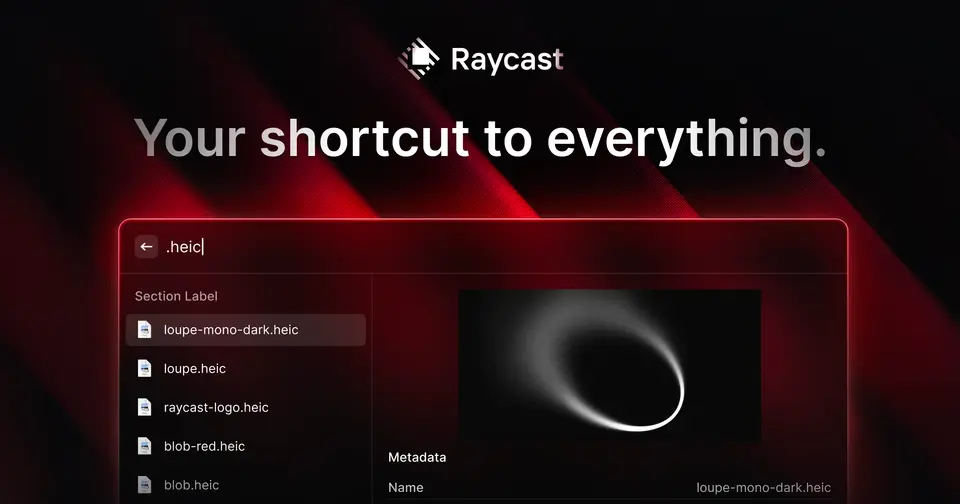
- Raycast
- Microsoft PowerToys
- Alfred
- Flow Launcher
- DockDoor
- Loop





Every one we grade, what they cost, the best buy at each budget and the three to look at first.
Checked Nov 12, 2026 · toolgpa.com
Contents
- 01WelcomeWhat these tools do, how many we grade and what to know before choosing
- 02Our top threeThe three we'd look at first, and who each one suits
- 03What they costWhat paid plans start at, the best buy at each budget and the free plans
- 04The gradesThe highest graded, and how the whole category does on each subject
- 05Keep or make?Which are worth paying for, and which you could make yourself
- 06Every toolAll of them, best graded first, with what each costs
- 07Quick answersThe questions people ask when choosing, each answered in a line or two
- 08About ToolGPAWho made this guide, what else is on the site, and how to cite it
ToolGPA put this guide together from each tool’s own pages, their app-store listings and our grades. Every fact in it is on the Window Managers & Launchers page too, where it is kept up to date. Checked Nov 12, 2026.
Part 01 · Overview
Welcome
What these tools do, how many we grade and what to know before choosing
29
window managers and launchers we grade, from their own pages
Keyboard launchers that open anything in a keystroke, and window managers that put every window where you want it. Mostly small, mostly one-time purchases, and the kind of tool people keep for years.
Before you choose, here are 7 things to know about window managers and launchers, worked out from every one we grade.
- 1
We grade 29 window managers and launchers
20 of them are free or have a free plan, and 8 more let you try before paying. Everything in this guide comes from their own pages and our grades.
- 2
Paid plans start at $8 a month in the middle
From $0.83 (Fences) to $10 (Komorebi), going by what each one's paid plans start at.
- 3
Best value: Raycast and Flow Launcher
Nothing on our chart scores higher than these without costing more.
- 4
0 of 29 have iPhone and Android apps
0 run in a web browser and 10 have a Windows app. Check the one you need before you fall for anything.
- 5
The middle GPA is 2.6
1 score 3.0 or higher. The highest is Flow Launcher, at 3.0.
- 6
Best free option: Flow Launcher
Flow Launcher has the highest GPA of the free ones, 3.0. Free, open-source app launcher and file search for Windows.
- 7
28 worth keeping, 0 you could make
By our keep-or-make rules, 28 do something you couldn't reasonably build yourself, 0 are simple enough to make with an AI app builder, and 1 are a close call.
Part 02 · Top three
Our top three
The three we'd look at first, and who each one suits
The three window managers and launchers we'd look at first. First place suits the most people; second and third are the best picks for the people it leaves out. Each has an Insider's Guide of its own.
1st
2.8GPARaycast
Free plan · from $96/yr
For: Most people, on a Mac or a Windows PC
Raycast is a keyboard launcher for Mac and Windows that also does the work of several small utilities. Its free plan includes clipboard history kept for 3 months, snippets, quicklinks, a calculator, window management, 5 Raycast Notes and a store of thousands of extensions. Pro is $96 a year, or $10 a month, and adds Raycast AI, cloud sync and unlimited notes. Commenters describe giving apps and windows their own hotkeys and using its extensions. Know the limits: AI is not part of the free plan, the Windows app does not yet have every Mac feature, no Linux version is listed, and version 2 draws objections over higher memory use and bugs.
The Raycast Insider’s Guide2nd
2.8GPAMicrosoft PowerToys
Free
For: Windows users who want everything free and open source
PowerToys is a free, open-source collection of more than 30 utilities for Windows 10 and 11, with no paid edition. FancyZones snaps windows into custom zone layouts, Command Palette is a keyboard launcher with an extension gallery, Keyboard Manager remaps keys and shortcuts, and other tools rename files in bulk and copy text off the screen. It is second because it runs on Windows only, where Raycast covers the Mac as well. Key remaps apply only while PowerToys is running and do not work on the log-in screen, FancyZones cannot snap some apps, and pasting with AI needs a model provider that may charge for usage.
The Microsoft PowerToys Insider’s Guide3rd
2.4GPAAlfred
Free plan · from £34 one-time
For: Mac users who would rather buy once than subscribe
Alfred is a Mac launcher whose core is free to use forever: it opens apps, finds files and searches the web from one search bar. The Powerpack is a one-time £34 for Alfred 5, or £59 with free upgrades to future versions, and adds clipboard history, snippets, file actions and workflows that chain steps together without code. It is third because all of those need the Powerpack, where Raycast's free plan includes clipboard history and snippets and everything in PowerToys is free, and because it runs on the Mac only. Prices are shown in pounds sterling only, and the £34 license is tied to Alfred 5, so a later major version is a discounted paid upgrade.
The Alfred Insider’s Guide
Part 03 · Pricing
What they cost
What paid plans start at, the best buy at each budget and the free plans
$8
A month to start, in the middle of those that charge
Going by our grades, Raycast and Flow Launcher give the most for the money among window managers and launchers: no tool on this chart scores higher without costing more.
Paid plans start at a middle price of $8 a month across the 3 that charge, from $0.83 (Fences) to $10 (Komorebi). 12 more cost nothing at all.
9 of the 15 score above the category's average while starting at or below its middle price. 1 cost more than the middle price and score below the average.
The best buy at each budget
Free
Flow Launcher
Costs nothing. Nothing at that price or less scores higher.
Up to $10 a month
Raycast
Starts at $8 a month when paid by the year. Nothing at that price or less scores higher.
Price against what you get
Each dot is one of 15 window managers and launchers. Further left costs less; higher up scores better on features, ease of use and platforms. The green line is the best score at each price.
What paid plans start at, a month (each step along is roughly double) →
The best free ones
- 3.0
Flow Launcher
Free
- 2.8
DockDoor
Free
- 2.8
Loop
Free
- 2.8
Microsoft PowerToys
Free
- 2.8
Quicksilver
Free
- 2.8
Raycast
Free plan · Free plan · from $96/yr
Part 04 · Grades
The grades
The highest graded, and how the whole category does on each subject
3.0
The highest GPA, Flow Launcher's
Every tool gets five grades, A to F, each with its reason, and a GPA that averages them. Here are the 12 highest graded window managers and launchers, then how the whole category does on each subject.
| Tool | Value | Free | Features | Ease | Platforms | GPA |
|---|---|---|---|---|---|---|
| Flow Launcher | A | A | B | B | D | 3.0 |
| DockDoor | A | A | C | B | D | 2.8 |
| Loop | A | A | C | B | D | 2.8 |
| Microsoft PowerToys | A | A | B | C | D | 2.8 |
| Quicksilver | A | A | B | C | D | 2.8 |
| Raycast | C | B | A | C | B | 2.8 |
| Rectangle | A | A | C | B | D | 2.8 |
| Ueli | A | A | C | C | C | 2.8 |
| Albert | A | A | C | D | C | 2.6 |
| AltTab | A | B | C | B | D | 2.6 |
| Amethyst | A | A | C | C | D | 2.6 |
| Hyperkey | A | A | D | B | D | 2.6 |


How the whole category does
Each bar is every window managers and launcher we grade, cut by the letter it got on that subject.
- Value for moneyavg 3.5
- Free plan and trialavg 3.1
- Featuresavg 2.3
- Ease of useavg 2.3
- Platforms and integrationsavg 1.2
Part 05 · Keep or make
Keep or make?
Which are worth paying for, and which you could make yourself
0
Simple enough to make yourself, of 29
Some software does something you couldn’t reasonably build yourself. Some is simple enough that an AI app builder could make the core of it in an afternoon. Here’s where window managers and launchers land, by the same rules for every tool.
28
Keep it
It does something you could not reasonably make for yourself, or it costs nothing.
1
Your call
You could make the core of it, and you would give something up.
0
You could make this
What it does is the kind of thing an AI app builder makes well, and it charges every month.
Worth keeping
Flow Launcher
Flow Launcher is free, so making your own would save you nothing.
DockDoor
DockDoor is free, so making your own would save you nothing.
Loop
Loop is free, so making your own would save you nothing.
Microsoft PowerToys
Microsoft PowerToys is free, so making your own would save you nothing.
Part 06 · Every tool
Every tool
All of them, best graded first, with what each costs
29
Tools, best graded first
Every window managers and launcher we grade, with its GPA and what it costs. Each one has a page of its own on toolgpa.com, with its Insider’s Guide.
- 1Flow LauncherFree3.0
- 2DockDoorFree2.8
- 3LoopFree2.8
- 4Microsoft PowerToysFree2.8
- 5QuicksilverFree2.8
- 6RaycastFree plan · from $96/yr2.8
- 7RectangleFree2.8
- 8UeliFree2.8
- 9AlbertFree2.6
- 10AltTabFree plan · from $9.99 one-time2.6
- 11AmethystFree2.6
- 12HyperkeyFree2.6
- 13LaunchBarFree plan · from €35 one-time2.6
- 14ListaryFree plan · from $19.95 one-time2.6
- 15UlauncherFree2.6
- 16AeroSpaceFree2.4
- 17AlfredFree plan · from £34 one-time2.4
- 18AquaSnapFree plan · from $292.4
- 19DisplayFusionFree plan · from $34 one-time2.4
- 20FencesFree trial · from $9.99/yr2.4
- 21SizeUpFree trial · from $12.992.4
- 22SwishFree trial · from $16 one-time2.4
- 23DivvyFree trial · from $13.992.2
- 24MoomFree trial · from $15 one-time2.2
- 25MosaicFree trial · from £14.99 one-time2.2
- 26ContextsFree trial · from $9.992.0
- 27KomorebiFree plan · from $10/mo2.0
- 28MagnetFrom $4.99 one-time2.0
- 29Mission Control PlusFree trial · from $10.072.0
Part 07 · Questions
Quick answers
The questions people ask when choosing, each answered in a line or two
8
Questions, each answered in a line or two
What are the best window managers and launchers?
Raycast first, Microsoft PowerToys second, Alfred third. Raycast is for most people, on a Mac or a Windows PC.
Which window managers and launchers give the most for the money?
Raycast and Flow Launcher. Each is the highest-scoring tool at its price or below: Flow Launcher scores 2.3 out of 4 and is free; Raycast scores 3.0 out of 4 and starts at $8 a month when paid by the year.
Which are the best free window managers and launchers?
Of the 12 window managers and launchers here with no paid plan at all, Flow Launcher scores highest, at 2.3 out of 4.
Which window managers and launchers are best for under $10 a month?
Raycast, with a score of 3.0 out of 4: the highest among the 15 that start at $10 a month or less.
Which window managers and launchers cost the most for what they offer?
On this chart, Komorebi (starts at $10 a month for each person, scores 1.7 out of 4, and 9 tools score higher for less) and Fences (starts at $0.83 a month when paid by the year, scores 2.0 out of 4, and 1 tool scores higher for less).
How much do window managers and launchers cost?
The middle starting price is $8 a month: half of the 3 window managers and launchers with a recurring price start below that and half above.
How is the score on this chart worked out?
It is the average of three of the five grades ToolGPA gives every tool: features, ease of use, and platforms and integrations, with an A worth 4 and an F worth 0.
How does ToolGPA grade window managers and launchers?
Five grades, A to F, for value, the free plan, features, ease of use and platforms, each with its reason, and a GPA that averages them.
Part 08 · About
About ToolGPA
Who made this guide, what else is on the site, and how to cite it
5,038
Tools graded, in 95 categories
ToolGPA grades software the way a school report grades a pupil: five subjects, a letter for each with the reason written beside it, and a GPA that averages them. Prices, plans and platforms are read from each maker’s own pages and dated, so you always know how fresh a figure is.
Every grade, review and ranking on ToolGPA is our own judgement. No company can pay for a grade or change one. Every tool on the site has a guide like this one, free to download and pass on. It all lives at toolgpa.com.
5,038
tools graded
95
categories
739
price changes on record
579
apps priced in 12 countries
What else is on toolgpa.com
- Window Managers & Launchers, kept up to dateEvery tool in this guide, with prices and grades as they are todaytoolgpa.com/categories/window-managers
- How grades are givenThe rules behind every letter and every GPAtoolgpa.com/grades
- Value chartsWhat each tool costs against what it scores, for every categorytoolgpa.com/charts
- CompareAny two tools side by side, plan by plantoolgpa.com/compare
- Price changesEvery price rise and cut on record, each with its sourcetoolgpa.com/price-changes
- Prices by countryWhat apps cost on the App Store in 12 countriestoolgpa.com/prices-by-country
- Pay lessEvery public discount: yearly billing, students, nonprofitstoolgpa.com/save
- Keep or makeWhich tools are worth paying for, and which you could build yourselftoolgpa.com/keep-or-make
Scan for the live page
Prices and grades as they are today
Quoting this guide?
Please name ToolGPA and link to the live page, so readers can check the figures for themselves:
ToolGPA, "Window Managers & Launchers: The Insider's Guide", checked Nov 12, 2026. https://toolgpa.com/categories/window-managers
Know someone choosing between window managers and launchers?
Send them this guide: toolgpa.com/categories/window-managers/guide
ToolGPA elsewhere: youtube.com/@toolgpa
See our other guides
The top three window managers and launchers have guides of their own, and so does every category near this one.
- Raycast Insider's GuideKeyboard launcher with extensions, clipboard history and AI2.8 GPA
- Microsoft PowerToys Insider's GuideFree Microsoft utilities for customizing Windows 10 and 112.8 GPA
- Desktop Utilities Insider's Guide97 desktop utilities, graded and compared
- Remote Desktop Insider's Guide36 remote desktop apps, graded and compared
- Password Managers Insider's Guide29 password managers, graded and compared
Choosing software? Every tool graded, every price dated.
Compare tools at toolgpa.com ›Everything in this guide is ToolGPA’s own summary of what each tool’s pages, app-store listings and public reviews said on the dates shown. Grades are our judgement under the rules at toolgpa.com/grades. Every grade, review and ranking on ToolGPA is our own judgement. No company can pay for a grade or change one. Product names are trademarks of their owners, and no maker made, paid for or approved this guide. Prices and plans change: check each maker’s own site before you buy.