
OneTab review (2026): is it worth it?
Browser extension that turns open tabs into a saved list
OneTab report card
Good · out of 4.0 · graded Nov 13, 2026
Best for turning open tabs into a saved list
OneTab turns every open tab into one list with a click, with folders, search and sharing as a page. The site publishes no pricing, saved pages are links only, and uninstalling the extension makes the browser delete stored tabs unless you exported them first.
Who OneTab is for
- Fits if you keep dozens of tabs open and want the memory back
- Works for parking a research session to come back to
Who OneTab is not for
- Watch out: uninstalling the extension makes the browser delete stored tabs unless exported or synced
- Not for you if you want a reading queue, as it saves links with no article text
- Skip it if you want a price list, as the site has no pricing page
- Too light for phones, as it is a browser extension only
Why OneTab gets a 2.6
Five grades, each with its reason. The GPA is their average: an A is 4 points, an F is none.
- BValue for moneyListed as free, but the site has no pricing page to confirm that no paid option exists.
- BFree plan and trialListed as free with no plan or card, though the site does not confirm it.
- CFeaturesIt does the tab-list job fully, which is a smaller job. Saved pages are links with no article text or highlights.
- BEase of useAn extension you install and click, with no store rating read and nothing to set up.
- CPlatforms and integrationsBrowser extensions for Chrome, Firefox, Edge and Safari, with no phone, desktop or integrations.
What these grades rest on. Graded from this listing, whose facts were read from OneTab's own pages on 13 November 2026. Not based on using the product, and shorter than our full reviews. How we review and grade.
Make OneTab? Put this grade on your site
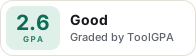
Paste this where you want the badge. It links here and follows the grade if it changes. About badges
<a href="https://toolgpa.com/tools/onetab#review"><img src="https://toolgpa.com/badge/onetab.svg" alt="OneTab: 2.6 GPA on ToolGPA" width="196" height="56"></a>Where OneTab stands among read-later and bookmark apps
OneTab's GPA of 2.6 is higher than 27 of the 66 other read-later and bookmark apps we grade, and level with 9.
It stands best on value for money (B, above 35 of 66) and worst on features (C, above 0).
OneTab has no paid plan.
On features, ease of use and platforms it scores 2.3 out of 4. Nothing scores higher for less, though at least one tool matches that score at a lower price.
Each grade against the category
Every bar is all 67 read-later and bookmark apps we grade, cut by the letter each got. OneTab’s own letter is outlined.
- BValue for moneyAbove 35 of 66, level with 7
- BFree plan and trialAbove 26 of 66, level with 20
- CFeaturesAbove 0 of 66, level with 33
- BEase of useAbove 32 of 66, level with 32
- CPlatforms and integrationsAbove 2 of 66, level with 23
Price against what you get
Each dot is one of 60 read-later and bookmark apps. Further left costs less, and higher up scores better on features, ease of use and platforms. Point at a dot to see which tool it is.
Features, ease of use and platforms, averaged
What paid plans start at, a month (each step along is roughly double) →
- The best score at each price
- Has a free plan
- No free plan
Keep OneTab, or make your own?
Keep it
OneTab is free, so making your own would save you nothing.
What you could make
- Bookmarks and tasks: an app builder makes these well.
What you could not
- End-to-end encryption done properly.
What this rests on. OneTab’s listing: what it does, where it runs, what it plugs into and what it costs. It is a judgement about the kind of software this is. We have not built a replacement for it, and making your own means looking after it too. How we decide, and every tool’s verdict.
What is OneTab?
OneTab is a browser extension that collapses every open tab into a single list page, so the tabs stop using memory until you restore them. Saved tabs can be grouped into folders, starred, marked as tasks and searched. Lists can be exported, shared as a web page, or synced between browsers with encryption.
Worth knowing
- The site publishes no pricing page, so whether any paid option exists could not be confirmed.
- Uninstalling the extension makes the browser delete stored tabs, unless they were exported or synced first.
- It is a tab list, not a reading queue: saved pages are links only, with no article text or highlights.
- Chrome, Firefox, Edge and Safari versions are named; other Chromium browsers use the Chrome version.
Key features
- One-click tab list
- Click the toolbar icon to store every tab in the current window as a list, then restore them one at a time or all at once.
- Folders, stars and tasks
- Saved tabs can be dragged into groups and folders, starred, or marked as tasks that are ticked off when done.
- Search saved tabs
- A search bar on the OneTab page finds saved tabs, and the browser address bar can search the list through a keyword.
- Share as a web page
- A stored group can be published as a web page for other people or devices. Tab lists are otherwise not uploaded.
- Export and import
- Lists of tabs can be exported and imported, which also works as a backup of saved groups.
- Encrypted cloud sync
- Optional sync and backup across devices; the vendor says data is encrypted with AES-256 and that only the user holds the key.
OneTab pricing
We could not confirm OneTab’s current pricing from its own site, so we are not listing plans here. See one-tab.com for current prices.
OneTab alternatives
- OneTab vs Toby
Free plan · from $4.50/mo
- OneTab vs Workona
Free plan · from $7/mo
- OneTab vs Raindrop.io
Free plan · from $28/yr



Common questions
Does OneTab have an Android app?
No Android app was listed when its pages were read on Nov 13, 2026. OneTab is listed for no platform we could confirm.
Does OneTab have an iPhone app?
No iPhone app was listed when its pages were read on Nov 13, 2026. OneTab is listed for no platform we could confirm.
Is OneTab open source?
OneTab is not described as open source on its own site, as read on Nov 13, 2026.
Is OneTab end-to-end encrypted?
OneTab describes itself as end-to-end encrypted on its own site. Nobody here has audited that.
Sources for this page
The prices, plans, platforms and features above were read from these pages on Nov 13, 2026.