
Stirling PDF review (2026): is the free plan enough?
Open-source PDF editor you can run on your own machine or server
Black Friday: is there a Stirling PDF sale?
Our verdict
Third of our top three PDF editors
For: People who want files kept on their own computer or server
Stirling PDF is open source and gives you 60+ PDF tools, redaction, OCR, compression and conversion among them, in a browser, as a desktop app for Windows, Mac and Linux, or on your own server; Stirling says files need not go to a third-party site. It is free for individuals, with 1,000 automation credits a month and 1 cent a credit after that. It is third because it asks more of you than UPDF: its listing does not say it changes existing text, there are no phone apps, the Linux download is a .jar file you run by hand, and SSO and a team workspace need Team at $99 a month for up to 100 users.
See all three and how we rankStirling PDF report card
Very good · out of 4.0 · graded Nov 12, 2026
Best for free PDF tools you can run on your own machine
Stirling PDF is an open-source PDF editor with 60+ tools that runs on the web, as a desktop app or self-hosted, free for individuals. Teams pay $99 a month, and anything beyond a team workspace needs the sales-only Enterprise plan.
Who Stirling PDF is for
- Fits if you want PDF tools that keep files on your own machine
- Works for developers who want an API for PDF jobs
Who Stirling PDF is not for
- Tight if you run a team, as SSO and the team workspace are not on the free plan
- Pricey if you need Team, at $99 a month for up to 100 users
- Watch out: air-gapped use, SCIM, data residency and audit logs need the sales-only Enterprise plan
- Watch out: automation credits cost 1 cent each after the first 1,000 a month
- Skip it if you want a phone app, as none is listed
Why Stirling PDF gets a 3.2
Five grades, each with its reason. The GPA is their average: an A is 4 points, an F is none.
- AValue for moneyFree for individuals, with 60+ tools on web, desktop or self-hosted and 1,000 automation credits a month.
- AFree plan and trialThe free plan has no cap on the PDF tools a normal person uses; automation credits are 1,000 a month, then 1 cent each.
- BFeatures60+ tools, an API, an MCP server, pipelines and an in-editor assistant. Gaps named are in team features, not the core tools.
- CEase of useWeb and desktop apps exist, but the Linux desktop download is a .jar file run by hand, and self-hosting is a setup job.
- BPlatforms and integrationsWeb, Mac, Windows and Linux, plus an API and MCP. No phone apps.
What these grades rest on. Graded from this listing, whose facts were read from Stirling PDF's own pages on 12 November 2026. Not based on using the product, and shorter than our full reviews. How we review and grade.
Make Stirling PDF? Put this grade on your site
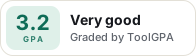
Paste this where you want the badge. It links here and follows the grade if it changes. About badges
<a href="https://toolgpa.com/tools/stirling-pdf#review"><img src="https://toolgpa.com/badge/stirling-pdf.svg" alt="Stirling PDF: 3.2 GPA on ToolGPA" width="196" height="56"></a>Where Stirling PDF stands among PDF editors
Stirling PDF's GPA of 3.2 is higher than 27 of the 28 other PDF editors we grade.
It stands best on free plan and trial (A, above 25 of 28) and worst on ease of use (C, above 0).
Its paid plans start at $99 a month, against a middle price of $6.33 for the category: 19 of the 19 others that charge start lower.
On features, ease of use and platforms it scores 2.7 out of 4. 8 tools score higher and cost less.
Each grade against the category
Every bar is all 29 PDF editors we grade, cut by the letter each got. Stirling PDF’s own letter is outlined.
- AValue for moneyAbove 21 of 28, level with 7
- AFree plan and trialAbove 25 of 28, level with 3
- BFeaturesAbove 18 of 28, level with 10
- CEase of useAbove 0 of 28, level with 4
- BPlatforms and integrationsAbove 10 of 28, level with 13
Price against what you get
Each dot is one of 22 PDF editors. Further left costs less, and higher up scores better on features, ease of use and platforms. Point at a dot to see which tool it is.
Features, ease of use and platforms, averaged
What paid plans start at, a month (each step along is roughly double) →
- The best score at each price
- Has a free plan
- No free plan
Keep Stirling PDF, or make your own?
Keep it
To replace Stirling PDF you would be making connections to other products, each kept working as those products change. That is not a weekend's work, with an AI app builder or without one.
It is one of the better ones too: its GPA of 3.2 is higher than 27 of the 28 other PDF editors we grade. It costs $1,188 a year. Stirling PDF is open source, so there is a third way: take its code and run it yourself.
What you could not
- Connections to other products, each kept working as those products change.
- Editing the text inside a PDF without breaking its layout.
- Apps for macOS, Windows and Linux that stay in step with each other.
- AI features, unless you pay a model provider for each request yourself.
- What a company asks for before it lets staff use something: single sign-on.
- The depth: we grade its features B, which means it covers the whole job.
What this rests on. Stirling PDF’s listing: what it does, where it runs, what it plugs into and what it costs. It is a judgement about the kind of software this is. We have not built a replacement for it, and making your own means looking after it too. How we decide, and every tool’s verdict.
What is Stirling PDF?
Stirling PDF is an open-source PDF editor with 60+ tools that runs in a browser, as a desktop app or on your own servers. It is free for individuals. Paid plans add team administration, single sign-on and larger deployments, and a separate PDF Processor automates work billed per credit.
Worth knowing
- The Team plan is $99 a month for 100 users; SSO and the team workspace are not on the free plan.
- Air-gapped deployment, SCIM, data residency and audit logs need the sales-only Enterprise plan.
- Automation through the PDF Processor uses credits: 1,000 free each month, then 1 cent per credit, prepaid or as used.
- The Linux desktop download is a .jar file that you run manually.
Key features
- 60+ PDF tools
- The editor offers 60+ tools, including redaction, OCR, compression and conversion, on the web, desktop or your own server.
- Private by design
- Stirling says the editor runs on your machine and the source is public, so files do not have to go to a third-party site.
- Self-hosting
- Run it with the official Docker image, on Kubernetes with Helm, or from a .jar file on a server.
- API and MCP
- Every PDF operation can be called from your own systems, with webhooks when a job finishes.
- Pipelines and policies
- The PDF Processor chains operations and applies rules to files as they arrive, with each action logged.
- In-editor assistant
- An assistant can redact, translate, summarize or convert the file you have open when you ask.
Stirling PDF pricing
As of Nov 12, 2026, Stirling PDF has a free plan, and paid plans start at $99 per month for 100 users (Team).
- Starts at
- $99 per month for 100 users (Team)
- Free plan
- Free for individuals: 60+ PDF tools on web, desktop or self-hosted, plus 1,000 monthly credits for automation.
- Free trial
- None listed
| Plan | Price | What you get |
|---|---|---|
| Free | $0 | 60+ PDF tools on web, desktop and self-hosted, open source, with 1,000 monthly credits; no card required. |
| Team | $99per month for up to 100 users | Adds single sign-on, a team workspace and invites, and central control of the tool catalog; more capacity in blocks of 100 users. |
| Enterprise | Custom | Sold through sales: air-gapped deployment, SCIM provisioning, data residency, audit logs, uptime SLAs and custom terms. |
Read from stirling.com on Nov 12, 2026. Prices change, so confirm with Stirling PDF before you buy.
Stirling PDF alternatives
- Stirling PDF vs PDFsam
Free plan · from $34.90/yr
- Stirling PDF vs Sejda
Free plan · from $5 one-time
- Stirling PDF vs PDF-XChange Editor
Free plan · from $62 one-time




Common questions
Does Stirling PDF have an Android app?
No Android app was listed when its pages were read on Nov 12, 2026. Stirling PDF is listed for Web, macOS, Windows and Linux.
Does Stirling PDF have an iPhone app?
No iPhone app was listed when its pages were read on Nov 12, 2026. Stirling PDF is listed for Web, macOS, Windows and Linux.
Is Stirling PDF open source?
Yes. Stirling PDF is open source, according to its own site. It can also be run on a server of your own.
Does Stirling PDF have an API?
Yes. Stirling PDF offers a public API, according to its own site.
Sources for this page
The prices, plans, platforms and features above were read from these pages on Nov 12, 2026.