
SuperOps review (2026): is it worth it?
Endpoint management with built-in ticketing, sold per endpoint
Black Friday: is there a SuperOps sale?
SuperOps report card
Fair · out of 4.0 · graded Nov 13, 2026
Best for endpoint management with a built-in service desk
SuperOps puts endpoint management, patching and a ticket queue in one product for IT teams and MSPs. No prices are published, each plan starts at 150 endpoints, and phone and tablet management sits on the higher plan only, so small shops will find it a poor match.
Who SuperOps is for
- Fits if you run IT for a company or MSP with at least 150 endpoints and want tickets and device management together
- Works for teams that also manage iPhones, iPads and Android devices, since Prime Plus covers them
Who SuperOps is not for
- Skip it if you manage fewer than 150 endpoints, as each plan has that minimum
- Tight if you want a price before talking to sales, as none is published
- Pricey if you need phone management, because it is Prime Plus only and Prime leaves it out
- Watch out: the pricing page says AI agents will be add-ons with pricing still to be announced
- Watch out: the trial's length isn't stated, so you can't plan an evaluation around it
Why SuperOps gets a 2.2
Five grades, each with its reason. The GPA is their average: an A is 4 points, an F is none.
- CValue for moneyNo price is published: the pricing page asks for a quote, so it can't be judged against the category's $8.33 middle. That puts it at C by default.
- DFree plan and trialA free trial is offered, but the pricing page doesn't give its length or say whether a card is needed, and there is no free plan.
- BFeaturesEndpoint management, patching, ticketing, runbooks, reports and a knowledge base are all in the listing, which covers the core of an RMM plus service desk.
- CEase of useNo store rating on record. An agent has to be rolled out to every endpoint and the runbooks and ticket rules set up before it earns its keep.
- BPlatforms and integrationsAgents for Windows, macOS and Linux, a web console, and phone management on Prime Plus, with Slack, Teams, Okta and Entra ID hooks. No standalone phone or desktop app for technicians is listed.
What these grades rest on. Graded from this listing, whose facts were read from SuperOps's own pages on 13 November 2026. Not based on using the product, and shorter than our full reviews. How we review and grade.
Make SuperOps? Put this grade on your site
Paste this where you want the badge. It links here and follows the grade if it changes. About badges
<a href="https://toolgpa.com/tools/superops#review"><img src="https://toolgpa.com/badge/superops.svg" alt="SuperOps: 2.2 GPA on ToolGPA" width="196" height="56"></a>Where SuperOps stands among remote desktop apps
SuperOps's GPA of 2.2 is higher than 21 of the 85 other remote desktop apps we grade, and level with 13.
It stands best on features (B, above 55 of 85) and worst on free plan and trial (D, above 15).
Each grade against the category
Every bar is all 86 remote desktop apps we grade, cut by the letter each got. SuperOps’s own letter is outlined.
- CValue for moneyAbove 7 of 85, level with 46
- DFree plan and trialAbove 15 of 85, level with 3
- BFeaturesAbove 55 of 85, level with 30
- CEase of useAbove 10 of 85, level with 48
- BPlatforms and integrationsAbove 28 of 85, level with 50
Keep SuperOps, or make your own?
Keep it
To replace SuperOps you would be making a fast, secure link to another computer through any network. That is not a weekend's work, with an AI app builder or without one.
That makes this kind of software worth paying for, not this one in particular: 51 of the 85 other remote desktop apps grade higher.
What you could make
- Help desk and reports: an app builder makes these well.
What you could not
- A fast, secure link to another computer through any network.
- Connections to other products, each kept working as those products change.
- Apps for macOS, Windows and Linux that stay in step with each other.
- AI features, unless you pay a model provider for each request yourself.
- The depth: we grade its features B, which means it covers the whole job.
What this rests on. SuperOps’s listing: what it does, where it runs, what it plugs into and what it costs. It is a judgement about the kind of software this is. We have not built a replacement for it, and making your own means looking after it too. How we decide, and every tool’s verdict.
What is SuperOps?
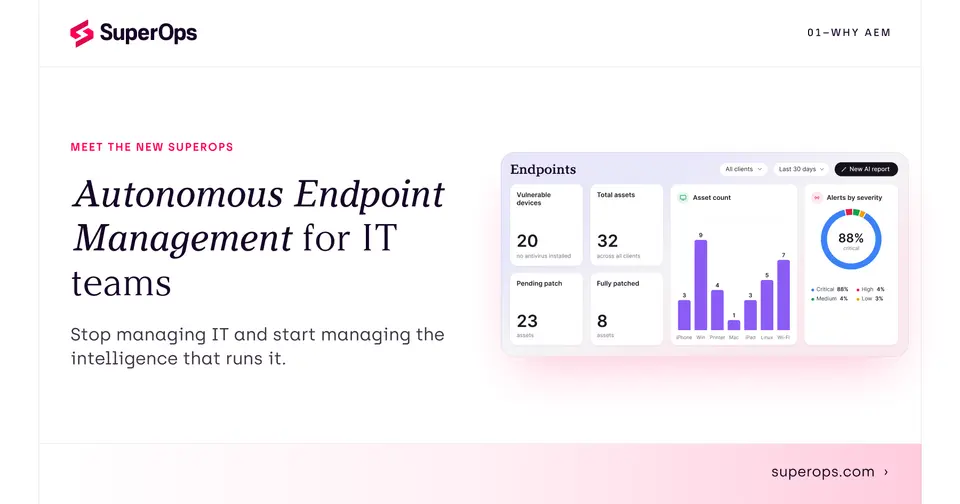
SuperOps is a cloud platform for IT teams and managed service providers that combines endpoint management, remote troubleshooting, patching and ticketing in one product. Endpoints are managed through an installed agent on Windows, macOS and Linux, and a higher plan adds management of iOS and Android devices. Prices are quoted by sales.
Worth knowing
- No prices are published: the pricing page asks for a quote, and per-endpoint pricing is described only as lower for larger fleets.
- Each plan has a minimum of 150 endpoints, according to the pricing page FAQ.
- Mobile device management, Apple Business Manager and Android remote control are in Prime Plus only, not Prime.
- The pricing page says AI agents will be sold as add-ons and that their pricing is to be announced.
Key features
- Endpoint management
- Discovers devices on a network and shows their live state. Remote troubleshooting and alerting are included in the Prime plan.
- Patch management
- Deploys operating-system and third-party patches automatically, with staged rollouts and maintenance windows.
- Ticketing and service desk
- A built-in ticket queue with a knowledge base, project management and chat, plus Slack and Microsoft Teams integration.
- Automations and scripting
- Runbooks with event and time triggers, a ticket scheduler and scripting, with AI script generation listed in the plan comparison.
- Mobile device management
- The Prime Plus plan adds Apple and Android device management, zero-touch deployment, lost mode and remote actions.
- Reports and dashboards
- Default and custom dashboards, PDF reports, and reports that can be shared and scheduled.
SuperOps pricing
We could not confirm SuperOps’s current pricing from its own site, so we are not listing plans here. See superops.com for current prices.
Works with
- Splashtop
- TeamViewer
- ConnectWise Control
- Microsoft Entra ID
- Okta
- Bitdefender
- SentinelOne
- Slack
SuperOps alternatives
- SuperOps vs NinjaOne
Free trial · from $1.50/mo
- SuperOps vs Level
Free plan · from $2/mo
- SuperOps vs Datto RMM
Free trial


Common questions
Does SuperOps have an Android app?
No Android app was listed when its pages were read on Nov 13, 2026. SuperOps is listed for Web, Windows, macOS and Linux.
Does SuperOps have an iPhone app?
No iPhone app was listed when its pages were read on Nov 13, 2026. SuperOps is listed for Web, Windows, macOS and Linux.
Is SuperOps open source?
SuperOps is not described as open source on its own site, as read on Nov 13, 2026.
Sources for this page
The prices, plans, platforms and features above were read from these pages on Nov 13, 2026.