
Xmind review (2026): is the free plan enough?
Mind mapping app with AI, Gantt charts and a presentation mode
Black Friday sale on now: a sale
Our verdict
Second of our top three whiteboard and mind map tools
For: People who came for mind maps, on almost any device
Xmind is a mind mapping app: ideas are laid out as mind maps, timelines or matrices, edited as a list in the Outliner view and turned into slides in Pitch mode. It runs on the web, Mac, Windows, Linux, iPhone and Android, and its iPhone and iPad app averages 4.8 from about 7,000 ratings. Pro is $59 a year. It is second because it does one kind of canvas where Miro does several, and its lower plans are capped: Free stops at 10 manually created online maps and Pro at 50, and real-time collaboration and unlimited maps need Premium at $99 a year. Free exports carry a watermark.
See all three and how we rankXmind review
Very good · out of 4.0 · graded Oct 10, 2026
Best for mind maps on almost any device
Xmind turns ideas into a map that branches out from the middle, on Mac, PC, Linux, phone or browser, and Pro is $59 a year. But it's a mind mapper, not an open whiteboard. Live editing and Gantt charts need Premium at $99, Free and Pro cap online maps at 10 and 50 and get 50 AI credits once, free exports are watermarked, and the trial and refund cover yearly plans only. Teams who want one shared board should look elsewhere.
Who Xmind is for
- Fits if you think in branches and want the same kind of map on your laptop, your phone and Linux
- Works for plans that have to become a presentation, since Pitch mode turns a map into slides
Who Xmind is not for
- Skip it if you want an open whiteboard with sticky notes, as Xmind sticks to structured maps
- Pricey if your team wants to edit together, since live collaboration starts at Premium, $99 a year
- Tight if you never pay: 10 online maps, watermarked exports, 3 days of version history and 50 AI credits that never refill
- Not for you if you'd rather pay by the month: Pro is $10 a month against $59 a year, and monthly plans get no trial or refund
- Watch out: desktop maps save as local files by default, so picking up an iPad map at your desk can mean going through Dropbox
Why Xmind gets a 3.0
Five grades, each with its reason. The GPA is their average: an A is 4 points, an F is none.
- BValue for moneyPro is $59 a year, $4.92 a month, which puts it inside the lowest-priced quarter of this category, where the line is $5.00. Premium is $99. Pay by the month and the App Store lists Pro at $10, about double. The free trial and the refund only cover yearly plans.
- CFree plan and trialFree gives you up to 10 manually created online maps, basic themes and 5 Pitch slides. Those are caps you'll hit on a real project, exports carry a watermark, version history is 3 days, and the 50 AI credits are a single grant that never refills.
- CFeaturesMaps, timelines and matrices, Zones, an Outliner view, Pitch mode slides, imports from other mappers and AI that drafts from text, a file or a link. That's the narrower job here: no open board with sticky notes, and live editing and editable Gantt charts start at Premium.
- AEase of use4.8 on the App Store from 6,973 ratings, nine in ten of them five stars. Reviewers say it's quick to pick up. A few got stuck on details, like slotting a new topic in above old ones, and desktop maps save as local files by default.
- APlatforms and integrationsWeb, Mac, Windows, Linux, iPhone, iPad and Android, and one subscription covers 5 computers and 5 mobile devices. It ties into Slack, Zoom, Notion and ChatGPT, though not a lot else.
The good
What's Xmind for? Getting a tangle of ideas out of your head and onto a page, as a map that branches out from the middle.
Say you're planning a wedding. "Wedding" goes in the center. Venue, food, guests and music branch off it, and each of those grows its own to-dos.
There are nine layouts, so the same notes can be a timeline, an org chart or a fishbone diagram. The Outliner shows your map as a plain list.
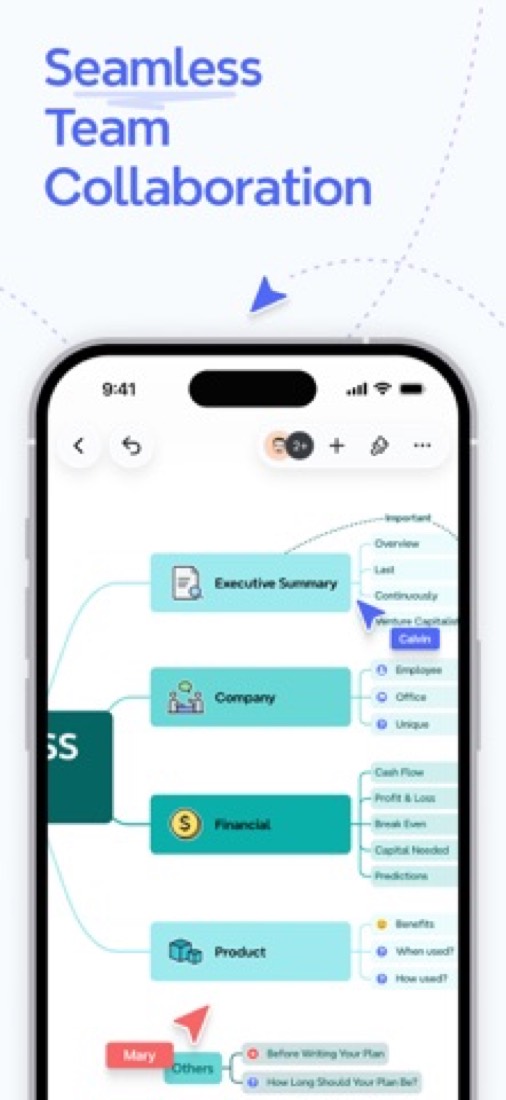
Pitch mode turns a map into slides. On Premium, branches become tasks with names against them, laid out on a Gantt chart.
The AI drafts a map from text, a file, a link or a photo of a whiteboard.
It runs on Mac, Windows, Linux, iPhone, iPad, Android and the web.
The stuff that'll bug you
Working together costs extra. Live editing needs Premium at $99 a year, or the Business plan. On Free you can only share a map for people to look at.
The lower-priced plans count your online maps as well. Free stops at 10 and Pro at 50. Free exports carry a watermark too, and anything beyond a picture, like PDF or Word, starts at Pro. Free version history only goes back 3 days.
The AI runs on credits. Free and Pro get 50, once. Premium gets 500 a month. So on the lower-priced plans it's a taster.
Moving between devices has tripped people up. The desktop app saves maps as files on your own computer by default. A 2024 reviewer couldn't carry on an iPad map at their desk without going through Dropbox or OneDrive.
One Premium customer says the app kept asking them to upgrade anyway. Xmind's pricing page says a subscription covers 5 computers and 5 mobile devices, so that shouldn't happen.
Monthly plans get no trial and no refund, and AI credit add-ons aren't refunded either. Single sign-on waits for Enterprise, with no price on the page.
And it's a mind mapper. For sticky notes on an endless board, look at Miro.
Money
Start free. There's no card to hand over, and 10 online maps is enough to find out if mind maps suit you.
Pro is $59 a year, which works out at $4.92 a month. That's 50 online maps, exports without the watermark, your own themes and as many Pitch slides as you like.
Premium is $99 a year, or $8.25 a month. It's the one for working with other people: unlimited maps, live editing, 30 days of version history, Gantt charts you can edit and 500 AI credits a month.
Pay yearly if you're going to pay. The US App Store lists monthly at $10 for Pro and $15 for Premium, so twelve months that way costs close to double. The 7-day trial and the 7-day refund are for yearly plans only, too.
Teams pay $10 a seat a month on yearly billing. Students and teachers get Pro for $3.42 a month and Premium for $5.75.
Stop paying and your maps stay put. You just lose the paid features until you renew.
What actual users say
Xmind has 4.8 on the App Store from about 7,000 ratings. Nine in ten are five stars.
Who rates it high? People with big, messy projects. A photographer planning a documentary keeps subjects, locations, contacts and shots on one map, color-coded by what's done.
Students, too. A medical student maps their reading with it, and says other tools were out of their budget.
The three-star reviews come from people who hit a wall. A science student found it better for small amounts of information than dense material, and didn't like the export coming out as one giant picture. Another couldn't work out how to slot a new topic in above the ones already there.
The angriest review is about an account, not a map. That's the Premium customer who kept being told to upgrade.
And Hacker News? We found nothing recent about it there.


What this review rests on. Based on Xmind's home, pricing, download, integration, what's new and user guide pages as of 9 October 2026, and its App Store listing and reviews. We found no recent Hacker News comments about it. Also tested with a demo account on 2026-04-10. How we review and grade.
Make Xmind? Put this grade on your site

Paste this where you want the badge. It links here and follows the grade if it changes. About badges
<a href="https://toolgpa.com/tools/xmind#review"><img src="https://toolgpa.com/badge/xmind.svg" alt="Xmind: 3.0 GPA on ToolGPA" width="196" height="56"></a>Where Xmind stands among whiteboard and mind map tools
Xmind's GPA of 3.0 is higher than 85 of the 98 other whiteboard and mind map tools we grade, and level with 10.
It stands best on ease of use (A, above 97 of 98) and worst on features (C, above 0).
Its paid plans start at $4.92 a month, against a middle price of $8 for the category: 12 of the 69 others that charge start lower.
On features, ease of use and platforms it scores 3.3 out of 4, and no tool on the category's chart scores higher without costing more.
Each grade against the category
Every bar is all 99 whiteboard and mind map tools we grade, cut by the letter each got. Xmind’s own letter is outlined.
- BValue for moneyAbove 59 of 98, level with 14
- CFree plan and trialAbove 10 of 98, level with 60
- CFeaturesAbove 0 of 98, level with 76
- AEase of useAbove 97 of 98, level with 1
- APlatforms and integrationsAbove 91 of 98, level with 7
Price against what you get
Each dot is one of 88 whiteboard and mind map tools. Further left costs less, and higher up scores better on features, ease of use and platforms. Point at a dot to see which tool it is.
Features, ease of use and platforms, averaged
What paid plans start at, a month (each step along is roughly double) →
- The best score at each price
- Has a free plan
- No free plan
Keep Xmind, or make your own?
You could make this
A whiteboard at its plainest is boxes and arrows on a canvas.
What Xmind does at its core is mind mapping, templates and Gantt & timelines, and that is the kind of thing an AI app builder makes well. You would give up 4 things, listed below, and little else. It costs $59.04 a year. An AI app builder starts at about $20 a month on our listings, and you only need it while you build.
What you could make
- Mind mapping, templates and Gantt & timelines: an app builder makes these well.
What you could not
- A slide editor.
- Apps for macOS, Windows, Linux, iOS and Android that stay in step with each other.
- Several people working in it at the same moment.
- AI features, unless you pay a model provider for each request yourself.
What this rests on. Xmind’s listing: what it does, where it runs, what it plugs into and what it costs. It is a judgement about the kind of software this is. We have not built a replacement for it, and making your own means looking after it too. How we decide, and every tool’s verdict.
What is Xmind?
Xmind is a mind mapping app for brainstorming, planning and organizing information, with apps for desktop, mobile and the web. Maps can use structures such as timelines and matrices, turn into slides in Pitch mode and, on Premium, become Gantt charts with assignable tasks. Xmind AI generates maps from text, files or links and is metered in credits.
Worth knowing
- Free and Pro cap manually created online maps at 10 and 50; unlimited collaborative maps need Premium or the Business team plan.
- Real-time collaboration, editable Gantt charts and a monthly AI credit allowance start at Premium; Free and Pro get a single grant of 50 AI credits.
- Free exports carry a watermark, and export to Word, Excel, SVG and Markdown starts at Pro.
- The free trial and the 7-day money-back guarantee cover yearly subscriptions only; monthly subscriptions and AI credit add-ons are not refunded.
Key features
- Mind maps and other structures
- Ideas can be laid out as mind maps, timelines or matrices, grouped into Zones, and edited as a linear list in the Outliner view.
- Xmind AI
- Generates a map from text, a document or a link, expands and reorganizes branches, and breaks a project into tasks. Free and Pro get 50 credits; Premium gets 500 a month.
- Pitch mode
- Turns a map into a slide presentation: up to 5 slides on the Free plan and unlimited from Pro, where a pitch can also be exported to PowerPoint.
- Gantt charts and tasks
- Premium turns topics into tasks with assignees, plots them on a Gantt chart and exports tasks to a calendar file or Excel. Free and Pro can only view Gantt charts.
- Real-time collaboration
- On Premium and the Business team plan, several people can edit a map at once and follow one another's view, backed by 30 days of version history.
- Import and export
- Imports Markdown, OPML and TextBundle files and maps from other mind mapping tools. From Pro, maps export to SVG, PDF, Markdown, Word and Excel as well as PNG.
Xmind tips most people miss
Pay less
Maps made with AI don't count toward the 10 or 50 map cap
Xmind's pricing FAQ says that while your AI credits are valid, maps generated from text, a file or a link don't count against the online map limit, and each can hold up to 3 sheets. Once the credits run out the normal cap applies again: over it, you can open and delete maps but not make new ones.
xmind.comPay less
Top-up AI credits never expire, but the monthly ones do
Its AI credits page says unused monthly credits on Premium and Business don't roll over. Extra packs cost $3.99 for 500 and never expire, so buy them only when you need them: on the web, My Works, Settings, Plans, More Credits. On a team plan only the owner or an admin can buy.
xmind.comEasy to miss
Maps saved to Current Device don't sync to your other devices
On desktop, File, Save As, Current Device keeps a map on that one computer. To open it on your phone or the web, it has to be in My Works, which syncs across every device signed in to the same account. Just remember My Works holds up to 10 maps on Free and 50 on Pro.
xmind.comSetting
Free lets you sign in on only 2 computers and 2 phones
Xmind's devices page says Free covers 2 PCs or Macs and 2 mobile devices at once, and Pro, Premium and Business 5 of each. New laptop? Sign in at xmind.app/account, find the Devices List and click Sign Out next to the old one to free its slot.
xmind.comPrivacy
Leave the Gallery box unticked unless you want the map public
File, Share, Submit to Gallery has a box agreeing the map can be shown on Xmind Gallery and downloaded. Tick it and the map is published and can turn up in search engines. Leave it unticked and you get a private link instead. Remove old ones at xmind.app/account, Profile, Submitted Maps.
xmind.comRenewal
Pro and Premium are cancelled in different places
Plans renew automatically. For Pro bought on the website, go to xmind.app/account, Subscription, Manage, Turn Off Auto-Renew. For Premium or Business, sign in at app.xmind.com and go to Settings, Plans, Cancel. App Store and Google Play plans are cancelled in those stores.
xmind.comRenewal
Bought in an app store? The refund goes through Apple or Google
Xmind handles the 7-day refund on yearly plans itself only for website purchases. For the App Store, you ask Apple at reportaproblem.apple.com. On Google Play, ask Google within 48 hours, or Xmind support after that but inside 7 days. Monthly plans and AI credit add-ons aren't refunded.
xmind.com
Read on Oct 17, 2026. Read from Xmind's help centre (refunds, cancelling auto-renewal, devices, AI credits, saving and syncing, Mindmap Gallery) and its pricing page FAQ on 17 October 2026. Not tried out: these tips are what its own pages say.
Xmind pricing
As of Oct 9, 2026, Xmind has a free plan, and paid plans start at $4.92 per month, billed yearly ($59 a year).
- Starts at
- $4.92 per month, billed yearly ($59 a year)
- Free plan
- Up to 10 manually created online maps, basic themes and stickers, 3-day version history, 5 Pitch slides and 50 Xmind AI credits. Exports carry a watermark.
- Free trial
- 7-day free trial, offered on yearly subscriptions only
| Plan | Price | What you get |
|---|---|---|
| Free | $0 | Up to 10 manually created online maps, basic themes and stickers, 3-day version history, 5 slides in Pitch mode and 50 AI credits. |
| Pro | $4.92per month, billed yearly ($59 a year) | Up to 50 online maps with basic collaboration, custom themes, topic links and attachments, unlimited Pitch slides, and export without a watermark. |
| Premium | $8.25per month, billed yearly ($99 a year) | Unlimited collaborative maps, real-time collaboration, 30-day version history, editable Gantt charts, tasks with assignees and 500 AI credits a month. |
| Business | $10per seat / month, billed yearly | Team plan with unlimited collaborative maps, real-time collaboration, 30-day version history, Gantt charts and 800 AI credits per seat a month. |
| Enterprise | Custom | Adds SAML single sign-on, unlimited version history, custom AI credits, a dedicated success advisor and team onboarding sessions. |
Read from xmind.com on Oct 9, 2026. Prices change, so confirm with Xmind before you buy.
Ways to pay less
- Annual discountUp to 50% off with yearly billing
The pricing page advertises up to 50% off individual plans on yearly billing. The US App Store lists Pro at $59 a year or $10 a month, and Premium at $99 a year or $15 a month.
Stated on xmind.com - EducationReduced prices for students and educators
The education pricing tab lists Pro at $3.42 a month and Premium at $5.75 a month for students and educators, plus a custom-priced Campus plan for institutions.
Stated on xmind.com - NonprofitDiscounted plans for nonprofits and government
Eligible non-profits, NGOs and government organizations can get discounted plans after verifying eligibility; the offers page shows a price of $79 a year.
Stated on xmind.com - Lifetime licenseSME Lifetime License for organizations
Organizations can buy a one-time, perpetual license with volume pricing. The price is not published and is quoted by Xmind's sales team.
Stated on xmind.com
How people rate the Xmind app
4.8
out of 5 for the iPhone and iPad app
- 5 stars90%
- 4 stars6%
- 3 stars2%
- 2 stars<1%
- 1 star2%
6,973 ratings on the App Store in the United States, read Oct 5, 2026. It rates the app, not everything the product does. See the listing
Works with
Who makes Xmind
Xmind is mind-mapping software. Its terms of service name Supermind Pte. Limited as the company behind it, and older pages still carry the Xmind Ltd. name. It earns money from paid subscriptions on top of a limited free version.
- Founded
- 2006xmind.com
- Based
- Singapore, where its terms name Supermind Pte. Limited and apply Singapore lawxmind.com
- Ownership
- Privately held. Privately held, with no investors. A post on its own blog by founder and chief executive Brian Sun says the company turned down every offer of investment, and every plan to list, after being named a Red Herring Asia Top 100 winner in 2013.xmind.com
- Funding
- No outside funding. Its own blog carries a talk by founder and chief executive Brian Sun in which he says investors approached the company repeatedly and it declined all investments, as well as all plans to go public.xmind.com
- Founders and leaders
- Brian Sun, Founder and CEOxmind.com
- Affiliate program
- Anyone approved can share a personal affiliate code with no cost or minimum purchase, and is paid a commission on the revenue it generates. The rate is not published on the page.xmind.com
- Reseller program
- A reseller partnership offering discounts on licences, ready-made marketing materials, partner support and licence delivery. The discount is not published on the page; resellers apply and are reviewed.xmind.com
- Lately
- Chat with Xmind AI in Your Map · Jun 11, 2026
- Feels Native. Works Smarter. · Apr 21, 2026
- Capture anything. Turn it into ideas. · Mar 16, 2026
Read on Oct 18, 2026 from the company’s own pages and from news reports. What is not stated there is left out.
Xmind alternatives
- Xmind vs MindMeister
Free plan · from €6.50/mo
- Xmind vs MindNode
Free plan · from $2.99/mo
- Xmind vs MindManager
Free trial · from $99/yr
- Xmind vs Mindomo
Free plan · from $7/mo
- Xmind vs Coggle
Free plan · from $5/mo





Common questions
Is Xmind open source?
Xmind is not described as open source on its own site, as read on Oct 9, 2026.
Sources for this page
The prices, plans, platforms and features above were read from these pages on Oct 9, 2026. What people say is linked where it appears.