
SmartDraw
Floor plans, scaled layouts and business diagrams in the browser
What is SmartDraw?
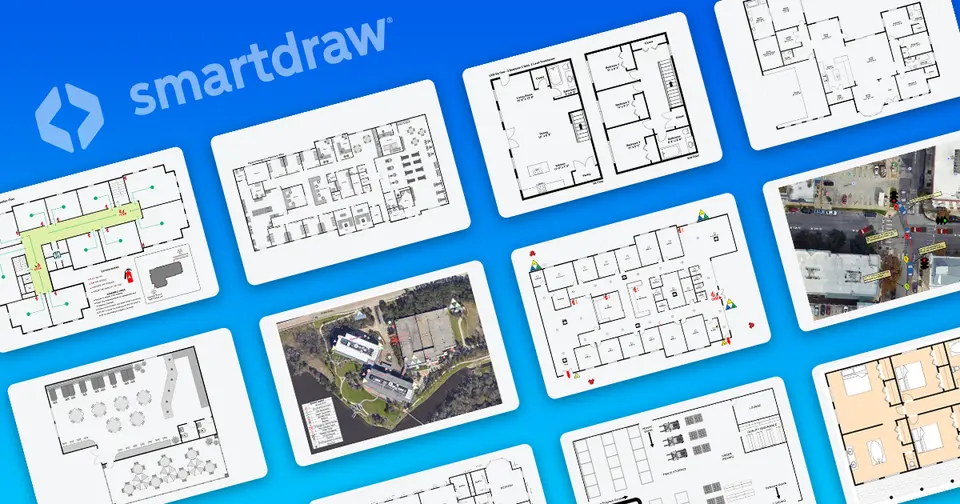
SmartDraw is a browser-based drawing tool that combines scaled floor plans and site layouts with general diagramming such as flowcharts, org charts and mind maps. It can generate diagrams from data sources including AWS, Azure and Jira, supports real-time co-editing with whiteboarding tools, and saves files directly to a team's own OneDrive, SharePoint or Google Drive. It is sold as an annual license for individuals, teams of three or more, and enterprises.
SmartDraw is a paid product with a free trial, starting at $10.95 per month, billed annually ($7.95 intro price for new customers). See every plan
Good for
- Floor plans, site plans and other scaled layouts without CAD software
- Police and fire departments documenting scenes and pre-incident plans
- Organizations replacing Visio or Lucidchart across many users
- Teams that keep files in OneDrive, SharePoint or Google Drive
Worth knowing
- There is no free plan; the free trial lasts 7 days.
- SmartDraw is sold only as an annual license, and the vendor says it does not offer a monthly payment plan.
- The $7.95 and $6.95 prices on the buy page are introductory prices for new customers; the regular price shown is $10.95.
- The Team plan has a 3-user minimum, and SSO and multiple shared folders need the Enterprise license.
Key features
- Floor plans and scaled drawings
- Draw a plan to scale from scratch, or import a PDF or a Google Map and add a scaled layout on top, using libraries of industry-standard symbols.
- General diagramming
- Templates cover flowcharts, org charts, mind maps, project charts, and engineering and IT diagrams, and they adjust connections and layout automatically as items are added.
- Diagrams generated from data
- Built-in data visualizers produce AWS and Azure architecture diagrams, org charts, ERDs, class diagrams, timelines and Jira reports from imported data.
- Collaboration and whiteboarding
- People invited by link edit the same document with labeled cursors, and whiteboarding tools add sticky notes, emojis, a pen and highlighter, and a session timer.
- Storage in your own systems
- Files can be saved directly to OneDrive, SharePoint, Google Drive, Dropbox or Box, using the folders and permissions an organization already has.
- SmartDraw AI and MCP server
- SmartDraw AI generates diagrams from natural-language prompts, and an MCP server lets Claude or ChatGPT create floor plans and diagrams that stay editable in SmartDraw.
SmartDraw pricing
- Starts at
- $10.95 per month, billed annually ($7.95 intro price for new customers)
- Free plan
- None
- Free trial
- 7-day free trial in the web app
| Plan | Price | What you get |
|---|---|---|
| Individual | $10.95per month, billed annually | A single-user license. New customers are shown an introductory price of $7.95 a month in place of the regular $10.95. |
| Team | $10.95per user / month, billed annually | 3-user minimum, with team admin controls, 1 shared team folder, document retention and premium support. Introductory price of $6.95 for new customers. |
| Enterprise | Custom | Everything in Team plus SSO, multiple shared folders, a custom company theme and a dedicated success manager. Advertised from $99 per user per year. |
Read from smartdraw.com on Oct 6, 2026. Prices change, so confirm with SmartDraw before you buy.
Ways to pay less
- Other savingsIntroductory price for new customers
The buy page offers new customers $7.95 a month for Individual and $6.95 per user a month for Team, billed annually, against a crossed-out $10.95. No end date is given.
Stated on smartdraw.com
Works with
SmartDraw alternatives
- SmartDraw vs Lucidchart
Free plan · from $9/mo
- SmartDraw vs Microsoft Visio
Free trial · from $5.00/mo
- SmartDraw vs Creately
Free plan · from $5/mo
- SmartDraw vs Miro
Free plan · from $8/mo





Common questions
Is SmartDraw free?
No, SmartDraw is a paid product, but you can try it first. 7-day free trial in the web app.
How much does SmartDraw cost?
SmartDraw lists 3 plans. Individual: $10.95 per month, billed annually. Team: $10.95 per user / month, billed annually. Enterprise: custom pricing. Prices were read from smartdraw.com on Oct 6, 2026.
What platforms does SmartDraw work on?
SmartDraw is available on Web.
Does SmartDraw offer any discounts?
SmartDraw publicly lists the following: Introductory price for new customers.
Does SmartDraw have an Android app?
No Android app was listed when its pages were read on Oct 6, 2026. SmartDraw is listed for Web.
Does SmartDraw have an iPhone app?
No iPhone app was listed when its pages were read on Oct 6, 2026. SmartDraw is listed for Web.
Is SmartDraw open source?
SmartDraw is not described as open source on its own site, as read on Oct 6, 2026.
Does SmartDraw have an API?
Yes. SmartDraw offers a public API, according to its own site.
What does SmartDraw integrate with?
SmartDraw's listing names Microsoft Teams, Confluence, Jira, Trello, Google Workspace, OneDrive, SharePoint and Google Drive. A listing names up to eight integrations, so it may connect to more.
Who makes SmartDraw?
SmartDraw is made by SmartDraw Software, LLC.
What are the alternatives to SmartDraw?
The closest alternatives to SmartDraw in our directory are Lucidchart, Microsoft Visio, draw.io, Creately and Miro. Each one has a side-by-side comparison with SmartDraw.
Sources for this page
The prices, plans, platforms and features above were read from these pages on Oct 6, 2026.