
Google Drive review (2026): is the free plan enough?
Cloud storage tied to Google Docs, Gmail and Photos
Black Friday: is there a Google Drive sale?
Our verdict
First of our top three file storage and sync services
For: Most people
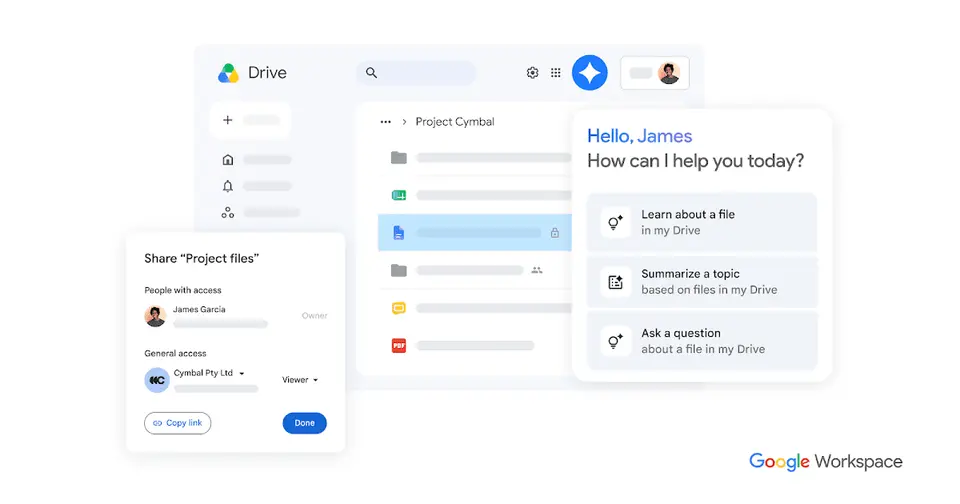
Google Drive gives every Google account 15 GB at no cost, and Docs, Sheets and Slides files can be edited together in the browser. It runs on the web, Mac, Windows, iPhone and Android, and its iPhone and iPad app averages 4.8 from about 7.8 million ratings. More space starts at $1.99 a month for 100 GB, the price on the US App Store. Know the limits: the free 15 GB is shared with Gmail and Google Photos, there is no desktop app for Linux, and shared drives and client-side encryption are premium features of some Workspace Business and Enterprise plans, which are sold separately.
See all three and how we rankGoogle Drive review
Excellent · out of 4.0 · graded Oct 10, 2026
Best for files you share and edit with other people
Google Drive is cloud storage that comes with every Google account: 15 GB free, with Docs, Sheets and Slides built in. That 15 GB is shared with Gmail and Google Photos, a full account can stop email arriving, deleted files are gone after 30 days, there's no Linux app, and shared drives, expiring links and encryption need certain work plans. If you'd rather not hang email, photos and files on one account, look elsewhere.
Who Google Drive is for
- Fits if you already use Gmail and Google Docs, since your files sit next to them
- Works for two or three people who need to edit the same spreadsheet at once
Who Google Drive is not for
- Tight if Gmail and Google Photos already fill most of your 15 GB, since a full account can hold up your email
- Not for you if you're on Linux and want a folder that syncs, as there's no desktop app
- Skip it if you need shared drives, client-side encryption or expiring links, which need certain work or school plans
- Watch out: 2 TB comes bundled as Google AI Plus at $9.99 with Gemini extras, and deleted files are gone after 30 days
- Not for you if you'd rather not have email, photos and files all hanging on one account
Why Google Drive gets a 3.6
Five grades, each with its reason. The GPA is their average: an A is 4 points, an F is none.
- AValue for money$1.99 a month for 100 GB, where the lowest quarter of this category starts at $3.99 and the middle is $5. You can split that 100 GB with five other people. Then it's $2.99 for 200 GB and $9.99 for 2 TB, which comes bundled with Gemini extras whether you want them or not.
- BFree plan and trial15 GB with every Google account, three times what OneDrive or iCloud hand out, and Docs, Sheets and Slides come with it. Gmail and Google Photos eat from the same 15 GB, so a big inbox shrinks your Drive, and a full account can hold up your email.
- BFeaturesStorage, link sharing, editing Docs, Office files and PDFs where they sit, and scanning paper from the phone app. Shared drives and client-side encryption are premium Workspace features, and expiring access needs a work or school account.
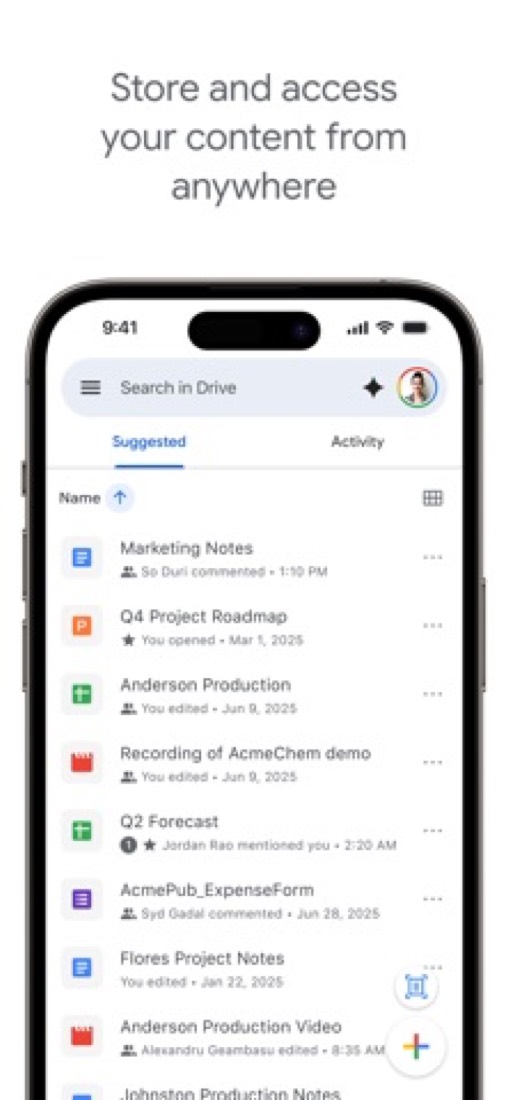
- AEase of use4.78 from about 7.8 million App Store ratings, the top of this category at any volume. Got a Google account? You're already signed up. Drop a file in, send a link, pick view, comment or edit.
- APlatforms and integrationsWeb, Mac, Windows, iPhone and Android, a documented API that many other apps save into, and hook-ups with Slack, Zoom, Salesforce and Atlassian. There's no Linux desktop app: Linux gets the website only.
The good
So why Google Drive and not one of the others? Mostly because you've got it already. Every Google account comes with 15 GB, and there's nothing to set up.
That's three times the free space OneDrive or iCloud give you. Dropbox's free plan is 2 GB.
You can open a Word document, a spreadsheet or a PDF and edit it in Drive. Two of you can work in the same file at once.
Sharing is a link. You pick whether the other person can view, comment or edit. Think "here's the wedding budget, comments only please".
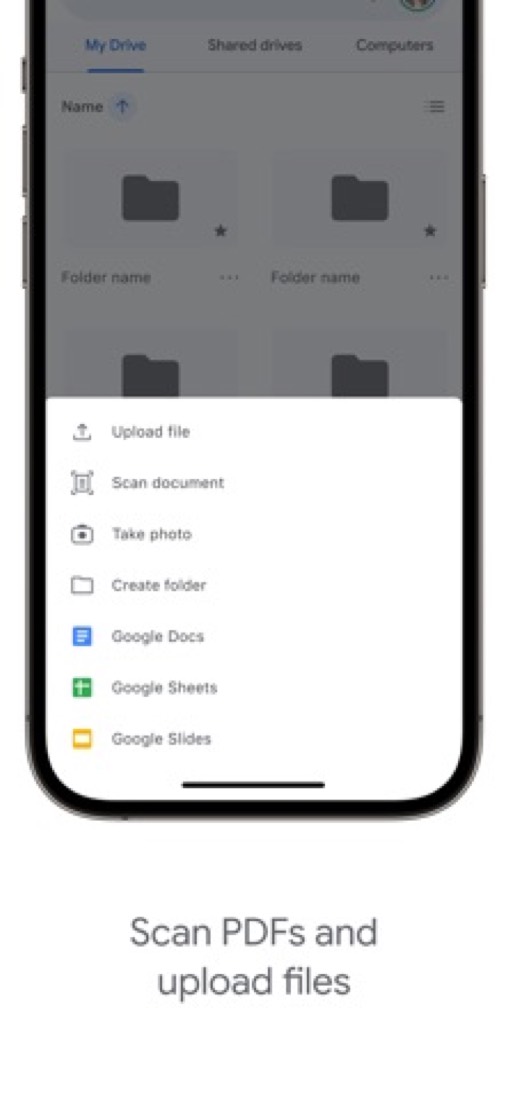
The phone app scans paper into a PDF you can search.
On a Mac or a Windows PC, Drive for desktop shows your files on the computer and keeps them up to date.
The stuff that'll bug you
The 15 GB isn't only for Drive. Gmail and Google Photos draw on it too, so your emails and your phone's photo backup all count.
And when it's full, more than uploads stop. Google's help page says sending and receiving email can be affected, and you can't make new Docs. So a pile of holiday videos can jam up your inbox.
Stay over the limit for two years and Google says it may remove everything, after at least three months' warning.
Deleted something? It sits in the trash for 30 days, then it's gone for good.
Want a shared link to expire on Friday? That's only for eligible work or school accounts. Shared drives, client-side encryption and third-party app hook-ups are held back for some business plans too.
There's no desktop app for Linux. Google's help page says to use the website.
On an iPad, files open in the separate Docs and Sheets apps, and one reviewer kept losing their place in the folder. And at 2 TB you can't just buy storage: it comes as Google AI Plus, Gemini extras included, wanted or not.
Money
Start with the free 15 GB, and remember your email and photos count against it.
When you need more, you're buying Google One, not "more Drive". 100 GB is $1.99 a month, and you can share it with up to five other people. The App Store also lists 200 GB at $2.99.
The one most people land on is 2 TB for $9.99 a month. It comes as Google AI Plus, so you also get higher limits in the Gemini app and Gemini in Gmail, wanted or not. Need more? Google AI Pro has 5 TB for $19.99.
Those are the prices on the US App Store. Google's own plans page says paying yearly saves up to 16%.
Whatever you buy is shared between Drive, Gmail and Photos, same as the free space. We'd go for 100 GB first and see how long it lasts.
Businesses buy Google Workspace, which is sold separately. Storage there is pooled, at 30 GB a person on Starter and 2 TB on Standard, and there's a 14-day trial.
What actual users say
Google Drive has 4.8 on the App Store from about 7.8 million ratings.
Most of the written reviews Apple shows are old, though. Seven of the ten go back more than three years.
What do the happy ones say? That they can get at the same files from anywhere. One 2025 reviewer moves between Macs at home and PCs at work. Another runs a music teachers' group out of colour-coded folders.
And the complaints? An iPad user got fed up with files opening in the separate Docs and Sheets apps, then losing their place in the folder. In 2022 someone had videos stuck on "still processing" that never played.
Hacker News treats it like plumbing: lots of people's apps and side projects save into Drive. One Dropbox user says Dropbox syncs more reliably once you're into hundreds of thousands of files. And a few say they wouldn't trust one Google account with their only copy of anything important.
What this review rests on. Based on Google's Drive product page, its Google One and Workspace pricing pages and Drive help pages as of 9 October 2026, its App Store reviews and Hacker News threads about it. Also tested with a demo account on 2026-06-03. How we review and grade.
Make Google Drive? Put this grade on your site

Paste this where you want the badge. It links here and follows the grade if it changes. About badges
<a href="https://toolgpa.com/tools/google-drive#review"><img src="https://toolgpa.com/badge/google-drive.svg" alt="Google Drive: 3.6 GPA on ToolGPA" width="196" height="56"></a>Where Google Drive stands among file storage and sync services
Google Drive's GPA of 3.6 is higher than 91 of the 91 other file storage and sync services we grade.
It stands best on ease of use (A, above 87 of 91) and worst on free plan and trial (B, above 67).
Its paid plans start at $1.99 a month, against a middle price of $6.64 for the category: 8 of the 60 others that charge start lower.
On features, ease of use and platforms it scores 3.7 out of 4. Nothing scores higher for less, though at least one tool matches that score at a lower price.
Each grade against the category
Every bar is all 92 file storage and sync services we grade, cut by the letter each got. Google Drive’s own letter is outlined.
- AValue for moneyAbove 74 of 91, level with 17
- BFree plan and trialAbove 67 of 91, level with 18
- BFeaturesAbove 70 of 91, level with 21
- AEase of useAbove 87 of 91, level with 4
- APlatforms and integrationsAbove 70 of 91, level with 21
Price against what you get
Each dot is one of 66 file storage and sync services. Further left costs less, and higher up scores better on features, ease of use and platforms. Point at a dot to see which tool it is.
Features, ease of use and platforms, averaged
What paid plans start at, a month (each step along is roughly double) →
- The best score at each price
- Has a free plan
- No free plan
Keep Google Drive, or make your own?
Keep it
To replace Google Drive you would be making files kept in step across devices without losing one. That is not a weekend's work, with an AI app builder or without one.
It is one of the better ones too: its GPA of 3.6 is higher than 91 of the 91 other file storage and sync services we grade. It costs $23.88 a year.
What you could not
- Files kept in step across devices without losing one.
- Storing and serving files for other people.
- A search API and an AI model, both rented, with your app around them.
- Apps for macOS, Windows, iOS and Android that stay in step with each other.
- Several people working in it at the same moment.
- It plugs into other products, Slack, Zoom and Salesforce among them, and has an API.
- What a company asks for before it lets staff use something: roles and permissions.
- The depth: we grade its features B, which means it covers the whole job.
What this rests on. Google Drive’s listing: what it does, where it runs, what it plugs into and what it costs. It is a judgement about the kind of software this is. We have not built a replacement for it, and making your own means looking after it too. How we decide, and every tool’s verdict.
What is Google Drive?
Google Drive is Google's cloud storage service for storing, syncing and sharing files. Every Google account includes 15 GB shared across Drive, Gmail and Google Photos, and Docs, Sheets and Slides files can be edited together in the browser. Individuals add storage through Google One plans, while businesses get pooled storage, shared drives and admin controls through Google Workspace.
Worth knowing
- The free 15 GB is shared with Gmail and Google Photos, so mail and photo backups count against it.
- There is no Drive for desktop app for Linux; Google directs Linux users to Drive on the web.
- Shared drives, client-side encryption and third-party app integrations are premium features of some Workspace Business and Enterprise plans.
- Business plans are sold separately through Google Workspace, with pooled storage of 30 GB per user on Starter and 2 TB per user on Standard.
Key features
- Drive for desktop
- A desktop app for Windows and macOS keeps Drive files up to date on the computer. Google's help center says there is no desktop version for Linux and points to the web app instead.
- Editing Docs, Office files and PDFs
- Google Docs, Sheets and Slides, Microsoft Office files and PDFs can be edited and organized in place, and Google says more than 100 other file types can be opened.
- Sharing permissions
- Files are shared with edit, comment or view permissions. Owners can also block certain actions. Setting an expiration date on someone's access is limited to eligible work or school accounts.
- Shared drives
- Team-owned spaces for storing and managing files together. Google marks shared drives as a premium feature of some Workspace Business and Enterprise plans.
- Gemini in Drive
- AI Overviews return cited answers from stored files, and Ask Gemini draws on Drive, Gmail, Calendar and Chat. On Workspace, Gemini in Drive starts at the Standard plan.
- Security and admin controls
- Ransomware detection in Drive for desktop, client-side encryption, Vault and data loss prevention policies are offered on some Workspace Business and Enterprise plans.
Google Drive tips most people miss
Pay less
Only files you own count, so check Storage before you upgrade
Google's help page says only the files you own count towards your storage, so things people share with you are free. Click Storage in Drive's left-hand menu and your files are listed biggest first. Clearing a few old videos there can save you buying the next plan up.
support.google.comSetting
Pick stream or mirror in Drive for desktop on day one
Streaming keeps files in the cloud and uses very little space on your computer, downloading each one when you open it. Mirroring keeps a full copy on the computer as well, so everything works offline. Change it in Drive for desktop under Settings → Preferences → Folders from Drive.
support.google.comSetting
Turn on offline mode before you need it on a train
In Chrome or Edge, install the Google Docs Offline extension, then tick the offline box at drive.google.com/drive/settings. Your recent Docs, Sheets and Slides then open and edit with no connection, and sync back later. It doesn't work in a private window.
support.google.comShortcut
Alt+C then T makes a new Doc without touching the New button
On Windows, Alt+C then T creates a Google Doc, then S for a Sheet, P for Slides and U to upload. On a Mac it's Control+C then the same letter. / jumps to search, and Ctrl+/ (Command+/ on a Mac) shows every shortcut Drive has.
support.google.comRenewal
Storage plans renew on their own and usually can't be refunded
Google One's policy page says storage plans are set to renew automatically, and in most countries a purchase isn't refundable. Cancel and you drop to the free 15 GB at the start of the next month of your plan. If a renewal payment fails, you get 7 days to fix it.
support.google.comLeaving
Hand files to someone else's account, and they take the storage too
In a file's Share menu, pick Transfer ownership next to a person you've already shared with. Once they accept, it counts against their storage, not yours. Folders work too, but the files inside stay yours. You can't move ownership from a personal account to a work or school one.
support.google.comPrivacy
Block a stranger who keeps sharing junk with you
Right-click a file in Drive and choose Report or block, then Block. Google's help page says they can't share files with you after that, and neither of you can open the other's files. Your list of blocked people lives in your Google Account under People & sharing → Blocked.
support.google.com
Read on Oct 17, 2026. Read from Google's Drive Help (storage, stream and mirror, offline, shortcuts, ownership, blocking) and Google One Help (purchase and cancellation policy) on 17 October 2026. Not tried out: these tips are what its own pages say.
Google Drive pricing
As of Oct 9, 2026, Google Drive has a free plan, and paid plans start at $1.99 per month for 100 GB (US App Store price).
- Starts at
- $1.99 per month for 100 GB (US App Store price)
- Free plan
- 15 GB of storage with every Google account, shared across Google Drive, Gmail and Google Photos.
- Free trial
- Google Workspace business plans can be tried at no cost for 14 days
| Plan | Price | What you get |
|---|---|---|
| 15 GB | $0 | Included with every Google account. The 15 GB is shared across Drive, Gmail and Google Photos. |
| Basic (100 GB) | $1.99per month (price on the US App Store listing) | 100 GB across Drive, Gmail and Google Photos, with the option to share storage with up to 5 other people. |
| 200 GB | $2.99per month (price on the US App Store listing) | 200 GB of storage, listed as an in-app purchase on the Google Drive listing in the US App Store. |
| Google AI Plus (400 GB) | $4.99per month (price on Google's US Gemini plans page) | Google AI Plus at its smaller storage level: 400 GB with twice the Gemini app limits of a free account and Gemini in Gmail. |
| Google AI Plus (2 TB) | $9.99per month (price on the US App Store listing) | The same Google AI Plus plan with 2 TB of storage. Google's help page says Plus is sold with either 400 GB or 2 TB. |
| Google AI Pro (5 TB) | $19.99per month (price on Google's US Gemini plans page) | 5 TB of storage with four times the Gemini app limits of a free account, Gemini in Gmail and Docs, and YouTube Premium Lite. |
Read from apps.apple.com on Oct 9, 2026. Prices change, so confirm with Google Drive before you buy.
Ways to pay less
- Annual discountSave up to 16% with annual billing
Google One's plans page offers a monthly or annual toggle and states a saving of up to 16% on annual billing. Workspace lists a 16% saving for a one-year commitment.
Stated on one.google.com - NonprofitFree Workspace edition for verified nonprofits
Google Workspace for Nonprofits costs $0 per user with 100 TB shared across all users. Business Standard is discounted to $3.50 per user / month on a one-year commitment.
Stated on google.com - EducationFree Workspace edition for qualifying schools
Google Workspace for Education Fundamentals is available at no cost to qualifying institutions and includes 100 TB of pooled storage shared by the organization.
Stated on edu.google.com - By countryLower price shown to buyers in India
On 9 October 2026 Google One's plans page showed Basic (100 GB) at ₹130 a month to a reader in India. A copy of the US page from 5 October lists that plan at $1.99 a month.
Stated on one.google.com
Google Drive refunds and cancellation
Ordinary · checked Oct 18, 2026
Drive's paid storage is a Google One plan, and Google's policy for it is blunt: in most countries the money does not come back, and the space you bought is yours for the term whether you use it or not. Against that, you cancel yourself in the storage settings in four clicks, you keep the plan to the end of the billing cycle and the account drops to the free 15 GB rather than closing. That is the ordinary deal, so a C.
- Refund window
- No set window
- How you cancel
- Yourself, in settings
- Getting your money back
Google's purchase, cancellation and refund policies page says that in most countries or regions Google storage plan purchases are non-refundable, and that the storage bought is yours for the length of the subscription even if you cancel. It sends Play Store buyers to Google Play's refund policies and App Store buyers to Apple, and makes an exception for members in Israel, who may cancel at once for a prorated refund.
Stated on support.google.com- How to cancel Google Drive
A Drive storage plan is cancelled from the Google storage settings page: sign in, click Cancel under the plan and confirm. A Google One membership can also be cancelled from the Settings menu of the Google One app, and one bought through the App Store is cancelled in the App Store's subscriptions list. Google says a confirmation email follows.
- Go to the Google storage settings page
- Sign in to the Google Account that bought the storage
- Under your plan, click Cancel
- Read the changes to your storage that cancelling will cause
- Click Cancel plan to confirm
- What you keep afterwards
Google says the storage and benefits last to the end of the billing cycle, then each person keeps the default 15 GB at no charge and loses the member benefits, including access to Google experts. Over that 15 GB, Gmail stops sending and receiving, Drive stops syncing and uploading, and nobody can edit or copy your files. A separate page says content may be deleted after two years over quota.
Stated on support.google.com- Renewals
Google says a storage purchase is set by default to renew automatically at the end of the subscription. If the renewal payment fails, a seven-day grace period is added so payment details can be updated, with no loss of access during it. The pages read promise no reminder before a renewal, and the same page says purchases are non-refundable in most countries.
Stated on support.google.com
In your favour
- You cancel yourself on the storage settings page, in four clicks, with nobody to write to.
- The space you paid for lasts to the end of the billing cycle, so cancelling early costs you nothing extra.
- Nothing is thrown away on cancellation: the account drops back to the free 15 GB and the files stay.
- If a renewal payment fails, Google gives a seven-day grace period instead of cutting you off.
Watch out for
- In most countries the money does not come back, so a year paid up front is a year spent.
- Cancel while you are over 15 GB and Gmail stops sending and receiving until you clear the space.
- Over quota for two years or more and Google says all of your content may be deleted.
- Plans renew on their own, and no page we read promises a warning before the charge.
Google Drive customer support
Good · checked Oct 18, 2026
Pay for storage and you can reach a person: Google says a Google One member can contact its support by chat, by phone or by email from the Help section of the app. That is more than most storage sells. What is missing is any statement of hours or of how fast it aims to reply, so there is no telling how long you would wait, and that keeps it off an A.
Ways to get help
Live chat
Google says a Google One member can reach Google One support by chat, opened from Help, then Contact us, in the Google One app. It lists membership management, using Google One features and understanding storage as the kinds of issues covered.
Stated on support.google.comPhone
The same article says a member can reach Google One support by a phone call, requested through Help, then Contact us, in the Google One app rather than by dialling a published number.
Stated on support.google.comEmail
The article lists email as the third way a Google One member can reach support, again started from Help, then Contact us, in the app.
Stated on support.google.comHelp centre
Google Drive Help, open to anyone without signing in, with articles on using Drive, storage, sharing and billing, alongside the Google One help centre that covers plans and cancellation.
Stated on support.google.comCommunity or forum
The Google Drive Community, a public forum where users post questions and other users answer. Google One's help pages point free users to the help community as the next step.
Stated on support.google.com
- When people answer
Its pages do not say.
- How fast it says it replies
Its pages do not say.
- What depends on your plan
The support article is addressed to Google One members, so chat, phone and email come with a paid storage plan. The cancellation article says that when a membership ends you and your family members lose access to extra member benefits and to Google experts through the app and website. Free users are pointed to the help centre and the community.
Stated on support.google.com
In your favour
- Paying for storage gets you a person by chat, phone or email, which is rare at a couple of dollars a month.
- Family members sharing the membership get the same access to Google experts.
- The help centre is large, free to read and honest about what cancelling and going over quota do.
Watch out for
- No page states support hours or how quickly Google aims to reply.
- Live help is a member benefit: cancel and it goes with the extra storage.
- You start support from inside the Google One app, not from a public contact page.
- Free users of Drive get the help centre and a user forum, and nothing more.
What these two grades rest on. Read on 18 October 2026: Google's purchase, cancellation and refund policies for storage plans, its article on cancelling a Google One membership, its article on getting help from Google One support, the Google Drive help centre and the Drive community. Drive's paid storage is sold as Google One, so this is Google's policy for that account-wide plan. Nobody here cancelled a plan or contacted its support. They are graded apart from the five that make the GPA. How we grade refunds and support.
What people say about Google Drive
4.8
out of 5 for the iPhone and iPad app
- 5 stars88%
- 4 stars7%
- 3 stars2%
- 2 stars<1%
- 1 star2%
7,843,574 ratings on the App Store in the United States, read Oct 7, 2026. It rates the app, not everything the product does. See the listing
Often praised
- Reviewers say they reach the same files from an iPhone, a Mac and a Windows computer, and from whichever machine they happen to sign in on. App Store reviews
- Commenters describe other apps and their own small projects using Drive as the place to keep or sync files. Hacker News 1, 2, 3
Based on 10 App Store reviews, seven of them more than three years old, and about 15 Hacker News comments from September and October 2026, most of which mention it in passing, read Oct 7, 2026. These are themes summarised in our words, not our own verdict. Follow the links to read what was said.
Works with
- Slack
- Zoom
- Salesforce
- Atlassian
- SAP
- Gmail
Jobs at Google
Any open roles at Google are on its own careers page. We can’t read a count from there, so have a look.
Applications go to Google, not to us.
Google Drive alternatives
- Google Drive vs Dropbox
Free plan · from $9.99/mo
- Google Drive vs Microsoft OneDrive
Free plan · from $1.99/mo
- Google Drive vs iCloud
Free plan · from $0.99/mo
- Google Drive vs Box
Free plan · from $5/mo
- Google Drive vs Proton Drive
Free plan · from $3.99/mo





Common questions
Does Google Drive have a Linux app?
No Linux app was listed when its pages were read on Oct 9, 2026. Google Drive is listed for Web, macOS, Windows, iOS and Android.
Is Google Drive open source?
Google Drive is not described as open source on its own site, as read on Oct 9, 2026.
Does Google Drive have an API?
Yes. Google Drive offers a public API, according to its own site.
Sources for this page
The prices, plans, platforms and features above were read from these pages on Oct 9, 2026. What people say is linked where it appears.
- apps.apple.com/us/app/google-drive/id507874739
- apps.apple.com/us/app/google-one/id1451784328
- workspace.google.com/products/drive/
- one.google.com/about/plans
- web.archive.org/web/20261004021435/https://one.google.com/about/plans
- web.archive.org/web/20261005091113/https://one.google.com/about/plans
- gemini.google/us/subscriptions/?hl=en
- support.google.com/googleone/answer/16548195?hl=en
- support.google.com/drive/answer/2494822?hl=en
- workspace.google.com/pricing
- support.google.com/drive/answer/2375082?hl=en
- developers.google.com/workspace/drive/api/guides/about-sdk
- google.com/nonprofits/offerings/workspace/
- edu.google.com/intl/ALL_us/workspace-for-education/editions/compare-editions/