
Timecap review (2026): is the free plan enough?
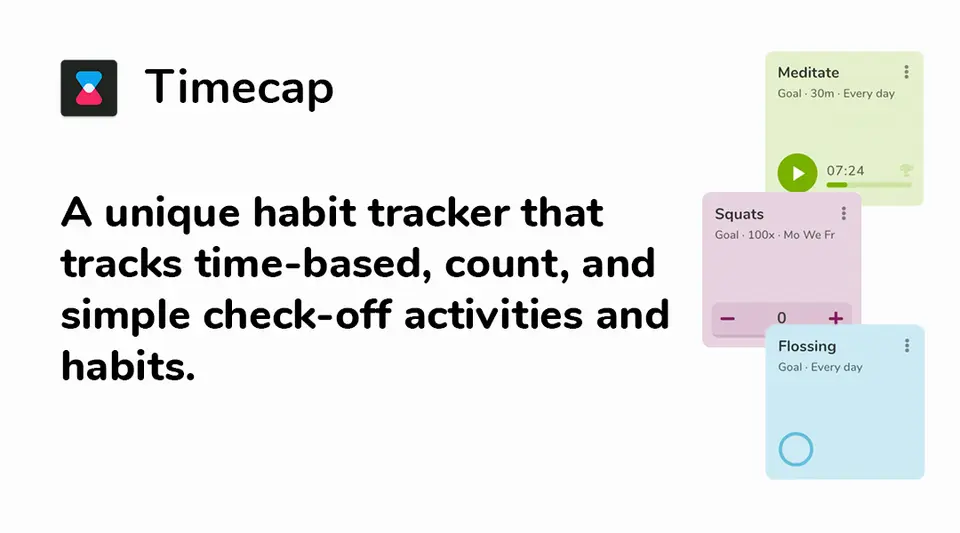
Habit tracker with timers, counters and goal or limit targets
Black Friday: is there a Timecap sale?
Timecap report card
Fair · out of 4.0 · graded Oct 10, 2026
Best for habits you time, count or want to cap
Timecap tracks a habit with a timer, a counter or a plain tick, and each can be a goal to hit or a limit to stay under. But the App Store lists three yearly prices and a $119.99 lifetime, nobody says where free stops, two January 2026 reviews say they couldn't get past the subscription screen, its terms date from 2020, and the two store listings use different company names. There's no web or desktop app.
Who Timecap is for
- Fits if you want timed, counted and tick-off habits together in one list
- Works for cutting back on something, since a limit sends a notification when you reach it
Who Timecap is not for
- Skip it if you want to know the price up front, as the App Store lists three yearly ones
- Not for you if you track habits at a desk, because there's no web or desktop app
- Tight if you're staying free, as a subscription lifts a cap on entries that isn't published
- Watch out: two January 2026 App Store reviews say the app opened on a subscription screen they couldn't close
- Watch out: the terms date from August 2020, and the iOS and Android listings name different companies
Why Timecap gets a 2.2
Five grades, each with its reason. The GPA is their average: an A is 4 points, an F is none.
- CValue for moneyYou can't work out what it costs. The App Store shows three yearly prices, $19.99, $29.99 and $47.99, two monthly ones at $2.49 and $7.99, a weekly at $2.99 that works out at about $12.96 a month, and a $119.99 lifetime, which is three years of this category's middle subscription.
- CFree plan and trialThe site and both store listings call the app free, and then don't say what free gets you: the terms mention a subscription lifting a cap on entries, without naming the cap. Two App Store reviews from January 2026 say the app opened on a subscription screen they couldn't close.
- BFeaturesA timer, a counter or a tick per activity, each set as a goal to reach or a limit to stay under, over a day, week, month, year or chosen weekdays, with alerts when a limit is hit, a calendar, success rates, streaks, widgets and sync between iOS and Android.
- CEase of useNo store rating on record, and the listing itself carries two January 2026 reviews describing an iPhone app that opened on a subscription screen with no way out, which is the opposite of a quick start. Setting up an activity also means picking a mode, a goal or limit and a period.
- CPlatforms and integrationsiPhone, iPad and Android, with backup syncing between them if you switch it on. No web or desktop app, nothing it connects to, and the two store listings are published under different company names.
What these grades rest on. Graded from this listing, whose facts were read from Timecap's own pages on 9 October 2026. Also tested with a demo account on 2026-03-06. How we review and grade.
Make Timecap? Put this grade on your site
Paste this where you want the badge. It links here and follows the grade if it changes. About badges
<a href="https://toolgpa.com/tools/timecap#review"><img src="https://toolgpa.com/badge/timecap.svg" alt="Timecap: 2.2 GPA on ToolGPA" width="196" height="56"></a>Where Timecap stands among habit trackers
Timecap's GPA of 2.2 is higher than 10 of the 64 other habit trackers we grade, and level with 8.
It stands best on features (B, above 40 of 64) and worst on ease of use (C, above 0).
Its paid plans start at $2.49 a month, against a middle price of $3.33 for the category: 12 of the 38 others that charge start lower.
On features, ease of use and platforms it scores 2.3 out of 4. 7 tools score higher and cost less.
Each grade against the category
Every bar is all 65 habit trackers we grade, cut by the letter each got. Timecap’s own letter is outlined.
- CValue for moneyAbove 6 of 64, level with 31
- CFree plan and trialAbove 5 of 64, level with 39
- BFeaturesAbove 40 of 64, level with 21
- CEase of useAbove 0 of 64, level with 21
- CPlatforms and integrationsAbove 6 of 64, level with 39
Price against what you get
Each dot is one of 44 habit trackers. Further left costs less, and higher up scores better on features, ease of use and platforms. Point at a dot to see which tool it is.
Features, ease of use and platforms, averaged
What paid plans start at, a month (each step along is roughly double) →
- The best score at each price
- Has a free plan
- No free plan
Keep Timecap, or make your own?
You could make this
A habit tracker at its plainest is a list of habits, a tick for each day and a count of the streak.
What Timecap does at its core is habit tracking, goals and time tracking, and that is the kind of thing an AI app builder makes well. You would give up 3 things, listed below, and little else. It costs $29.88 a year. An AI app builder starts at about $20 a month on our listings, and you only need it while you build.
What you could make
- Habit tracking, goals and time tracking: an app builder makes these well.
What you could not
- A real app for iOS and Android. Something home-made would be a web page.
- Hooks into the device itself: an Apple Watch app, widgets and the lock screen.
- The depth: we grade its features B, which means it covers the whole job.
What this rests on. Timecap’s listing: what it does, where it runs, what it plugs into and what it costs. It is a judgement about the kind of software this is. We have not built a replacement for it, and making your own means looking after it too. How we decide, and every tool’s verdict.
What is Timecap?
Timecap is a habit tracker for iPhone, iPad and Android. Each activity is tracked as a timer, a counter or a simple check-off, and is set up either as a goal to reach or as a limit to stay under across a day, week, month or year. The website and Google Play still use the Timecap name, while the App Store listing is now titled ADHD Habit Tracker, To Do List and is aimed at adults with ADHD.
Worth knowing
- Two App Store reviews from January 2026 say the iPhone app opened on a subscription screen that could not be closed, which conflicts with the free version the listing describes.
- The US App Store shows three yearly prices ($19.99, $29.99 and $47.99) and two monthly ones, plus two 7-day Free Trial items with no billing period; the app shows which applies.
- No web or desktop app is listed. It runs on iPhone, iPad and Android.
- The website's terms and privacy policy date from August 2020, and the iOS and Android listings are published under two different company names.
Key features
- Time, quantity and completion activities
- An activity can run a timer, count how many times something was done or be ticked off as complete, so timed sessions, tallies and check-offs sit in one list.
- Goals and limits
- Each activity is either a goal to reach, such as meditating 4 times a week, or a limit to stay under, such as 2 cigarettes a week. Periods can be daily, weekly, monthly, yearly or set weekdays.
- Reminders and limit alerts
- Reminders arrive when a goal is close to being missed, and a notification is sent when a limit is reached.
- Streaks and reports
- Statistics include a calendar view, a success percentage and a streak counter that compares the current streak with the longest one.
- Widgets
- Home screen widgets give access to habits without opening the app. The iOS release notes also mention lock screen widgets and an Apple Watch complication.
- Backup and sync
- Data stays on the device unless backup is turned on. With backup enabled it is stored on Timecap's server and syncs between iOS and Android devices.
Timecap pricing
As of Oct 9, 2026, Timecap has a free plan, and paid plans start at $2.49 to $7.99 per month (US App Store in-app purchase list).
- Starts at
- $2.49 to $7.99 per month (US App Store in-app purchase list)
- Free plan
- The site and both store listings call the app free, and the terms say a subscription adds unlimited entries, color themes and other extras. The free version's exact limits are not published.
- Free trial
- Subscriptions include a free trial per the terms; the US App Store lists 7-day Free Trial items.
| Plan | Price | What you get |
|---|---|---|
| Free | $0 | Described as free to use on the site and in both store listings. The cap on entries that a subscription lifts is not published. |
| Timecap Prime Monthly | $2.49 to $7.99per month | The US App Store lists Timecap Prime 1 Month and Timecap Prime Monthly at $2.49 and a separate 1 Month item at $7.99. |
| Weekly Membership | $2.99per week | A subscription billed weekly, as named in the US App Store in-app purchase list. |
| Annual Membership | $19.99 to $29.99per year | The US App Store lists Timecap Prime Yearly Subsc. at $19.99 and Annual Membership at $29.99. |
| 12 Months | $47.99per 12 months | A separate 12 Months item in the US App Store in-app purchase list, at more than the two yearly items above. The listing does not say what differs. |
| Lifetime | $119.99one-time purchase | A single payment in place of a subscription, as listed among the US App Store in-app purchases. |
Read from apps.apple.com on Oct 9, 2026. Prices change, so confirm with Timecap before you buy.
Ways to pay less
- Lifetime licenseLifetime purchase at $119.99
The US App Store in-app purchase list includes a Lifetime item at $119.99 alongside the weekly, monthly and annual subscriptions.
Stated on apps.apple.com
Timecap alternatives
- Timecap vs Habitify
Free plan · from $29.99/yr
- Timecap vs Strides
Free plan · from $4.99
- Timecap vs HabitNow
Free plan · from $0.99 one-time
- Timecap vs Streaks
From $5.99 one-time
- Timecap vs Routinery
Free plan · from $5.49/mo




Common questions
Does Timecap have a Windows app?
No Windows app was listed when its pages were read on Oct 9, 2026. Timecap is listed for iOS and Android.
Does Timecap have a macOS app?
No macOS app was listed when its pages were read on Oct 9, 2026. Timecap is listed for iOS and Android.
Is Timecap open source?
Timecap is not described as open source on its own site, as read on Oct 9, 2026.
Sources for this page
The prices, plans, platforms and features above were read from these pages on Oct 9, 2026.