boring.notch
Turns the MacBook notch into a music player and file shelf
boring.notch report card
Very good · out of 4.0 · graded Oct 9, 2026
Best for music controls and a file shelf in the MacBook notch
boring.notch turns the notch on your MacBook into something useful. Hover over it and you get music controls with a visualizer, your calendar, and a shelf to park files for AirDrop. It's free and open source, and the website says it always will be. One hurdle: macOS blocks the first launch until you override it, because the team has no Apple Developer account.
Who boring.notch is for
- Great if you want music controls sitting in your MacBook's notch
- Handy when you AirDrop files a lot and want a drop target at the top of the screen
- Good for anyone after a free, open-source notch app
Who boring.notch is not for
- Skip it if you're not on a Mac, as it's macOS only
- Not for you if security warnings put you off, since macOS blocks the first launch until you override it
- Too light for weather or lock screen widgets, because those are on the roadmap and not done
Why boring.notch gets a 3.0
Five grades, each with its reason. The GPA is their average: an A is 4 points, an F is none.
- AValue for moneyIt costs nothing. The whole app is free and open source under GPL-3.0, and the website says it always will be free. Donations through Ko-fi or Buy Me a Coffee are optional.
- AFree plan and trialEvery feature is free, with no account and no license key. You get a universal build for Apple Silicon and Intel Macs from GitHub Releases or Homebrew.
- BFeaturesMusic controls with a visualizer, a file shelf for AirDrop, calendar and reminders, and its own volume and brightness indicators. Good basics. But weather, customizable layouts, lock screen widgets and an extension system are still on the roadmap, and synchronized lyrics are in beta.
- BEase of useNo rating is on record to go by, so a B. Day to day you just hover over the notch or drag a file to it. Getting it open the first time is the fiddly bit: macOS blocks it until you run a Terminal command or override it in System Settings. Homebrew avoids that.
- DPlatforms and integrationsMac only, and built around the MacBook's notch. It works with Apple Music, Spotify, YouTube Music and AirDrop. The README asks for macOS 14 Sonoma or later, while the website's download card says macOS 13 Ventura.
What these grades rest on. Graded from this listing, whose facts were read from TheBoredTeam's own pages on 9 October 2026. Not based on using the product, and shorter than our full reviews. How we review and grade.
Make boring.notch? Put this grade on your site

Paste this where you want the badge. It links here and follows the grade if it changes. About badges
<a href="https://toolgpa.com/tools/boring-notch#review"><img src="https://toolgpa.com/badge/boring-notch.svg" alt="boring.notch: 3.0 GPA on ToolGPA" width="196" height="56"></a>What is boring.notch?
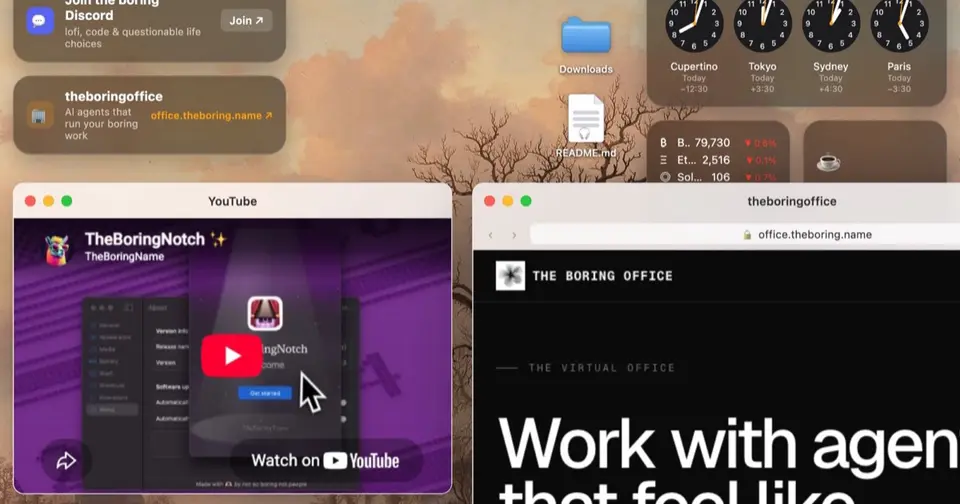
boring.notch is a free, open-source macOS app from TheBoredTeam that turns the MacBook's notch into an interactive panel. Hovering over the notch expands it to show music controls with a visualizer, a calendar, and a shelf that holds files for AirDrop and other sharing. It also replaces the system volume and brightness indicators. The code is licensed under GPL-3.0 and the project is funded by donations.
boring.notch is free to use. See every plan
Good for
- MacBook owners who want media controls in the notch area
- People who share files by AirDrop and want a drop target at the top of the screen
- Anyone looking for a free, open-source notch app
Worth knowing
- macOS only. The README requires macOS 14 Sonoma or later, while the website's download card says macOS 13 Ventura or later.
- The team has no Apple Developer account, so macOS blocks the first launch until a Terminal command or a System Settings override is used; the Homebrew install avoids this.
- Bluetooth live activities, weather, customizable layouts, lock screen widgets and an extension system are on the roadmap but not marked as done.
- YouTube Music support needs version 3.11 or later of the YouTube Music (Pear Desktop) app.
Key features
- Music controls in the notch
- Shows what is playing with a visualizer and playback controls that can be rearranged, including 15-second skips, app volume and favorites, plus synchronized lyrics in beta.
- File shelf with AirDrop
- Dragging files to the notch opens a shelf that holds them for AirDrop and other sharing services, with multi-item selection and a right-click menu of file actions.
- System HUD replacement
- Replaces the macOS on-screen indicators for volume, screen brightness and keyboard backlight with its own display in the notch, with optional percentages.
- Calendar and reminders
- Calendar and reminders integrations are built in, with settings to hide all-day events, scroll automatically to the current or next event and stop long event names being cut off.
- Mirror and battery indicator
- The project roadmap marks two further additions as done: a mirror, and a charging indicator that shows the current battery percentage.
- Lock screen and screenshot options
- The notch can appear on the lock screen, can be hidden from screenshots and recordings, and its size and gestures can be adjusted for different displays.
boring.notch pricing
- Starts at
- Free
- Free plan
- The whole app is free and open source under GPL-3.0, and the website says it always will be free. Donations through Ko-fi or Buy Me a Coffee are optional.
- Free trial
- None listed
| Plan | Price | What you get |
|---|---|---|
| boring.notch | $0 | Every feature, as a universal build for Apple Silicon and Intel Macs from GitHub Releases or Homebrew. No account or license key. |
Read from theboring.name on Oct 9, 2026. Prices change, so confirm with boring.notch before you buy.
Works with
- Apple Music
- Spotify
- YouTube Music
- AirDrop
boring.notch alternatives
- boring.notch vs Yoink
Free trial · from $8.99 one-time
- boring.notch vs Dropzone
Free plan · from $4.99/mo
- boring.notch vs Bartender
Free trial · from $19.99/yr


Common questions
Is boring.notch free?
Yes. boring.notch is free to use. The whole app is free and open source under GPL-3.0, and the website says it always will be free. Donations through Ko-fi or Buy Me a Coffee are optional.
How much does boring.notch cost?
boring.notch lists one plan. boring.notch: $0. Prices were read from theboring.name on Oct 9, 2026.
What platforms does boring.notch work on?
boring.notch is available on macOS.
Does boring.notch have an Android app?
No Android app was listed when its pages were read on Oct 9, 2026. boring.notch is listed for macOS.
Does boring.notch have an iPhone app?
No iPhone app was listed when its pages were read on Oct 9, 2026. boring.notch is listed for macOS.
Is boring.notch open source?
Yes. boring.notch is open source, according to its own site.
What does boring.notch integrate with?
boring.notch's listing names Apple Music, Spotify, YouTube Music and AirDrop. A listing names up to eight integrations, so it may connect to more.
Who makes boring.notch?
boring.notch is made by TheBoredTeam.
What are the alternatives to boring.notch?
The closest alternatives to boring.notch in our directory are Yoink, Dropzone, Thaw and Bartender. Each one has a side-by-side comparison with boring.notch.
Sources for this page
The prices, plans, platforms and features above were read from these pages on Oct 9, 2026.