
Locally AI
Free app that runs open AI models offline on iPhone, iPad and Mac
Locally AI report card
Very good · out of 4.0 · graded Oct 9, 2026
Best for open AI models offline on an iPhone or Mac
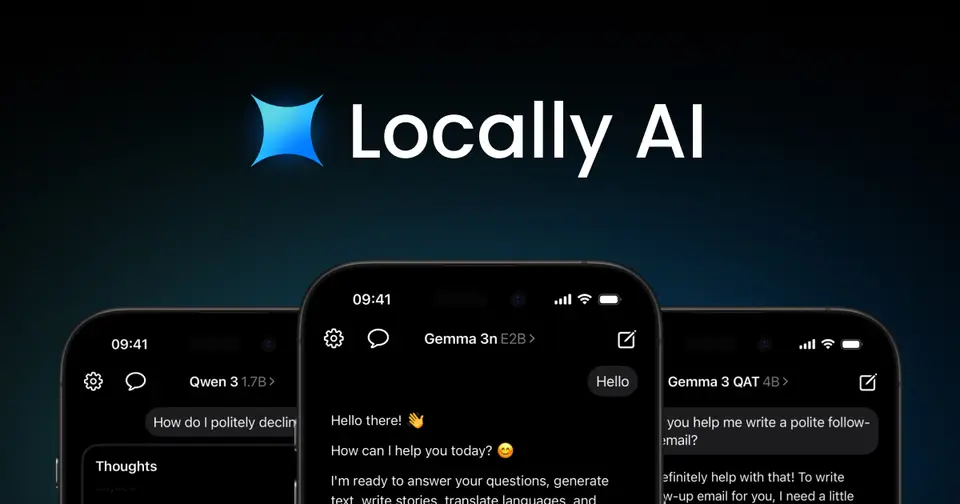
Locally AI puts open models like Llama, Gemma and Qwen on your iPhone, iPad or Mac and runs them right there, with no account and no internet once a model is downloaded. It's free, and LM Studio owns it now, so your phone can borrow bigger models from your own computer. It's Apple only, though, and what runs depends on your device's memory.
Who Locally AI is for
- Great if you want private chats that work on a plane, with no account and no connection
- Handy when you already run LM Studio and want its bigger models on your phone
- Good for trying open models on Apple devices without paying anything
Who Locally AI is not for
- Skip it if you're on Windows or Android, because it's iPhone, iPad and Mac only
- Not for you if your device is a few years old, as it's only for recent Apple models
- Too light for people who want the largest models on a phone alone, since memory decides what runs
Why Locally AI gets a 3.4
Five grades, each with its reason. The GPA is their average: an A is 4 points, an F is none.
- AValue for moneyIt costs nothing. The app is free on the App Store and the Mac App Store, with no login, and the US listing shows no in-app purchases.
- AFree plan and trialThe full app is free: local models, voice mode, Siri and Shortcuts actions, and LM Link to LM Studio. There's no paid plan to hold anything back.
- BFeaturesRuns open models from eight families on the device, talks back in a voice mode, reads pictures with the right model and answers through Siri and Shortcuts. The catch is size: your device's memory decides which models run, and the bigger ones need LM Studio on a computer of yours.
- AEase of use4.7 from about 1,700 App Store ratings. There's no account to make: download a model and start chatting. You do have to pick one that fits your device first.
- CPlatforms and integrationsiPhone, iPad and Mac, and only recent ones, since it's tuned for Apple Silicon. It hooks into Siri, Shortcuts and LM Studio. All Apple, though: no Windows, Android or web version is listed.
What these grades rest on. Graded from this listing, whose facts were read from Locally AI's own pages on 9 October 2026, and its App Store rating. Not based on using the product, and shorter than our full reviews. How we review and grade.
Make Locally AI? Put this grade on your site

Paste this where you want the badge. It links here and follows the grade if it changes. About badges
<a href="https://toolgpa.com/tools/locally-ai#review"><img src="https://toolgpa.com/badge/locally-ai.svg" alt="Locally AI: 3.4 GPA on ToolGPA" width="196" height="56"></a>What is Locally AI?
Locally AI is a free app that downloads open models such as Llama, Gemma, Qwen and DeepSeek and runs them on an iPhone, iPad or Mac with Apple's MLX framework. It needs no login, and no internet connection once a model is on the device. LM Studio acquired it in April 2026 and now presents it as its mobile app: through LM Link it can also use larger models running in LM Studio on your own computer.
Locally AI is free to use. See every plan
Good for
- Trying open models on an iPhone, iPad or Mac at no cost
- LM Studio users who want their desktop models on a phone
- Private chats that work with no connection and no account
Worth knowing
- It is available only for recent iPhone, iPad and Mac models, and is optimized for Apple Silicon chips.
- Which models run depends on the device's memory; the site points to iPad and Mac for the largest ones.
- Using larger models through LM Link requires LM Studio running on a computer of your own.
- LM Studio acquired the app in April 2026, and the App Store now lists it as Locally AI by LM Studio.
Key features
- On-device models through MLX
- Downloads and runs open models from the Llama, Gemma, Qwen, DeepSeek, SmolLM, Granite, Cogito and LFM families on Apple Silicon, using Apple's MLX framework.
- Offline, with no account
- Once a model is downloaded, chats run with no internet connection and no login. The vendor says processing stays on the device and no data is collected.
- LM Link to LM Studio
- Links the app to LM Studio on your own computer over an end-to-end encrypted connection, so an iPhone or iPad can use larger models than it could run itself.
- Local voice mode
- Holds real-time spoken conversations with a model, with the speech handled on the device instead of by a cloud service.
- Language and vision models
- Some models take images as well as text, so a chat can analyze a picture. The app also supports Apple's on-device Foundation Models on current OS releases.
- Siri, Shortcuts and Control Center
- Talk to a local model through Siri, call models from the Shortcuts app to build automations, and open the app from Control Center, the Lock Screen or the Action Button.
Locally AI pricing
- Starts at
- Free
- Free plan
- The app is free on the App Store and Mac App Store, with no login. The US listing shows no in-app purchases.
- Free trial
- None listed
| Plan | Price | What you get |
|---|---|---|
| Free | $0 | The full app for iPhone, iPad and Mac: local models, voice mode, Siri and Shortcuts actions, and LM Link to LM Studio. |
Read from apps.apple.com on Oct 9, 2026. Prices change, so confirm with Locally AI before you buy.
How people rate the Locally AI app
4.7
out of 5 for the iPhone and iPad app
- 5 stars86%
- 4 stars8%
- 3 stars2%
- 2 stars1%
- 1 star3%
1,745 ratings on the App Store in the United States, read Oct 9, 2026. It rates the app, not everything the product does. See the listing
Works with
Locally AI alternatives
- Locally AI vs Private LLM
From $4.99 one-time
- Locally AI vs PocketPal AI
Free plan · from $0.99 one-time
- Locally AI vs LM Studio
Free plan · from $20/mo
- Locally AI vs Cherry Studio
Free plan





Common questions
Is Locally AI free?
Yes. Locally AI is free to use. The app is free on the App Store and Mac App Store, with no login. The US listing shows no in-app purchases.
How much does Locally AI cost?
Locally AI lists one plan. Free: $0. Prices were read from apps.apple.com on Oct 9, 2026.
What platforms does Locally AI work on?
Locally AI is available on macOS and iOS.
How is Locally AI rated?
Locally AI's iPhone and iPad app averages 4.7 out of 5 from 1,745 ratings on the App Store in the United States, as read on Oct 9, 2026. That is the store's rating of the app, not a score from us.
Does Locally AI have an Android app?
No Android app was listed when its pages were read on Oct 9, 2026. Locally AI is listed for macOS and iOS.
Does Locally AI have a Windows app?
No Windows app was listed when its pages were read on Oct 9, 2026. Locally AI is listed for macOS and iOS.
Is Locally AI open source?
Locally AI is not described as open source on its own site, as read on Oct 9, 2026.
Does Locally AI work offline?
Yes, according to its own site. What works without a connection differs by plan and platform, so check the vendor's page for the detail.
What does Locally AI integrate with?
Locally AI's listing names LM Studio, Siri and Apple Shortcuts. A listing names up to eight integrations, so it may connect to more.
Who makes Locally AI?
Locally AI is made by Element Labs, Inc.
What are the alternatives to Locally AI?
The closest alternatives to Locally AI in our directory are Private LLM, PocketPal AI, LM Studio, Jan and Cherry Studio. Each one has a side-by-side comparison with Locally AI.
Sources for this page
The prices, plans, platforms and features above were read from these pages on Oct 9, 2026. What people say is linked where it appears.