The Password Managers Insider’s Guide
Every one of the 18 password managers we grade in one document: the top three, what they cost, the grades and the full list. Read it here, or keep a copy.
Password Managers
The Insider’s Guide
Store passwords and passkeys securely and share them safely with family or a team.
- Bitwarden
- Proton Pass
- KeePassXC
- Apple Passwords
- RoboForm
- Google Password Manager




Every one we grade, what they cost, the best buy at each budget and the three to look at first.
Checked Oct 18, 2026 · toolgpa.com
Contents
- 01WelcomeWhat these tools do, how many we grade and what to know before choosing
- 02Our top threeThe three we'd look at first, and who each one suits
- 03What they costWhat paid plans start at, the best buy at each budget and the free plans
- 04The gradesThe highest graded, and how the whole category does on each subject
- 05Keep or make?Which are worth paying for, and which you could make yourself
- 06Every toolAll of them, best graded first, with what each costs
- 07Quick answersThe questions people ask when choosing, each answered in a line or two
- 08About ToolGPAWho made this guide, what else is on the site, and how to cite it
ToolGPA put this guide together from each tool’s own pages, their app-store listings and our grades. Every fact in it is on the Password Managers page too, where it is kept up to date. Checked Oct 18, 2026.
Part 01 · Overview
Welcome
What these tools do, how many we grade and what to know before choosing
18
password managers we grade, from their own pages
Store passwords and passkeys securely and share them safely with family or a team.
Before you choose, here are 8 things to know about password managers, worked out from every one we grade.
- 1
We grade 18 password managers
15 of them are free or have a free plan, and 3 more let you try before paying. Everything in this guide comes from their own pages and our grades.
- 2
Paid plans start at $2.59 a month in the middle
From $0.90 (Zoho Vault) to $5.42 (Dashlane), going by what each one's paid plans start at.
- 3
Best value: RoboForm, Bitwarden and Apple Passwords
Nothing on our chart scores higher than these without costing more.
- 4
13 of 18 have iPhone and Android apps
10 run in a web browser and 13 have a Windows app. Check the one you need before you fall for anything.
- 5
The middle GPA is 2.8
8 score 3.0 or higher. The highest is Bitwarden, at 3.8.
- 6
Best free option: Bitwarden
Bitwarden has the highest GPA of the free ones, 3.8. Open-source password manager with a free plan and self-hosting.
- 7
18 worth keeping, 0 you could make
By our keep-or-make rules, 18 do something you couldn't reasonably build yourself, 0 are simple enough to make with an AI app builder, and 0 are a close call.
- 8
4 price changes in the past year
That's how many price moves we've recorded for password managers in twelve months. Prices change, so check the maker's page before you pay.
Part 02 · Top three
Our top three
The three we'd look at first, and who each one suits
The three password managers we'd look at first. First place suits the most people; second and third are the best picks for the people it leaves out. Each has an Insider's Guide of its own.
1st
3.8GPABitwarden
Free plan · from $1.65/mo
For: Most people
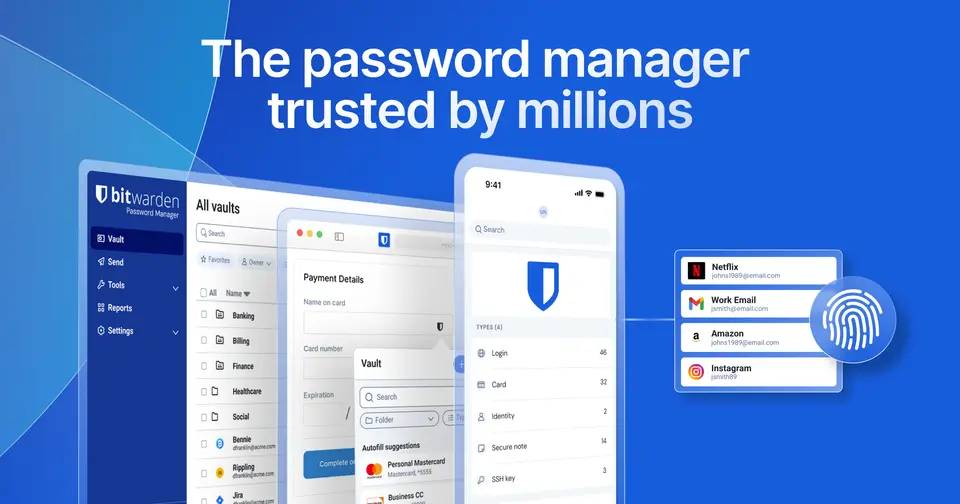
Bitwarden's free plan stores unlimited logins and passkeys on unlimited devices, and it runs in a browser and on Mac, Windows, Linux, iPhone and Android. It is open source and end-to-end encrypted, and it can be run on your own server instead of Bitwarden's cloud. Premium is $1.65 a month, billed annually at $19.80, and Families covers up to 6 users for $3.99 a month, billed annually. Its iPhone and iPad app averages 4.8 from about 34,000 ratings. Know the limits: the free plan leaves out the integrated authenticator, file attachments and vault health reports, and individual plans share items with only one other Bitwarden user.
The Bitwarden Insider’s Guide2nd
3.2GPAProton Pass
Free plan · from $2.99/mo
For: People who want email aliases with their passwords
Proton Pass is open source and end-to-end encrypted, and runs on the same devices as Bitwarden. Its free plan also covers unlimited logins on unlimited devices, and adds 10 hide-my-email aliases, to hand out in place of your real address, and alerts for weak and reused passwords. Its iPhone and iPad app averages 4.8 from about 8,400 ratings. It is second because paying costs more: Pass Plus is $2.99 a month, billed every 12 months at $35.88, against $19.80 a year for Bitwarden Premium. The free plan stops at 2 vaults, shared with up to 2 others, and the 2FA authenticator, sharing of single items and Dark Web Monitoring need Pass Plus.
The Proton Pass Insider’s Guide3rd
2.8GPAKeePassXC
Free
For: People who want passwords in a file on their own computer
KeePassXC keeps passwords in an encrypted database file on your own computer, and nothing is stored on the project's servers. It is free and open source, with no paid tier, and runs on Windows, macOS and Linux with a browser extension that fills logins. It also handles one-time codes and passkeys, and an independent security audit was completed in January 2023. It is third because it asks more of you than the two above. There is no mobile app: the team points to third-party apps such as KeePassDX on Android and Strongbox on iOS. Sync is not built in, so you place the file in a service such as Dropbox or Nextcloud yourself.
The KeePassXC Insider’s Guide
Part 03 · Pricing
What they cost
What paid plans start at, the best buy at each budget and the free plans
$2.59
A month to start, in the middle of those that charge
Going by our grades, RoboForm, Bitwarden and Apple Passwords give the most for the money among password managers: no tool on this chart scores higher without costing more.
Paid plans start at a middle price of $2.59 a month across the 14 that charge, from $0.90 (Zoho Vault) to $5.42 (Dashlane). 4 more cost nothing at all.
6 of the 18 score above the category's average while starting at or below its middle price. 1 cost more than the middle price and score below the average.
The best buy at each budget
Free
Apple Passwords
Costs nothing. Nothing at that price or less scores higher.
Up to $5 a month
RoboForm
Starts at $2.49 a month. Nothing at that price or less scores higher.
Price against what you get
Each dot is one of 18 password managers. Further left costs less; higher up scores better on features, ease of use and platforms. The green line is the best score at each price.
What paid plans start at, a month (each step along is roughly double) →
The best free ones
- 3.8
Bitwarden
Free plan · Free plan · from $1.65/mo
- 3.4
Apple Passwords
Free
- 3.4
RoboForm
Free plan · Free plan · from $2.49/mo
- 3.2
Google Password Manager
Free
- 3.2
Proton Pass
Free plan · Free plan · from $2.99/mo
- 3.2
Zoho Vault
Free plan · Free plan · from $0.90/mo

Part 04 · Grades
The grades
The highest graded, and how the whole category does on each subject
3.8
The highest GPA, Bitwarden's
Every tool gets five grades, A to F, each with its reason, and a GPA that averages them. Here are the 12 highest graded password managers, then how the whole category does on each subject.
| Tool | Value | Free | Features | Ease | Platforms | GPA |
|---|---|---|---|---|---|---|
| Bitwarden | A | A | A | A | B | 3.8 |
| Apple Passwords | A | A | C | A | B | 3.4 |
| RoboForm | B | C | A | A | A | 3.4 |
| Google Password Manager | A | A | C | B | B | 3.2 |
| Proton Pass | C | A | B | A | B | 3.2 |
| Zoho Vault | A | B | C | B | A | 3.2 |
| NordPass | C | B | B | A | B | 3.0 |
| Strongbox | B | B | B | A | C | 3.0 |
| 1Password | C | C | B | B | A | 2.8 |
| KeePass | A | A | C | C | C | 2.8 |
| KeePassXC | A | A | C | C | C | 2.8 |
| Keeper | C | D | B | A | A | 2.8 |





How the whole category does
Each bar is every password manager we grade, cut by the letter it got on that subject.
- Value for moneyavg 2.9
- Free plan and trialavg 2.8
- Featuresavg 2.7
- Ease of useavg 3.1
- Platforms and integrationsavg 3.2
Part 05 · Keep or make
Keep or make?
Which are worth paying for, and which you could make yourself
0
Simple enough to make yourself, of 18
Some software does something you couldn’t reasonably build yourself. Some is simple enough that an AI app builder could make the core of it in an afternoon. Here’s where password managers land, by the same rules for every tool.
18
Keep it
It does something you could not reasonably make for yourself, or it costs nothing.
0
Your call
You could make the core of it, and you would give something up.
0
You could make this
What it does is the kind of thing an AI app builder makes well, and it charges every month.
Worth keeping
Bitwarden
To replace Bitwarden you would be making a password vault, the last thing anyone should make for themselves. That is not a weekend's work, with an AI app builder or without one.
Apple Passwords
Apple Passwords is free, so making your own would save you nothing.
RoboForm
To replace RoboForm you would be making a password vault, the last thing anyone should make for themselves. That is not a weekend's work, with an AI app builder or without one.
Google Password Manager
Google Password Manager is free, so making your own would save you nothing.
Part 06 · Every tool
Every tool
All of them, best graded first, with what each costs
18
Tools, best graded first
Every password manager we grade, with its GPA and what it costs. Each one has a page of its own on toolgpa.com, with its Insider’s Guide.
- 1BitwardenFree plan · from $1.65/mo3.8
- 2Apple PasswordsFree3.4
- 3RoboFormFree plan · from $2.49/mo3.4
- 4Google Password ManagerFree3.2
- 5Proton PassFree plan · from $2.99/mo3.2
- 6Zoho VaultFree plan · from $0.90/mo3.2
- 7NordPassFree plan · from $4.99/mo3.0
- 8StrongboxFree plan · from $2.99/mo3.0
- 91PasswordFree trial · from $3.99/mo2.8
- 10KeePassFree2.8
- 11KeePassXCFree2.8
- 12KeeperFree plan · from $3.58/mo2.8
- 13LastPassFree plan · from $3/mo2.8
- 14Sticky PasswordFree plan · from $29.99/yr2.8
- 15DashlaneFree trial · from $5.42/mo2.6
- 16EnpassFree plan · from $23.99/yr2.6
- 17PasspackFree trial · from $1.66/mo2.4
- 18PassboltFree plan · from $4.90/mo2.2
Part 07 · Questions
Quick answers
The questions people ask when choosing, each answered in a line or two
8
Questions, each answered in a line or two
What are the best password managers?
Bitwarden first, Proton Pass second, KeePassXC third. Bitwarden is for most people.
Which password managers give the most for the money?
RoboForm, Bitwarden and Apple Passwords. Each is the highest-scoring tool at its price or below: Apple Passwords scores 3.0 out of 4 and is free; Bitwarden scores 3.7 out of 4 and starts at $1.65 a month; RoboForm scores 4.0 out of 4 and starts at $2.49 a month.
Which are the best free password managers?
Of the 4 password managers here with no paid plan at all, Apple Passwords scores highest, at 3.0 out of 4.
Which password managers are best for under $5 a month?
RoboForm, with a score of 4.0 out of 4: the highest among the 17 that start at $5 a month or less.
Which password managers cost the most for what they offer?
On this chart, Passbolt (starts at $4.90 a month for each person, scores 2.0 out of 4, and 14 tools score higher for less), Passpack (starts at $1.66 a month for each person, scores 2.3 out of 4, and 4 tools score higher for less) and 1Password (starts at $3.99 a month, scores 3.3 out of 4, and 3 tools score higher for less).
How much do password managers cost?
The middle starting price is $2.59 a month: half of the 14 password managers with a recurring price start below that and half above.
How is the score on this chart worked out?
It is the average of three of the five grades ToolGPA gives every tool: features, ease of use, and platforms and integrations, with an A worth 4 and an F worth 0.
How does ToolGPA grade password managers?
Five grades, A to F, for value, the free plan, features, ease of use and platforms, each with its reason, and a GPA that averages them.
Part 08 · About
About ToolGPA
Who made this guide, what else is on the site, and how to cite it
3,189
Tools graded, in 94 categories
ToolGPA grades software the way a school report grades a pupil: five subjects, a letter for each with the reason written beside it, and a GPA that averages them. Prices, plans and platforms are read from each maker’s own pages and dated, so you always know how fresh a figure is.
Every grade, review and ranking on ToolGPA is our own judgement. No company can pay for a grade or change one. Every tool on the site has a guide like this one, free to download and pass on. It all lives at toolgpa.com.
3,189
tools graded
94
categories
426
price changes on record
579
apps priced in 12 countries
What else is on toolgpa.com
- Password Managers, kept up to dateEvery tool in this guide, with prices and grades as they are todaytoolgpa.com/categories/password-managers
- How grades are givenThe rules behind every letter and every GPAtoolgpa.com/grades
- Value chartsWhat each tool costs against what it scores, for every categorytoolgpa.com/charts
- CompareAny two tools side by side, plan by plantoolgpa.com/compare
- Price changesEvery price rise and cut on record, each with its sourcetoolgpa.com/price-changes
- Prices by countryWhat apps cost on the App Store in 12 countriestoolgpa.com/prices-by-country
- Pay lessEvery public discount: yearly billing, students, nonprofitstoolgpa.com/save
- Keep or makeWhich tools are worth paying for, and which you could build yourselftoolgpa.com/keep-or-make
Scan for the live page
Prices and grades as they are today
Quoting this guide?
Please name ToolGPA and link to the live page, so readers can check the figures for themselves:
ToolGPA, "Password Managers: The Insider's Guide", checked Oct 18, 2026. https://toolgpa.com/categories/password-managers
Know someone choosing between password managers?
Send them this guide: toolgpa.com/categories/password-managers/guide
ToolGPA elsewhere: youtube.com/@toolgpa
See our other guides
The top three password managers have guides of their own, and so does every category near this one.
- Bitwarden Insider's GuideOpen-source password manager with a free plan and self-hosting3.8 GPA
- Proton Pass Insider's GuideEnd-to-end encrypted password manager with email aliases3.2 GPA
- Desktop Utilities Insider's Guide95 desktop utilities, graded and compared
- VPNs Insider's Guide17 VPNs, graded and compared
- Browsers Insider's Guide16 browsers, graded and compared
Choosing software? Every tool graded, every price dated.
Compare tools at toolgpa.com ›Everything in this guide is ToolGPA’s own summary of what each tool’s pages, app-store listings and public reviews said on the dates shown. Grades are our judgement under the rules at toolgpa.com/grades. Every grade, review and ranking on ToolGPA is our own judgement. No company can pay for a grade or change one. Product names are trademarks of their owners, and no maker made, paid for or approved this guide. Prices and plans change: check each maker’s own site before you buy.