
Bricks review (2026): is it worth $79 a year?
Visual site builder delivered as a WordPress theme
Black Friday: is there a Bricks sale?
Bricks report card
Weak · out of 4.0 · graded Nov 12, 2026
Best for a visual builder as a WordPress theme
Bricks is a WordPress theme with a visual builder, from $79 a year for 1 site or $599 once. It has no downloadable trial, and every live site needs its own license activation.
Who Bricks is for
- Fits if you run WordPress and want a visual builder as your theme
- Works for agencies that need unlimited sites on one license
Who Bricks is not for
- Skip it if you want hosting included, as hosting and domain are separate
- Not for you if you want to try it on your own site first, because there is no downloadable demo
- Watch out: if a subscription lapses, updates, support and templates stop
- Tight if you run many live sites: each needs its own license activation
- Pricey if you want one price forever: Ultimate Lifetime is $599
Why Bricks gets a 1.8
Five grades, each with its reason. The GPA is their average: an A is 4 points, an F is none.
- BValue for money$79 a year for 1 website, about $6.58 a month, inside the cheaper quarter ($7.42). The $599 lifetime plan costs more than two years of the middle price.
- DFree plan and trialThere is no downloadable demo; a free online playground needs an account, and a 60-day money-back guarantee is not a trial.
- CFeaturesA full builder with the same features on every plan, though it is WooCommerce only for stores.
- DEase of useNo rating on record, and it needs your own self-hosted WordPress.
- CPlatforms and integrationsWordPress only, with WooCommerce listed.
What these grades rest on. Graded from this listing, whose facts were read from Bricks's own pages on 12 November 2026. Not based on using the product, and shorter than our full reviews. How we review and grade.
Make Bricks? Put this grade on your site

Paste this where you want the badge. It links here and follows the grade if it changes. About badges
<a href="https://toolgpa.com/tools/bricks#review"><img src="https://toolgpa.com/badge/bricks.svg" alt="Bricks: 1.8 GPA on ToolGPA" width="196" height="56"></a>Where Bricks stands among website and landing page builders
Bricks's GPA of 1.8 is higher than 2 of the 55 other website and landing page builders we grade, and level with 3.
It stands best on value for money (B, above 33 of 55) and worst on ease of use (D, above 0).
Its paid plans start at $6.58 a month when paid by the year, against a middle price of $12.42 for the category: 11 of the 52 others that charge start lower.
On features, ease of use and platforms it scores 1.7 out of 4. 11 tools score higher and cost less.
Each grade against the category
Every bar is all 56 website and landing page builders we grade, cut by the letter each got. Bricks’s own letter is outlined.
- BValue for moneyAbove 33 of 55, level with 19
- DFree plan and trialAbove 6 of 55, level with 3
- CFeaturesAbove 4 of 55, level with 37
- DEase of useAbove 0 of 55, level with 5
- CPlatforms and integrationsAbove 0 of 55, level with 17
Price against what you get
Each dot is one of 53 website and landing page builders. Further left costs less, and higher up scores better on features, ease of use and platforms. Point at a dot to see which tool it is.
Features, ease of use and platforms, averaged
What paid plans start at, a month (each step along is roughly double) →
- The best score at each price
- Has a free plan
- No free plan
Keep Bricks, or make your own?
Keep it
To replace Bricks you would be making a builder that other people can use without writing code. That is not a weekend's work, with an AI app builder or without one.
That makes this kind of software worth paying for, not this one in particular: 50 of the 55 other website and landing page builders grade higher. It costs $79 a year.
What you could make
- Templates and popups: an app builder makes these well.
What you could not
- A builder that other people can use without writing code.
- Checkout, card payments and sales tax handled for you.
- AI features, unless you pay a model provider for each request yourself.
What this rests on. Bricks’s listing: what it does, where it runs, what it plugs into and what it costs. It is a judgement about the kind of software this is. We have not built a replacement for it, and making your own means looking after it too. How we decide, and every tool’s verdict.
What is Bricks?
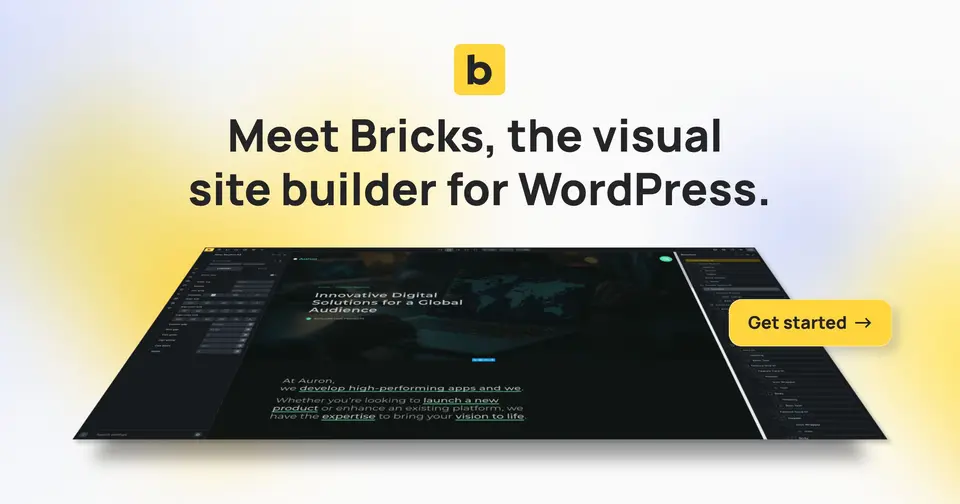
Bricks is a theme for self-hosted WordPress that adds a visual builder for pages, headers, popups, menus and WooCommerce shops. Every plan has the full feature set; plans differ only in how many sites a license covers and whether it renews yearly or is paid once. It is aimed at people who want class-based styling, query loops and custom code alongside the visual editor.
Worth knowing
- It runs only on self-hosted WordPress; hosting and a domain are bought separately.
- If a subscription is cancelled, updates, support and community templates stop, though sites keep working.
- Every live WordPress install needs its own license activation, including each subsite of a multisite; local and staging sites do not count.
- A 60-day money-back guarantee is stated on the pricing page.
Key features
- Visual builder with 149 elements
- Pages are built from elements with class-based styling, global variables and palettes, and custom breakpoints for responsive layouts.
- Query loop builder
- Pull posts, taxonomies and other database content onto a page visually, or write a PHP query, with load-more and infinite scroll.
- Popup, menu and WooCommerce builders
- Mega menus, popups and the shop, cart, checkout and account pages can be designed inside the builder.
- Dynamic data, conditions and interactions
- Content can be shown or hidden by conditions, and triggers and actions can be set for click and hover behavior.
- AI Abilities (experimental)
- A compatible external AI client can create and update pages, templates, queries and design resources, which are then editable in Bricks.
- Custom code
- HTML, CSS, JavaScript and PHP can be added to headers, footers and individual pages.
Bricks pricing
As of Nov 12, 2026, Bricks is a paid product with a free trial, starting at $79 per year for 1 website.
- Starts at
- $79 per year for 1 website
- Free plan
- None
- Free trial
- No downloadable demo; a free online playground at try.bricksbuilder.io needs an account.
| Plan | Price | What you get |
|---|---|---|
| Starter | $79per year for 1 website | Full feature set, updates, email and forum support and community templates for the term of the subscription. |
| Business | $149per year for up to 3 websites | Same features as Starter, covering 3 websites. |
| Agency | $249per year for unlimited websites | Same features, unlimited websites, and eligible for the Bricks Expert listing. |
| Ultimate Lifetime | $599one-time, unlimited websites | Paid once, with all future updates, features and technical support, unlimited websites and the Bricks Expert listing. |
Read from bricksbuilder.io on Nov 12, 2026. Prices change, so confirm with Bricks before you buy.
Works with
Bricks alternatives
- Bricks vs Oxygen Builder
Free trial · from $199.50 one-time
- Bricks vs Elementor
Free plan · from $5/mo
- Bricks vs Divi
From $89/yr
- Bricks vs Beaver Builder
From $89/yr
- Bricks vs Brizy
Free trial · from $19/mo





Common questions
Does Bricks have an Android app?
No Android app was listed when its pages were read on Nov 12, 2026. Bricks is listed for Web.
Does Bricks have an iPhone app?
No iPhone app was listed when its pages were read on Nov 12, 2026. Bricks is listed for Web.
Is Bricks open source?
Bricks is not described as open source on its own site, as read on Nov 12, 2026.
Sources for this page
The prices, plans, platforms and features above were read from these pages on Nov 12, 2026.