Secured Signing review (2026): is it worth $9.95 a month per user?
Digital signatures and online notarization with ID verification
Black Friday: is there a Secured Signing sale?

Secured Signing report card
Weak · out of 4.0 · graded Nov 13, 2026
Best for recruiters and lawyers who need ID-checked signing
Secured Signing sells digital signatures with ID verification and online notarization. Business is $9.95 per user a month plus $1.50 per document, so the real bill grows with volume, and there is no free plan.
Who Secured Signing is for
- Fits if you place candidates or handle legal paperwork and want ID checks
- Makes sense if you send few documents and want a monthly rate
Who Secured Signing is not for
- Skip it if you want to try it free, because there is no free plan or trial
- Pricey if you send many documents, since each costs $1.50 on the pay-as-you-go rate
- Watch out: prepaid annual plans are priced by a calculator, and Enterprise has no published price
- Watch out: notary pricing is separate and not shown with the signing prices
Why Secured Signing gets a 1.8
Five grades, each with its reason. The GPA is their average: an A is 4 points, an F is none.
- CValue for money$9.95 per user a month plus $1.50 a document: one person sending 10 documents pays about $25 a month, in the middle of the category.
- FFree plan and trialNo free plan and no trial on record anywhere on its pages.
- CFeaturesUnlimited signatures and invitees, templates, bulk sending, ID checks and video signing. The page lists integrations as limited on Business.
- CEase of useNo store rating on record. Templates and integrations have to be set up.
- BPlatforms and integrationsWeb, with Bullhorn, JobAdder, Clio, Salesforce, SharePoint and other integrations.
What these grades rest on. Graded from this listing, whose facts were read from Secured Signing's own pages on 13 November 2026. Not based on using the product, and shorter than our full reviews. How we review and grade.
Make Secured Signing? Put this grade on your site
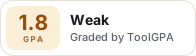
Paste this where you want the badge. It links here and follows the grade if it changes. About badges
<a href="https://toolgpa.com/tools/securedsigning#review"><img src="https://toolgpa.com/badge/securedsigning.svg" alt="Secured Signing: 1.8 GPA on ToolGPA" width="196" height="56"></a>Where Secured Signing stands among e-signature and proposal tools
Secured Signing's GPA of 1.8 is higher than 7 of the 78 other e-signature and proposal tools we grade, and level with 11.
It stands best on platforms and integrations (B, above 12 of 78) and worst on free plan and trial (F, above 0).
Its paid plans start at $9.95 a month for each person, against a middle price of $19 for the category: 6 of the 54 others that charge start lower.
On features, ease of use and platforms it scores 2.3 out of 4. 3 tools score higher and cost less.
Each grade against the category
Every bar is all 79 e-signature and proposal tools we grade, cut by the letter each got. Secured Signing’s own letter is outlined.
- CValue for moneyAbove 14 of 78, level with 52
- FFree plan and trialAbove 0 of 78, level with 19
- CFeaturesAbove 1 of 78, level with 55
- CEase of useAbove 3 of 78, level with 69
- BPlatforms and integrationsAbove 12 of 78, level with 65
Price against what you get
Each dot is one of 55 e-signature and proposal tools. Further left costs less, and higher up scores better on features, ease of use and platforms. Point at a dot to see which tool it is.
Features, ease of use and platforms, averaged
What paid plans start at, a month (each step along is roughly double) →
- The best score at each price
- Has a free plan
- No free plan
Keep Secured Signing, or make your own?
Keep it
To replace Secured Signing you would be making connections to other products, each kept working as those products change. That is not a weekend's work, with an AI app builder or without one.
That makes this kind of software worth paying for, not this one in particular: 60 of the 78 other e-signature and proposal tools grade higher. It costs $119.40 a year.
What you could make
- Documents, templates and forms: an app builder makes these well.
What you could not
- Connections to other products, each kept working as those products change.
- It is priced for each person, which means accounts and billing for a team.
- What a company asks for before it lets staff use something: single sign-on.
What this rests on. Secured Signing’s listing: what it does, where it runs, what it plugs into and what it costs. It is a judgement about the kind of software this is. We have not built a replacement for it, and making your own means looking after it too. How we decide, and every tool’s verdict.
What is Secured Signing?
Secured Signing is a signing platform founded in 2010 that sells digital signatures to businesses and a separate online notarization product. The Business plan has unlimited signatures and invitees, templates, bulk sending and reminders, while an Enterprise plan adds an admin portal, reports and single sign-on.
Worth knowing
- The $9.95 and $1.50 figures are the monthly pay-as-you-go rates; prepaid annual plans are priced by users and documents and shown by a calculator.
- Enterprise has no published price.
- Notary pricing is separate from digital signing pricing and is not covered here.
- The page lists integrations as limited on the Business plan.
Key features
- Unlimited signatures and invitees
- The Business and Enterprise plans list unlimited signatures and unlimited invitees. Invitees pay nothing to sign.
- Form filler templates
- Document templates with fillable fields, plus bulk sending and broadcasting of one document to many recipients.
- Identity checks and video signing
- Advanced features listed include ID verification, SMS authentication signing, video signing and video confirmation, and a qualified electronic signature option.
- Recruitment and legal integrations
- Connectors are listed for Bullhorn, JobAdder, FastTrack360, finPOWER Connect, Clio, NetDocuments, Salesforce and SharePoint.
- Enterprise administration
- An admin portal, management reports, user account management, single sign-on and private labelling on the Enterprise plan.
- Online notarization
- A separate notary platform for remote online notarization, including a UK notarisation product, with its own pricing.
Secured Signing pricing
As of Nov 13, 2026, Secured Signing is a paid product, starting at $9.95 per user / month, plus $1.50 per document.
- Starts at
- $9.95 per user / month, plus $1.50 per document
- Free plan
- None
- Free trial
- None listed
| Plan | Price | What you get |
|---|---|---|
| Business | $9.95per user / month, plus $1.50 per document (pay as you go) | Unlimited signatures and invitees, templates, bulk sending, reminders and branding. Prepaid monthly or annual plans are also sold. |
| Enterprise | Custom | For companies over 100 employees: admin portal, reports, single sign-on, private labelling and one bill. Priced through sales. |
Read from securedsigning.com on Nov 13, 2026. Prices change, so confirm with Secured Signing before you buy.
Works with
- Bullhorn
- JobAdder
- FastTrack360
- finPOWER Connect
- Clio
- NetDocuments
- Salesforce
- SharePoint
Secured Signing alternatives
- Secured Signing vs Docusign
Free trial · from $11/mo
- Secured Signing vs signNow
Free trial · from $8/mo
- Secured Signing vs Adobe Acrobat Sign
Free trial · from $16.99/mo
- Secured Signing vs Signable
Free trial · from £40/mo
- Secured Signing vs Sign.com
Free plan · from $7/mo


Common questions
Does Secured Signing have an Android app?
No Android app was listed when its pages were read on Nov 13, 2026. Secured Signing is listed for Web.
Does Secured Signing have an iPhone app?
No iPhone app was listed when its pages were read on Nov 13, 2026. Secured Signing is listed for Web.
Is Secured Signing open source?
Secured Signing is not described as open source on its own site, as read on Nov 13, 2026.
Does Secured Signing have an API?
Yes. Secured Signing offers a public API, according to its own site.
Sources for this page
The prices, plans, platforms and features above were read from these pages on Nov 13, 2026.