
Agent Zero
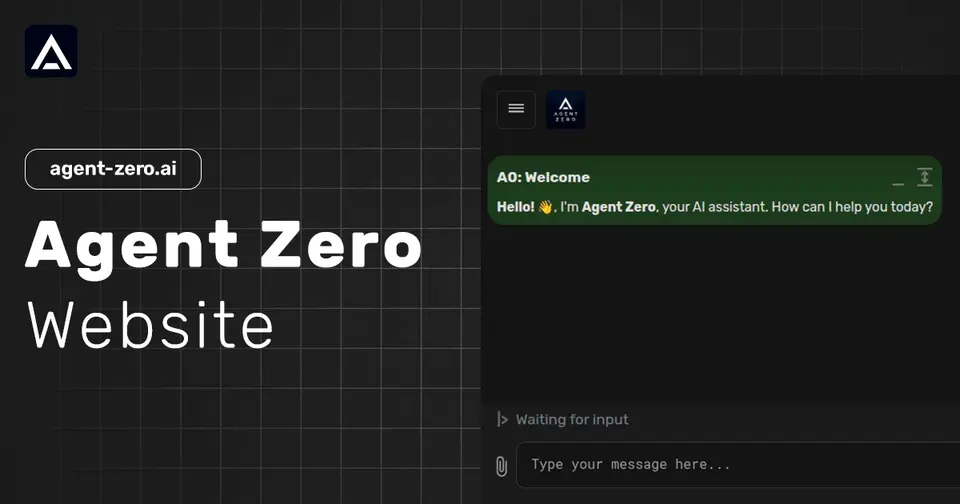
Open-source agent framework that works in its own Linux computer
Agent Zero report card
Very good · out of 4.0 · graded Oct 9, 2026
Best for an open-source agent you can watch and take apart
Agent Zero gives an AI agent its own Linux computer inside Docker, with a desktop, a browser and a terminal, and you watch every click it makes. It's free, open source, and yours to change. What it costs you is setup: there's no hosted version, so you bring the machine and the model.
Who Agent Zero is for
- Great if you're a developer who wants to read and change the agent's prompts and tools
- Handy when you want the agent boxed into Docker and kept off your real system
- Good for running on local models through Ollama or LM Studio
Who Agent Zero is not for
- Skip it if you want to sign up and start, as there's no hosted version to log in to
- Not for you if you expect the model to be included, because you bring your own provider or a local one
- Not for you if you want an agent on your phone, since no iPhone or Android app is listed
Why Agent Zero gets a 3.2
Five grades, each with its reason. The GPA is their average: an A is 4 points, an F is none.
- AValue for moneyFree and open source under the MIT license, with no paid edition and no hosted tier. The project funds itself through a crypto token called A0T, not through plans. What you do pay for is model access, billed by whichever provider you connect.
- AFree plan and trialThe whole framework is free: the desktop, the browser, memory, plugins, the lot. Nothing is held back, because there's no paid plan to hold it for. You can even point it at a local model through Ollama or LM Studio.
- AFeaturesThe agent gets a full Linux desktop with a browser, a terminal and LibreOffice, and you share the mouse and keyboard. It keeps memory per project, hands parts of a job to subagents, runs scheduled jobs, and takes more than 100 community plugins.
- DEase of useYou host it yourself. There's no hosted version to sign in to, so it runs in Docker on a machine you provide, and you connect your own model provider before it does anything. The guided desktop Launcher does take some of the sting out of installing it.
- BPlatforms and integrationsThe Launcher comes for Mac, Windows and Linux, and you work in a web interface. It connects to MCP servers and to model providers like OpenAI, Anthropic and Ollama. No iPhone or Android app is listed.
What these grades rest on. Graded from this listing, whose facts were read from Agent Zero's own pages on 9 October 2026. Not based on using the product, and shorter than our full reviews. How we review and grade.
Make Agent Zero? Put this grade on your site

Paste this where you want the badge. It links here and follows the grade if it changes. About badges
<a href="https://toolgpa.com/tools/agent-zero#review"><img src="https://toolgpa.com/badge/agent-zero.svg" alt="Agent Zero: 3.2 GPA on ToolGPA" width="196" height="56"></a>What is Agent Zero?
Agent Zero is an open-source agent framework that gives an AI agent its own Dockerized Linux computer, with a desktop, a browser, a terminal and document editors it operates while you watch. It keeps memory per project, hands parts of a task to subagents, runs scheduled jobs and is extended with plugins, skills and MCP servers. The software is MIT licensed and free: you install it on your own machine or server and connect a model provider or a local model.
Agent Zero is free to use. See every plan
Good for
- Developers who want an agent whose prompts and tools they can inspect and change
- Keeping an agent sandboxed in Docker instead of running it on the host
- Running on local models through Ollama or LM Studio
Worth knowing
- The site lists no hosted version: you install it with the Launcher, a terminal installer or Docker on a machine you provide.
- Model access is not included. You connect a cloud provider, an AI account such as ChatGPT or GitHub Copilot, or a local model server.
- The Launcher is offered for macOS, Windows and Linux; the installation page lists no iOS or Android app.
- The project funds itself through its A0T crypto token, not paid plans; a beta LLM API with a daily quota is open only to people who stake A0T.
Key features
- Linux desktop in a container
- The agent gets an XFCE desktop session inside its Docker container, where it runs terminals, file tools and GUI software. You see each action and share the same mouse and keyboard.
- Browser with annotation
- A built-in browser opens pages, clicks, types, uploads files and takes screenshots. In Annotate mode you click a page element to have it changed, inspected, copied or commented on.
- Document cowork
- A Markdown editor and LibreOffice Writer, Calc and Impress are built into the workspace, so you and the agent edit the same document, spreadsheet or slide deck.
- Projects, memory and secrets
- Projects keep files, instructions, memory, secrets, Git repositories and model presets separate per workspace. A Memory Dashboard is used to review and manage what is stored.
- A0 CLI Connector
- An optional command-line bridge lets a sandboxed instance request access to files, a terminal and a Chromium-based browser on your own computer.
- Plugin Hub, MCP and A2A
- More than 100 community plugins install from the Web UI, each scanned for risks first. The agent also connects to MCP servers and Agent-to-Agent flows.
Agent Zero pricing
- Starts at
- Free
- Free plan
- The whole framework is free and open source under the MIT license, with no paid edition or hosted tier. You supply the machine it runs on and your own model access, which the provider bills separately.
- Free trial
- None listed
| Plan | Price | What you get |
|---|---|---|
| Agent Zero (MIT licensed) | Free | The complete framework, installed with the desktop Launcher, a terminal installer or Docker, with a model provider of your choice. |
Read from agent-zero.ai on Oct 9, 2026. Prices change, so confirm with Agent Zero before you buy.
Works with
- OpenRouter
- OpenAI
- Anthropic
- Venice
- Ollama
- LM Studio
- GitHub Copilot
- LibreOffice
Agent Zero alternatives
- Agent Zero vs Hermes Agent
Free plan · from $20/mo
- Agent Zero vs Eigent
Free plan · from $19.99/mo





Common questions
Is Agent Zero free?
Yes. Agent Zero is free to use. The whole framework is free and open source under the MIT license, with no paid edition or hosted tier. You supply the machine it runs on and your own model access, which the provider bills separately.
How much does Agent Zero cost?
Agent Zero lists one plan. Agent Zero (MIT licensed): Free. Prices were read from agent-zero.ai on Oct 9, 2026.
What platforms does Agent Zero work on?
Agent Zero is available on Web, macOS, Windows and Linux.
Does Agent Zero have an Android app?
No Android app was listed when its pages were read on Oct 9, 2026. Agent Zero is listed for Web, macOS, Windows and Linux.
Does Agent Zero have an iPhone app?
No iPhone app was listed when its pages were read on Oct 9, 2026. Agent Zero is listed for Web, macOS, Windows and Linux.
Is Agent Zero open source?
Yes. Agent Zero is open source, according to its own site. It can also be run on a server of your own.
What does Agent Zero integrate with?
Agent Zero's listing names OpenRouter, OpenAI, Anthropic, Venice, Ollama, LM Studio, GitHub Copilot and LibreOffice. A listing names up to eight integrations, so it may connect to more.
Who makes Agent Zero?
Agent Zero is made by Agent Zero, s.r.o.
What are the alternatives to Agent Zero?
The closest alternatives to Agent Zero in our directory are OpenClaw, Hermes Agent, NanoClaw, goose and Eigent. Each one has a side-by-side comparison with Agent Zero.
Sources for this page
The prices, plans, platforms and features above were read from these pages on Oct 9, 2026.