
Littlebird review (2026): is the free plan enough?
AI assistant that builds a memory of your work from your screen
Black Friday: is there a Littlebird sale?
Littlebird report card
Good · out of 4.0 · graded Nov 2, 2026
Best for an assistant that remembers what you worked on
Littlebird is a desktop assistant that reads the text in your active window and listens to your meetings to build a memory of your work, then drafts and answers from it. That memory is encrypted but stored in the vendor's cloud, context comes only from the Mac and Windows apps with Windows in beta, and the phone apps can't gather anything on their own. Basic stops at 25 meeting notes in total and doesn't say how many daily credits you get, and the 14-day Plus trial bills you unless you cancel.
Who Littlebird is for
- Fits if you want an assistant that drafts from what you were working on
- Works for meeting notes taken from your computer's audio, with no bot joining the call
Who Littlebird is not for
- Not for you if you want your work memory kept only on your own computer, as it's stored in the vendor's cloud
- Skip it if your phone is your main device, since the mobile apps need the desktop app to gather context
- Tight if you're staying free: Basic stops at 25 meeting notes in total and 5 routines, and its daily credits aren't stated
- Watch out: the Windows app is in beta, Hover is Mac-only, and the 14-day Plus trial bills you unless you cancel
- Watch out: its pages disagree on MCP, listed under Plus on pricing but Power and above in the MCP FAQ
Why Littlebird gets a 2.6
Five grades, each with its reason. The GPA is their average: an A is 4 points, an F is none.
- BValue for moneyPlus is $17 a month billed annually, $204 up front, or $20 monthly, which undercuts what this category usually starts at, and it brings unlimited meeting notes. Power is $42.50 and Pro $100 if you burn through credits. Students pay $15.
- CFree plan and trialBasic is free and already reads your screen, apps and meetings. But it stops at 25 meeting notes in total and 5 routines, and chats run on daily credits whose amount the listing can't give, so you'll find that wall yourself.
- CFeaturesThe passive memory is unusual: an encrypted index of your active window, chat grounded in it, meeting notes with no bot in the call, routines on a schedule, and an MCP server opening your memory to Claude. It's an assistant's job rather than this category's, Hover is Mac-only and Windows is in beta.
- BEase of useYou install the desktop app and it picks up context from your active window on its own: nothing to file, tag or connect before it's useful. The Windows app is still in beta, and there's no rating on record.
- BPlatforms and integrationsMac and Windows apps with iPhone and Android alongside, hundreds of connectors and an MCP server. No web version, though, and the phone apps are companions that need the desktop app to gather anything.
What these grades rest on. Graded from this listing, whose facts were read from Littlebird's own pages on 2 November 2026. Not based on using the product, and shorter than our full reviews. How we review and grade.
Make Littlebird? Put this grade on your site

Paste this where you want the badge. It links here and follows the grade if it changes. About badges
<a href="https://toolgpa.com/tools/littlebird#review"><img src="https://toolgpa.com/badge/littlebird.svg" alt="Littlebird: 2.6 GPA on ToolGPA" width="196" height="56"></a>Where Littlebird stands among AI agents
Littlebird's GPA of 2.6 is higher than 139 of the 178 other AI agents we grade, and level with 20.
It stands best on ease of use (B, above 169 of 178) and worst on features (C, above 2).
Its paid plans start at $17 a month, against a middle price of $25 for the category: 12 of the 98 others that charge start lower.
On features, ease of use and platforms it scores 2.7 out of 4. Nothing scores higher for less, though at least one tool matches that score at a lower price.
Each grade against the category
Every bar is all 179 AI agents we grade, cut by the letter each got. Littlebird’s own letter is outlined.
- BValue for moneyAbove 135 of 178, level with 25
- CFree plan and trialAbove 64 of 178, level with 79
- CFeaturesAbove 2 of 178, level with 130
- BEase of useAbove 169 of 178, level with 6
- BPlatforms and integrationsAbove 47 of 178, level with 121
Price against what you get
Each dot is one of 109 AI agents. Further left costs less, and higher up scores better on features, ease of use and platforms. Point at a dot to see which tool it is.
Features, ease of use and platforms, averaged
What paid plans start at, a month (each step along is roughly double) →
- The best score at each price
- Has a free plan
- No free plan
Keep Littlebird, or make your own?
Keep it
To replace Littlebird you would be making a bot that joins your calls and turns the talk into notes. That is not a weekend's work, with an AI app builder or without one.
It is one of the better ones too: its GPA of 2.6 is higher than 139 of the 178 other AI agents we grade. It costs $204 a year.
What you could not
- A bot that joins your calls and turns the talk into notes.
- An AI model, which you rent by the request and build your app around.
- An AI agent on a rented model, with the safeguards you build around it.
- Speech turned into text you can trust.
- A search API and an AI model, both rented, with your app around them.
- Apps for macOS, Windows, iOS and Android that stay in step with each other.
- It plugs into other products, Gmail, Google Calendar and Outlook among them.
What this rests on. Littlebird’s listing: what it does, where it runs, what it plugs into and what it costs. It is a judgement about the kind of software this is. We have not built a replacement for it, and making your own means looking after it too. How we decide, and every tool’s verdict.
What is Littlebird?
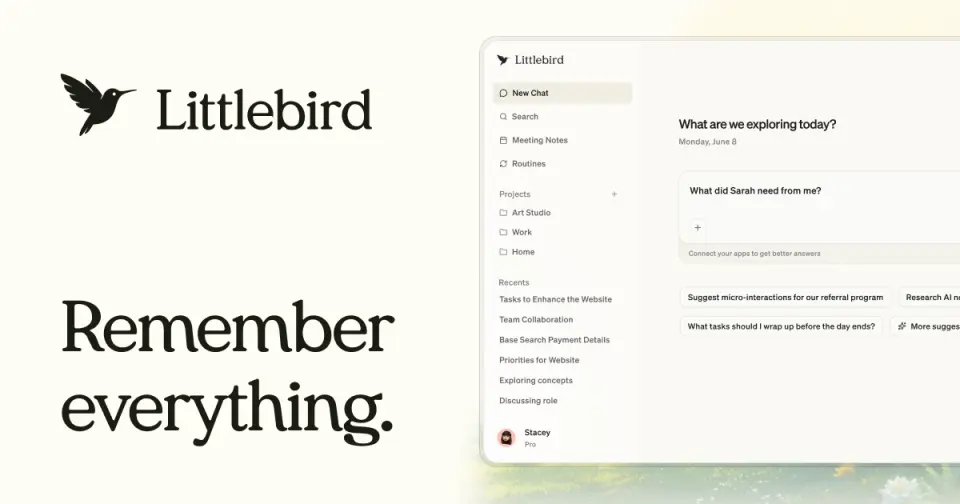
Littlebird is a desktop AI assistant that reads the text in your active window and listens to meetings to build a private, searchable memory of your work. Its chat answers questions and drafts emails and documents with that context already in place, and it writes meeting notes without a bot joining the call. Routines deliver scheduled briefings, and optional integrations with email, calendar and other tools let it take actions for you.
Worth knowing
- Context is captured only by the Mac and Windows apps, and Windows is in beta. The iOS and Android apps are companions that need the desktop app.
- The memory it builds is encrypted but stored in the vendor's AWS cloud rather than only on your computer.
- The Basic plan has daily usage credits, 25 meeting notes in total and 5 routines; Max mode beyond 2 messages a day and usage packs start at Plus.
- Vendor pages disagree on Littlebird MCP: the pricing page lists it under Plus, while the MCP page's FAQ has said Power and above.
Key features
- Context from your screen
- The desktop app reads the text and elements of your active window every few seconds and builds an encrypted index. The vendor says it takes no screenshots or video and logs no keystrokes.
- Chat
- Ask about anything you have seen or worked on and get answers and drafts grounded in that history. A Max mode handles longer multi-step reasoning, and chats can be shared or archived.
- Meeting Notes
- Transcribes and summarizes calls from your computer's audio with no bot joining, in more than 30 languages, with action items and decisions. Basic gets 25 notes in total; Plus and above are unlimited.
- Routines
- A saved prompt that runs on a schedule, or when something happens in Gmail, and sends back the result, such as a morning briefing or a weekly project recap.
- Hover
- A double-tap of the Option key opens Littlebird over whatever app you are in, so you can ask a question without switching windows. The vendor lists it as Mac-only for now.
- Integrations and MCP
- Hundreds of optional connectors, including Gmail, Google Calendar and Outlook, let it search and act in other tools. An MCP server exposes your memory to clients such as Claude and Cursor.
Littlebird pricing
As of Nov 2, 2026, Littlebird has a free plan, and paid plans start at $17 per month, billed annually ($20 billed monthly).
- Starts at
- $17 per month, billed annually ($20 billed monthly)
- Free plan
- Basic plan: context from your screen, apps and meetings, daily usage credits for chats and routines, 25 meeting notes in total, 5 routines and 2 Max mode messages a day.
- Free trial
- 14-day free trial of Plus; cancel before it ends to avoid being billed
| Plan | Price | What you get |
|---|---|---|
| Basic | $0 | Screen, app and meeting context, daily usage credits for chats and routines, 25 meeting notes in total, 5 routines and 2 Max mode messages a day. |
| Plus | $17per month, billed annually ($204 up front); $20 billed monthly | Unlimited meeting notes, up to 100 routines, monthly usage credits with packs that never expire, Max mode and Littlebird MCP. |
| Power | $42.50per month, billed annually ($510 up front); $50 billed monthly | Everything in Plus with twice the monthly usage credits and premium image generation. |
| Pro | $100per month, billed monthly; $200 for the 12x option | 5x or 12x the monthly usage credits of Plus, Ultra mode in chat and routines, priority support and early access to new features. |
| Team | $17per seat / month and up, billed annually | Plus, Power or Pro for each person on one bill, with admin controls, team usage analytics, and shared projects and routine templates. |
| Enterprise | Custom | SSO and centralized user management, dedicated deployments, custom security and data controls, an account manager and invoicing. |
Read from littlebird.ai on Nov 2, 2026. Prices change, so confirm with Littlebird before you buy.
Ways to pay less
- Annual discountSave $36 or $90 a year with annual billing
The pricing page says annual billing saves $36 a year on Plus ($17 a month instead of $20) and $90 a year on Power ($42.50 a month instead of $50).
Stated on littlebird.ai - EducationStudent rate of $15 a month, two months free
Enrolled college and university students get Plus for $15 a month after two free months for new subscribers. Verification needs a .edu email address and a photo of a current student ID.
Stated on littlebird.ai
Works with
Jobs at Littlebird
Any open roles at Littlebird are on its own careers page. We can’t read a count from there, so have a look.
Applications go to Littlebird, not to us.
Littlebird alternatives
- Littlebird vs Poke
Free plan · from $19/mo
- Littlebird vs Martin
Free trial · from $21/mo
- Littlebird vs Lindy
Free trial · from $29.99/mo
- Littlebird vs Granola
Free plan · from $14/mo
- Littlebird vs Cluely
Free plan · from $11.99/mo





Common questions
Does Littlebird have a Linux app?
No Linux app was listed when its pages were read on Nov 2, 2026. Littlebird is listed for macOS, Windows, iOS and Android.
Is Littlebird open source?
Littlebird is not described as open source on its own site, as read on Nov 2, 2026.
Sources for this page
The prices, plans, platforms and features above were read from these pages on Nov 2, 2026.
- littlebird.ai/
- littlebird.ai/pricing
- littlebird.ai/download
- littlebird.ai/for-teams
- littlebird.ai/littlebird-for-students
- littlebird.ai/features/mcp
- littlebird.ai/features/hover
- docs.littlebird.ai/docs/hover/
- littlebird.ai/integrations
- littlebird.ai/about-us
- littlebird.ai/terms-of-use
- littlebird.ai/llms.txt
- docs.littlebird.ai/docs/
- docs.littlebird.ai/docs/usage/
- docs.littlebird.ai/docs/subscription/
- docs.littlebird.ai/docs/setup/
- docs.littlebird.ai/changelog/2026-10-23/