
Clearspace review (2026): is the free plan enough?
Screen time app that adds a pause and a time limit to distracting apps
Black Friday: is there a Clearspace sale?
Clearspace report card
Good · out of 4.0 · graded Oct 10, 2026
Best for a pause before you open the apps you overuse
Clearspace slows you down more than it locks you out: open Instagram and you get a breath first, then it asks how long you want and pulls you back out when the time's up. There's no pricing page, nothing says what Premium adds, the store lists conflicting prices, and the Android app lacks schedules and partners.
Who Clearspace is for
- Fits if you want a speed bump in front of social apps, not a wall
- Works for people who want a time budget for each scroll, then a nudge out the door
Who Clearspace is not for
- Skip it if you want to see what Premium includes before you pay, as it isn't published
- Tight if you're on Android, where the listing leaves out schedules and accountability partners
- Not for you if you want apps blocked on a Mac or Windows PC, since all a computer gets is a Chrome extension
- Watch out: the App Store lists Premium at $44.99, $49.99 and $59.99 without saying how they differ
- Watch out: the iOS app is iPhone only, so an iPad isn't covered
Why Clearspace gets a 2.6
Five grades, each with its reason. The GPA is their average: an A is 4 points, an F is none.
- CValue for moneyClearspace publishes no prices. The App Store shows $6.99 a month or $44.99 a year, which is ordinary money for this category, middle $3.99, but it also shows Premium at $49.99 and $59.99 and a family item at $79.99 with no billing period on any of them.
- CFree plan and trialThe app is a free download on both phones, and that's as much as anyone will tell you: neither store listing says what the free version holds back, and there's no trial on record either, so you find the wall by hitting it.
- CFeaturesThe basics of a screen time app with friction on top: a breath before a chosen app opens, a time budget per visit, blocks, schedules, streaks and pushups to earn scrolling. The listing names its own gap, though: the Android version leaves out the schedules and accountability partners the iPhone one has.
- AEase of use4.7 from about 8,900 App Store ratings, the top band for this category. Pick the apps that eat your time and it steps in by itself whenever you open one, with nothing to configure first.
- BPlatforms and integrationsiPhone, Android and a Chrome extension that puts the same pause in front of websites, so phone and computer are both covered. The iOS app is iPhone only, there's no Mac or Windows app, and Apple Health is the one thing it connects to.
What these grades rest on. Graded from this listing, whose facts were read from Clearspace's own pages on 6 October 2026, and its App Store rating. Also tested with a demo account on 2026-01-17. How we review and grade.
Make Clearspace? Put this grade on your site
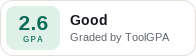
Paste this where you want the badge. It links here and follows the grade if it changes. About badges
<a href="https://toolgpa.com/tools/clearspace#review"><img src="https://toolgpa.com/badge/clearspace.svg" alt="Clearspace: 2.6 GPA on ToolGPA" width="196" height="56"></a>Where Clearspace stands among focus apps
Clearspace's GPA of 2.6 is higher than 35 of the 83 other focus apps we grade, and level with 13.
It stands best on ease of use (A, above 63 of 83) and worst on free plan and trial (C, above 5).
Its paid plans start at $3.75 a month when paid by the year, against a middle price of $2.99 for the category: 33 of the 49 others that charge start lower.
On features, ease of use and platforms it scores 3.0 out of 4. 2 tools score higher and cost less.
Each grade against the category
Every bar is all 84 focus apps we grade, cut by the letter each got. Clearspace’s own letter is outlined.
- CValue for moneyAbove 8 of 83, level with 26
- CFree plan and trialAbove 5 of 83, level with 38
- CFeaturesAbove 5 of 83, level with 56
- AEase of useAbove 63 of 83, level with 20
- BPlatforms and integrationsAbove 54 of 83, level with 27
Price against what you get
Each dot is one of 70 focus apps. Further left costs less, and higher up scores better on features, ease of use and platforms. Point at a dot to see which tool it is.
Features, ease of use and platforms, averaged
What paid plans start at, a month (each step along is roughly double) →
- The best score at each price
- Has a free plan
- No free plan
Keep Clearspace, or make your own?
You could make this
A focus timer at its plainest counts down 25 minutes and keeps a log.
What Clearspace does at its core is time tracking, and that is the kind of thing an AI app builder makes well. You would give up 3 things, listed below, and little else. It costs $44.99 a year. An AI app builder starts at about $20 a month on our listings, and you only need it while you build.
What you could make
- Time tracking: an app builder makes this well.
What you could not
- Blocking that reaches every browser and app and is hard to switch off.
- A real app for iOS and Android. Something home-made would be a web page.
- People on the other end: accountability partners. No app builder makes those.
What this rests on. Clearspace’s listing: what it does, where it runs, what it plugs into and what it costs. It is a judgement about the kind of software this is. We have not built a replacement for it, and making your own means looking after it too. How we decide, and every tool’s verdict.
What is Clearspace?
Clearspace is a screen time app for iPhone and Android that puts a short centering exercise in front of the apps you choose and asks how long you intend to stay before letting you in. It can also block apps on a schedule, set challenges such as pushups that earn scrolling time, and bring in accountability partners. A Chrome extension applies the same approach to websites.
Worth knowing
- Clearspace publishes no pricing page; the only prices found are in-app purchases on the app stores.
- The US App Store lists three purchases named Clearspace Premium at $44.99, $49.99 and $59.99 without saying how they differ.
- The iOS app is for iPhone only and there is no Mac or Windows app; on a computer Clearspace runs as a Chrome extension.
- The Google Play listing leaves out the schedules and accountability partners that the iPhone listing describes.
Key features
- Pause before opening
- A selected app opens only after a short centering exercise such as a deep breath, which gives you a moment to decide whether to go in at all.
- Session limits
- You tell Clearspace how long you want to spend in an app, and it pulls you out when that time is up.
- Blocking and schedules
- Distracting apps can be blocked outright, and schedules set the windows when chosen apps may be used.
- Screen time challenges
- Screen time challenges are meant to train your attention, and exercise modes make you do pushups, squats or steps to earn scrolling time.
- Accountability and reporting
- On iPhone, trusted accountability partners help you keep to your goals, and streaks and budgets summarize your screen time.
- Chrome extension
- Blocks or limits websites with the same pause-before-opening step, hides social media feeds and offers a Reader Mode that strips a page down to its text.
Clearspace pricing
As of Oct 6, 2026, Clearspace has a free plan, and paid plans start at $6.99 / month, or $44.99 / year (US App Store).
- Starts at
- $6.99 / month, or $44.99 / year (US App Store)
- Free plan
- Free to download on iPhone and Android. Clearspace publishes no pricing page, and its store listings do not say which features are limited without Premium.
- Free trial
- None listed
| Plan | Price | What you get |
|---|---|---|
| Free | $0 | The app is a free download. The store listings do not spell out what the free version includes. |
| Clearspace Premium (Monthly) | $6.99per month, US App Store in-app purchase | Premium paid month to month. The listing does not itemize what Premium adds. |
| Clearspace Premium (Annual) | $44.99per year, US App Store in-app purchase | Premium billed yearly. The listing also shows purchases named Clearspace Premium at $49.99 and $59.99 with no billing period. |
| Clearspace Premium Family | $79.99US App Store in-app purchase; billing period not shown | A family version of Premium. The listing gives neither the billing period nor the number of people covered. |
Read from apps.apple.com on Oct 6, 2026. Prices change, so confirm with Clearspace before you buy.
Ways to pay less
- Annual discountAnnual Premium costs about 46% less than monthly
The US App Store lists Clearspace Premium at $44.99 a year against $6.99 a month, which comes to $83.88 over twelve months.
Stated on apps.apple.com
How people rate the Clearspace app
4.7
out of 5 for the iPhone and iPad app
8,892 ratings on the App Store in the United States, read Oct 6, 2026. It rates the app, not everything the product does. See the listing
Works with
Clearspace alternatives
- Clearspace vs one sec
Free plan · from $3.99/mo
- Clearspace vs Opal
Free plan · from $8.29/mo
- Clearspace vs Jomo
Free plan · from $2.49/mo
- Clearspace vs BePresent
Free plan · from $3.99/mo



Common questions
Does Clearspace have a Windows app?
No Windows app was listed when its pages were read on Oct 6, 2026. Clearspace is listed for iOS and Android.
Does Clearspace have a macOS app?
No macOS app was listed when its pages were read on Oct 6, 2026. Clearspace is listed for iOS and Android.
Is Clearspace open source?
Clearspace is not described as open source on its own site, as read on Oct 6, 2026.
Sources for this page
The prices, plans, platforms and features above were read from these pages on Oct 6, 2026. What people say is linked where it appears.
- getclearspace.com/
- getclearspace.com/product
- getclearspace.com/blog
- apps.apple.com/us/app/clearspace-reduce-screen-time/id1572515807
- play.google.com/store/apps/details?id=com.clearspace.app&hl=en_US&gl=US
- chromewebstore.google.com/detail/clearspace/geebjpiagpchjgjdanomkgjhcjnahjfe
- ycombinator.com/companies/clearspace