
Opal
Screen time app that blocks distracting apps on phone and Mac
What is Opal?
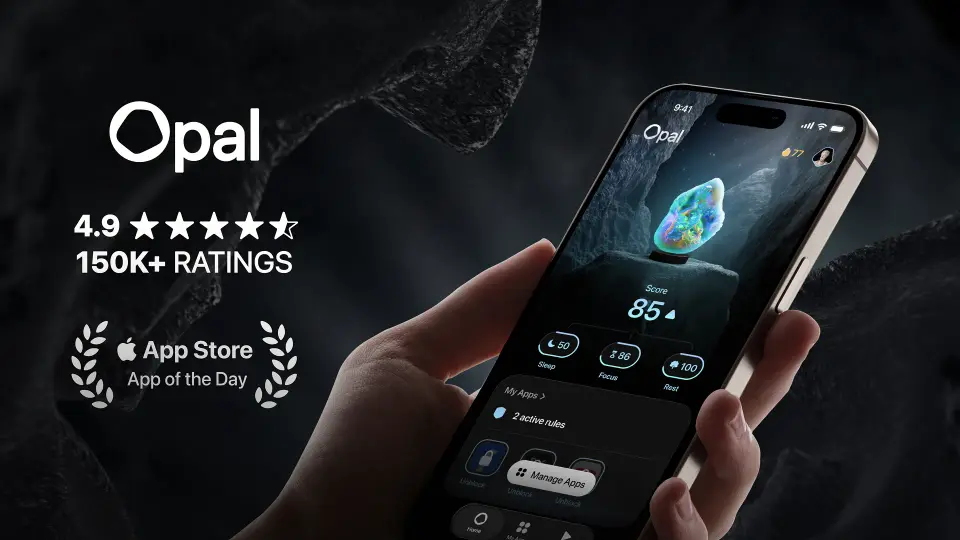
Opal is a screen time app that blocks chosen apps on a phone or Mac. Blocking rules can follow a schedule, a daily time limit or a limit on how often an app is opened, and a focus timer blocks distractions for a fixed period. A daily Opal Score combines sleep, focus and rest signals into one number.
Opal has a free plan. Paid plans start at $8.29 / month, billed annually ($99.99). See every plan
Good for
- Phone users who want distracting apps blocked automatically by rule
- People who want a block that cannot be switched off once it starts
- Students, who can apply for half-price yearly Pro
Worth knowing
- The free plan allows 1 rule and shows the Opal Score for the current day only.
- Hard Mode, Allow Only, unlimited rules and score history all require Pro.
- No Windows, Linux or web version is listed, and the App Store lists the iOS app for iPhone only.
- Opal's Mac page lists app limits and sync with the iPhone app as still to come on Mac.
Key features
- Focus Rules
- Rules block chosen apps automatically on a schedule, after a time limit or after a set number of opens. The free plan allows 1 rule and Pro removes the cap.
- Focus Timer
- Pick what to work on, set a duration and stay locked in until the timer runs out. Advanced timers and soundscapes are part of Pro.
- Hard Mode
- A Pro setting under which Opal cannot be turned off while a block is active.
- Opal Score
- A single daily score built from sleep, focus and rest signals. Free accounts see today's score; the history needs Pro.
- Mac app
- Sessions block distracting websites and apps on macOS 13 or later, with the same Normal, Timeout and Deep Focus levels as the iOS app.
- Opal for Schools
- A separate school program in which administrators block set apps during school hours and follow usage on a dashboard.
Opal pricing
- Starts at
- $8.29 / month, billed annually ($99.99)
- Free plan
- App blocking on iOS, Android and Mac with 1 rule (schedule, time limit or open limit), basic timers and soundscapes, and the Opal Score for today only.
- Free trial
- Free week on the yearly Pro plan; 3 free days on the monthly Pro plan
| Plan | Price | What you get |
|---|---|---|
| Free | $0 | App blocking with 1 rule, basic timers and soundscapes, and the Opal Score for the current day. |
| Opal Pro (yearly) | $8.29per month, billed annually ($99.99) | Unlimited rules, Hard Mode, Allow Only, advanced timers and soundscapes, and Opal Score history. |
| Opal Pro (monthly) | $19.99per month, billed monthly | The same Pro features paid month to month; the pricing page puts the cost at $239 over a year. |
| Opal Pro (lifetime) | $399one-time purchase | Pro features for a single payment with no subscription. |
| Opal Teams Pro | Custom | Everything in Opal Pro with a single invoice, advanced support and training, and an account manager. |
Read from opalapp.com on Oct 4, 2026. Prices change, so confirm with Opal before you buy.
Ways to pay less
- Annual discountYearly billing costs about 58% less than monthly
Opal Pro is $99.99 billed annually ($8.29 a month) against $19.99 billed monthly, which the pricing page totals at $239 a year.
Stated on opalapp.com - EducationStudent discount: 50% off Opal Pro
Students can apply for 50% off the yearly Opal Pro plan, shown as $49.99 billed annually ($4.19 a month).
Stated on opalapp.com - Lifetime licenseLifetime Opal Pro for a one-time payment
The pricing page lists a lifetime Opal Pro option at $399, paid once.
Stated on opalapp.com
How people rate the Opal app
4.7
out of 5 for the iPhone and iPad app
- 5 stars87%
- 4 stars6%
- 3 stars2%
- 2 stars1%
- 1 star4%
89,171 ratings on the App Store in the United States, read Oct 5, 2026. It rates the app, not everything the product does. See the listing
Opal alternatives
- Opal vs Freedom
Free plan · from $3.33/mo
- Opal vs Forest
Free plan · from $5.99/mo
- Opal vs Cold Turkey Blocker
Free plan · from $45 one-time
- Opal vs Session
Free plan · from $3.33/mo




Featured in
- The best focus apps in 2026Best of
Common questions
Is Opal free?
Opal has a free plan. App blocking on iOS, Android and Mac with 1 rule (schedule, time limit or open limit), basic timers and soundscapes, and the Opal Score for today only. Paid plans start at $8.29 / month, billed annually ($99.99).
How much does Opal cost?
Opal lists 5 plans. Free: $0. Opal Pro (yearly): $8.29 per month, billed annually ($99.99). Opal Pro (monthly): $19.99 per month, billed monthly. Opal Pro (lifetime): $399 one-time purchase. Opal Teams Pro: custom pricing. Prices were read from opalapp.com on Oct 4, 2026.
What platforms does Opal work on?
Opal is available on macOS, iOS and Android.
Does Opal offer any discounts?
Opal publicly lists the following: Yearly billing costs about 58% less than monthly; Student discount: 50% off Opal Pro; Lifetime Opal Pro for a one-time payment.
How is Opal rated?
Opal's iPhone and iPad app averages 4.7 out of 5 from 89,171 ratings on the App Store in the United States, as read on Oct 5, 2026. That is the store's rating of the app, not a score from us.
Does Opal have a Windows app?
No Windows app was listed when its pages were read on Oct 4, 2026. Opal is listed for macOS, iOS and Android.
Does Opal have a Linux app?
No Linux app was listed when its pages were read on Oct 4, 2026. Opal is listed for macOS, iOS and Android.
Is Opal open source?
Opal is not described as open source on its own site, as read on Oct 4, 2026.
Does Opal have a student discount?
Student discount: 50% off Opal Pro. Students can apply for 50% off the yearly Opal Pro plan, shown as $49.99 billed annually ($4.19 a month).
Does Opal have a free trial?
Yes. Free week on the yearly Pro plan; 3 free days on the monthly Pro plan.
Who makes Opal?
Opal is made by Opal OS Corporation.
What are the alternatives to Opal?
The closest alternatives to Opal in our directory are Freedom, Forest, Cold Turkey Blocker and Session. Each one has a side-by-side comparison with Opal.
Sources for this page
The prices, plans, platforms and features above were read from these pages on Oct 4, 2026. What people say is linked where it appears.