
Jomo review (2026): is the free plan enough?
Screen time blocker for iPhone, iPad and Mac with flexible rules
Black Friday: is there a Jomo sale?
Jomo report card
Good · out of 4.0 · graded Oct 10, 2026
Best for the same blocking rules on iPhone and Mac
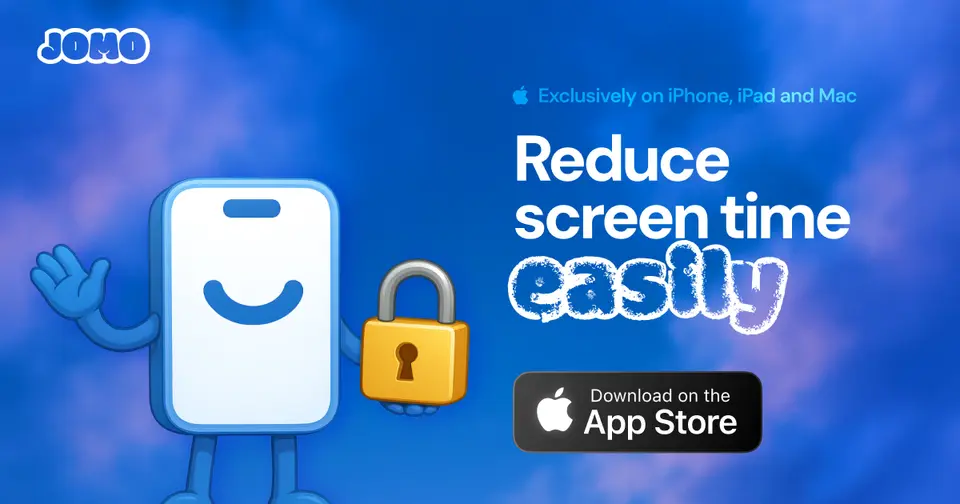
Jomo blocks distracting apps on your iPhone and Mac by rule: at set times, after a limit, or until you've done something first, like a 5,000-step walk. Plus is $29.99 a year. But the free plan gives you one of everything, Strict Mode is paid, monthly is $5.99, the trial is 3 days and offered once, and there's no Android or Windows version.
Who Jomo is for
- Fits if you want the same blocking rules on your iPhone and your Mac
- Works for people who want an app unlocked only after a wait, a reason or a walk
Who Jomo is not for
- Skip it if you use Android or Windows, as it's Apple devices only
- Tight if you're staying free, because you get 1 Session, 1 Action or Limit and 1 Screen Time Budget
- Pricey if you pay monthly, at $5.99 against $29.99 for the whole year, or $99.99 to pay once
- Watch out: Strict Mode, Apple Health and multiple Screen Time Budgets need Plus, and the trial is 3 days, once
- Watch out: the help center says only lifetime is shareable, yet the App Store lists a Family plan at $11.99 a month
Why Jomo gets a 2.8
Five grades, each with its reason. The GPA is their average: an A is 4 points, an F is none.
- BValue for moneyJomo Plus is $29.99 a year, about $2.49 a month, which slips inside the lowest-priced quarter of this category. Students pay $14.99 for the year. Paying monthly at $5.99 doesn't, and the pay-once Single Purchase is $99.99, more than three years of the annual plan.
- CFree plan and trialOne of everything: 1 Session, 1 Action or Limit and 1 Screen Time Budget, with Squads and Reports. Enough to see the idea, not enough to run your week on. The 3-day trial is annual-plan only and offered once, during onboarding.
- BFeaturesSessions block apps for a duration or a time range, Limits cut in after so many minutes, and Actions keep apps shut until you've walked or done something first. Unlocking can mean a wait, a typed reason or a QR code, Strict Mode makes rules undeletable, and the Mac app blocks sites and keywords too.
- AEase of use4.8 from about 2,500 App Store ratings. On the Mac it works in every browser with no extension to install, Firefox aside.
- CPlatforms and integrationsiPhone, iPad and Mac, with Apple Health and Shortcuts. One family of devices: Jomo's pages list no Android or Windows version.
What these grades rest on. Graded from this listing, whose facts were read from Jomo's own pages on 6 October 2026, and its App Store rating. Also tested with a demo account on 2026-05-25. How we review and grade.
Make Jomo? Put this grade on your site
Paste this where you want the badge. It links here and follows the grade if it changes. About badges
<a href="https://toolgpa.com/tools/jomo#review"><img src="https://toolgpa.com/badge/jomo.svg" alt="Jomo: 2.8 GPA on ToolGPA" width="196" height="56"></a>Where Jomo stands among focus apps
Jomo's GPA of 2.8 is higher than 49 of the 83 other focus apps we grade, and level with 10.
It stands best on ease of use (A, above 63 of 83) and worst on free plan and trial (C, above 5).
Its paid plans start at $2.49 a month, against a middle price of $2.99 for the category: 18 of the 49 others that charge start lower.
On features, ease of use and platforms it scores 3.0 out of 4. 1 tool scores higher and costs less.
Each grade against the category
Every bar is all 84 focus apps we grade, cut by the letter each got. Jomo’s own letter is outlined.
- BValue for moneyAbove 35 of 83, level with 11
- CFree plan and trialAbove 5 of 83, level with 38
- BFeaturesAbove 62 of 83, level with 20
- AEase of useAbove 63 of 83, level with 20
- CPlatforms and integrationsAbove 11 of 83, level with 42
Price against what you get
Each dot is one of 70 focus apps. Further left costs less, and higher up scores better on features, ease of use and platforms. Point at a dot to see which tool it is.
Features, ease of use and platforms, averaged
What paid plans start at, a month (each step along is roughly double) →
- The best score at each price
- Has a free plan
- No free plan
Keep Jomo, or make your own?
You could make this
A focus timer at its plainest counts down 25 minutes and keeps a log.
What Jomo does at its core is time tracking, and that is the kind of thing an AI app builder makes well. You would give up 3 things, listed below, and little else. It costs $29.88 a year. An AI app builder starts at about $20 a month on our listings, and you only need it while you build.
What you could make
- Time tracking: an app builder makes this well.
What you could not
- Blocking that reaches every browser and app and is hard to switch off.
- Apps for macOS and iOS that stay in step with each other.
- The depth: we grade its features B, which means it covers the whole job.
What this rests on. Jomo’s listing: what it does, where it runs, what it plugs into and what it costs. It is a judgement about the kind of software this is. We have not built a replacement for it, and making your own means looking after it too. How we decide, and every tool’s verdict.
What is Jomo?
Jomo is a screen time app for iPhone, iPad and Mac that blocks distracting apps and websites by rule: at set times, after a usage limit, or until you complete an action such as a walk. Each block can be easy to lift or locked with Strict Mode, and a journal and reports show where your time goes. It is made by Jomo SAS, a self-financed two-person company based in France.
Worth knowing
- Apple devices only: iPhone, iPad and Mac. Jomo's pages list no Android or Windows version.
- The free plan allows 1 Session, 1 Action or Limit and 1 Screen Time Budget.
- Strict Mode, the Apple Health integration and multiple Screen Time Budgets need Jomo Plus.
- The help center says only the lifetime plan can be shared with family, yet the US App Store also lists Jomo Plus Family at $11.99 a month and $59.99 a year.
Key features
- Sessions
- Block chosen apps for a set duration or inside a time range, such as an hour of deep work or 9 PM to 6 AM, at a blocking strength you pick.
- Limits and Actions
- A Limit blocks apps after a set amount of use, such as 10 minutes. An Action keeps them blocked until you do something first, such as walking 5,000 steps.
- Unlocks
- Opening a blocked app can require waiting a few seconds, giving a reason, copying out a text, entering a password, scanning a QR code or showing proof.
- Strict Mode
- Makes rules impossible to delete or bypass, for a set time, while blocking, within a time range or always. It is part of Jomo Plus.
- Journaling and reports
- After a session you record whether the app was worth the time, and reports show usage patterns so you can decide what to block.
- Mac app
- Blocks apps, websites and keywords on the Mac in all browsers, with no extension needed except for Firefox. Focus Filters switch on the same rules on iPhone and Mac together.
Jomo pricing
As of Oct 6, 2026, Jomo has a free plan, and paid plans start at $2.49 / month billed annually ($29.99), or $5.99 monthly.
- Starts at
- $2.49 / month billed annually ($29.99), or $5.99 monthly
- Free plan
- 1 Session, 1 Action or Limit and 1 Screen Time Budget, plus Squads and Reports.
- Free trial
- 3-day free trial on the annual plan only, offered once during onboarding
| Plan | Price | What you get |
|---|---|---|
| Free Plan | $0 | 1 Session, 1 Action or Limit and 1 Screen Time Budget, with Squads and Reports. |
| Jomo Plus (Monthly) | $5.99per month, US App Store in-app purchase | Jomo Plus paid month to month. It is listed on the App Store but not on Jomo's pricing page, and has no free trial. |
| Jomo Plus (Annual) | $29.99per year, after a 3-day free trial | Up to 10 Sessions and 10 Actions or Limits, Strict Mode, Apple Health integration, deleting apps from Screen Time and multiple Screen Time Budgets. |
| Student (Annual) | $14.99per year, with a valid student ID | The annual plan at half price for iPhone and Mac, renewable every school year by reapplying with proof. |
| Single Purchase | $99.99one-time purchase | All Jomo Plus features for one payment, shareable with up to 5 family members. The US App Store also lists a lifetime purchase at $84.99. |
Read from jomo.so on Oct 6, 2026. Prices change, so confirm with Jomo before you buy.
Ways to pay less
- Annual discountAnnual billing costs about 58% less than monthly
The US App Store lists Jomo Plus at $29.99 a year against $5.99 a month, which comes to $71.88 over twelve months.
Stated on apps.apple.com - Education50% off the annual plan for students
Students who submit a valid student ID through Jomo's form pay $14.99 a year instead of $29.99. Monthly and lifetime plans are excluded, and the discount must be reapplied for each year.
Stated on help.jomo.so - Lifetime licenseLifetime Jomo Plus for a one-time $99.99
The Single Purchase plan unlocks all Jomo Plus features for one payment and can be shared with up to 5 family members through iCloud Family Sharing.
Stated on jomo.so
How people rate the Jomo app
4.8
out of 5 for the iPhone and iPad app
2,461 ratings on the App Store in the United States, read Oct 6, 2026. It rates the app, not everything the product does. See the listing
Works with
Jomo alternatives
- Jomo vs Opal
Free plan · from $8.29/mo
- Jomo vs one sec
Free plan · from $3.99/mo
- Jomo vs Clearspace
Free plan · from $6.99/mo
- Jomo vs Freedom
Free plan · from $3.33/mo



Common questions
Does Jomo have an Android app?
No Android app was listed when its pages were read on Oct 6, 2026. Jomo is listed for iOS and macOS.
Does Jomo have a Windows app?
No Windows app was listed when its pages were read on Oct 6, 2026. Jomo is listed for iOS and macOS.
Is Jomo open source?
Jomo is not described as open source on its own site, as read on Oct 6, 2026.
Sources for this page
The prices, plans, platforms and features above were read from these pages on Oct 6, 2026. What people say is linked where it appears.