
StayFocusd review (2026): is it any good?
Free Chrome and Edge extension that limits time on distracting sites
StayFocusd report card
Very good · out of 4.0 · graded Oct 10, 2026
Best for a free daily time allowance for distracting sites
StayFocusd is a free Chrome and Edge extension that gives distracting sites a daily time allowance or blocks them outright, and its Nuclear Option shuts sites for set hours with no way to cancel. It only covers websites in those two browsers: no Firefox, Safari or desktop apps. Its publisher, Sensor Tower, says that with your consent it collects de-identified usage data for products it sells.
Who StayFocusd is for
- Fits if you use Chrome or Edge and want a free blocker with daily time allowances
- Works for people who want Shorts, Reels and comment sections hidden without blocking a whole site
Who StayFocusd is not for
- Skip it if you use Firefox, Safari or Opera, as it only runs in Chrome and Edge
- Not for you if desktop apps are your distraction, since it limits websites only
- Not for you if you'd rather no usage data left your browser, because Sensor Tower's privacy policy says de-identified data goes to its servers with your consent
- Too light for your phone, which needs the separate StayFree app
Why StayFocusd gets a 3.0
Five grades, each with its reason. The GPA is their average: an A is 4 points, an F is none.
- AValue for moneyFree from the Chrome Web Store and Edge Add-ons, with no paid plan on the site or the Chrome listing. Most blockers in this category want about $4 a month.
- AFree plan and trialFree outright, and nothing is held back: blocking, daily limits, the Nuclear Option, In App Blocking and the dashboard are all in the one free extension.
- CFeaturesIt does the website half of the job, right down to blocking just the videos on a page. But its own notes say desktop apps aren't blocked at all, and phone usage has to come from the separate StayFree app, so a good chunk of what a focus tool is for sits outside it.
- BEase of useNo store rating to go on, but there's nothing to set up: install it, add a site, pick block or an allowance. No account needed to start.
- CPlatforms and integrationsTwo browsers and nothing else. The site says it isn't available for Opera and links to no Firefox or Safari version, and StayFree is a separate app for the phone side.
What these grades rest on. Graded from this listing, whose facts were read from StayFocusd's own pages on 6 October 2026. Also tested with a demo account on 2026-04-08. How we review and grade.
Make StayFocusd? Put this grade on your site
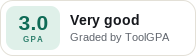
Paste this where you want the badge. It links here and follows the grade if it changes. About badges
<a href="https://toolgpa.com/tools/stayfocusd#review"><img src="https://toolgpa.com/badge/stayfocusd.svg" alt="StayFocusd: 3.0 GPA on ToolGPA" width="196" height="56"></a>Where StayFocusd stands among focus apps
StayFocusd's GPA of 3.0 is higher than 60 of the 83 other focus apps we grade, and level with 15.
It stands best on free plan and trial (A, above 64 of 83) and worst on features (C, above 5).
StayFocusd has no paid plan.
On features, ease of use and platforms it scores 2.3 out of 4. Nothing scores higher for less, though at least one tool matches that score at a lower price.
Each grade against the category
Every bar is all 84 focus apps we grade, cut by the letter each got. StayFocusd’s own letter is outlined.
- AValue for moneyAbove 47 of 83, level with 36
- AFree plan and trialAbove 64 of 83, level with 19
- CFeaturesAbove 5 of 83, level with 56
- BEase of useAbove 22 of 83, level with 40
- CPlatforms and integrationsAbove 11 of 83, level with 42
Price against what you get
Each dot is one of 70 focus apps. Further left costs less, and higher up scores better on features, ease of use and platforms. Point at a dot to see which tool it is.
Features, ease of use and platforms, averaged
What paid plans start at, a month (each step along is roughly double) →
- The best score at each price
- Has a free plan
- No free plan
Keep StayFocusd, or make your own?
Your call
A focus timer at its plainest counts down 25 minutes and keeps a log.
StayFocusd is free, so making your own saves no money. Make it only if you want it built your way.
What you could make
- Time tracking: an app builder makes this well.
- It runs in a browser, which is where something home-made would run too.
What you could not
- Blocking that reaches every browser and app and is hard to switch off.
What this rests on. StayFocusd’s listing: what it does, where it runs, what it plugs into and what it costs. It is a judgement about the kind of software this is. We have not built a replacement for it, and making your own means looking after it too. How we decide, and every tool’s verdict.
What is StayFocusd?
StayFocusd is a free browser extension for Chrome and Edge that restricts the time you can spend on distracting websites. A site can be blocked outright or given a daily time allowance, and a stricter Nuclear Option blocks sites for a set number of hours with no way to cancel. It is published by Sensor Tower and pairs with the StayFree mobile app to show desktop and phone usage together.
Worth knowing
- It runs only as a Chrome or Edge extension; the site says it is not available for Opera and links to no Firefox or Safari version.
- It limits websites only: desktop apps are not blocked, and phone usage comes from the separate StayFree app.
- Sensor Tower's privacy policy says that, with your consent, de-identified website and ad usage data is sent to its servers and used in products it sells.
Key features
- Block or time-limit sites
- Block a site completely or give it a daily time allowance. Rules can cover whole sites, subdomains, paths, single pages or in-page content such as videos and images.
- The Nuclear Option
- Blocks sites for the number of hours you specify on the days you choose, and cannot be canceled once it starts. It can be started by hand or on a schedule.
- In App Blocking
- Hides sections inside YouTube, Instagram, TikTok and other social sites, such as shorts, reels, recommended videos and comments.
- Usage Metrics Dashboard
- Charts and daily reports show the time spent on each website, with historical data for spotting patterns.
- Require Challenge
- Changing any setting can require completing a difficult task first, which makes it harder to loosen your own limits on impulse.
- Pairing with StayFree
- Connecting Android devices and other browsers through StayFree shows website and mobile app usage and limits in one place.
StayFocusd pricing
As of Oct 6, 2026, StayFocusd is free to use.
- Starts at
- Free
- Free plan
- The extension is offered as a free download from the Chrome Web Store and Edge Add-ons; the site and the Chrome listing show no paid plan.
- Free trial
- None listed
| Plan | Price | What you get |
|---|---|---|
| StayFocusd | $0 | The complete extension: site blocking and daily time limits, the Nuclear Option, In App Blocking and the usage dashboard. |
Read from stayfocusd.com on Oct 6, 2026. Prices change, so confirm with StayFocusd before you buy.
Works with
- StayFree
StayFocusd alternatives
- StayFocusd vs BlockSite
Free plan · from $3.99/mo
- StayFocusd vs Cold Turkey Blocker
Free plan · from $45 one-time
- StayFocusd vs Freedom
Free plan · from $3.33/mo



Common questions
Does StayFocusd have an Android app?
No Android app was listed when its pages were read on Oct 6, 2026. StayFocusd is listed for no platform we could confirm.
Does StayFocusd have an iPhone app?
No iPhone app was listed when its pages were read on Oct 6, 2026. StayFocusd is listed for no platform we could confirm.
Is StayFocusd open source?
StayFocusd is not described as open source on its own site, as read on Oct 6, 2026.
Sources for this page
The prices, plans, platforms and features above were read from these pages on Oct 6, 2026.