
Freedom review (2026): is the free plan enough?
Website and app blocker that runs across computers and phones
Black Friday: is there a Freedom sale?
Freedom review
Fair · out of 4.0 · graded Oct 10, 2026
Best for blocking your laptop and phone in one go
Freedom blocks the sites, apps or whole internet you pick on your laptop and phone in one session. The free plan stops at 2 hours a session and can't be scheduled or locked, the habit part costs $39.99 a year or $8.99 a month, iPhone sessions sometimes wait until you open the app, Locked Mode can be dodged in iPhone settings, and Chromebook and Linux get websites only. If you only need your phone blocked, look elsewhere.
Who Freedom is for
- Fits if you close the tab on your laptop and then just pick up your phone
- Works for writers who need the whole internet off for an hour or two
Who Freedom is not for
- Tight if you're staying free, because sessions stop at 2 hours, start by hand and can't be locked
- Skip it if you only need apps blocked on your phone, which ScreenZen does for free
- Not for you if you're on a Chromebook or Linux and want apps blocked, as it only does websites there
- Not for you if you'd dig through iPhone settings to switch it off, since Locked Mode doesn't stop that
- Watch out: monthly is $8.99, more than twice the yearly rate, and allow-only lists work on Mac and Windows only
Why Freedom gets a 2.2
Five grades, each with its reason. The GPA is their average: an A is 4 points, an F is none.
- CValue for money$39.99 a year, shown as $3.33 a month, which lands mid-table for this category, or $8.99 billed monthly. Forever is listed at $199, five years of the yearly plan, though the page showed $99.50 when we looked. Every plan covers as many devices as you own.
- CFree plan and trialFree blocks sites, apps or the whole internet on as many devices as you like. Then the caps bite: 2 hours a session, and you start every one by hand. Scheduling and Locked Mode are paid.
- CFeaturesWebsites, apps or the whole internet, across several devices in one session, with presets, schedules, Locked Mode and focus sounds. Blunt, though. No allowing five minutes of something, allow-only lists are Mac and Windows only, and its help centre says Locked Mode can't stop you switching off its iPhone permission.
- CEase of use4.4 from about 5,900 App Store ratings, the middle band. Starting a session takes a few taps, but iPhone is the fiddly one: Screen Time permissions to grant, and reviewers say scheduled sessions sometimes wait until you open the app.
- BPlatforms and integrationsMac, Windows, iPhone, iPad and Android apps, with one session covering the lot. Chromebook and Linux get a browser extension that blocks websites only. No API and nothing it connects to, which is what keeps it off the top rung.
The good
So what does Freedom do that your phone's own screen-time settings don't? It blocks on several devices at once.
You start a session, pick a blocklist and tick your devices. Reddit, YouTube and the news go dark on your laptop and your phone at the same moment. So closing the tab on your laptop and picking up your phone doesn't get you round it.
You can block the entire internet, say for an hour while you write. Or flip it round. On a Mac or Windows PC you can allow only the sites you name, say Google Docs, and shut out the rest.
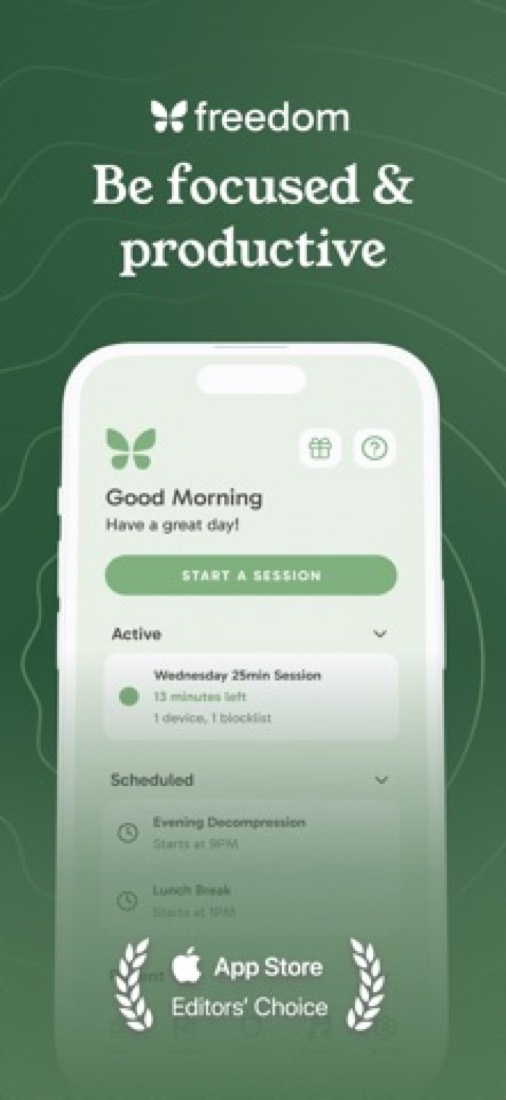
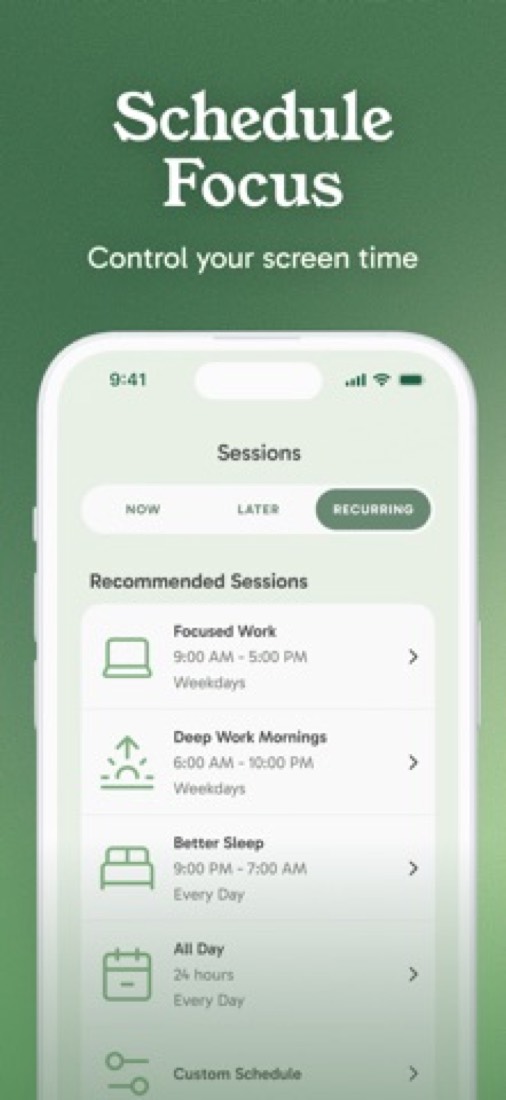
On Premium, sessions can start on their own, like 9 to 5 on weekdays or 9pm to 7am for sleep. Locked Mode stops you ending a session early.
Freedom's pricing page says it doesn't track your browsing or your app usage.
The stuff that'll bug you
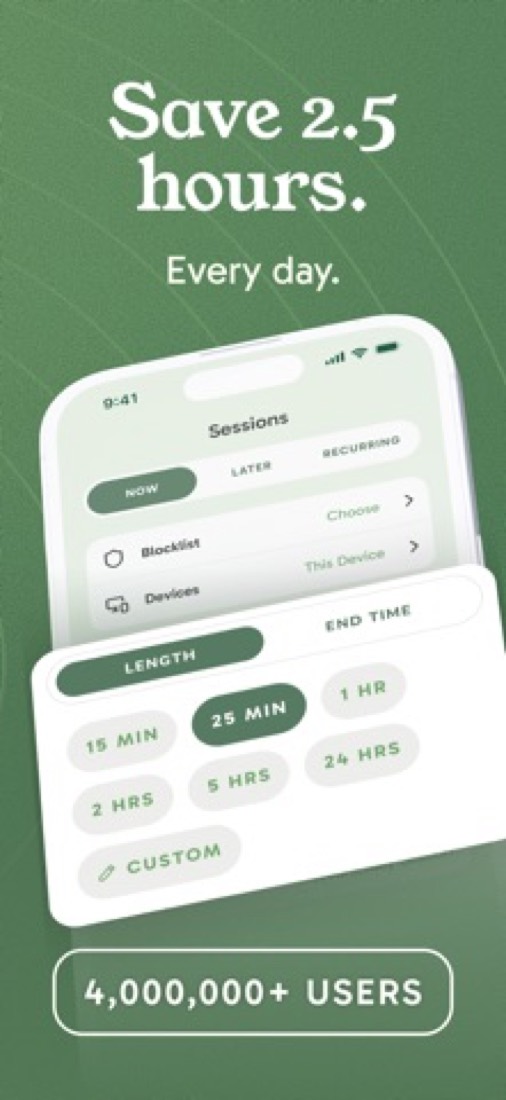
The free plan is a taster. Sessions stop at 2 hours, and you have to start each one yourself.
That matters more than it sounds. The people who need a blocker most are the ones who won't press start. Scheduling, repeating sessions and Locked Mode are all Premium.
iPhone is the weak spot. One reviewer says their scheduled sessions didn't block anything until they opened the Freedom app, and another saw the same thing in Low Power Mode. Freedom's own help page says scheduled sessions start as long as the app is active on the device.
Locked Mode has a gap on iPhone too. Freedom's help centre says it won't stop you switching off its Screen Time permission in Settings. Its fix is to set a separate Screen Time passcode.
It's also blunt: you block or you don't. One reviewer wanted to allow five minutes of an app and then have it shut. Freedom's answer to that is a separate app called Limit, which is iPhone only for now.
Chromebook and Linux only get a browser extension. It blocks websites, not apps.
And paying monthly costs $8.99, more than twice the yearly rate over 12 months. There's no API and nothing it connects to.
Money
Start free. You get real blocking on every device, so a week of 2-hour sessions will tell you if it works on you.
Premium is $39.99 a year, which Freedom shows as $3.33 a month. Pay monthly and it's $8.99, which is more than twice as much over a year.
There's a 7-day free trial on the yearly plan. Use it to set up a recurring session and Locked Mode, because those are what you're paying for.
Then there's Forever: one payment of $199 and no subscription. When we checked, the pricing page had it marked down to $99.50.
Is Forever worth it? At full price it's five years of the yearly plan, and at $99.50 it's two and a half. We'd only go for it after a year of Premium has shown you'll stick with it.
Every plan covers unlimited devices, so there's nothing extra to pay for a second laptop or a tablet.
What actual users say
Freedom has 4.4 on the App Store from about 5,900 ratings.
Students turn up a lot in these reviews, including a 17-year-old with ADHD taking six AP classes, who uses it for schoolwork, and a law student.
People use it for sleep as well. One blocks every social app during work hours and again after 11pm.
The reviewers who stay mostly point to paid features: a recurring schedule, uninstall protection and no early exit. One bought the lifetime plan two years ago.
And the grumbles? Nearly all about iPhone. Sessions that don't start until you open the app, blocking that drops out until you restart the phone, glitches in Low Power Mode.
One old complaint looks out of date. A 2021 reviewer said it only stopped apps from refreshing. Freedom's help centre says that since iOS 16 it blocks apps through Screen Time.
What this review rests on. Based on Freedom's home, pricing, features and downloads pages and its help centre articles on plans, Locked Mode, scheduling and iPhone blocking as of 9 October 2026, and its App Store reviews. No Hacker News comment that matched its name was about the product. Also tested with a demo account on 2026-05-18. How we review and grade.
Make Freedom? Put this grade on your site

Paste this where you want the badge. It links here and follows the grade if it changes. About badges
<a href="https://toolgpa.com/tools/freedom#review"><img src="https://toolgpa.com/badge/freedom.svg" alt="Freedom: 2.2 GPA on ToolGPA" width="196" height="56"></a>Where Freedom stands among focus apps
Freedom's GPA of 2.2 is higher than 8 of the 83 other focus apps we grade, and level with 14.
It stands best on platforms and integrations (B, above 54 of 83) and worst on ease of use (C, above 1).
Its paid plans start at $3.33 a month, against a middle price of $2.99 for the category: 27 of the 49 others that charge start lower.
On features, ease of use and platforms it scores 2.3 out of 4. 22 tools score higher and cost less.
Each grade against the category
Every bar is all 84 focus apps we grade, cut by the letter each got. Freedom’s own letter is outlined.
- CValue for moneyAbove 8 of 83, level with 26
- CFree plan and trialAbove 5 of 83, level with 38
- CFeaturesAbove 5 of 83, level with 56
- CEase of useAbove 1 of 83, level with 20
- BPlatforms and integrationsAbove 54 of 83, level with 27
Price against what you get
Each dot is one of 70 focus apps. Further left costs less, and higher up scores better on features, ease of use and platforms. Point at a dot to see which tool it is.
Features, ease of use and platforms, averaged
What paid plans start at, a month (each step along is roughly double) →
- The best score at each price
- Has a free plan
- No free plan
Keep Freedom, or make your own?
You could make this
A focus timer at its plainest counts down 25 minutes and keeps a log.
What Freedom does at its core is plain work, and that is the kind of thing an AI app builder makes well. You would give up 3 things, listed below, and little else. It costs $39.96 a year. An AI app builder starts at about $20 a month on our listings, and you only need it while you build.
What you could not
- Blocking that reaches every browser and app and is hard to switch off.
- A library of sound you would have to license.
- Apps for macOS, Windows, iOS and Android that stay in step with each other.
What this rests on. Freedom’s listing: what it does, where it runs, what it plugs into and what it costs. It is a judgement about the kind of software this is. We have not built a replacement for it, and making your own means looking after it too. How we decide, and every tool’s verdict.
What is Freedom?
Freedom blocks distracting websites, apps or the whole internet for a set period, and one session can cover several devices at once. Blocklists can be preset or built by hand. Paid plans add scheduled and recurring sessions, sessions longer than two hours, and a Locked Mode that stops a session from being ended early.
Worth knowing
- Free accounts are limited to Start Now sessions of up to 2 hours; scheduling, recurring sessions and Locked Mode need Premium.
- Linux and Chromebook are supported through the browser extension only, and app blocking is not available on Chromebook.
- Website exceptions, which allow only the sites you list, work on Mac and Windows only.
Key features
- Website, app and internet blocking
- A session can block chosen websites, chosen apps or all internet access. App blocking covers Mac, Windows, iOS and Android but not Chromebook.
- Preset and custom blocklists
- Start from a preset list of distracting sites and apps or build your own. On Mac and Windows a list can also work in reverse, allowing only the sites you name.
- Sessions across devices
- One session can include several devices at once, such as a laptop and a phone. Every plan, including Free, allows unlimited devices.
- Scheduled and recurring sessions
- Premium lets sessions start automatically at a set time and repeat on a schedule. Free accounts can only start a session immediately.
- Locked Mode
- A Premium setting that prevents a session from being ended before its timer runs out.
- Focus sounds
- Background audio for a session, with a choice of music and ambient recordings such as cafes, libraries and nature.
Freedom pricing
As of Oct 9, 2026, Freedom has a free plan, and paid plans start at $3.33 / month, billed yearly ($39.99).
- Starts at
- $3.33 / month, billed yearly ($39.99)
- Free plan
- Block websites, apps or the whole internet on unlimited devices, with custom blocklists and focus sounds. Start Now sessions only, up to 2 hours each.
- Free trial
- 7-day free trial on the yearly Premium plan
| Plan | Price | What you get |
|---|---|---|
| Free | $0 | Website, app and internet blocking on unlimited devices with custom blocklists. Start Now sessions only, capped at 2 hours. |
| Premium Yearly | $3.33per month, billed yearly ($39.99) | Adds scheduled, recurring and start-later sessions, Locked Mode, sessions longer than 2 hours and partner discounts. |
| Premium Monthly | $8.99per month, billed monthly | The same Premium features as the yearly plan, paid month to month. |
| Forever | $199one-time purchase | Lifetime Premium access with no recurring charge. The pricing page showed it marked down to $99.50 on the date checked. |
Read from freedom.to on Oct 9, 2026. Prices change, so confirm with Freedom before you buy.
4 price changes on recordWhat the app costs in other countries
Ways to pay less
- Annual discountLower price with yearly billing
Premium costs $39.99 billed yearly, shown as $3.33 a month, against $8.99 billed monthly. The pricing page labels the yearly option "Save 40%".
Stated on freedom.to - Lifetime licenseForever plan: pay once for lifetime Premium
Freedom sells lifetime Premium access as a single payment with no recurring charges. The list price is $199; the pricing page showed $99.50 on the date checked.
Stated on freedom.to
Freedom refunds and cancellation
Ordinary · checked Oct 18, 2026
Not one page we could find says anything about getting your money back: no window, no guarantee, not even a line saying there are none. Treat it as no refunds. Leaving, on the other hand, is four clicks in your own settings, Premium runs to the end of the term you paid for, and the account drops back to the free tier rather than closing. Silence on refunds with an easy exit is the ordinary deal, so a C.
- Refund window
- None stated
- How you cancel
- Yourself, in settings
- Getting your money back
Its pages do not say.
- How to cancel Freedom
A subscription bought on the website is cancelled from the Settings page: Manage Billing, then the button showing your plan, then Cancel Subscription. Freedom says the subscription then expires at the end of the current term instead of renewing. One bought in the iOS App Store or on Google Play is cancelled in that store instead, and the help centre gives the steps for both.
- Log in and open your Settings page on the Freedom website
- Click Manage Billing
- Tap the button showing your current subscription plan
- Select Cancel Subscription
- What you keep afterwards
Premium keeps working to the end of the term already paid for, then the account reverts to the free tier rather than closing. Deleting the account is separate and only possible once a subscription has ended: free accounts delete themselves from the bottom of the settings page, and Freedom says a Premium account cannot be deleted while the subscription or the 7-day trial is still running.
Stated on support.freedom.to- Renewals
The billing FAQ says every subscription renews automatically except the lifetime Forever plan, and that you stop a renewal by turning off auto-renew under Manage Billing. It mentions no reminder before a renewal. If a renewal payment fails, Freedom says the account enters a grace period with retries and email reminders, and cancels itself after repeated failures unless you ask support to end it sooner.
Stated on support.freedom.to
In your favour
- Cancelling is four clicks in your own settings, with nobody to write to.
- Premium runs to the end of the term you paid for, and the account then drops to the free tier.
- The lifetime Forever plan does not renew at all, so there is nothing to remember.
- The help centre gives the cancelling steps for the website, the App Store and Google Play side by side.
Watch out for
- No page on the site states a refund policy of any kind, so assume there is no money back.
- Subscriptions renew by themselves and no page promises a reminder first.
- A Premium account cannot be deleted until the subscription or trial has run out.
- Bought it in the App Store or on Google Play? That store handles cancelling and any refund.
Freedom customer support
Good · checked Oct 18, 2026
Freedom does something most apps this size skip: it publishes its hours. Support works Monday to Friday, 9 to 5 US Eastern, with limited cover in the evenings and at weekends, and you can reach it by email or by the messenger in the app. The catch is the gate. An automated system answers first, and you have to ask to be connected to an agent, so it is a B rather than an A.
Ways to get help
Live chat
A messenger reached from the icon at the lower right after signing in on the website, or from the question mark on the Today screen in the mobile apps. Freedom says an automated system handles the first reply and that you ask to connect to an agent to get a person.
Stated on support.freedom.toEmail
Writing to the support address, which the contact page also gives. Freedom asks for your account email, the device and platform, a description of the problem, screenshots and what you have already tried.
Stated on freedom.toHelp centre
An Intercom-hosted help centre with sections on setting up, troubleshooting by platform, account questions and blocking particular apps and sites, open without signing in.
Stated on support.freedom.to
Not listed on Freedom’s pages: phone.
- When people answer
The support article gives business hours of Monday to Friday, 9:00 AM to 5:00 PM US Eastern Time, and says limited support is available during evenings and weekends, with slower replies outside business hours.
Stated on support.freedom.to- How fast it says it replies
Its pages do not say.
- What depends on your plan
Its pages do not say.
In your favour
- The hours are published, which is more than most apps of this size manage.
- Free users get the same messenger, the same address and the same help centre as paying ones.
- The help centre has troubleshooting guides written separately for Mac, Windows, iOS and Android.
- Freedom says outright that asking to connect to an agent gets you a person.
Watch out for
- An automated system answers first, so a person takes an extra step to reach.
- No page states a target reply time, in or out of business hours.
- Evenings and weekends get only what Freedom calls limited support.
- There is no phone number anywhere on the pages we read.
What these two grades rest on. Read on 18 October 2026: Freedom's terms of service, its contact page, and its help articles on managing and cancelling a subscription, on subscriptions and billing, on deleting an account and on contacting support, plus the help centre home. No refund policy was found on any of them. Nobody here cancelled a plan or contacted its support. They are graded apart from the five that make the GPA. How we grade refunds and support.
How people rate the Freedom app
4.4
out of 5 for the iPhone and iPad app
- 5 stars79%
- 4 stars6%
- 3 stars3%
- 2 stars3%
- 1 star9%
5,946 ratings on the App Store in the United States, read Oct 5, 2026. It rates the app, not everything the product does. See the listing
Jobs at Eighty Percent Solutions
Any open roles at Eighty Percent Solutions are on its own careers page. We can’t read a count from there, so have a look.
Applications go to Eighty Percent Solutions, not to us.
Freedom alternatives
- Freedom vs Cold Turkey Blocker
Free plan · from $45 one-time
- Freedom vs Opal
Free plan · from $8.29/mo
- Freedom vs Forest
Free plan · from $5.99/mo
- Freedom vs Session
Free plan · from $3.33/mo



Featured in
Common questions
Does Freedom have a Linux app?
No Linux app was listed when its pages were read on Oct 9, 2026. Freedom is listed for macOS, Windows, iOS and Android.
Is Freedom open source?
Freedom is not described as open source on its own site, as read on Oct 9, 2026.
Sources for this page
The prices, plans, platforms and features above were read from these pages on Oct 9, 2026. What people say is linked where it appears.