
Pushcut review (2026): is the free plan enough?
Smart notifications, widgets and a server for Apple Shortcuts
Black Friday: is there a Pushcut sale?
Pushcut report card
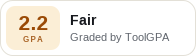
Fair · out of 4.0 · graded Oct 10, 2026
Best for notifications that run your Apple shortcuts
Pushcut is an add-on to Apple's Shortcuts and HomeKit: notifications with buttons that run a shortcut, widgets you design, and a server that runs shortcuts unattended on a spare iPhone or iPad. Pro is $1.99 a month or $39.99 once. It's iPhone, iPad and Apple Watch only, the server caps Pro at 100 requests a day, and there's little point unless you already use Shortcuts.
Who Pushcut is for
- Fits if you use Shortcuts and HomeKit and want notifications with action buttons
- Works for people with a spare iPhone or iPad to run shortcuts unattended
Who Pushcut is not for
- Skip it if you don't already use Apple's Shortcuts, as Pushcut extends it and doesn't replace it
- Not for you if you want it on a Mac or Android, since it's iPhone, iPad and Apple Watch only
- Tight if you're staying free, with 3 notifications, 1 action each and no widgets
- Watch out: the Automation Server needs an always-on iOS device with Pushcut open, and runs requests one at a time
- Pricey if you need over 100 server requests a day or interval schedules, which take a separate $2.49 a month
Why Pushcut gets a 2.2
Five grades, each with its reason. The GPA is their average: an A is 4 points, an F is none.
- AValue for moneyPro is $1.99 a month, $17.99 a year, or $39.99 once for good, where automation tools here start around $15 a month. The Automation Server Extended package is a separate $2.49 a month if you need more than 100 requests a day.
- CFree plan and trialFree is a demo of the idea: 3 notifications with 1 action each and 2 background actions, from local triggers or basic webhooks. No widgets, no dynamic content, no online actions and no Automation Server. You'll know within a day whether you want Pro.
- CFeaturesNotifications with buttons that run a shortcut or a HomeKit scene, widgets you design, time, location and webhook triggers, a JSON API and an Automation Server on a spare iPhone. It does that fully, and it's a narrow job: an add-on to Shortcuts, with the server capped at 100 requests a day on Pro.
- CEase of use4.4 on the App Store from about 540 ratings, which is middling. The Automation Server is the fiddly part: it wants a dedicated, always-on iOS device with Pushcut open in the foreground, and it runs requests one at a time.
- DPlatforms and integrationsiPhone, iPad and Apple Watch only. No Mac, Android or web version, so it lives on one operating system. IFTTT, Zapier and Make can send it notifications, and the JSON API takes requests from anything that can make an HTTP call.
What these grades rest on. Graded from this listing, whose facts were read from Pushcut's own pages on 6 October 2026, and its App Store rating. Also tested with a demo account on 2026-08-15. How we review and grade.
Make Pushcut? Put this grade on your site
Paste this where you want the badge. It links here and follows the grade if it changes. About badges
<a href="https://toolgpa.com/tools/pushcut#review"><img src="https://toolgpa.com/badge/pushcut.svg" alt="Pushcut: 2.2 GPA on ToolGPA" width="196" height="56"></a>Where Pushcut stands among automation tools
Pushcut's GPA of 2.2 is higher than 54 of the 134 other automation tools we grade, and level with 35.
It stands best on value for money (A, above 116 of 134) and worst on platforms and integrations (D, above 0).
Its paid plans start at $1.50 a month when paid by the year, against a middle price of $22.17 for the category: 0 of the 65 others that charge start lower.
On features, ease of use and platforms it scores 1.7 out of 4. 9 tools score higher and cost less.
Each grade against the category
Every bar is all 135 automation tools we grade, cut by the letter each got. Pushcut’s own letter is outlined.
- AValue for moneyAbove 116 of 134, level with 18
- CFree plan and trialAbove 38 of 134, level with 61
- CFeaturesAbove 2 of 134, level with 83
- CEase of useAbove 27 of 134, level with 102
- DPlatforms and integrationsAbove 0 of 134, level with 7
Price against what you get
Each dot is one of 80 automation tools. Further left costs less, and higher up scores better on features, ease of use and platforms. Point at a dot to see which tool it is.
Features, ease of use and platforms, averaged
What paid plans start at, a month (each step along is roughly double) →
- The best score at each price
- Has a free plan
- No free plan
Keep Pushcut, or make your own?
Keep it
To replace Pushcut you would be making connections to other products, each kept working as those products change. That is not a weekend's work, with an AI app builder or without one.
It costs $17.99 a year.
What you could not
- Connections to other products, each kept working as those products change.
- A real app for iOS. Something home-made would be a web page.
- Hooks into the device itself: an Apple Watch app, widgets, Shortcuts and the lock screen.
What this rests on. Pushcut’s listing: what it does, where it runs, what it plugs into and what it costs. It is a judgement about the kind of software this is. We have not built a replacement for it, and making your own means looking after it too. How we decide, and every tool’s verdict.
What is Pushcut?
Pushcut is an iOS app that extends Apple's Shortcuts and HomeKit with actionable notifications, custom widgets and background triggers. Notifications can be raised by a schedule, a location, a webhook or a service such as IFTTT or Zapier, and their buttons run shortcuts, HomeKit scenes or web requests. A spare iPhone or iPad can also act as an Automation Server that runs shortcuts on request or on a schedule.
Worth knowing
- The app is listed for iPhone, iPad and Apple Watch only; the site offers no Mac, Android or web version.
- The free version stops at 3 notifications, 1 action per notification and 2 background actions, with no widgets or dynamic content.
- The Automation Server needs a dedicated, always-on iOS device with Pushcut in the foreground, and it runs requests one at a time.
- Pro caps the server at 100 requests a day. Interval schedules, delayed execution and timeouts over 10 seconds need the separate Server Extended subscription.
Key features
- Actionable notifications
- Notifications carry custom text, images and sounds plus buttons that run a shortcut, activate a HomeKit scene, open a URL or send a web request. They can target specific devices.
- Time, location and webhook triggers
- Notifications and background actions fire on daily, weekly or monthly schedules, at locations or iBeacons, from Shortcuts and HomeKit automations, or from a webhook.
- Custom widgets
- Widgets for the home and lock screen show content that automations, online services or the API update, and run a shortcut or HomeKit scene when tapped. They need Pro.
- Automation Server
- A dedicated iOS device running Pushcut executes shortcuts and HomeKit scenes without confirmation, triggered by schedules, locations, notifications, integrations or the API.
- Integrations and Web API
- IFTTT, Zapier and Make can send notifications, update widgets and run server actions, and a JSON API accepts requests from home servers or anything that can make an HTTP call.
- Apple Watch support
- Interactive notifications arrive on the watch, where HomeKit scenes, online actions and HTTP requests can be run directly. Opening Shortcuts or other apps from the watch is not supported.
Pushcut pricing
As of Oct 6, 2026, Pushcut has a free plan, and paid plans start at $1.99 / month for Pro, or $17.99 per year.
- Starts at
- $1.99 / month for Pro, or $17.99 per year
- Free plan
- Up to 3 notifications with 1 action each and 2 background actions, using local triggers or basic webhooks. No widgets, dynamic content, online actions or Automation Server.
- Free trial
- None listed
| Plan | Price | What you get |
|---|---|---|
| Free | $0 | Up to 3 notifications with 1 action each and 2 location-based background actions, sent from local triggers or basic webhooks without dynamic content. |
| Pro | $1.99per month; $17.99 per year | Unlimited notifications and actions, custom widgets, HomeKit scenes, online actions, the JSON API and an Automation Server limited to 100 requests a day. |
| Pro Lifetime | $39.99one-time purchase | The Pro feature set bought once as an in-app purchase instead of by subscription. |
| Automation Server Extended | $2.49per month; $22.49 per year | Separate package for the Automation Server: 5,000 requests a day instead of 100, interval schedules, delayed execution and longer request timeouts. |
Read from pushcut.io on Oct 6, 2026. Prices change, so confirm with Pushcut before you buy.
Ways to pay less
- Annual discountAbout 25% less on annual plans
Pro is $17.99 a year against $1.99 a month ($23.88 over 12 months), and Server Extended is $22.49 a year against $2.49 a month.
Stated on pushcut.io - Lifetime licensePro Lifetime for $39.99
Pushcut Pro can be bought once for $39.99 as an in-app purchase. The Automation Server Extended package is listed only as a monthly or annual subscription.
Stated on pushcut.io
How people rate the Pushcut app
4.4
out of 5 for the iPhone and iPad app
- 5 stars77%
- 4 stars8%
- 3 stars3%
- 2 stars2%
- 1 star9%
541 ratings on the App Store in the United States, read Oct 6, 2026. It rates the app, not everything the product does. See the listing
Works with
Pushcut alternatives
- Pushcut vs IFTTT
Free plan · from $2.09/mo
- Pushcut vs MacroDroid
Free plan · from $1.49
- Pushcut vs Tasker
Free trial · from $4.49 one-time




Common questions
Does Pushcut have an Android app?
No Android app was listed when its pages were read on Oct 6, 2026. Pushcut is listed for iOS.
Does Pushcut have a Windows app?
No Windows app was listed when its pages were read on Oct 6, 2026. Pushcut is listed for iOS.
Is Pushcut open source?
Pushcut is not described as open source on its own site, as read on Oct 6, 2026.
Does Pushcut have an API?
Yes. Pushcut offers a public API, according to its own site.
Sources for this page
The prices, plans, platforms and features above were read from these pages on Oct 6, 2026. What people say is linked where it appears.