
AppLaunchpad review (2026): is the free plan enough?
Browser-based App Store and Google Play screenshot generator
AppLaunchpad report card
Fair · out of 4.0 · graded Oct 23, 2026
Best for making App Store and Google Play screenshots
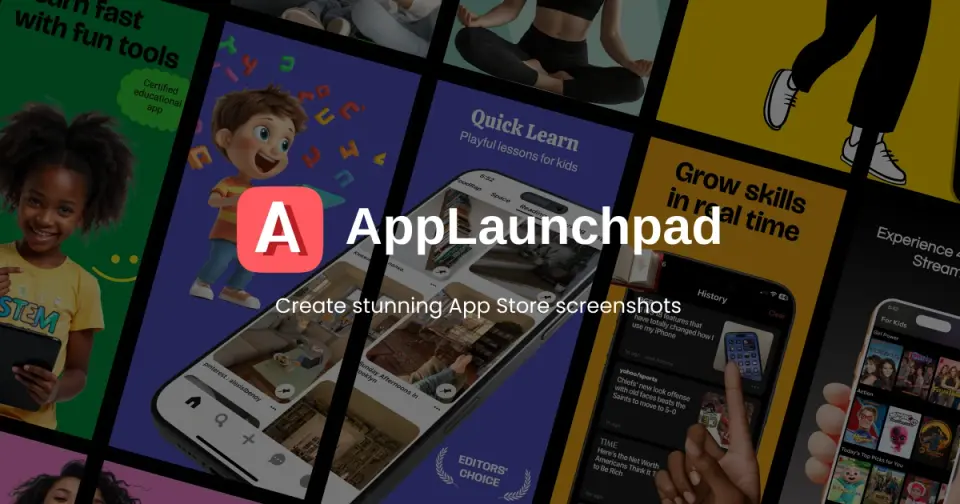
AppLaunchpad is a browser editor for store screenshots: drop your app screens into device frames and templates, add captions, and export every size the App Store and Google Play ask for. Pro is $10 a month on yearly billing. It makes listing images and nothing else, though, so keywords and rankings still need another tool.
Who AppLaunchpad is for
- Fits if you're making store screenshots yourself without a designer
- Works for apps released in several languages, since a set can be duplicated and its captions translated
Who AppLaunchpad is not for
- Skip it if you need keyword research or rank tracking, as it only makes listing images
- Tight if you're staying free, because exports are limited and you get 10 templates against Pro's 1,000+
- Tight if you run lots of apps, since Pro stops at 100 projects and more means Enterprise through sales
- Watch out: it takes credit or debit cards only, with no PayPal or prepaid cards
Why AppLaunchpad gets a 2.2
Five grades, each with its reason. The GPA is their average: an A is 4 points, an F is none.
- BValue for moneyPro is $10 a month billed annually ($15 monthly), right at this category's cheaper quarter, for unlimited exports, 1,000+ templates, AI caption translation and up to 100 projects.
- CFree plan and trialA free plan with the editor, 10 templates, 100 layouts, 70 fonts and resizing to every device size. Exports are limited, though, and the library is a small slice of Pro's.
- CFeaturesTemplates, current iPhone, iPad and Android frames, every store size from one design, localized sets and an AI caption translator on Pro. It does screenshots fully, but that's a smaller job: no keyword research or rank tracking.
- CEase of useNo rating on record. It's a design editor, so the work is building each screenshot set yourself, frame by frame.
- CPlatforms and integrationsWeb only, with no desktop or phone app, and no integrations or API on the listing.
What these grades rest on. Graded from this listing, whose facts were read from AppLaunchpad's own pages on 23 October 2026. Not based on using the product, and shorter than our full reviews. How we review and grade.
Make AppLaunchpad? Put this grade on your site
Paste this where you want the badge. It links here and follows the grade if it changes. About badges
<a href="https://toolgpa.com/tools/applaunchpad#review"><img src="https://toolgpa.com/badge/applaunchpad.svg" alt="AppLaunchpad: 2.2 GPA on ToolGPA" width="196" height="56"></a>Where AppLaunchpad stands among app store optimization tools
AppLaunchpad's GPA of 2.2 is higher than 18 of the 42 other app store optimization tools we grade, and level with 11.
It stands best on value for money (B, above 31 of 42) and worst on ease of use (C, above 0).
Its paid plans start at $10 a month, against a middle price of $19 for the category: 8 of the 33 others that charge start lower.
On features, ease of use and platforms it scores 2.0 out of 4. 5 tools score higher and cost less.
Each grade against the category
Every bar is all 43 app store optimization tools we grade, cut by the letter each got. AppLaunchpad’s own letter is outlined.
- BValue for moneyAbove 31 of 42, level with 7
- CFree plan and trialAbove 12 of 42, level with 22
- CFeaturesAbove 2 of 42, level with 27
- CEase of useAbove 0 of 42, level with 38
- CPlatforms and integrationsAbove 2 of 42, level with 15
Price against what you get
Each dot is one of 36 app store optimization tools. Further left costs less, and higher up scores better on features, ease of use and platforms. Point at a dot to see which tool it is.
Features, ease of use and platforms, averaged
What paid plans start at, a month (each step along is roughly double) →
- The best score at each price
- Has a free plan
- No free plan
Keep AppLaunchpad, or make your own?
Keep it
To replace AppLaunchpad you would be making keyword rankings and popularity scores from both app stores, gathered every day. That is not a weekend's work, with an AI app builder or without one.
It costs $120 a year.
What you could make
- Templates: an app builder makes this well.
What you could not
- Keyword rankings and popularity scores from both app stores, gathered every day.
- AI features, unless you pay a model provider for each request yourself.
What this rests on. AppLaunchpad’s listing: what it does, where it runs, what it plugs into and what it costs. It is a judgement about the kind of software this is. We have not built a replacement for it, and making your own means looking after it too. How we decide, and every tool’s verdict.
What is AppLaunchpad?
AppLaunchpad is a web editor for making the screenshots shown on App Store and Google Play listings. App screens are dropped into device frames and templates, captions and backgrounds are added, and the result is exported in every size both stores require. The same company makes mockup and app icon generators and a free tracker of top iOS charts.
Worth knowing
- It makes listing images only; there is no keyword research or rank tracking.
- The free plan limits exports and has a much smaller library of templates, fonts and graphics.
- Pro allows up to 100 projects; more needs the Enterprise plan through sales.
- Payment is by credit or debit card only; PayPal and prepaid cards are not accepted.
Key features
- Screenshot templates
- Start from ready-made screenshot designs: 10 on the free plan and more than 1,000 on Pro, with portrait, landscape and custom layouts.
- Current device frames
- Frames for recent iPhones, iPads and Android phones and tablets, which AppLaunchpad says it adds as new devices come out.
- Every store size at once
- A design is scaled automatically to all the screenshot sizes the App Store and Google Play ask for.
- Localized screenshots
- Duplicate a set for other languages and regions; Pro adds an AI translator for the captions.
- Graphics, fonts and backgrounds
- Backgrounds with colors, gradients, patterns or images, plus icons, illustrations and font styling, with a larger library on Pro.
- App Store Tracker
- A free page listing the top 100 iOS apps by category, country and chart, with review counts, ratings and release dates.
AppLaunchpad pricing
As of Oct 23, 2026, AppLaunchpad has a free plan, and paid plans start at $10 per month, billed annually ($15 billed monthly).
- Starts at
- $10 per month, billed annually ($15 billed monthly)
- Free plan
- The drag-and-drop editor, 10 templates, 100+ graphics, 100 layouts and 70 fonts, and resizing to every device size, with limited exports.
- Free trial
- None listed
| Plan | Price | What you get |
|---|---|---|
| Free | $0 | The editor with 10 templates, 100 layouts, 70 fonts and a small graphics library; exports are limited. |
| Pro | $10per month, billed annually ($15 billed monthly) | Unlimited exports, 1,000+ templates, 10K+ graphics, 700+ fonts, AI translation, brand assets, the mockup tools and up to 100 projects. |
| Enterprise | Custom | Up to 500 projects, arranged by contacting AppLaunchpad. |
Read from theapplaunchpad.com on Oct 23, 2026. Prices change, so confirm with AppLaunchpad before you buy.
Ways to pay less
- Annual discountA third off with annual billing
Pro is $120 a year ($10 a month) against $15 billed monthly. The page's toggle says Save 50%, a figure that matches its rupee prices.
Stated on theapplaunchpad.com
AppLaunchpad alternatives
- AppLaunchpad vs AppDrift
Free plan · from $14.99/mo
- AppLaunchpad vs GrowASO
Free trial · from $12/mo
- AppLaunchpad vs SplitMetrics
Free plan · from $500/mo



Common questions
Does AppLaunchpad have an Android app?
No Android app was listed when its pages were read on Oct 23, 2026. AppLaunchpad is listed for Web.
Does AppLaunchpad have an iPhone app?
No iPhone app was listed when its pages were read on Oct 23, 2026. AppLaunchpad is listed for Web.
Is AppLaunchpad open source?
AppLaunchpad is not described as open source on its own site, as read on Oct 23, 2026.
Sources for this page
The prices, plans, platforms and features above were read from these pages on Oct 23, 2026.