
Akiflow-Bewertung (2026): Sind $19 pro Monat das wert, jährlich abgerechnet?
Planer mit Zeitblöcken, der Aufgaben aus anderen Apps in einen Posteingang holt
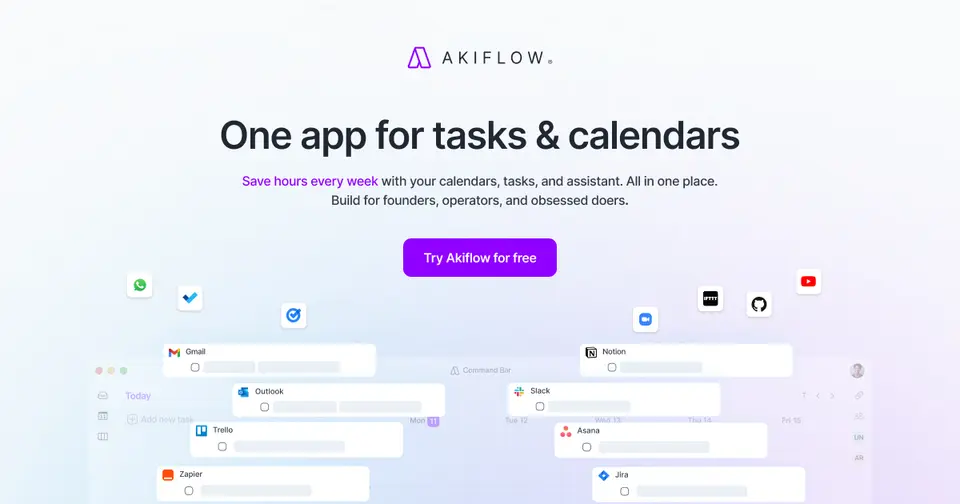
Akiflow-Bewertung
Mittelmäßig · von 4.0 · benotet am 10.10.2026
Am besten für Aufgaben aus vielen Apps in Zeitblöcke legen
Akiflow ist ein Tagesplaner für Leute, deren To-dos über E-Mail, Slack und ein paar andere Tools verstreut sind. Er holt sie in einen Posteingang und lässt dich jede einzelne auf deinen Kalender ziehen, und Rezensenten schwärmen vom Support. Aber es gibt keinen Gratis-Plan, die Testphase dauert 7 Tage und braucht eine Karte, und es fängt bei $19 pro Monat an, zu zahlen als $228 im Voraus.
Für wen Akiflow ist
- Passt, wenn deine Aufgaben über Gmail, Slack, Notion und Asana verteilt sind und du eine Liste willst
- Taugt für Tage voller Meetings, in denen Aufgaben in die Lücken gelegt werden müssen
Für wen Akiflow nicht ist
- Lass es, wenn du einen kostenlosen Planer willst, denn hier gibt es keinen Gratis-Plan
- Teuer, wenn du monatlich zahlst, mit $34 pro Monat gegen $19 im Jahresplan
- Knapp, wenn du es erst richtig ausprobieren willst, denn die Testphase dauert 7 Tage und braucht eine Karte
- Nichts für dich, wenn du Meetings aufgezeichnet und zusammengefasst haben willst, ohne $19 mehr zu zahlen
- Nichts für dich, wenn du Linux nutzt, denn die Desktop-Apps sind für Mac und Windows
Warum Akiflow einen 2.2 bekommt
Fünf Noten, jede mit ihrem Grund. Der GPA ist ihr Durchschnitt: ein A sind 4 Punkte, ein F sind keine.
- DPreis-Leistung$19 pro Monat, wenn du $228 im Voraus zahlst, oder $34 von Monat zu Monat, wo die Mitte für einen Planer hier bei $5.99 liegt und das teuerste Zehntel bei $17.29 anfängt. Es sitzt also selbst im Jahresangebot in diesem teuersten Zehntel. Die Aufzeichnung von Meetings kostet $19 obendrauf.
- DGratis-Plan und TestphaseKein Gratis-Plan. Du bekommst 7 Tage mit allem freigeschaltet, aber zuerst geht eine Karte hinein, und der Plan beginnt von allein, wenn du nicht kündigst. Sunsama und Morgen geben beide 14 Tage ohne Karte.
- BFunktionenEin Posteingang für Aufgaben aus Gmail, Slack, Notion, Asana, Jira und mehr, Zeitblöcke in deinem echten Kalender, Buchungslinks, eine Befehlsleiste und ein KI-Assistent. Die Arbeit eines Planers ist abgedeckt, auch wenn die KI noch als Beta gekennzeichnet ist und die Aufzeichnung von Meetings ein eigenes Add-on für $19 ist.
- CEinfache BedienungZu wenige Bewertungen am Handy, um sich darauf zu stützen, und du fängst damit an, Gmail, Slack, Notion und deine Kalender anzubinden, bevor ein Tag geplant ist. Rezensenten nennen es schnell genug eingerichtet, mit einem kostenlosen 1:1-Gespräch, aber ein Fan riet, erst die Anleitungen anzuschauen, und ein paar erwähnen Fehler.
- APlattformen und IntegrationenWeb, Mac, Windows, iPhone, Android und jetzt eine App für die Apple Watch, im Abgleich mit den Kalendern von Google, Outlook und ab Oktober iCloud. Eigene Integrationen für acht Tools, dazu Zapier, IFTTT und ein MCP-Connector für Claude und ChatGPT. Keine Desktop-App für Linux.
Das Gute
Wo leben deine Aufgaben eigentlich? Wenn die Antwort lautet „eine E-Mail hier, eine Slack-Nachricht da, ein paar in Notion“, dann ist Akiflow für dich gebaut.
Es holt sie in einen Posteingang. Mach aus einer E-Mail eine Aufgabe, leg eine Slack-Nachricht für später weg, und deine Aufgaben aus Asana oder Jira landen in derselben Liste.
Dann planst du den Tag. Zieh eine Aufgabe auf deinen Kalender, und sie wird ein Zeitblock, direkt neben deinen echten Meetings aus Google oder Outlook. Das ist Time Blocking, und darin ist Akiflow am besten.
Dinge hinzuzufügen geht schnell. Tipp „Klempner anrufen donnerstag um vier nachmittags“, und es greift sich den Tag und die Uhrzeit heraus.
Es gibt auch einen KI-Assistenten namens Aki, auf ihrer Seite noch als Beta gekennzeichnet. Tipp oder sag etwas wie „schieb meine überfälligen Sachen auf morgen früh“, und es verschiebt die Dinge für dich. Und du kannst Leuten einen Link schicken, über den sie ein Zeitfenster bei dir buchen.
Was dich nerven wird
Zuerst der Preis. Es gibt überhaupt keinen Gratis-Plan, und monatlich zahlen kostet $34. Für einen Planer ist das viel.
Die Testphase gibt dir auch nicht lange. Es sind 7 Tage, eine Karte geht hinein, bevor du anfängst, und der Plan springt von allein an, wenn du nicht kündigst. Stell dir eine Erinnerung!
Meetings aufzeichnen und zusammenfassen gehört nicht dazu. Das ist der AI Meeting Assistant, ein eigenes Add-on für $19 pro Monat.
Ein paar Rezensenten sind auf Fehler gestoßen. Einer ist gegangen, nachdem Änderungen im Kalender nicht mehr auftauchten und er Termine am Handy nicht bearbeiten konnte. Das war Anfang 2025, und die Versionshinweise vom September 2026 führen Korrekturen am Abgleich auf, es kann also gut sein, dass es jetzt besser ist.
Wer Apples Kalender nutzt, musste warten. Der iCloud-Kalender kam erst mit der Version vom 8. Oktober 2026, und er wird noch ausgerollt.
Kleinere Wünsche kommen auch auf, etwa alte Projekte zu archivieren oder eine große Aufgabe über mehrere Tage zu verteilen. Und Linux-Nutzer bekommen keine Desktop-App.
Geld
Es gibt einen Plan, Pro. Was du zahlst, hängt davon ab, für wie lange du dich festlegst.
Von Monat zu Monat sind es $34. Zahl für das Jahr, und es kommt auf $19 pro Monat heraus, abgerechnet als $228 in einem Stück. Akiflow nennt das eine Ersparnis von 44%.
Wirklich sicher? Die Believer-Angebote gehen tiefer: $357.60 für zwei Jahre, das sind $14.90 pro Monat, oder $699 für fünf. Wir würden darüber erst nach einem ganzen Jahr damit nachdenken.
Alles steckt in dem einen Plan, Aki eingeschlossen. Das einzige Extra ist der AI Meeting Assistant für $19 pro Monat. Teams müssen mit dem Vertrieb sprechen.
Studenten und Forschende bekommen mit einer Hochschul-E-Mail-Adresse 40% Rabatt auf den Jahresplan.
Was würden wir also tun? Nimm die 7 Tage Testphase in einer richtig vollen Woche und stell dir eine Erinnerung für Tag 6. Wenn es bis dahin nicht geändert hat, wie du planst, kündige.
Was echte Nutzer sagen
Wir haben keine Sterne-Bewertung für dich, weil die iPhone-App zu wenige Bewertungen hat, um sich darauf zu stützen. Und auf Hacker News redet niemand über Akiflow, das hier kommt also alles aus Bewertungen im App Store.
Was heraussticht? Der Support. Rezensent für Rezensent erwähnt einen echten Menschen, der sie in einem Videogespräch durch die Einrichtung führt. Einer, der gekündigt hatte und zurückkam, sagt, ein Mitarbeiter habe ihn schnell wieder zum Laufen gebracht.
Leute mit ADHS tauchen oft auf. Einer sagt, es sei die erste App, die alles an einem Ort hat, was er braucht, und ein anderer ist von Motion gewechselt, nachdem dessen Preis gestiegen war.
Der Preis kommt selbst unter den Fans zur Sprache. Einer sagt, er habe ihn lange abgeschreckt, bevor er nachgegeben hat.
Die unzufriedenen Bewertungen gehen um Fehler und den Abgleich. Und selbst eine zufriedene kam mit einer Wunschliste, etwa besserem Abgleich mit Todoist.
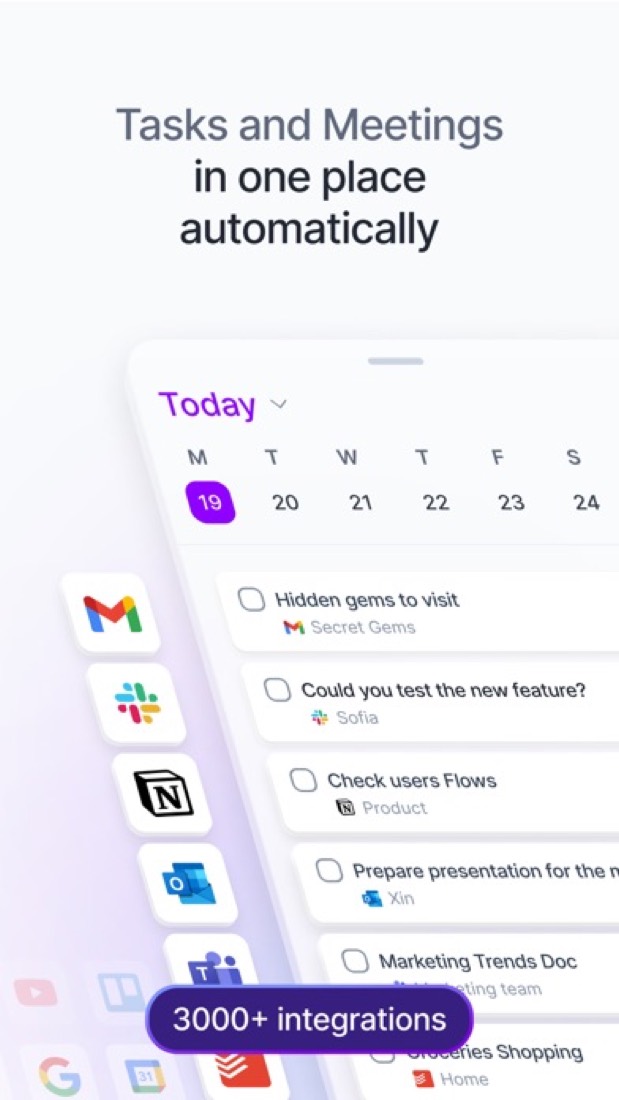
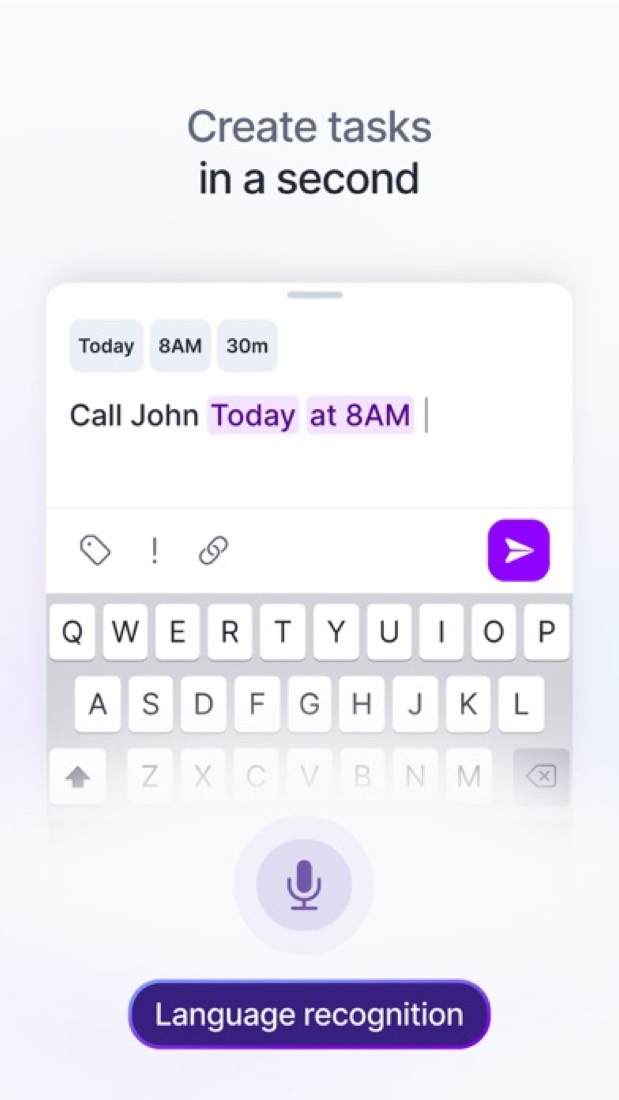
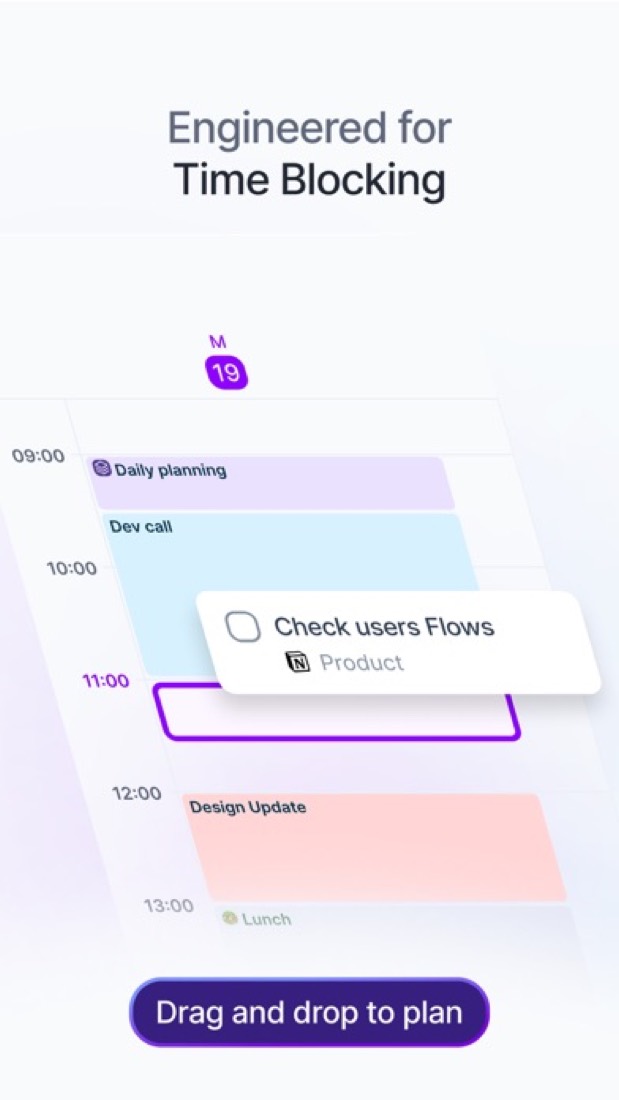
Worauf diese Bewertung beruht. Based on Akiflow's pricing, features, download, integrations, MCP and changelog pages as of 9 October 2026 and its App Store listing and reviews. Also tested with a demo account on 2026-09-09. Wie wir bewerten und benoten.
Du machst Akiflow? Zeig diese Note auf deiner Website
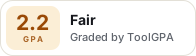
Füg das dort ein, wo das Badge stehen soll. Es verlinkt hierher und folgt der Note, wenn sie sich ändert. Über Badges
<a href="https://toolgpa.com/tools/akiflow#review"><img src="https://toolgpa.com/badge/akiflow.svg" alt="Akiflow: 2.2 GPA on ToolGPA" width="196" height="56"></a>Wo Akiflow im Feld der Tagesplaner-Apps steht
Akiflow's GPA of 2.2 is higher than 8 of the 69 other daily planner apps we grade, and level with 8.
It stands best on platforms and integrations (A, above 55 of 69) and worst on value for money (D, above 0).
Its paid plans start at $19 a month, against a middle price of $4.17 for the category: 49 of the 52 others that charge start lower.
On features, ease of use and platforms it scores 3.0 out of 4. 7 tools score higher and cost less.
Jede Note gegen die Kategorie
Jeder Balken steht für alle 70 Tagesplaner-Apps, die wir benoten, aufgeteilt nach dem Buchstaben, den sie bekommen haben. Der eigene Buchstabe von Akiflow ist umrandet.
- DPreis-LeistungBesser als 0 von 69, gleich mit 10
- DGratis-Plan und TestphaseBesser als 1 von 69, gleich mit 4
- BFunktionenBesser als 32 von 69, gleich mit 32
- CEinfache BedienungBesser als 0 von 69, gleich mit 36
- APlattformen und IntegrationenBesser als 55 von 69, gleich mit 14
Preis gegen das, was du bekommst
Ein Punkt pro Tool, 57 Tagesplaner-Apps insgesamt. Weiter links heißt günstiger, weiter oben heißt besser bei Funktionen, Bedienung und Plattformen. Zeig auf einen Punkt, um zu sehen, welches Tool es ist.
Features, ease of use and platforms, averaged
What paid plans start at, a month (each step along is roughly double) →
- The best score at each price
- Has a free plan
- No free plan
Akiflow behalten oder selbst bauen?
Behalte es
The plain part of Akiflow you could make: tasks, calendar and time blocking. What surrounds it you could not. The 6 things listed below take a company, not a weekend.
That makes this kind of software worth paying for, not this one in particular: 53 of the 69 other daily planner apps grade higher. It costs $228 a year.
Was du selbst bauen könntest
- Tasks, calendar and time blocking: an app builder makes these well.
Was du nicht bauen könntest
- Booking pages that read and write other people's calendars and send the emails.
- Apps for macOS, Windows, iOS and Android that stay in step with each other.
- It plugs into other products, Google Calendar, Outlook Calendar and Gmail among them.
- AI features, unless you pay a model provider for each request yourself.
- Hooks into the device itself: an Apple Watch app.
- The depth: we grade its features B, which means it covers the whole job.
Worauf das beruht. Der Eintrag zu Akiflow: was es tut, wo es läuft, womit es sich verbinden lässt und was es kostet. Es ist eine Einschätzung darüber, was für eine Art Software das ist. Wir haben keinen Ersatz dafür gebaut, und wer selbst baut, muss sich auch darum kümmern. Wie wir entscheiden, und das Urteil zu jedem Tool.
Was ist Akiflow?
Akiflow ist ein Tagesplaner, der einen Posteingang für Aufgaben neben deine Kalender von Google und Outlook stellt. Aufgaben kommen aus verbundenen Tools wie Gmail, Slack, Notion und Asana und werden als Zeitblöcke in den Kalender gelegt. Ein eingebauter KI-Assistent namens Aki plant und verschiebt Arbeit auf getippte oder gesprochene Anweisung, und ein MCP-Connector öffnet Aufgaben und Kalender für Claude und ChatGPT. Version 2.83 vom 8. Oktober 2026 bringt den Abgleich mit dem iCloud-Kalender, Travel-Time-Blöcke und eine App für die Apple Watch.
Gut zu wissen
- There is no free plan, and the 7-day trial requires a card.
- Monthly billing costs $34 per month, against $19 per month on the yearly plan.
- The AI Meeting Assistant (recording, transcripts, summaries) is a separate $19-per-month add-on.
- Desktop downloads are listed for macOS and Windows only, the Apple Watch app needs the Akiflow iPhone app, and team pricing is arranged with sales.
Wichtige Funktionen
- Ein Posteingang für alles
- Aufgaben aus verbundenen Tools wie Gmail, Slack, Notion, Asana, Jira und Todoist landen in einem Posteingang. Zapier und IFTTT decken Tools ab, für die es keine eigene Integration gibt.
- Zeitblöcke im Kalender
- Leg Aufgaben in einen Kalender, der sich mit Google Calendar und Outlook Calendar abgleicht. Version 2.83 bringt den Abgleich mit dem iCloud-Kalender in beide Richtungen, ab dem 14. Oktober 2026 für alle, und Travel-Time-Blöcke vor Terminen.
- KI-Assistent Aki
- Bitte Aki per Chat oder Stimme, Arbeit zu planen, zu priorisieren oder zu verschieben, zum Beispiel einen Nachmittag freizuräumen und Aufgaben auf den nächsten Tag zu schieben. In Pro enthalten und auf der Funktionsseite als Beta gekennzeichnet.
- Verfügbarkeit teilen und Termine buchen
- Teile freie Zeitfenster oder einen Meeting-Link, damit andere Leute einzelne oder wiederkehrende Termine bei dir buchen können.
- Befehlsleiste und Tastenkürzel
- Leg Aufgaben an, bearbeite sie und navigier über die Tastatur. Die Befehlsleiste macht außerdem aus kopiertem Text von einer Webseite eine Aufgabe.
- MCP-Connector
- Verbindet Claude, ChatGPT oder einen anderen MCP-Client mit deinen Aufgaben, deinem Kalender und deinen Meetings in Akiflow.
Akiflow-Tipps, die die meisten übersehen
Weniger zahlen
Refer someone and you both get $25 off
Akiflow's referrals page says you and the person you refer each get $25 in credit once they pay their first invoice after the trial. It comes off your next invoice automatically, up to $300 in all. Your link is at web.akiflow.com/user/referrals. Team plan members can't use it.
product.akiflow.comEinstellung
Your meeting invites carry your referral link unless you turn it off
Events you create with guests get a "Scheduled with Akiflow" signature with your referral link in it. If you'd rather clients and your boss didn't see that on every invite, switch the signature off in Settings, General.
product.akiflow.comTastenkürzel
Type # for project, = for duration and ! for priority as you add a task
In the command bar, # sets the project, * adds a tag, = how long it takes, < a deadline, ! the priority and > a time slot, alongside dates like "tomorrow". Press Esc if it reads a word as a date by mistake. With the desktop app, Cmd+E (Ctrl+E) opens it from any app.
product.akiflow.comEinstellung
Choose what ticking off a Gmail task does to the email
In Settings, Integrations, your Gmail account, set On mark as done to unstar the email, open Gmail, do nothing or ask each time. You can import by an Akiflow label instead of stars, too. Stars from before you connected aren't imported, and a starred thread brings in only its latest email.
product.akiflow.comLeicht zu übersehen
Save a Slack message for later and it lands in your task inbox
With Slack connected, messages you save to Later come into Akiflow as tasks, or use a message's three-dot menu and Create a task. Only messages saved after connecting count. Finishing the task doesn't clear it from Later, but unsaving it marks the task done. Press O to open the original.
product.akiflow.comDatenschutz
Need SOC 2 for work? Akiflow says it doesn't have it yet
Its security page says it stores data from connected tools, such as calendar events, the subjects of emails you star and the text of Slack messages you save, encrypted in transit and with 256-bit AES at rest. It doesn't currently hold SOC 2 or ISO 27001. Support can send a data processing agreement.
product.akiflow.com
Gelesen am 17.10.2026. Read from Akiflow's help centre (referrals, the command bar, keyboard shortcuts, Gmail, Slack, settings and security) on 17 October 2026. Not tried out: these tips are what its own pages say.
Akiflow-Preise
Stand 09.10.2026: Akiflow ist ein kostenpflichtiges Produkt mit kostenloser Testphase, ab $19 pro Monat, jährlich abgerechnet ($228).
- Startpreis
- $19 pro Monat, jährlich abgerechnet ($228)
- Gratis-Plan
- Keiner
- Kostenlose Testphase
- 7 Tage Testphase mit vollem Zugang. Eine Karte ist nötig, und der gewählte Plan beginnt danach, wenn du nicht kündigst.
| Plan | Preis | Was du bekommst |
|---|---|---|
| Pro | $19pro Monat, jährlich abgerechnet ($228) | Der einzige Plan: Aufgaben, Planung im Kalender, Integrationen, der KI-Assistent Aki und der MCP-Connector. $34 pro Monat bei monatlicher Abrechnung. |
Am 09.10.2026 auf akiflow.com gelesen. Preise ändern sich, prüf sie bei Akiflow nach, bevor du kaufst.
2 Preisänderungen erfasstWas die App in anderen Ländern kostet
Wege, weniger zu zahlen
- JahresrabattMit Jahresabrechnung 44% sparen
Pro kostet bei Jahresabrechnung $19 pro Monat ($228) statt $34 pro Monat bei monatlicher Abrechnung. Akiflow weist das als Ersparnis von 44% aus.
Angegeben auf akiflow.com - Bildung40% Rabatt auf Pro Yearly für Studenten und Forschende
Berechtigte Studierende und Forschende an Universitäten bekommen 40% Rabatt auf Pro Yearly, und zwar auf Lebenszeit, nachdem der Akiflow-Support eine Hochschul-E-Mail-Adresse geprüft hat.
Angegeben auf akiflow.com - Andere ErsparnisseBeliever-Pläne über mehrere Jahre
Längere Bindungen an Pro kosten pro Monat weniger: $357.60 für zwei Jahre (gleich $14.90 pro Monat) oder $699 für fünf Jahre.
Angegeben auf akiflow.com - Nach LandPreise nach Kaufkraft in ausgewählten Ländern
Die FAQ zu den Preisen sagt, dass Akiflow in ausgewählten Ländern Preise nach der lokalen Kaufkraft anwenden kann und dass der Preis gilt, der dir beim Bezahlen für deinen Standort gezeigt wird. Länder oder Beträge werden nicht genannt.
Angegeben auf akiflow.com
Akiflow: Rückerstattung und Kündigung
Durchschnittlich · geprüft am 12.10.2026
Akiflow's terms say purchases are non-refundable, and that includes the unused part of a yearly or five-year plan. So the 7-day trial is your window to decide, and it needs a card. Cancelling is a button in the billing settings and you keep access to the end of the period, which is the ordinary deal and a C. What we don't like: you can't export your own tasks without asking support.
- Rückerstattungsfrist
- Keine feste Frist
- Wie du kündigst
- Selbst, in den Einstellungen
- Wie du dein Geld zurückbekommst
The terms say purchases are non-refundable and that cancelling brings no refund for unused time or pre-payments. Consumer rights under national law still apply: the terms cite a 14-day withdrawal period in the EU and a 14-day cooling-off period in the UK, with a full refund. Elsewhere they say that right holds only if you have not started using the service. Refunds are paid in the currency of the original charge.
Angegeben auf akiflow.com- Wie du Akiflow kündigst
The account help article says a subscription is cancelled under Settings, then Account, then Manage Account, then Billing, with a Cancel subscription button below the plan information. The whole process has to be completed or the subscription stays active, and an email confirms the cancellation. Subscriptions cannot be paused.
- Go to Settings, then Account, then Manage Account, then Billing
- Click the Cancel subscription button below the plan information
- Complete the entire cancellation process: if you exit before finishing, the subscription stays active
- Click Manage on your current plan to confirm it worked, and look for the confirmation email
- Was du danach behältst
You keep full access until the end of the billing period you paid for, monthly or yearly, and can reactivate before it expires. Not paying does not delete anything: the account and data stay intact unless you delete the account, which removes the data for good, most of it immediately. There is no self-service export of tasks created in Akiflow: you have to ask support, and not every type of data is guaranteed.
Angegeben auf product.akiflow.com- Verlängerungen
The terms say monthly plans are billed in advance each month, yearly plans once a year and the five-year Believer plan once every five years. The pricing page says a card is required for the 7-day trial and the chosen plan starts afterwards unless it is cancelled. Neither mentions a reminder before a charge. Purchases are non-refundable, with no exception stated for a renewal.
Angegeben auf akiflow.com
Zu deinen Gunsten
- Cancelling is a button in the billing settings, and you get an email to confirm it.
- You keep full access to the end of the period you paid for, and can reactivate before it runs out.
- Stopping payment doesn't delete your account or your data.
- EU and UK consumers have a 14-day right to withdraw written into the terms.
Darauf achten
- Purchases are non-refundable, with nothing back for unused time, even on the yearly and five-year plans.
- The trial needs a card and rolls into the plan you picked after 7 days. No reminder before a charge is promised.
- You can't export tasks you created in Akiflow yourself. You have to ask support, and it isn't guaranteed.
- Quit the cancellation flow halfway and the subscription stays active, so finish it and check for the email.
Akiflow-Kundensupport
Gut · geprüft am 12.10.2026
You can chat with the team from inside the app or email them, and Akiflow puts numbers on it: Monday to Friday, with replies usually in under 4 hours. That's more than a bare email address, so it's a B. It isn't an A because nothing says the chat is answered live, and weekend messages wait until Monday. App Store reviewers speak well of the support too, which fits but doesn't move the grade.
Wo du Hilfe bekommst
Live-Chat
On desktop and web, the avatar menu has a Contact support option that opens a chat with the team inside Akiflow. The article does not say the chat is answered live.
Angegeben auf product.akiflow.comE-Mail
A support email address, given in the support article as the alternative to the in-app chat.
Angegeben auf product.akiflow.comKontaktformular oder Ticket
A contact form on the contacts page, offered to people who cannot use their email app.
Angegeben auf akiflow.comHilfecenter
A searchable help centre with articles on getting started, the calendar, integrations, task management, time blocking and the account.
Angegeben auf product.akiflow.comCommunity oder Forum
A Slack community, linked under Community in the website's footer.
Angegeben auf akiflow.com
Nicht auf den Seiten von Akiflow genannt: telefon.
- Wann geantwortet wird
The support article says the team is available Monday to Friday, and that messages sent over the weekend are answered first thing on Monday. It gives no times of day and no time zone.
Angegeben auf product.akiflow.com- Wie schnell es laut eigener Aussage antwortet
The contacts page says product support replies usually come in under 4 hours. The support article adds that bug reports are aimed to be resolved within 2 to 4 weeks, sometimes longer, with no guarantee.
Angegeben auf akiflow.com- Was von deinem Plan abhängt
Akiflow sells a single plan, Pro, so its pages describe one level of support for everyone who pays. The pricing page says Pro includes a free one-to-one onboarding call.
Angegeben auf akiflow.com
Zu deinen Gunsten
- You can reach the team from inside the app, without hunting for an address.
- Akiflow says replies usually come in under 4 hours.
- Pro includes a free one-to-one onboarding call.
Darauf achten
- Nobody's there at the weekend: messages wait until Monday.
- Under 4 hours is what usually happens, not a guarantee.
- Bug fixes run on a slower clock: the aim is 2 to 4 weeks, sometimes longer.
- No phone line is offered on the pages we read.
Was seine Nutzer berichten
- Several App Store reviewers say customer service replied quickly and was helpful when they got in touch. apps.apple.com
Worauf diese zwei Noten beruhen. Read on 12 October 2026: Akiflow's terms of service, its pricing page and FAQ, its contacts page, and its help centre's articles on the account and on support, plus the eight reviews its App Store listing shows for what users report. Nobody here cancelled a plan or contacted its support. Sie werden getrennt von den fünf Noten benotet, die den GPA bilden. Wie wir Rückerstattung und Support benoten.
Funktioniert mit
Wer Akiflow macht
Akiflow is made by Akiflow, which its terms describe as a US company, run by a fully remote team. It earns money from paid subscriptions to its time-blocking app for tasks and calendars, and its own pages name Y Combinator and Benson Oak Ventures among its backers.
- Sitz
- Fully remote, with no officeakiflow.com
- Eigentümer
- Privately held. Privately held. Its About page names Benson Oak Ventures, Y Combinator and a list of angel investors as its backers, and its terms of service describe Akiflow as a US company.akiflow.com
- Finanzierung
- Akiflow names its backers but does not publish amounts or dates. Its About page lists Benson Oak Ventures and Y Combinator alongside angel investors including Yaron Samid, Matilde Giglio, Adam Schwartzt, Matthew Trifiro, Dror Ceder, Eilon Reshef, Ayal Itzkovitz, Matteo Frattini and Enrico Pandian. Y Combinator's own page puts Akiflow in its Summer 2020 batch.akiflow.comycombinator.com
- Gründer und Führung
- Nunzio Martinello, CEOakiflow.com
- Sebastiano Favaro, CTOakiflow.com
- Affiliate-Programm
- Affiliate tier of its ambassador program: up to $50 for each referred user, with a dashboard showing clicks, trials and commissions, and partner-only resources and coupons. Sign-up runs through its Tapfiliate partner page.akiflow.com
- Reseller-Programm
- Reseller tier of its ambassador program, for distributors, agencies and consultants: deals set by category, a dedicated account manager and partner-only resources and coupons. The rates are not published.akiflow.com
- Zuletzt
Gelesen am 18.10.2026 von den eigenen Seiten des Unternehmens und aus Nachrichtenberichten. Was dort nicht steht, bleibt weg.
Jobs bei Akiflow
Offene Stellen bei Akiflow stehen auf der eigenen Karriereseite. Eine Zahl können wir dort nicht ablesen, also schau selbst nach.
Bewerbungen gehen an Akiflow, nicht an uns.
Akiflow-Alternativen
- Akiflow vs. Sunsama
Kostenlose Testphase · ab $17/monat
- Akiflow vs. Motion
Kostenlose Testphase · ab $19/monat
- Akiflow vs. Morgen
Kostenlose Testphase · ab $15/monat
- Akiflow vs. Routine
Gratis-Plan · ab $5/monat
- Akiflow vs. Ellie
Gratis-Plan · ab $9.99/monat





Zu finden in
- The best daily planner apps in 2026Bestenliste
Häufige Fragen
Hat Akiflow eine Linux-App?
Als seine Seiten am 09.10.2026 gelesen wurden, war keine Linux-App angegeben. Akiflow ist für Web, macOS, Windows, iOS und Android angegeben.
Ist Akiflow Open Source?
Auf der eigenen Website wird Akiflow nicht als Open Source beschrieben, gelesen am 09.10.2026.
Funktioniert Akiflow offline?
Ja, laut eigener Website. Was ohne Verbindung geht, hängt von Plan und Plattform ab, die Einzelheiten stehen also auf der Seite des Anbieters.
Quellen für diese Seite
Die Preise, Pläne, Plattformen und Funktionen oben wurden am 09.10.2026 von diesen Seiten gelesen.